
1. Wprowadzenie
The NICGIGA 24 Port 2.5Gb Ethernet Switch (Model S25-2400) is an unmanaged network switch designed to provide high-speed connectivity for your home or office network. Featuring 24 2.5 Gigabit Ethernet ports, this switch offers a robust solution for expanding your network capacity and enhancing data transfer rates. Its plug-and-play design ensures easy installation without complex configuration, making it suitable for various environments, including desktop and 19-inch rack mount setups. The fanless metal design ensures quiet operation and efficient heat dissipation, contributing to device stability and longevity.
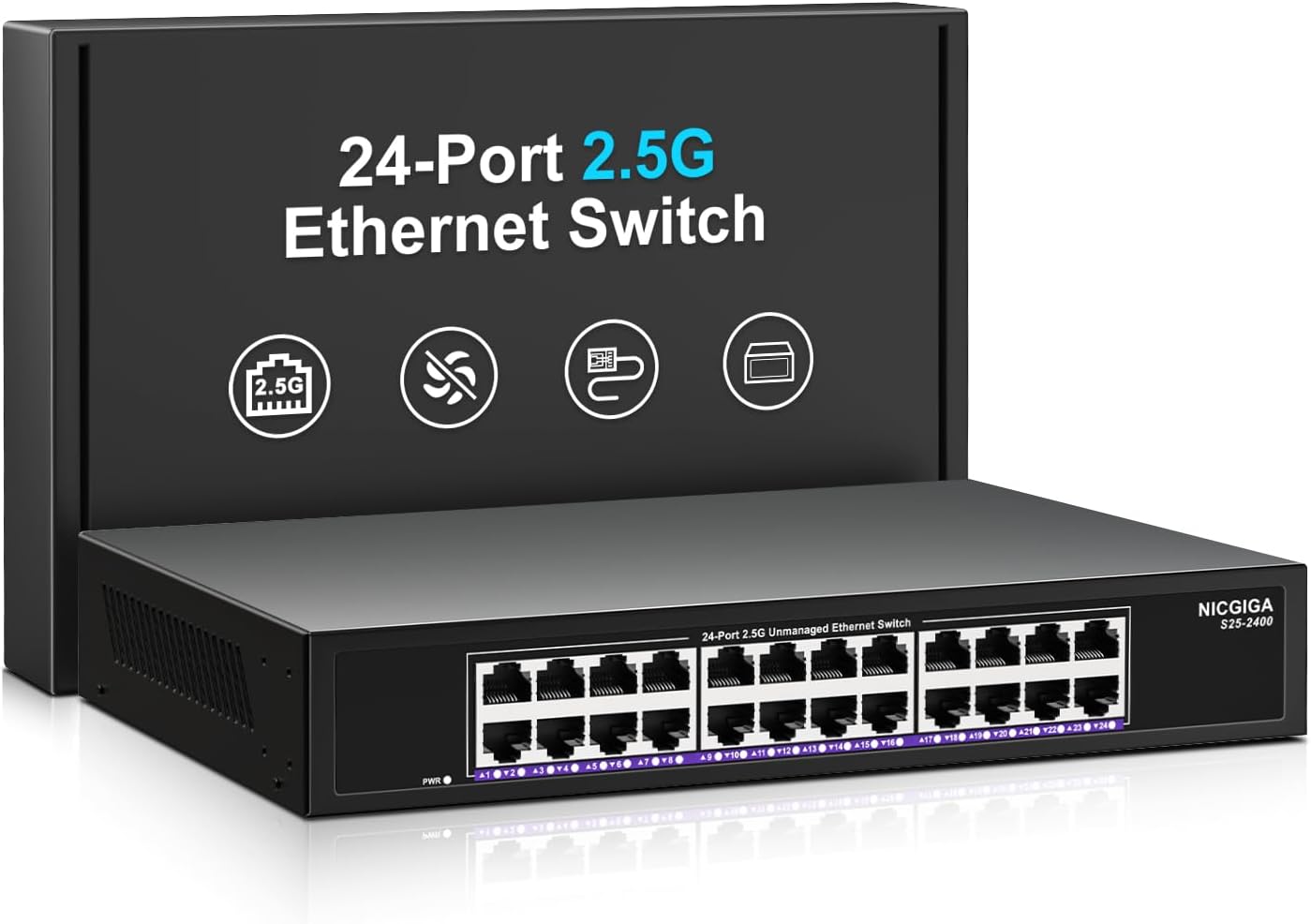
Obraz 1.1: Przód view of the NICGIGA 24 Port 2.5Gb Ethernet Switch, showcasing its 24 RJ45 ports and LED indicators.
2. Zawartość opakowania
Sprawdź, czy w przesyłce znajdują się następujące elementy:
- NICGIGA 24 Port 2.5Gb Ethernet Switch (Model S25-2400)
- Zasilacz
- Rack Mount Kit (for 19-inch rack installation)
- Instrukcja obsługi (ten dokument)
3. Koniec produktuview
3.1 Panel przedni
The front panel of the NICGIGA 24 Port 2.5Gb Ethernet Switch features 24 RJ45 ports and LED indicators for monitoring network activity.
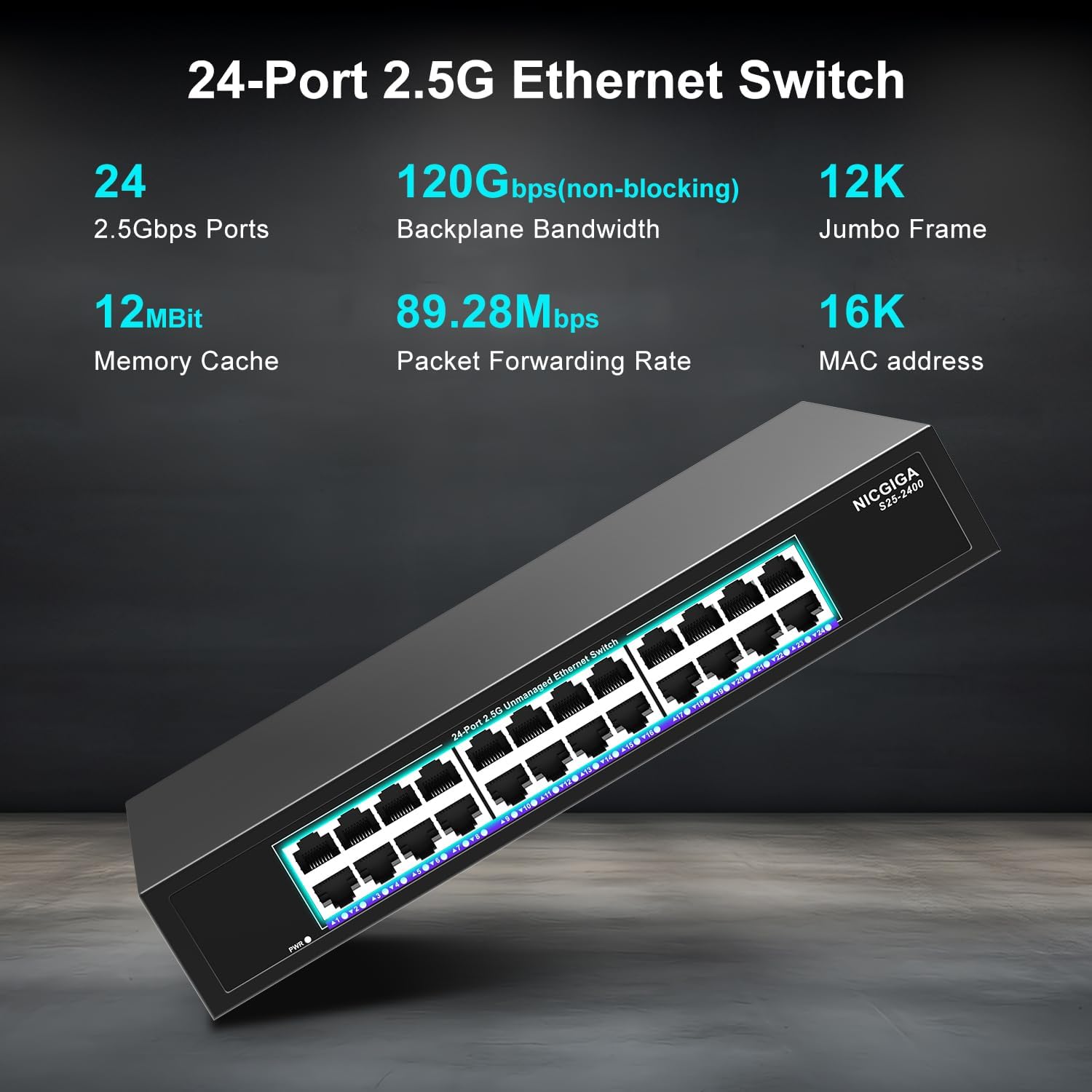
Rysunek 3.1: Szczegółowy view of the switch's front panel, highlighting the 24 RJ45 ports and power input.
- Porty RJ45 (1-24): These ports support 100/1000/2500Mbps Ethernet connections. They automatically detect and adjust to the speed of the connected device.
- Wskaźniki LED: Each port has an associated LED that indicates link status and activity.
- Jednolity zielony: Ustanowiono stabilne łącze o przepustowości 2.5 Gbps.
- Jednolity żółty: Ustanowiono stabilne łącze o przepustowości 1 Gbps.
- Stały pomarańczowy: A stable link is established at 100Mbps.
- Błyskowy: Na porcie odbywa się transmisja danych.
- Wyłączony: No link is established or the device is not connected.
- Dioda LED zasilania: Wskazuje stan zasilania przełącznika.
- Jednolity zielony: Przełącznik jest włączony.
- Wyłączony: Przełącznik jest wyłączony.
3.2 Panel tylny
The rear panel typically contains the power input and ventilation openings.
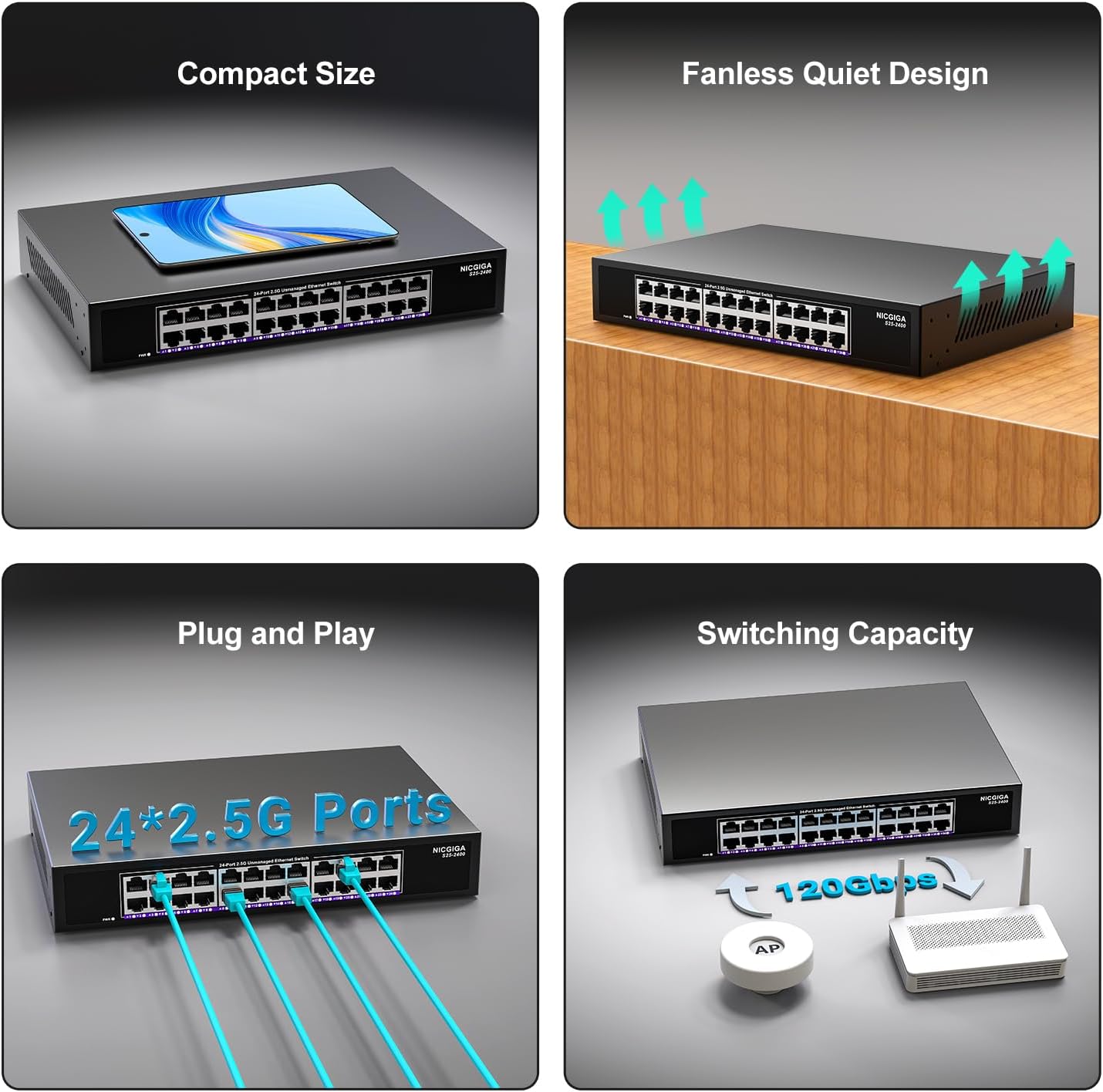
Obraz 3.2: Tył view of the switch, showing the power input and fanless design.
4. Konfiguracja
The NICGIGA 24 Port 2.5Gb Ethernet Switch is designed for simple plug-and-play operation, requiring no software installation or complex configuration.
4.1 Instalacja na pulpicie
- Place the switch on a stable, flat surface, ensuring adequate ventilation around the device.
- Podłącz zasilacz do wejścia zasilania przełącznika, a następnie do gniazdka elektrycznego.
- Connect your network devices (e.g., computers, NAS, Wi-Fi 6 APs, routers) to any of the 24 RJ45 ports using standard Ethernet cables. The switch will automatically detect the link speed.

Obraz 4.1: Example of desktop setup, showing the switch connected to a laptop and a Wi-Fi router.
4.2 19-inch Rack Mount Installation
The switch can be installed in a standard 19-inch equipment rack using the included rack mount kit.
- Przymocuj dwa wsporniki montażowe do boków przełącznika za pomocą dołączonych śrub.
- Secure the switch into an available slot in your 19-inch rack using appropriate rack screws (not included).
- Connect the power adapter and network cables as described in the desktop installation.

Image 4.2: Diagram illustrating the dimensions for rack mounting and an example of the switch installed in a 19-inch rack.
5. Instrukcja obsługi
Once the switch is powered on and devices are connected, it operates automatically.
- Autonegocjacja: Each port automatically detects the speed (100Mbps, 1Gbps, or 2.5Gbps) and duplex mode (half/full) of the connected device and adjusts accordingly. This ensures optimal performance and compatibility across various network devices.
- Architektura nieblokująca: The switch provides full wire-speed forwarding on all ports simultaneously, ensuring maximum throughput for all connected devices without bottlenecks.
- Operacja niezarządzana: No configuration or software is required. Simply connect your devices, and the switch will manage data traffic efficiently.

Image 5.1: Illustration of the auto-negotiation feature, showing how the switch adapts to different link speeds.
6. Konserwacja
The NICGIGA 24 Port 2.5Gb Ethernet Switch is designed for minimal maintenance.
- Czyszczenie: Do czyszczenia zewnętrznej części przełącznika należy używać miękkiej, suchej ściereczki. Nie należy używać środków czyszczących w płynie ani aerozolu.
- Wentylacja: Ensure that the ventilation openings are not blocked to allow for proper airflow and heat dissipation. The fanless design relies on natural convection.
- Środowisko: Operate the switch within its specified environmental conditions (temperature, humidity) to ensure optimal performance and longevity.
7. Rozwiązywanie Problemów
If you encounter issues with your NICGIGA 24 Port 2.5Gb Ethernet Switch, refer to the following common troubleshooting steps:
- Brak zasilania:
- Upewnij się, że zasilacz jest solidnie podłączony do przełącznika i do sprawnego gniazdka elektrycznego.
- Sprawdź, czy gniazdko elektryczne działa prawidłowo, podłączając do niego inne urządzenie.
- Check the Power LED on the switch; it should be solid green when powered on.
- Brak łącza/aktywności na porcie:
- Sprawdź, czy kabel Ethernet jest prawidłowo podłączony do portu przełącznika i podłączonego urządzenia.
- Sprawdź, czy podłączone urządzenie jest włączone i czy jego karta sieciowa działa prawidłowo.
- Aby wykluczyć problemy z kablem, wypróbuj inny kabel Ethernet.
- Przetestuj przy użyciu innego portu na przełączniku.
- Check the LED indicator for the specific port; if it's off, there's no link.
- Niska prędkość sieci:
- Ensure all connected devices and network adapters support 2.5Gbps speeds for optimal performance. The switch will auto-negotiate to the highest common speed.
- Use Cat5e or higher-rated Ethernet cables for 2.5Gbps connections.
- Sprawdź, czy ruch sieciowy nie jest nadmierny lub czy nie występują wąskie gardła w innych urządzeniach sieciowych.
- Łączność przerywana:
- Sprawdź kable Ethernet pod kątem uszkodzeń.
- Ensure the switch is placed in a well-ventilated area to prevent overheating, although it has a fanless design.
- Check for potential electromagnetic interference from other electronic devices.
8. Specyfikacje
| Funkcja | Specyfikacja |
|---|---|
| Model | S25-2400 |
| Liczba portów | 24 x 2.5Gbps RJ45 Ports |
| Typ interfejsu | RJ45 |
| Szybkość przesyłu danych | 100/1000/2500Mbps (Auto-Negotiation) |
| Przełączanie pojemności | 160 Gb/s |
| Rama Jumbo | 12 tys. |
| Rozmiar tabeli adresów MAC | 16 tys. |
| Pamięć podręczna | 12Mbit |
| Szybkość przekazywania pakietów | 89.28 Mpps |
| Projekt | Fanless Metal Design |
| Ochrona przed piorunami | 4KV |
| Instalacja | Desktop or 19-inch Rack Mount |
| Wymiary (dł. x szer. x wys.) | 270.5 × 181 × 44.5 mm (10.6 × 7.1 × 1.7 cala) |
| Waga przedmiotu | 1.9 kilogramów (4.18 funty) |
| Kompatybilne urządzenia | Komputer stacjonarny, konsola do gier, laptop |
| UPC | 790885830235 |
Uwaga: Specyfikacje mogą ulec zmianie bez powiadomienia.
9. Gwarancja i wsparcie
NICGIGA provides a one-year warranty for this product, ensuring reliability, quality, and performance. Additionally, lifetime technical support is available for the entire product lifecycle.
For technical assistance or warranty claims, please contact NICGIGA customer support through the official webwitrynę lub platformę zakupową.