
1. Wprowadzenie
The Razer Viper V3 Pro SE is a high-performance wireless gaming mouse designed for precision and speed. This manual provides essential information for its proper setup, operation, and maintenance.
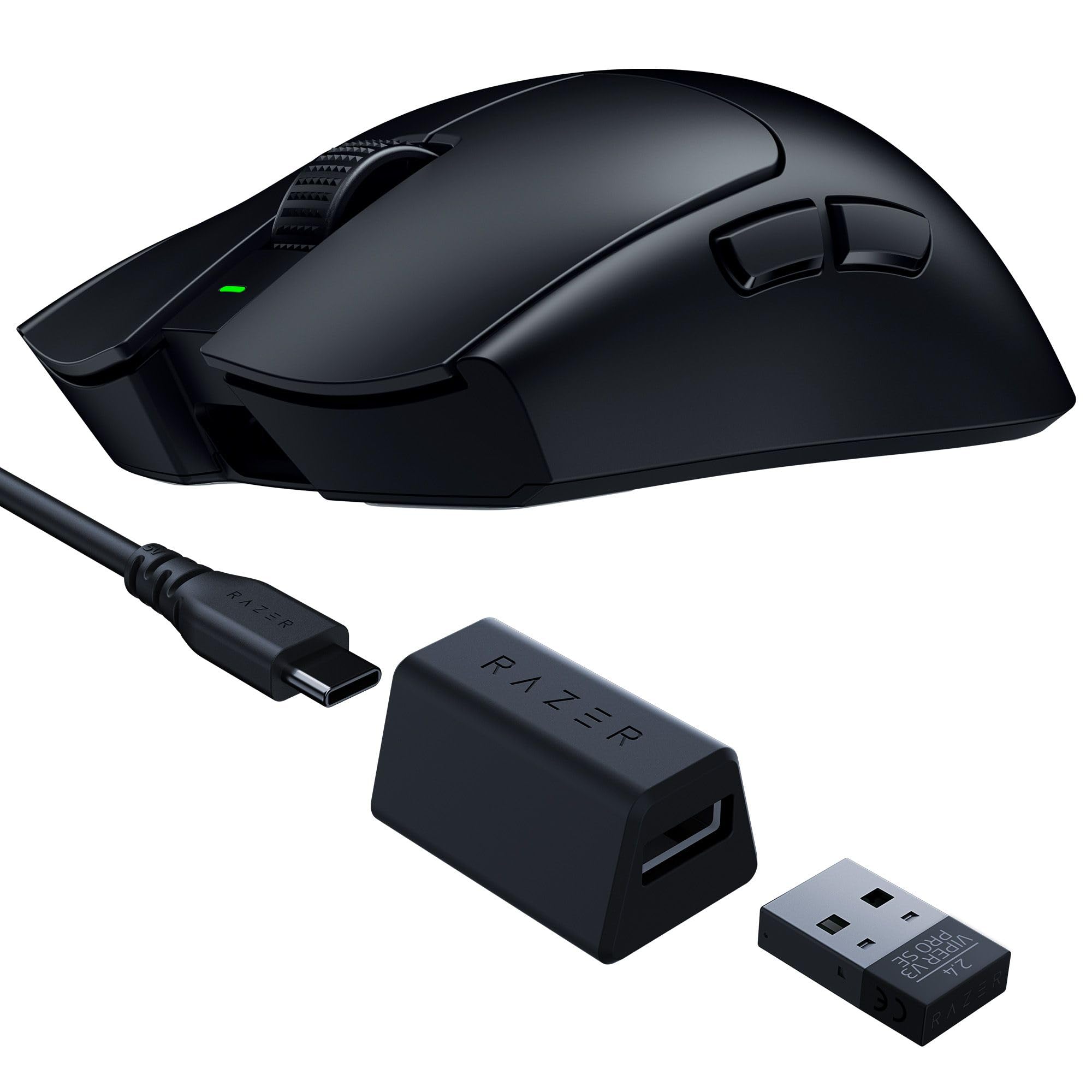
Image: The Razer Viper V3 Pro SE Wireless Gaming Mouse in black, showcasing its symmetrical design.
Główne cechy:
- Ultralekka konstrukcja o wadze 54 g: Engineered for swift and precise movements.
- Focus Pro 35K Optical Sensor Gen-2: Offers up to 35,000 DPI with 99.8% resolution accuracy.
- HyperSpeed Wireless: Provides ultra-responsive, low-latency performance with a 1000 Hz polling rate dongle.
- Przełączniki myszy optycznych Gen-3: Features a 90-million click lifespan and 0.2 ms actuation speed.
- Do 95 godzin pracy na baterii: Extended usage for long gaming sessions.
- Smooth-Touch Finish: Designed for enhanced grip and comfort.
2. Konfiguracja
2.1 Zawartość pudełka:
- Razer Viper V3 Pro SE Wireless Gaming Mouse
- HyperSpeed Wireless Dongle + USB Dongle Adapter
- Kabel USB typu A do USB typu C
- Ważny przewodnik informacyjny o produkcie
2.2 Initial Connection:
- Connect the HyperSpeed Wireless Dongle to an available USB-A port on your computer.
- Włącz mysz za pomocą włącznika zasilania znajdującego się na spodzie.
- The mouse should automatically pair with the dongle.

Image: The HyperSpeed Wireless Dongle and USB Type A to USB Type C Cable included with the mouse.
2.3 Charging the Mouse:
Connect the USB Type A to USB Type C cable to the front of the mouse and to a USB-A port on your computer or a USB charger. The mouse features an internal battery with up to 95 hours of life.
2.4 Software Installation (Razer Synapse):
For full customization and optimization, download and install the Razer Synapse software from the official Razer webwitryna. To oprogramowanie pozwala na:
- Dostosuj ustawienia DPI.
- Remap buttons.
- Configure polling rates.
- Utwórz niestandardowy profesjonalistafiles.
Video: An unboxing video demonstrating the contents and initial setup of the Razer Viper V3 Pro SE.
3. Korzystanie z myszy
3.1 Basic Functions:
- Lewy przycisk myszy: Działanie podstawowe.
- Kliknij prawym przyciskiem myszy: Secondary action.
- Kółko przewijania: Przewijaj w górę/w dół, kliknij środkowym przyciskiem.
- Przyciski boczne: Default to forward/back, customizable via Razer Synapse.
- Power/DPI Button (Underside): Toggles power and cycles through preset DPI stagt.j.

Image: The underside of the Razer Viper V3 Pro SE, highlighting the power switch and DPI cycle button.
3.2 DPI Adjustment:
The mouse features a Focus Pro 35K Optical Sensor Gen-2, allowing for precise tracking. You can adjust the DPI (Dots Per Inch) sensitivity:
- W locie: Press the Power/DPI button on the underside to cycle through preset DPI stagt.j.
- Personalizacja: Use Razer Synapse to set specific DPI levels and assign them to buttons or profiles.
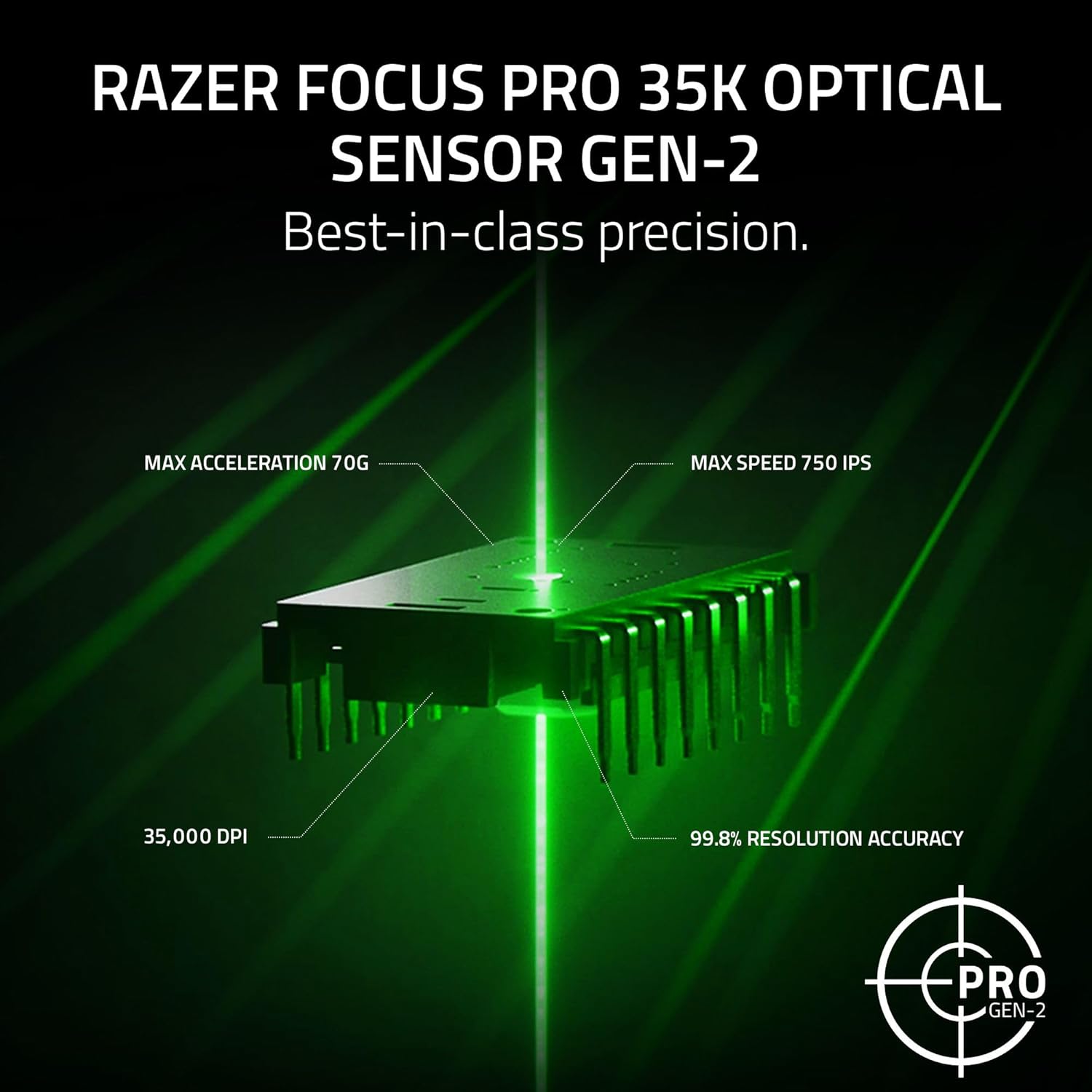
Image: A visual representation of the Razer Focus Pro 35K Optical Sensor Gen-2, detailing its 35,000 DPI, 99.8% resolution accuracy, 70G max acceleration, and 750 IPS max speed.
3.3 HyperSpeed Wireless:
The Razer HyperSpeed Wireless technology ensures a stable and responsive connection. The included dongle supports a 1000 Hz polling rate. For higher polling rates (up to 8000 Hz), a separate Razer HyperPolling Wireless Dongle is required.
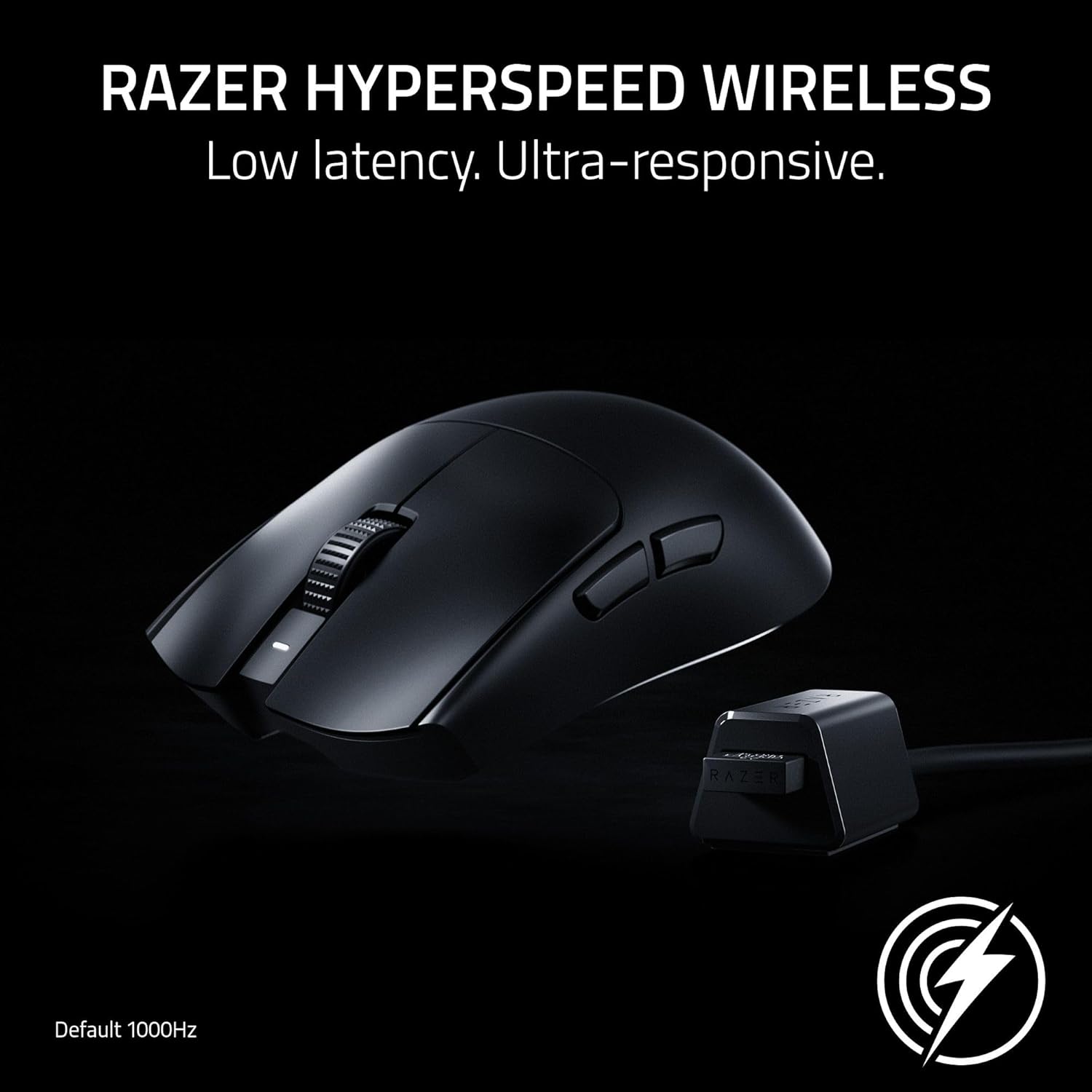
Image: The Razer Viper V3 Pro SE mouse positioned next to its HyperSpeed Wireless dongle, illustrating the wireless connection.
Video: A showcase video highlighting the features and performance of the Razer Viper V3 Pro SE.
4. Konserwacja
4.1 Czyszczenie:
Aby utrzymać optymalną wydajność, regularnie czyść mysz. Używaj miękkiej, niepozostawiającej włókien ściereczki, delikatnie przecierając.ampCzyścić wodą lub łagodnym środkiem czyszczącym. Unikać stosowania silnych środków chemicznych i materiałów ściernych.
4.2 Pielęgnacja baterii:
Mysz posiada wbudowany akumulator. Aby wydłużyć czas pracy baterii:
- Unikaj częstego całkowitego rozładowywania akumulatora.
- Naładuj mysz, gdy wskaźnik poziomu naładowania baterii jest niski.
- Jeśli mysz nie będzie używana przez dłuższy czas, należy ją przechowywać w chłodnym i suchym miejscu.

Image: A hand operating the Razer Viper V3 Pro SE mouse on a gaming mat, emphasizing its long battery life.
5. Rozwiązywanie Problemów
5.1 Connectivity Issues:
- Ensure the HyperSpeed Wireless Dongle is securely plugged into a USB-A port.
- Sprawdź, czy mysz jest włączona.
- Try plugging the dongle into a different USB port or a different computer to isolate the issue.
- If issues persist, try re-pairing the mouse with the dongle using Razer Synapse.
5.2 Tracking Problems:
- Wyczyść czujnik optyczny znajdujący się na spodzie myszy.
- Upewnij się, że używasz myszy na odpowiedniej powierzchni (zaleca się używanie podkładki pod mysz).
- In Windows mouse settings, disable "Enhance pointer precision" for optimal accuracy.
- Calibrate the mouse surface in Razer Synapse for improved tracking performance.
5.3 Battery Not Charging:
- Check the USB Type C cable for damage and ensure it's properly connected.
- Spróbuj użyć innego portu USB lub adaptera ładowania.
- Ensure the mouse is not in an extremely cold or hot environment, which can affect charging.
6. Specyfikacje
| Funkcja | Szczegół |
|---|---|
| Marka | Razer |
| Nazwa modelu | Viper V3 Pro SE |
| Numer modelu | RZ01-04550100-R3U1 |
| Kolor | Czarny |
| Technologia łączności | 2.4Ghz Wireless, USB |
| Technologia wykrywania ruchu | Optyczny |
| Mouse Maximum Sensitivity | 35000 Dots per Inch (DPI) |
| Współczynnik sondowania | 1000Hz (up to 8000Hz with separate HyperPolling Dongle) |
| Ilość przycisków | 6 |
| Orientacja dłoni | Prawidłowy |
| Średnia żywotność baterii | 95 godzin |
| Waga przedmiotu | 0.28 kilograma (54 g) |
| Wymiary przedmiotu (dł. x szer.) | 5" dł. x 2.51" szer. |
| Kompatybilne urządzenia | Komputer osobisty |
| System operacyjny | Windows 10, Linux, Mac |
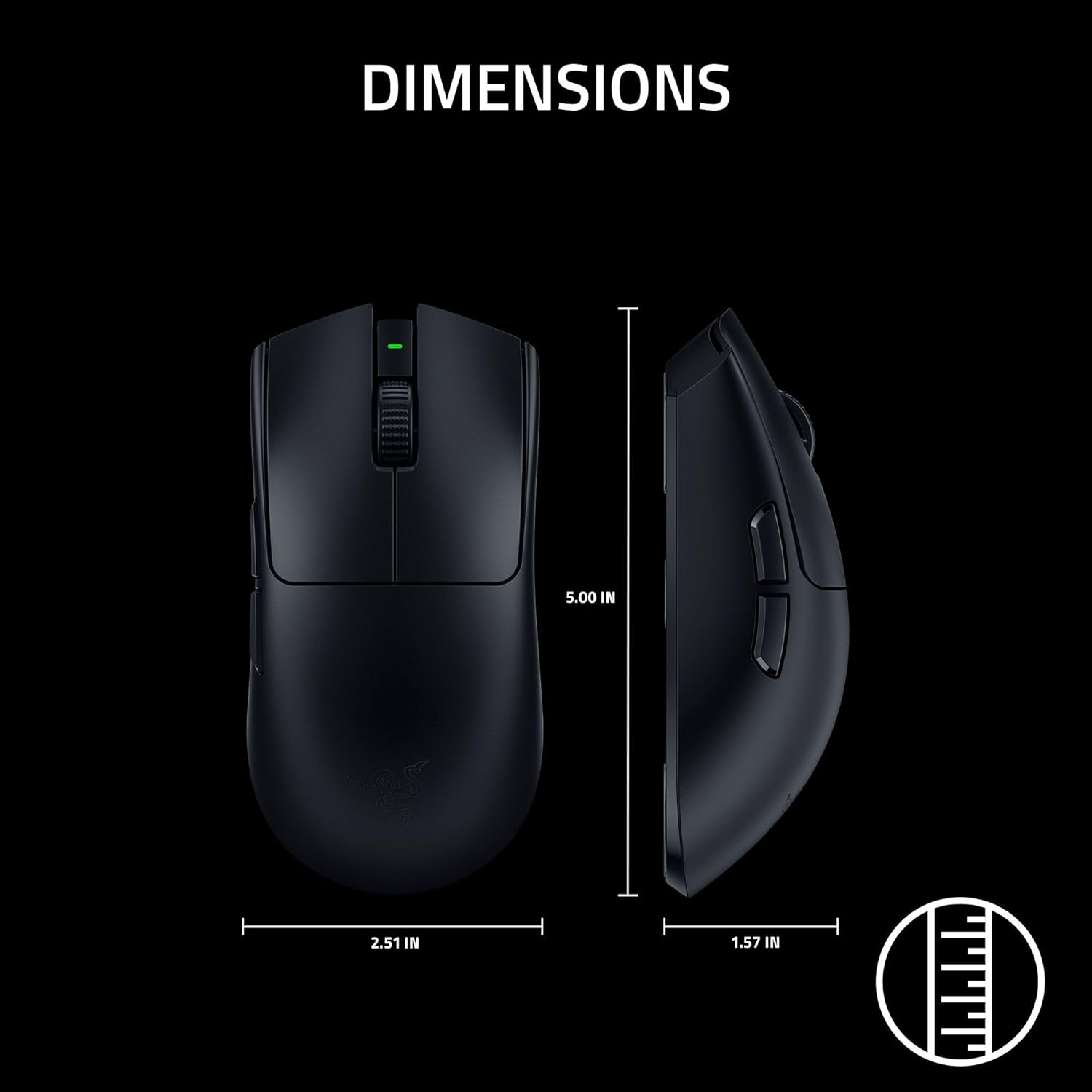
Image: A diagram illustrating the dimensions of the Razer Viper V3 Pro SE mouse.
7. Gwarancja
The Razer Viper V3 Pro SE Wireless Gaming Mouse comes with a Roczna gwarancja producenta. Please retain your proof of purchase for warranty claims. For detailed warranty terms and conditions, refer to the Important Product Information Guide included in your package or visit the official Razer webstrona.
8. Wsparcie
For further assistance, technical support, or to download the latest version of Razer Synapse software, please visit the official Razer Support webstrona: www.razer.com/support.
You can also find additional resources and FAQs on the Razer community forums.