
1. Koniec produktuview
The NICGIGA 16 Port 2.5Gb Ethernet Switch (Model S25-1600) is an unmanaged network switch designed to expand your network capacity with high-speed 2.5 Gigabit Ethernet ports. It features a fanless metal design for quiet operation and efficient heat dissipation, supporting both desktop and 19-inch rack mounting. This plug-and-play device requires no software configuration, making it suitable for home and small office environments requiring enhanced network performance.
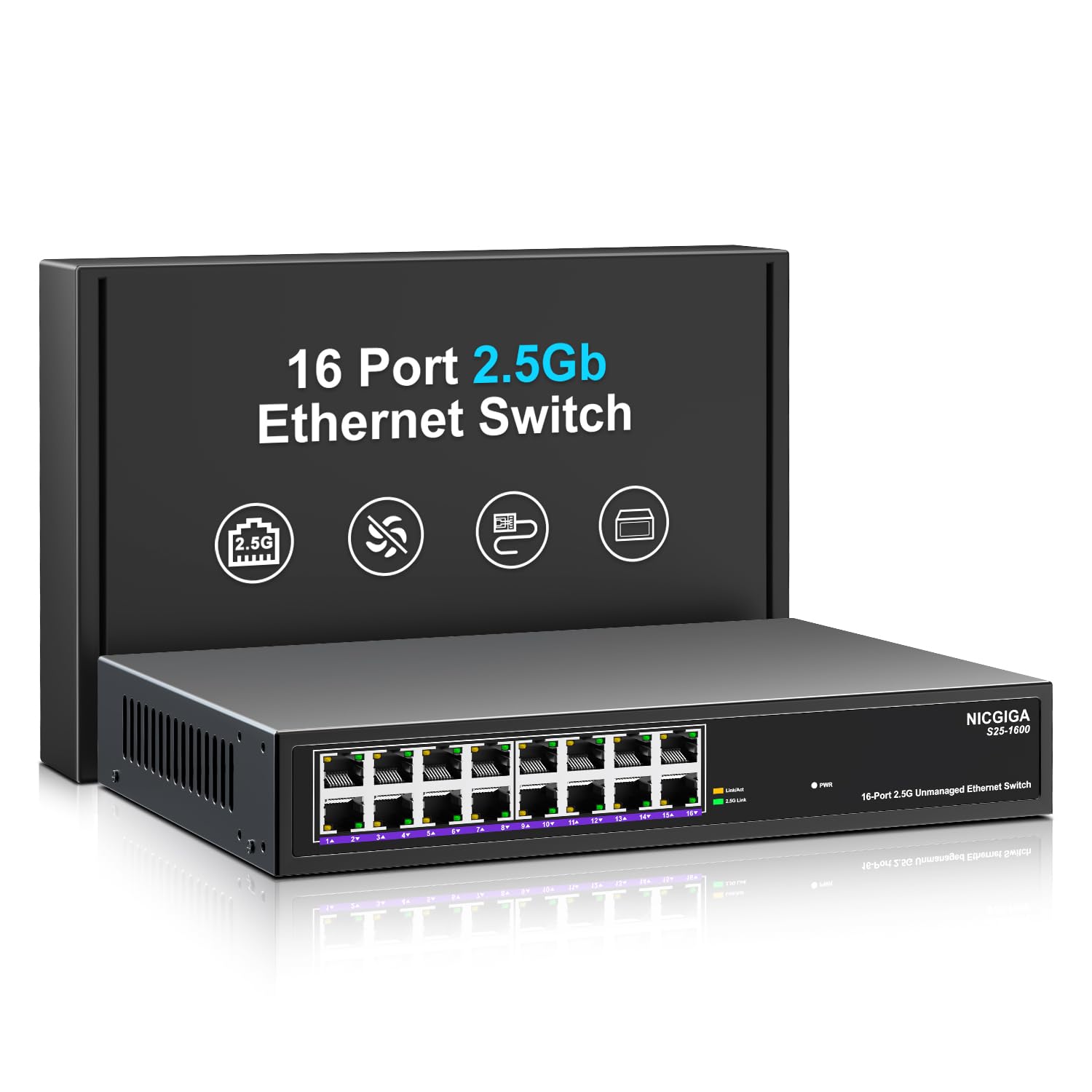
Rycina 1: Przód view of the NICGIGA S25-1600 switch, highlighting the 16 RJ45 ports and LED indicators for power and link status.
2. Zawartość opakowania
Sprawdź, czy w przesyłce znajdują się następujące elementy:
- NICGIGA 16 Port 2.5Gb Ethernet Switch (Model S25-1600)
- Zasilacz
- Zestaw do montażu w szafie rack (jeśli dotyczy)
- Instrukcja obsługi (ten dokument)
3. Funkcje produktu
- 16x 2.5Gbps RJ45 Ports: Provides high-speed connectivity for multiple devices.
- Przepustowość przełączania 80 Gb/s: Ensures high-performance data transfer without bottlenecks.
- Autonegocjacja: Automatically detects and adjusts to optimal link speeds (100Mbps, 1Gbps, 2.5Gbps) for connected devices.
- Podłącz i graj: Do natychmiastowego użycia nie jest wymagane żadne oprogramowanie ani konfiguracja.
- Konstrukcja metalowa bez wentylatora: Offers silent operation and robust heat dissipation.
- Desktop or 19-inch Rack Mount: Flexible installation options.
- Ochrona odgromowa 4KV: Enhances device durability against electrical surges.
- Automatic MDI/MDIX: Eliminuje potrzebę stosowania kabli krosowych.
- Non-blocking Data Forwarding: Ensures full wire-speed throughput on all ports simultaneously.

Figure 2: Key features of the NICGIGA S25-1600 switch, including its 2.5Gbps ports, rack-mountable design, fanless operation, plug-and-play functionality, metal casing, and 4KV lightning protection.
4. Instrukcje konfiguracji
The NICGIGA 16 Port 2.5Gb Ethernet Switch is designed for simple plug-and-play installation. Follow these steps to set up your switch:
- Podłączenie zasilania: Podłącz dostarczony zasilacz do portu zasilania przełącznika, a następnie podłącz zasilacz do standardowego gniazdka elektrycznego. Dioda LED zasilania na panelu przednim powinna się zaświecić.
- Połączenie urządzenia: Connect your network devices (e.g., computers, NAS, WiFi 6 APs, routers) to any of the 16 RJ45 ports on the switch using standard Ethernet cables. The switch will automatically detect the link speed and establish a connection.
- Weryfikacja: Observe the LED indicators on the front panel. A green light indicates a 2.5G link, while a yellow light indicates a 100Mb/1G link. A flashing yellow light signifies data transmission.

Figure 3: Simplified setup process: connect power, connect devices, and the network is ready.
Opcje montażu:
The switch supports both desktop placement and 19-inch rack mounting. Use the included rack mount kit for rack installations.

Figure 4: The NICGIGA S25-1600 switch installed in a 19-inch rack, showing its compact dimensions suitable for enterprise and data center use.
5. Instrukcja obsługi
As an unmanaged switch, the NICGIGA S25-1600 operates automatically once connected. There is no software configuration required.
Wskaźniki LED:
- Dioda LED zasilania:
- NA: Przełącznik jest włączony.
- Wyłączony: Przełącznik jest wyłączony.
- Port Link/Activity LEDs (Green/Yellow):
- Zielone światło włączone: Indicates a 2.5G network link is established.
- Żółte światło włączone: Indicates a 100Mb/1G network link is established.
- Yellow Light Flashing: Indicates data transmission activity on the port.
- Wyłączony: No link is established or the connected device is powered off.
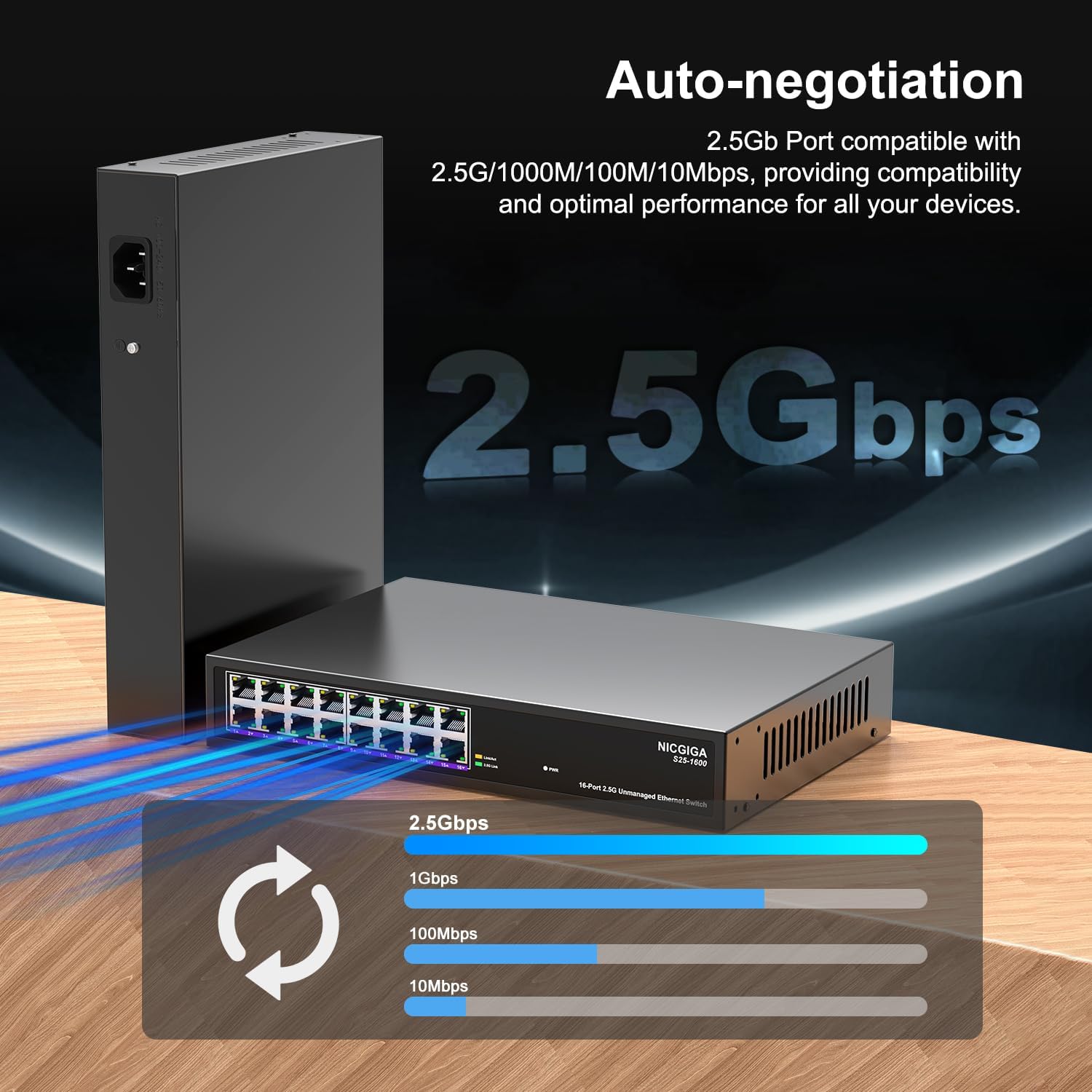
Figure 5: The auto-negotiation function ensures compatibility and optimal performance across various network speeds.
6. Konserwacja
The NICGIGA S25-1600 switch is designed for minimal maintenance.
- Czyszczenie: Do czyszczenia zewnętrznej części przełącznika należy używać miękkiej, suchej ściereczki. Nie należy używać środków czyszczących w płynie ani aerozolu.
- Wentylacja: Ensure the switch is placed in a well-ventilated area. Although fanless, proper airflow helps maintain optimal operating temperatures. Do not block ventilation openings.
- Warunki środowiskowe: Operate the switch within the recommended temperature and humidity ranges specified in the technical specifications.
7. Rozwiązywanie Problemów
If you encounter issues with your NICGIGA S25-1600 switch, refer to the following troubleshooting tips:
| Problem | Możliwa przyczyna | Rozwiązanie |
|---|---|---|
| Brak wskaźnika LED zasilania. | Brak zasilania lub uszkodzony zasilacz. |
|
| No Link/Activity LED for a connected device. |
|
|
| Niska prędkość sieci. |
|
|
8. Specyfikacje
| Funkcja | Opis |
|---|---|
| Model | S25-1600 |
| Porty | 16 port RJ100 1000/2500/45 Mb/s |
| Przełączanie pojemności | 80 Gb/s |
| Szybkość przekazywania pakietów | 89.28 Mpps |
| Tabela adresów MAC | 16 tys. |
| Rama Jumbo | 12 tys. |
| Pamięć podręczna | 12Mbit |
| Autonegocjacja | 100Mb/1G/2.5G |
| MDI/MDIX | Utrzymany |
| Projekt Fanless | Tak |
| Mieszkania | Metal |
| Opcje montażu | Desktop, 19-inch Rack Mount |
| Ochrona przed piorunami | 4KV |
| Wymiary opakowania | 13.62 x 10.51 x 3.5 cala |
| Waga przedmiotu | 4.09 funta |
| UPC | 790885830181 |
9. Gwarancja i wsparcie techniczne
NICGIGA provides a one-year warranty for this product. For technical assistance or warranty claims, please contact NICGIGA customer support. Lifetime technical support is available for the product.
For further information, please visit the official NICGIGA webodwiedź witrynę lub zapoznaj się z danymi kontaktowymi podanymi przy zakupie.