
Wstęp
This manual provides detailed instructions for the setup, operation, and maintenance of your BANLVS AK90 Military Smart Watch. Please read this guide thoroughly to ensure optimal performance and a complete understanding of all features.
The BANLVS AK90 is a rugged smartwatch designed for durability and extensive functionality, featuring a long-lasting battery, comprehensive health monitoring, and various sports modes.
Zawartość opakowania
Upon unboxing your BANLVS AK90 Military Smart Watch, verify that all the following items are included:
- BANLVS AK90 Smart Watch (with pre-installed watch band)
- Kabel ładujący
- Instrukcja obsługi
- Additional Watch Band (Orange)
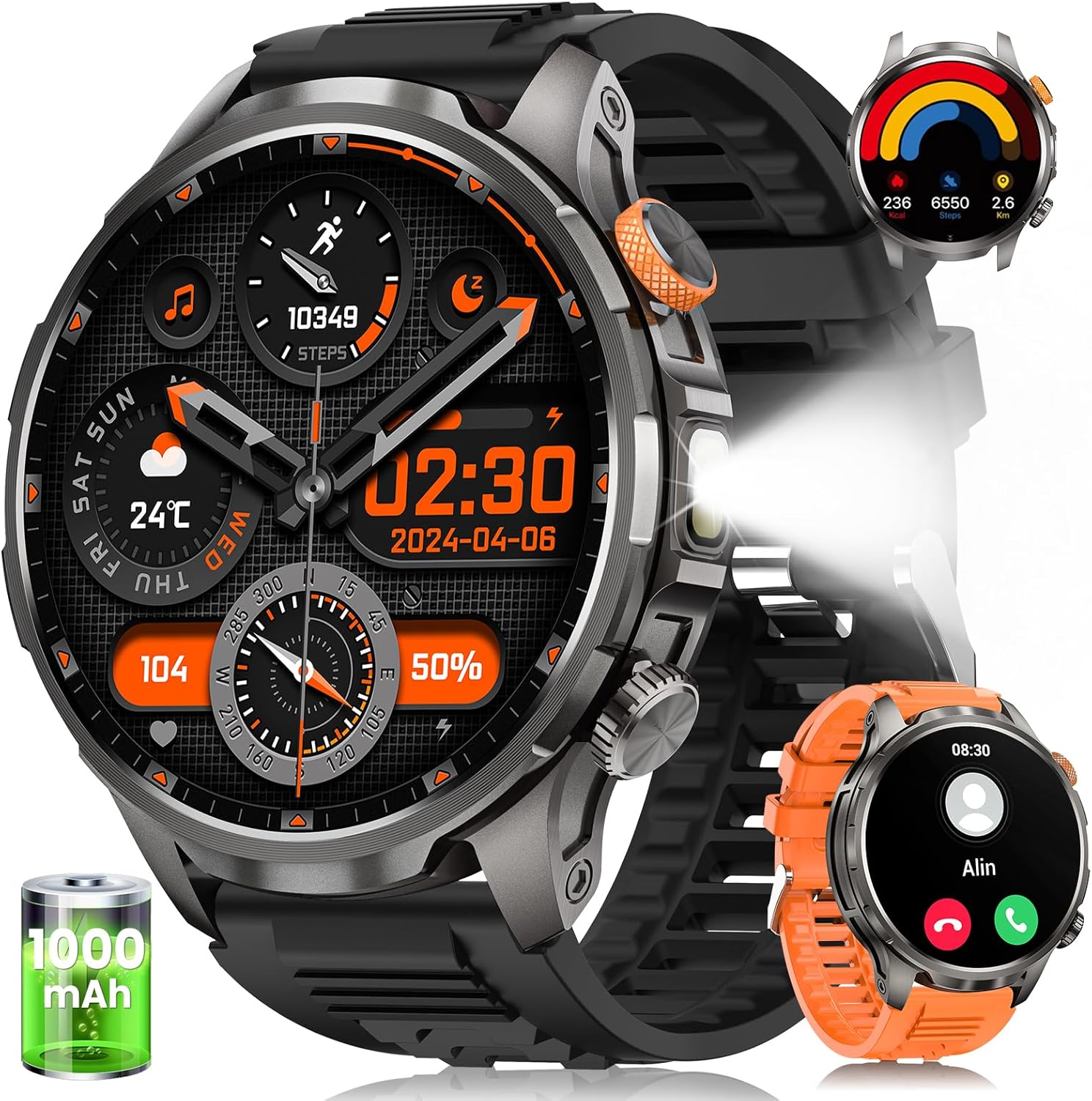
Image: The BANLVS AK90 Smart Watch, showing the main watch unit, charging cable, user manual, and an additional orange watch band.
Organizować coś
1. Ładowanie początkowe
Before first use, fully charge your smartwatch. Connect the magnetic charging cable to the charging points on the back of the watch and plug the USB end into a power source. A full charge typically takes approximately 3 hours.

Image: The BANLVS AK90 Smart Watch connected to its magnetic charging cable, indicating the charging process.
2. Instalacja i parowanie aplikacji
To unlock the full potential of your BANLVS AK90, download and install the FitCloudPro app on your smartphone (compatible with iOS 9.0+ and Android 5.1+).
- Scan the QR code provided in the user manual or on the watch screen to download the FitCloudPro app.
- Otwórz aplikację i załóż konto lub zaloguj się.
- Upewnij się, że Bluetooth jest włączony w Twoim smartfonie.
- In the FitCloudPro app, navigate to the device section and search for your AK90 smartwatch.
- Select your watch from the list to initiate pairing. Confirm the pairing request on both your phone and the watch.
For visual guidance on app installation and pairing, refer to the official product videos.
Video: A seller-provided video demonstrating the unboxing and initial setup process, including app pairing for the BANLVS AK90 Smart Watch.
Instrukcja obsługi
Podstawowa nawigacja
- Włączanie/wyłączanie: Press and hold the orange side button for 3 seconds.
- Wybudzanie ekranu: Raise your wrist or press any button.
- Gesty przesuwania:
- Swipe up/down: Navigate through menus and notifications.
- Swipe left/right: Access quick functions or widgets.
Wykonywanie i odbieranie połączeń
Once paired via Bluetooth, you can manage calls directly from your watch:
- Zadzwoń: Access the dialer from the watch menu or a quick access widget. Enter the number or select from synced contacts.
- Odpowiedz/Odrzuć: Gdy ktoś zadzwoni, dotknij zielonej ikony, aby odebrać połączenie, lub czerwonej ikony, aby je odrzucić.
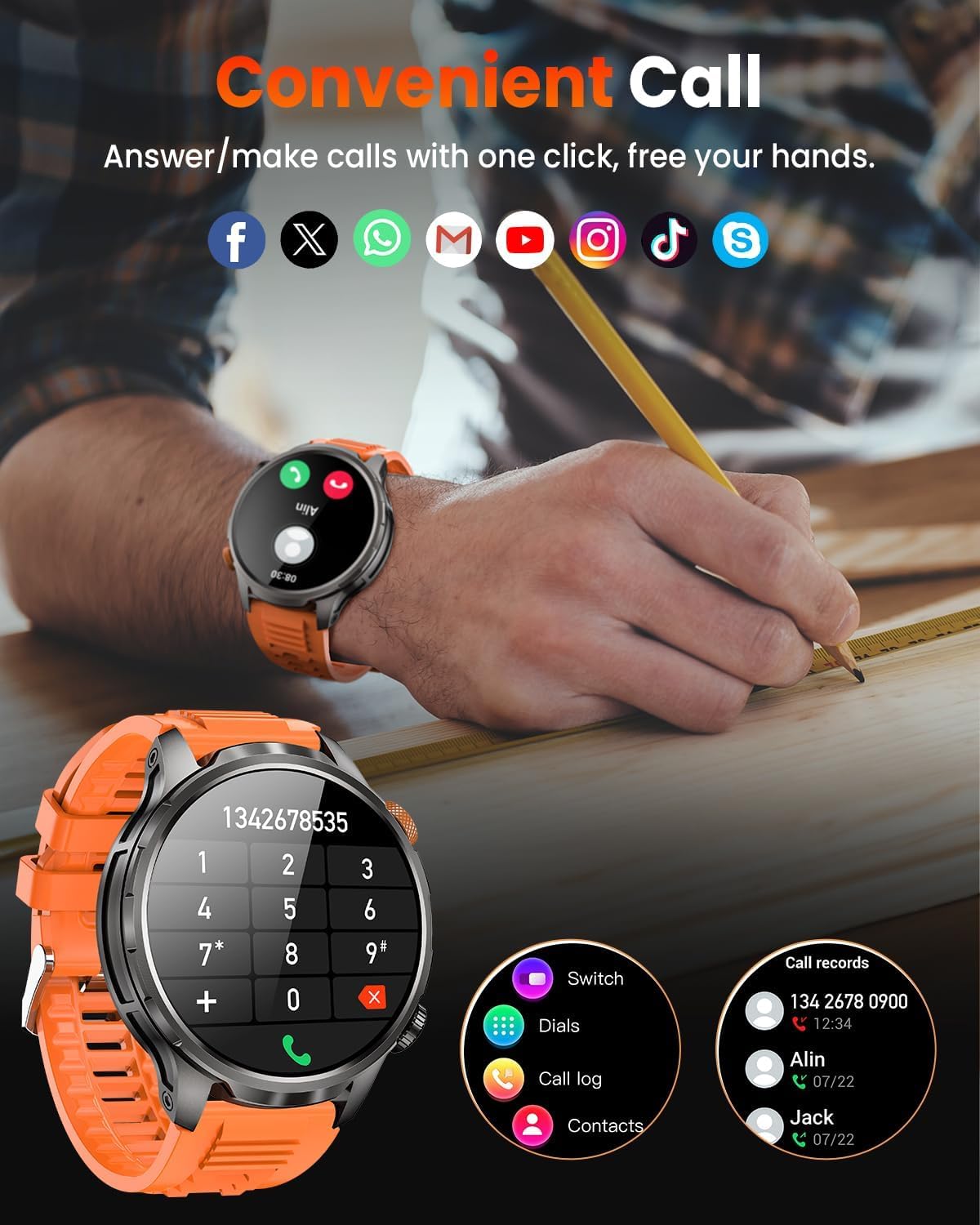
Image: The BANLVS AK90 Smart Watch screen showing a dial pad and call records, illustrating its Bluetooth calling capability.
Monitorowanie zdrowia
Zegarek stale monitoruje różne wskaźniki zdrowia:
- Tętno: Zapewnia całodobowy monitoring tętna. View real-time data and historical trends in the FitCloudPro app.
- Monitorowanie snu: Tracks sleep patterns, including light, deep, and REM sleep stages. Access detailed analysis in the app.
- Monitor SpO2: Mierzy poziom saturacji krwi tlenem.
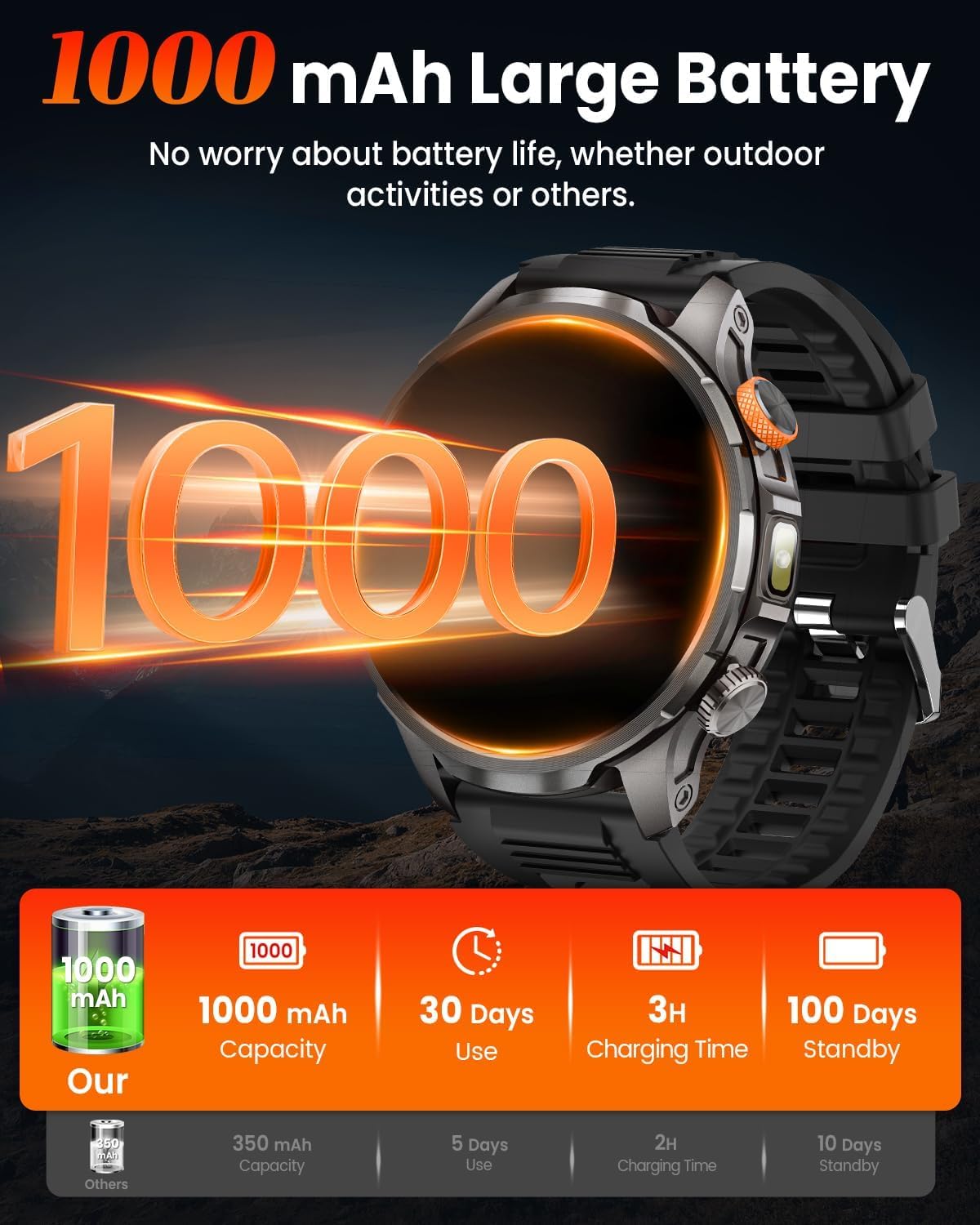
Image: The BANLVS AK90 Smart Watch displaying various health monitoring screens, including heart rate, stress, blood oxygen, and sleep data.
Tryby sportowe
The watch supports over 110 sports modes. Access them via the dedicated button (default setting) or through the menu:
- Wybierz interesującą Cię aktywność (np. chodzenie, bieganie, jazda na rowerze).
- The watch will track steps, distance, calories burned, and heart rate during your workout.
- Connect to the FitCloudPro app to utilize your smartphone's GPS for route tracking.

Image: The BANLVS AK90 Smart Watch screen showing a selection of sports modes like walking, cycling, and running, with activity tracking metrics.
Wbudowana latarka LED
The watch features a triple-mode LED flashlight:
- Activate by long-pressing the bottom side button (default setting).
- Modes include High-beam, Strobe, and SOS for various lighting needs.

Image: The BANLVS AK90 Smart Watch with its powerful LED flashlight illuminated, demonstrating its utility in various low-light scenarios.
Inne funkcje
Explore additional functionalities available on your smartwatch:
- Prognoza pogody
- Sterowanie muzyką
- Sterowanie kamerą
- Calendar, Timer, Alarm Clock
- Przypomnienie o siedzącym trybie życia
- Trening oddechowy
- Customizable Watch Faces (110+ available in the app)
Konserwacja
- Czyszczenie: Wipe the watch and bands regularly with a soft, dry cloth. For stubborn dirt, use a slightly damp szmatką i łagodnym mydłem, następnie dokładnie spłukać i wysuszyć.
- Wodoodporność: The watch is 5 ATM waterproof, suitable for swimming and showering. Avoid hot water, steam, or prolonged submersion in deep water.
- Trwałość: Designed to withstand extreme conditions, including heat, cold, drops, and shocks. However, avoid intentional abuse to prolong its lifespan.
- Pielęgnacja baterii: To maintain battery health, avoid fully discharging the watch frequently. Charge it when the battery level is low.
Rozwiązywanie problemów
Watch Won't Turn On?
- Check if the watch has power. Charge it for 30-60 minutes to activate charging.
- Verify if the charging icon appears during charging.
- Naciśnij i przytrzymaj przycisk zasilania przez 15 sekund, aby wymusić ponowne uruchomienie.
- Restart the device in the app.
- Jeśli problemy będą się powtarzać, skontaktuj się z obsługą klienta.
Śledzenie GPS
This smartwatch does NOT have built-in GPS. To track your route during workouts, connect to the FitCloudPro app and enable location permissions in your phone settings for the app to record your workout path using your smartphone's GPS.
Specyfikacje
| Funkcja | Szczegół |
|---|---|
| Marka | BANLVS |
| Numer modelu | AK90 |
| Rozmiar ekranu | 1.91 cali |
| Typ wyświetlacza | AMOLED (3000-nit peak brightness) |
| Pojemność baterii | 1000 mAh |
| Czas pracy baterii (normalne użytkowanie) | Do 30 dni |
| Czas czuwania | Do 100 dni |
| Odporność na wodę | 5 bankomatów |
| Trwałość | Heat resistance (187.96°F), Cold resistance (-82°F), 50m drop/shock resistance, 150 hours salt spray, Anti-magnetic |
| Łączność | Bluetooth 5.2 |
| Zgodność z systemem operacyjnym | iOS 9.0 lub nowszy, Android 5.1 lub nowszy |
| Monitorowanie zdrowia | Heart Rate, Sleep, SpO2 Monitor |
| Tryby sportowe | Ponad 110 trybów |
| Cechy specjalne | LED Flashlight (High-beam/Strobe/SOS), Bluetooth Calls, Text/App Notifications, 100+ Watch Faces, Customizable Watch Faces, Stopwatch, Timer, Camera Control, Music Control, Voice Assistant, Alarm Clock, Sedentary Reminder, Weather, Find Phone |
| GPS | Via Smartphone (FitCloudPro app) |
| Waga przedmiotu | 8.4 uncji |
Gwarancja i wsparcie
Your BANLVS AK90 Military Smart Watch comes with a standard manufacturer's warranty. For specific warranty details, please refer to the warranty card included in your package or contact BANLVS customer support.
For technical assistance, troubleshooting, or any product-related inquiries, please visit the official BANLVS website or contact their customer service team directly. Contact information can typically be found in the product packaging or on the brand's official online store.