
1. Wprowadzenie
This manual provides essential information for setting up, operating, and maintaining your realme GT 7T Smartphone. Please read this guide thoroughly to ensure proper use and to maximize the device's capabilities. The realme GT 7T is designed to offer a high-performance mobile experience with advanced features.
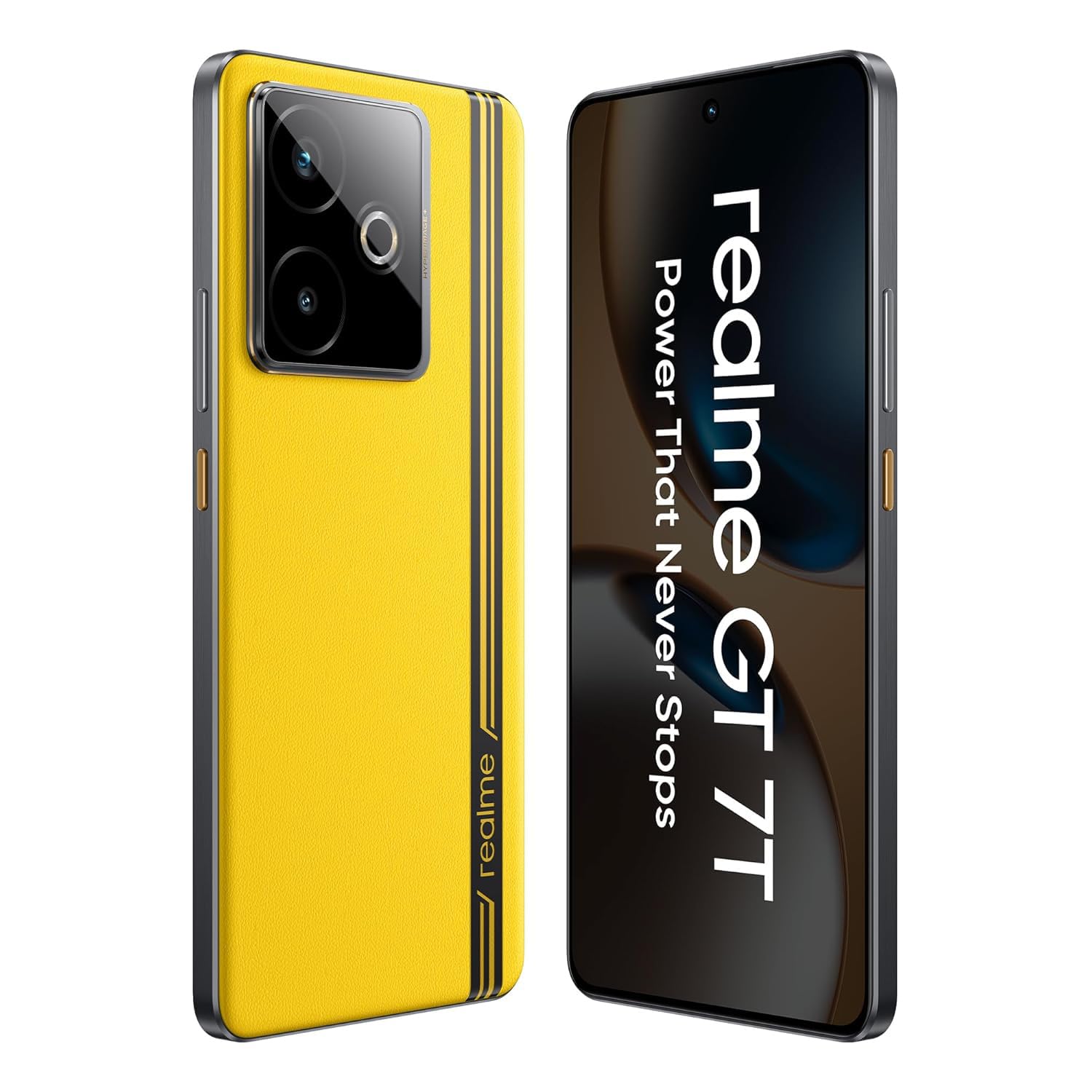
Obraz: Przód view of the realme GT 7T Smartphone, showcasing jego wyświetlacza.
2. Co znajduje się w pudełku
Sprawdź, czy w opakowaniu znajdują się wszystkie elementy:
- smartfon realme GT 7T
- Kabel danych USB
- Charger (120W UltraDART/SuperVOOC compatible)
- Szybki przewodnik
3. Konfiguracja
3.1. Wkładanie karty SIM
- Znajdź tackę na kartę SIM znajdującą się z boku urządzenia.
- Otwórz tackę za pomocą dołączonego narzędzia do wyjmowania karty SIM.
- Place your Nano-SIM card(s) into the tray with the gold contacts facing down. The realme GT 7T supports Dual 5G SIM.
- Ostrożnie włóż tackę z powrotem do telefonu.
3.2. Pierwsze włączenie i konfiguracja
- Naciśnij i przytrzymaj przycisk zasilania, aż pojawi się logo realme.
- Postępuj zgodnie z instrukcjami wyświetlanymi na ekranie, aby wybrać język i region, a następnie nawiązać połączenie z siecią Wi-Fi.
- Zaloguj się za pomocą konta Google lub utwórz nowe.
- Complete the setup process, including setting up security features like fingerprint or face unlock.
4. Instrukcja obsługi
4.1. Funkcje wyświetlacza
The realme GT 7T features a 6.8-inch 1.5K display with a 120Hz refresh rate for smooth visuals. It supports 2160Hz high-frequency PWM dimming to reduce eye strain during extended use.

Image: Comparison showing the brightness and clarity of the realme GT 7T display.
4.2. Wydajność
Powered by the MediaTek Dimensity 8400-MAX 4nm chipset, the device offers robust performance for multitasking and demanding applications. The IceSense graphene cooling system ensures efficient heat dissipation, maintaining optimal performance during intensive tasks.

Image: Visual representation of the MediaTek Dimensity 8400-MAX chipset.
4.3. System kamer
The realme GT 7T features an AI Camera system with a 50MP OIS main camera. It includes AI-enhanced features such as AI Landscape Mode for improved outdoor shots, AI Swift Capture for freezing fast-moving subjects, and AI Reflection Elimination to reduce glare from reflective surfaces.
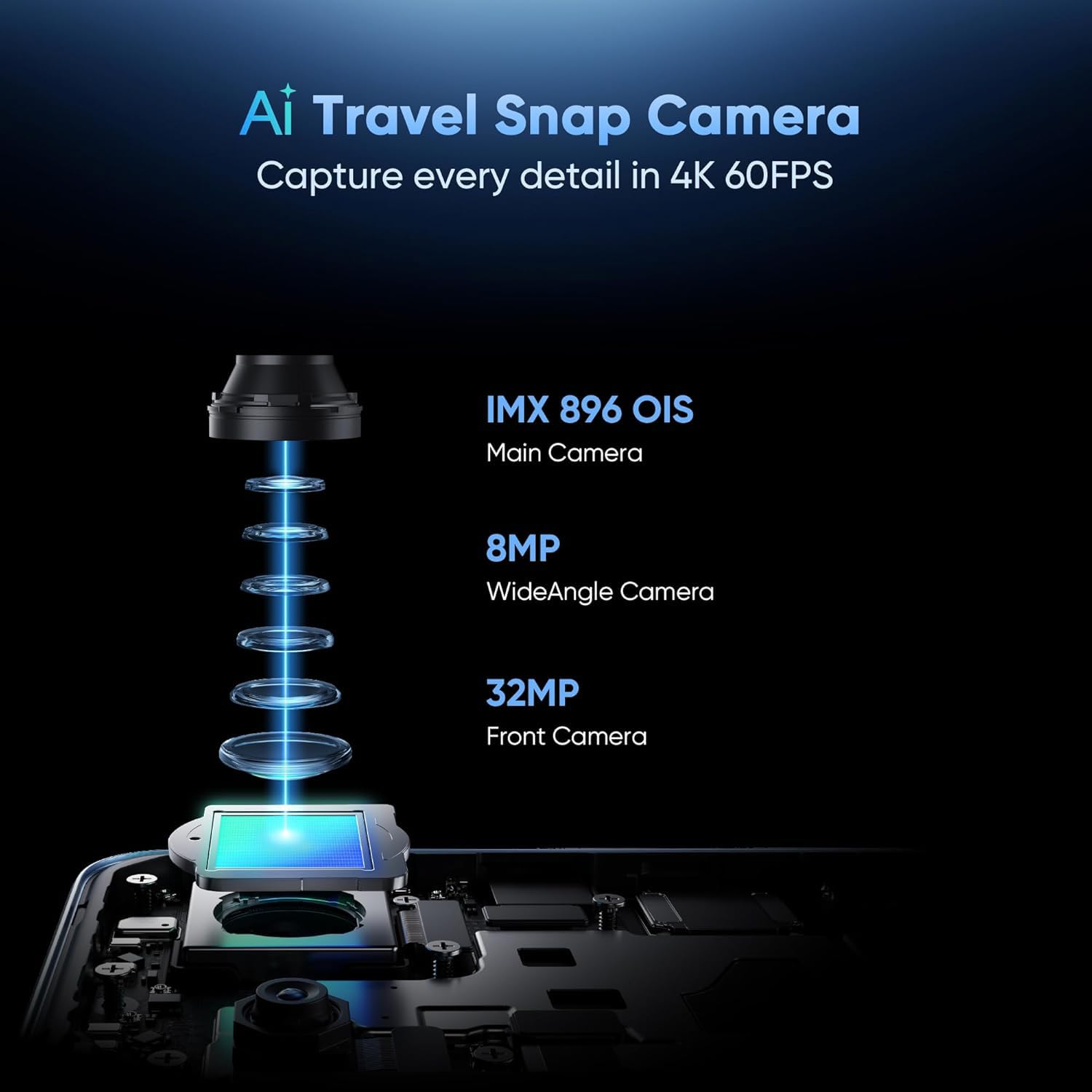
Image: Diagram illustrating the components of the realme GT 7T's AI Camera system, including the 50MP OIS main camera, 8MP wide-angle camera, and 32MP front camera.
4.4. Bateria i ładowanie
The device is equipped with a 7000mAh battery. It supports 120W UltraDART/SuperVOOC fast charging, allowing for rapid recharging.
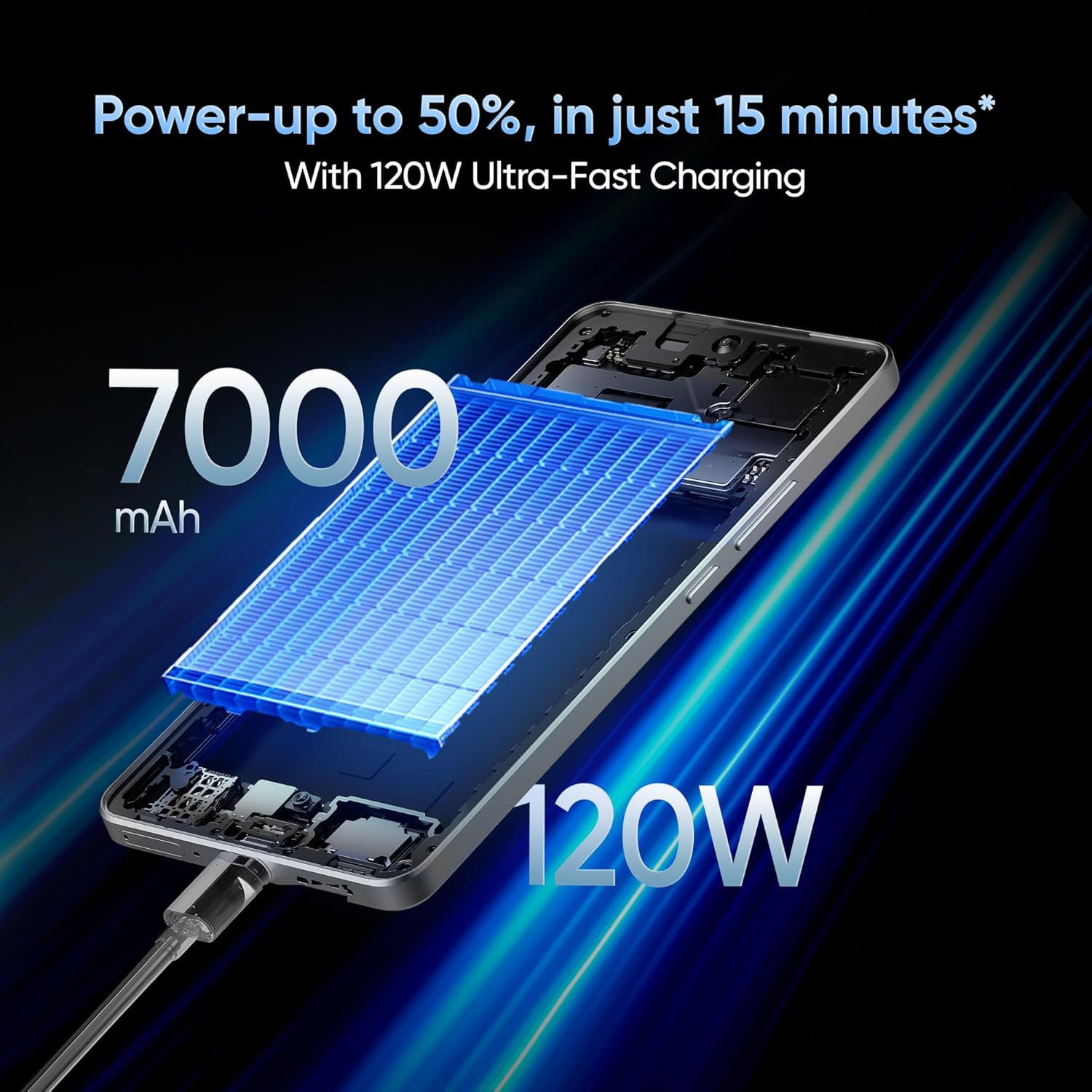
Image: Illustration depicting the 120W fast charging capability of the realme GT 7T Smartphone.
4.5. Łączność
The realme GT 7T supports various connectivity options including Bluetooth, NFC, USB, and Wi-Fi. It also features Dual 5G SIM capability for enhanced network access.
5. Konserwacja
5.1. Czyszczenie urządzenia
- Do czyszczenia ekranu i obudowy należy używać miękkiej, niepozostawiającej włókien ściereczki.
- Unikaj stosowania silnych środków chemicznych i materiałów ściernych.
- Ensure ports are free of dust and debris.
5.2. Aktualizacje oprogramowania
Regularnie sprawdzaj dostępność aktualizacji oprogramowania i instaluj je, aby zapewnić optymalną wydajność, bezpieczeństwo i dostęp do nowych funkcji. Przejdź do Ustawienia > Informacje o telefonie > Aktualizacja oprogramowania aby sprawdzić dostępność aktualizacji.
6. Rozwiązywanie Problemów
6.1. Urządzenie się nie włącza
- Upewnij się, że bateria jest naładowana. Podłącz urządzenie do ładowarki na co najmniej 10 minut.
- Aby wymusić ponowne uruchomienie, naciśnij i przytrzymaj przycisk zasilania przez 10–15 sekund.
6.2. Problemy z ładowaniem
- Verify that the charger and USB cable are securely connected and undamaged.
- Use the original realme charger and cable for optimal charging performance.
- Spróbuj naładować urządzenie z innego gniazdka elektrycznego.
6.3. Problemy z łącznością sieciową
- Sprawdź, czy karta SIM jest prawidłowo włożona.
- Upewnij się, że dane mobilne są włączone w Ustawienia > Sieć komórkowa.
- Uruchom ponownie urządzenie.
- Zresetuj ustawienia sieciowe: Ustawienia > System > Resetuj opcje > Resetuj Wi-Fi, sieć komórkową i Bluetooth.
7. Specyfikacje
| Funkcja | Specyfikacja |
|---|---|
| Numer modelu | Realme GT 7T |
| System operacyjny | Android 15 |
| BARAN | 8 GB |
| Edytor | MediaTek Dimensity 8400-MAX |
| Wyświetlacz | 6.8-inch, 1.5K, 120Hz Refresh Rate |
| Rezolucja | 1440x720 |
| Główna kamera | 50MP OIS AI Camera |
| Pojemność baterii | 7000mAh |
| Ładowanie | 120W UltraDART/SuperVOOC Fast Charge |
| Łączność | Bluetooth, NFC, USB, Wi-Fi, Dual 5G SIM |
| Wymiary produktu | Wymiary 16.24 x 7.6 x 0.82 cm |
| Waga przedmiotu | 202 gramów |
| Kolor | Żółty |
8. Gwarancja i wsparcie
Your realme GT 7T Smartphone is covered by a manufacturer's warranty. For detailed warranty terms and conditions, please refer to the warranty card included in your product packaging or visit the official realme webstrona.
For technical support, service, or inquiries, please contact realme customer service. The manufacturer of this device is realme, and the importer in India is Oppo Mobiles India Private Limited.
Producent: królestwo
Importer (Indie): Oppo Mobiles India Private Limited, 5th Floor, Tower-B, Building No. 8, DLF Cyber City, Gurugram, Haryana-122002, India