
bunoju Trackpro Watch
bunoju Aptofit Trackpro Watch User Manual
Model: Trackpro Watch
1. Wprowadzenie
The bunoju Aptofit Trackpro Watch is a versatile smartwatch designed to assist with daily activities and fitness tracking. It features a 1.38-inch HD display, Bluetooth calling, multiple health monitoring modes, and various sports tracking functions. This manual provides detailed instructions for setting up, operating, and maintaining your device.
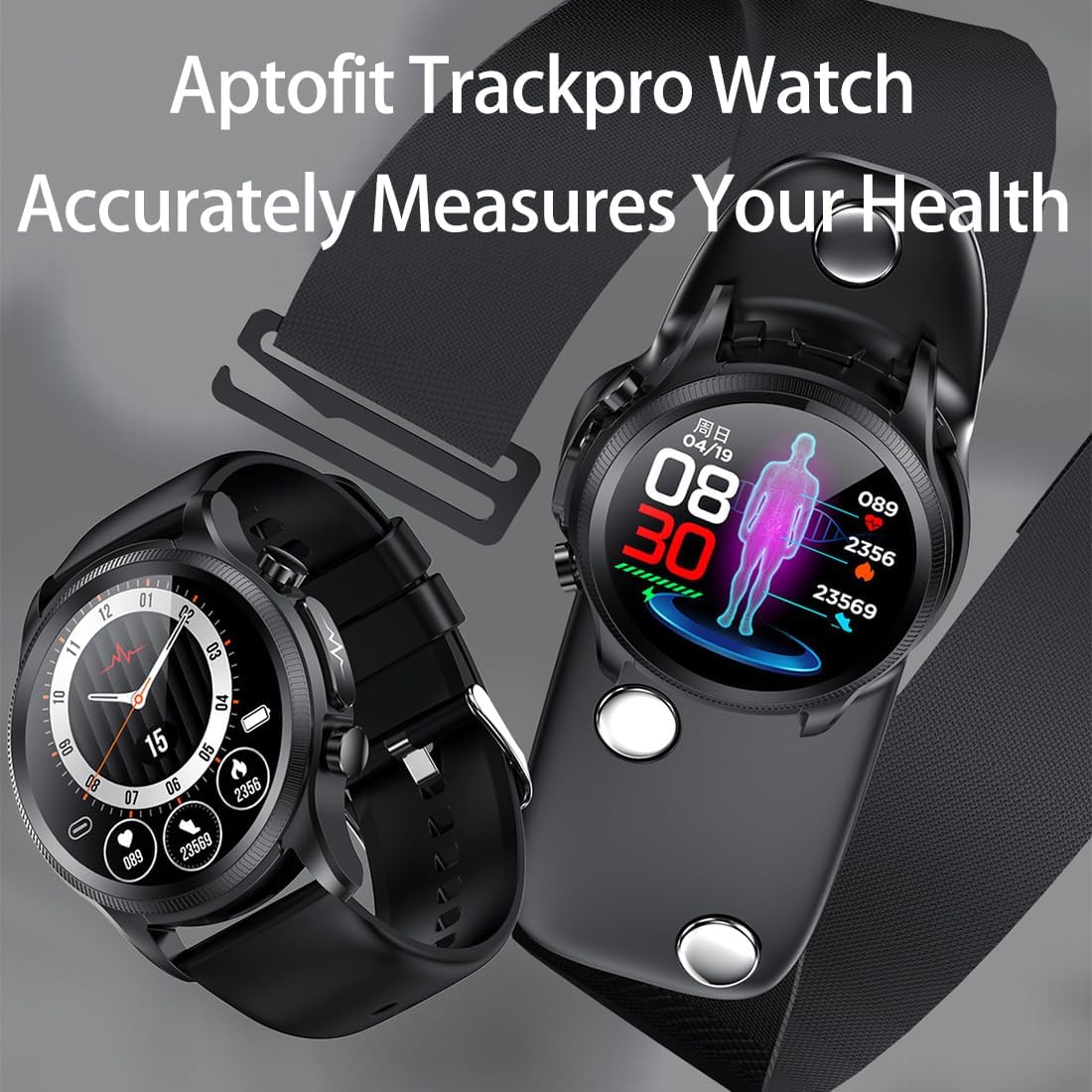
Image 1.1: The Aptofit Trackpro Watch showcasing its health measurement capabilities.
2. Konfiguracja
2.1 Zawartość opakowania
Sprawdź, czy w przesyłce znajdują się wszystkie elementy:
- Aptofit Trackpro Watch
- Kabel ładujący
- Instrukcja obsługi
- Watch Band
- EGC-Bandages
- Chest Stickers Bracket
- Gift Packaging Bags (if included)

Image 2.1: The Aptofit Trackpro Watch along with its various accessories and packaging.
2.2 Ładowanie zegarka
Before first use, fully charge your Aptofit Trackpro Watch. The watch supports wireless charging. Place the watch onto the wireless charging pad; it will automatically align and begin charging. The watch will stop charging once full, ensuring battery protection.
2.3 Instalacja aplikacji i parowanie urządzeń
To unlock the full functionality of your watch, download the companion mobile application. The app is compatible with Android 5.0+ and iOS 10.0+ devices.
- Scan the QR code provided in the quick start guide or search for the app name (usually mentioned in the packaging or quick start guide) in your device's app store.
- Zainstaluj aplikację na swoim smartfonie.
- Otwórz aplikację i postępuj zgodnie z instrukcjami wyświetlanymi na ekranie, aby utworzyć konto lub się zalogować.
- Upewnij się, że zegarek jest włączony, a Bluetooth w smartfonie jest włączony.
- Within the app, navigate to the device pairing section and select your Aptofit Trackpro Watch from the list of available devices.
- Potwierdź prośbę o sparowanie na zegarku i smartfonie.
3. Instrukcja obsługi
3.1 Podstawowa nawigacja
The Aptofit Trackpro Watch features a 1.38-inch HD curved display and physical buttons for navigation:
- Ekran dotykowy: Przesuwaj w lewo, w prawo, w górę lub w dół, aby poruszać się po menu, powiadomieniach i widżetach. Dotknij, aby wybrać elementy.
- Przyciski boczne: Use the physical buttons on the side of the watch to return to the home screen, access the app list, or perform specific functions as configured.

Rysunek 3.1: Szczegółowy view of the watch's 1.38-inch HD display.
3.2 Połączenia i powiadomienia Bluetooth
Once paired with your smartphone, the watch allows for Bluetooth calls and real-time notifications:
- Połączenia Bluetooth: Answer or make calls directly from your wrist. Ensure your watch is within Bluetooth range of your phone.
- Powiadomienia: Receive alerts for incoming calls, text messages, and app notifications (e.g., WhatsApp, Facebook) directly on your watch. Manage notification settings through the companion app.
3.3 Dostosowywanie tarcz zegarka
Personalize your watch with various watch faces:
- Access the watch face gallery through the companion app.
- Choose from hundreds of pre-loaded designs.
- Upload your own photos to create custom watch faces.
3.4 Health Monitoring Modes
The Aptofit Trackpro Watch offers multiple modes for health monitoring, including heart rate, sleep, and blood pressure. It is important to note that this device is not a medical instrument. Data provided is for reference only and should not be used for medical diagnosis or treatment. Consult a healthcare professional for any health concerns.

Image 3.2: The four distinct wearing modes for comprehensive health monitoring.

Image 3.3: The watch interface showing real-time blood pressure measurements and historical trends.
The watch supports four primary monitoring methods:
- Wrist-Measurement Mode: For general monitoring, wear the watch on your wrist. Long-press the dedicated 'EGC-key' on the watch or tap 'Start Test' in the app to initiate a measurement.
- Hand-Held Mode: Detach the watch strap and fasten the watch onto the monitoring bracket. Hold the bracket in your hand and use PTT (Push-To-Test) mode via the app to start monitoring.
- Heart-Rate Strap Mode: Fix the monitoring bracket onto your chest using a compatible heart-rate strap. Connect the watch to the bracket and use PTT mode in the app for continuous monitoring.
- Chest-Sticker Mode: Attach the monitoring bracket to your chest using the provided chest stickers. Connect the watch to the bracket and use PTT mode in the app for monitoring.
The watch also monitors sleep stages (deep, light, REM) and provides insights for better rest. For accurate results, ensure the watch is worn correctly and securely during monitoring.
3.5 Śledzenie sportu
Track your workouts with over 7 sports modes, including running, cycling, and basketball. The watch provides detailed metrics such as steps, calories burned, and heart rate during exercise.

Image 3.4: The watch tracking exercise data, including steps and calories burned, during a run.
3.6 AI Voice Assistant and Utility Tools
Utilize the built-in AI voice assistant for hands-free control. Commands can include checking the weather, setting timers, switching songs, or locating your phone. The watch also includes handy tools like a calculator and multi-language support.
4. Konserwacja
4.1 Wodoodporność
The Aptofit Trackpro Watch is IP68 deep waterproof, meaning it is resistant to dust and can withstand immersion in water up to 1.5 meters for 30 minutes. It is suitable for daily use, such as hand washing or light rain. However, it is not recommended for hot showers, saunas, or diving, as steam and high water pressure may compromise the seal.

Image 4.1: The watch demonstrating its IP68 deep waterproof capability.
4.2 Czyszczenie i pielęgnacja
Aby zachować wygląd i funkcjonalność zegarka:
- Przetrzyj ekran i obudowę miękką szmatką.amp płótno.
- Unikaj stosowania silnych środków chemicznych i materiałów ściernych.
- Przed ładowaniem sprawdź, czy styki ładowania są czyste i suche.
4.3 Zarządzanie baterią
The watch is equipped with a 280mAH battery. With classic use, it offers 4-7 days of battery life and up to 30 days on standby. Use the provided wireless charger for optimal battery health. Avoid extreme temperatures during charging and storage.

Image 4.2: Battery specifications of the Aptofit Trackpro Watch.
5. Rozwiązywanie Problemów
If you encounter issues with your Aptofit Trackpro Watch, try the following steps:
- Zegarek się nie włącza: Upewnij się, że zegarek jest w pełni naładowany. Podłącz go do ładowarki i odczekaj kilka minut przed próbą włączenia.
- Nie można sparować z telefonem: Ensure Bluetooth is enabled on both devices and they are within range. Restart both the watch and your phone. Try unpairing and re-pairing through the app.
- Niedokładne odczyty: Ensure the watch is worn snugly on your wrist or the monitoring bracket/stickers are applied correctly. Clean the sensors on the back of the watch. Remember that this device is not a medical instrument and readings are for reference only.
- Powiadomienia się nie wyświetlają: Check notification settings in the companion app and on your phone's operating system. Ensure the app has necessary permissions.
- Krótka żywotność baterii: Reduce screen brightness, disable unnecessary features, and ensure background app usage is minimized.
If problems persist, refer to the support section of the companion app or contact customer support.
6. Specyfikacje
| Funkcja | Specyfikacja |
|---|---|
| Nazwa modelu | Aptofit Trackpro Watch |
| Wyświetlacz | 1.38-inch HD Curved Screen (360*360 resolution) |
| Rozmiar ciała | 44*55*12mm (Circle 44*44mm) |
| Pojemność baterii | 280mAH |
| Battery Life (Classic Use) | 4-7 dni |
| Życie w gotowości | Do 30 dni |
| Odporność na wodę | Głęboka wodoodporność IP68 |
| Wymagania systemowe | Android 5.0+ / iOS 10.0+ |
| Łączność | Bluetooth |
| Cechy specjalne | Activity Tracker, Alarm Clock, Calendaring, Lightweight, Multisport Tracker, AI Voice Assistant |
| Waga przedmiotu | 1 funt |
7. Ważne informacje dotyczące bezpieczeństwa
The Aptofit Trackpro Watch is designed for general wellness and fitness purposes. It is not a medical device and should not be used for diagnosing, treating, curing, or preventing any disease or medical condition. All health data provided by the watch is for reference only and should not be interpreted as medical advice. If you have any health concerns, including high blood pressure, circulatory disorders, or blood diseases, consult a qualified healthcare professional before using this device or making any health-related decisions.
8. Gwarancja i wsparcie
For warranty information and customer support, please refer to the documentation included with your purchase or contact the bunoju customer service team. If you have any questions about the product or your order, you may also reach out through the Amazon platform, and a response will be provided within 24 hours.
Ask a question about this manual
Ask about setup, troubleshooting, compatibility, parts, safety, or missing instructions. Manuals+ will review the question and use this page’s manual context to help answer it.