
1. Koniec produktuview
The Baseus Mini MagSafe Powerbank 5000 mAh is a compact, Qi2 certified portable charger designed for convenience and efficiency. It features a 5000 mAh capacity, 20W Power Delivery (PD) via USB-C, and 15W wireless charging. The integrated foldable stand allows for hands-free viewing while charging. Its strong magnetic attachment ensures secure connection to compatible devices.
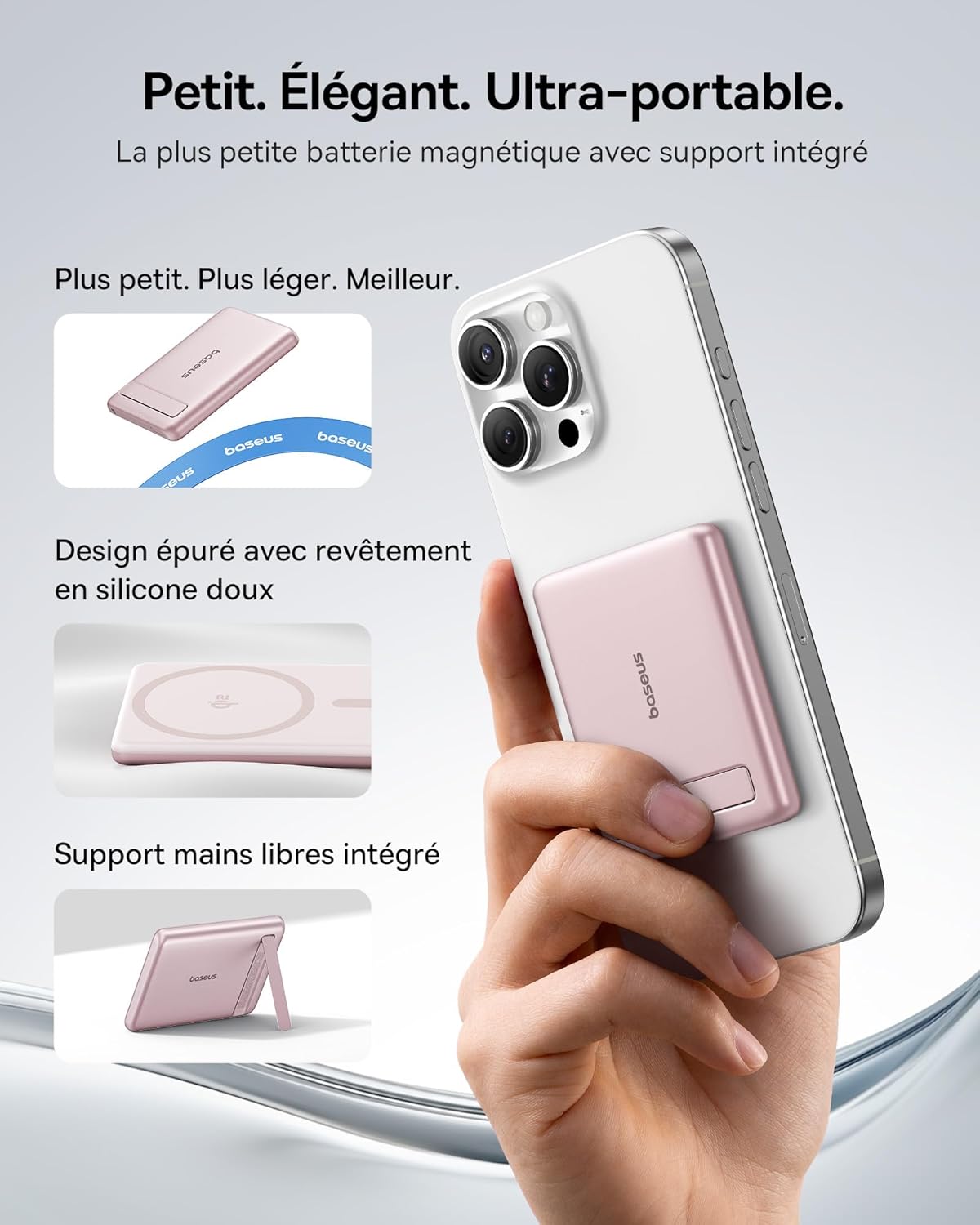
Image: The Baseus Mini MagSafe Powerbank securely attached to an iPhone, demonstrating its compact form factor and the convenience of the integrated kickstand for hands-free use.
2. Zawartość opakowania
- Baseus Mini MagSafe Powerbank (Model: PPKPC-0520S)
- USB-C to USB-C Charging Cable (30 cm)
- Instrukcja obsługi

Image: The Baseus Mini MagSafe Powerbank and its accompanying USB-C charging cable, highlighting the included accessories.
3. Funkcje produktu
- Compact and Premium Design: Smaller than a credit card with a 5000 mAh capacity, featuring a thin aluminum casing and soft-touch silicone finish. Ergonomic curved edges enhance grip, and an LED display indicates battery status.
- Qi2 Fast Charging: Provides up to 15W wireless fast charging for iPhones and other Qi2-compatible devices. Qi2 technology ensures secure magnetic alignment for faster and more reliable power delivery.
- Zintegrowana składana podstawka: The built-in aluminum kickstand allows for hands-free viewing in both portrait and landscape modes while your phone charges wirelessly.
- Silne mocowanie magnetyczne: Equipped with N52 rubidium magnets offering 3500 GS magnetic power, ensuring a secure lock for instant charging without obstructing the camera lens.
- Wired and Wireless Charging with Advanced Cooling: Charge two devices simultaneously via wireless and USB-C. A three-layer cooling system maintains optimal temperature during extended use.

Image: An iPhone receiving 15W wireless fast charging from the Baseus MagSafe Powerbank, demonstrating the Qi2 certification and efficient power transfer.
4. Konfiguracja
- Opłata początkowa: Before first use, fully charge the power bank using the included USB-C cable and a compatible power adapter (not included). The LED indicators will show the charging progress.
- Włączanie: The power bank typically activates automatically when a device is attached or connected. Some models may have a power button to initiate charging.
5. Instrukcja obsługi
5.1 Ładowanie powerbanku
- Connect the included USB-C cable to the power bank's USB-C port.
- Connect the other end of the cable to a USB-C power adapter (e.g., 20W PD charger) or a computer's USB-C port.
- The LED indicators will illuminate to show the current battery level and charging status.
5.2 Wireless Charging (MagSafe/Qi2)
- Ensure your device is compatible with MagSafe or Qi2 wireless charging (e.g., iPhone 12 series and newer).
- Align the back of your compatible device with the magnetic surface of the power bank. The magnets will snap into place, ensuring proper alignment.
- Wireless charging will begin automatically. The LED indicators may show charging activity.
5.3 Ładowanie przewodowe (USB-C)
- Connect your device to the power bank's USB-C port using a compatible USB-C to USB-C cable (or your device's charging cable).
- Wired charging will begin automatically, supporting up to 20W Power Delivery.
5.4 Korzystanie ze składanego stojaka
- Ostrożnie wysuń zintegrowaną podpórkę z tyłu powerbanku.
- Place your wirelessly charging device onto the power bank.
- Dostosuj stojak do swoich potrzeb viewing angle for portrait or landscape orientation.

Image: The Baseus MagSafe Powerbank simultaneously charging two iPhones, one via USB-C cable and another wirelessly, demonstrating its dual-charging capability.
6. Konserwacja
- Czyszczenie: Przecieraj powerbank miękką, suchą ściereczką. Unikaj stosowania silnych środków chemicznych i materiałów ściernych.
- Składowanie: Przechowuj powerbank w chłodnym i suchym miejscu, z dala od bezpośredniego światła słonecznego i ekstremalnych temperatur.
- Pielęgnacja baterii: Aby zapewnić optymalną żywotność baterii, należy w pełni ładować i rozładowywać power bank co najmniej raz na trzy miesiące, jeśli nie jest regularnie używany.
- Unikaj kropli: Chroń urządzenie przed upadkami i uderzeniami, które mogą uszkodzić jego podzespoły wewnętrzne.
7. Rozwiązywanie Problemów
- Urządzenie się nie ładuje:
- Upewnij się, że powerbank jest odpowiednio naładowany.
- Sprawdź połączenia kablowe w przypadku ładowania przewodowego.
- For wireless charging, ensure proper alignment and that your device is Qi2/MagSafe compatible. Remove any thick phone cases that might interfere.
- Powolne ładowanie:
- Ensure you are using a compatible cable and power adapter for optimal charging speeds (e.g., PD 20W for wired, Qi2 for wireless).
- Jednoczesne ładowanie wielu urządzeń może zmniejszyć prędkość ładowania każdego z nich.
- Słabe przywiązanie magnetyczne:
- Ensure your phone or case has MagSafe compatibility.
- Remove any non-MagSafe compatible cases or accessories that might block the magnetic connection.
- Przegrzanie powerbanku:
- While the power bank has advanced cooling, prolonged high-power usage can generate heat. If it becomes excessively hot, disconnect it and allow it to cool down.
- Unikaj ładowania w bezpośrednim świetle słonecznym lub w zamkniętych pomieszczeniach.
8. Specyfikacje
| Numer modelu | PPKPC-0520S |
| Typ baterii | Polimer litowy |
| Pojemność | 5000 mAh |
| Wyjście przewodowe (USB-C) | Moc dostarczana do 20 W (PD) |
| Wyjście bezprzewodowe | Do 15 W (certyfikat Qi2) |
| Wejście Voltage | 20 woltów (maks.) |
| Wymiary (dł. x szer. x wys.) | Wymiary 10 x 6.7 x 0.9 cm |
| Waga | 180 gramów |
| Kompatybilne urządzenia | Smartphones (iPhone 12-17 Pro/Pro Max, Android compatible) |
| Wireless Charging Standard | Qi |

Image: The Baseus Mini MagSafe Powerbank positioned next to an iPhone and a soda can, illustrating its ultra-compact and portable size.
9. Informacje dotyczące bezpieczeństwa
Aby zapobiec uszkodzeniu produktu lub obrażeniom ciała, należy zapoznać się z poniższymi wytycznymi bezpieczeństwa i stosować się do nich:
- Nie wystawiaj powerbanku na działanie wody, wilgoci ani ekstremalnych temperatur.
- Avoid disassembling, puncturing, or modifying the device.
- Przechowywać w miejscu niedostępnym dla dzieci.
- Nie używaj powerbanku, jeśli jest widocznie uszkodzony lub spuchnięty.
- Produkt należy utylizować w sposób odpowiedzialny, zgodnie z lokalnymi przepisami.
10. Gwarancja i wsparcie
This Baseus Mini MagSafe Powerbank comes with a 2-letnia gwarancja od daty zakupu. Niniejsza gwarancja obejmuje wady produkcyjne i wykonawcze przy normalnym użytkowaniu.
For technical support, warranty claims, or any product-related inquiries, please contact Baseus customer service through the retailer where you purchased the product or visit the official Baseus webwitryna do informacji kontaktowych.

Image: A display of various iPhone models and Android devices, all compatible with the Baseus MagSafe Powerbank, highlighting its broad device compatibility.