
1. Wprowadzenie
Thank you for choosing the ORICO OG7000 PCIe Gen4 NVMe SSD. This high-performance solid-state drive is engineered to deliver blazing-fast speeds and robust reliability for demanding applications such as 4K video editing, 3D rendering, and intensive content creation. With an advanced 8-channel controller and a graphene thermal solution, the OG7000 ensures stable and efficient operation. This manual provides essential information for the proper installation, operation, and maintenance of your new SSD.

Figure 1: The ORICO OG7000 PCIe Gen4 NVMe SSD, a high-performance storage device.
2. Informacje dotyczące bezpieczeństwa
- Always handle the SSD by its edges to avoid touching the gold connectors or components.
- Ensure your system is powered off and unplugged before installation.
- Discharge any static electricity from your body by touching a grounded metal object before handling the SSD.
- Do not expose the SSD to moisture, extreme temperatures, or strong magnetic fields.
- Nie próbuj demontować ani modyfikować dysku SSD. Spowoduje to unieważnienie gwarancji.
3. Funkcje produktu
- Niesamowita prędkość: Designed for 4K video editing and 3D rendering, the OG7000 delivers up to 7400MB/s read and 6500MB/s write speeds with an advanced 8-channel controller for seamless multitasking and real-time previews.
- Optimized for Heavy Workflows: Featuring handpicked premium NAND flash and dynamic SLC cache, this SSD handles large creative projects with ease, offering ultra-low latency and top-tier responsiveness.
- Secure Your Work with Dual Protection: Built-in AES encryption and 4K LDPC ECC ensure your creative assets are protected from corruption, unauthorized access, and data loss.
- Inteligentne chłodzenie: A graphene thermal pad combined with an auto-adaptive cooling algorithm maintains consistent temperatures and peak performance during long export sessions and continuous rendering.
- Uniwersalna kompatybilność: Easily integrates into laptops, desktops, workstations, and PS5 consoles. Supports Windows, macOS, and Linux.

Figure 2: Illustrates the high read and write speeds of the OG7000 SSD, reaching up to 7400MB/s read and 6500MB/s write.

Figure 3: Depicts the flagship controller and 3D NAND architecture that enables the SSD's performance.
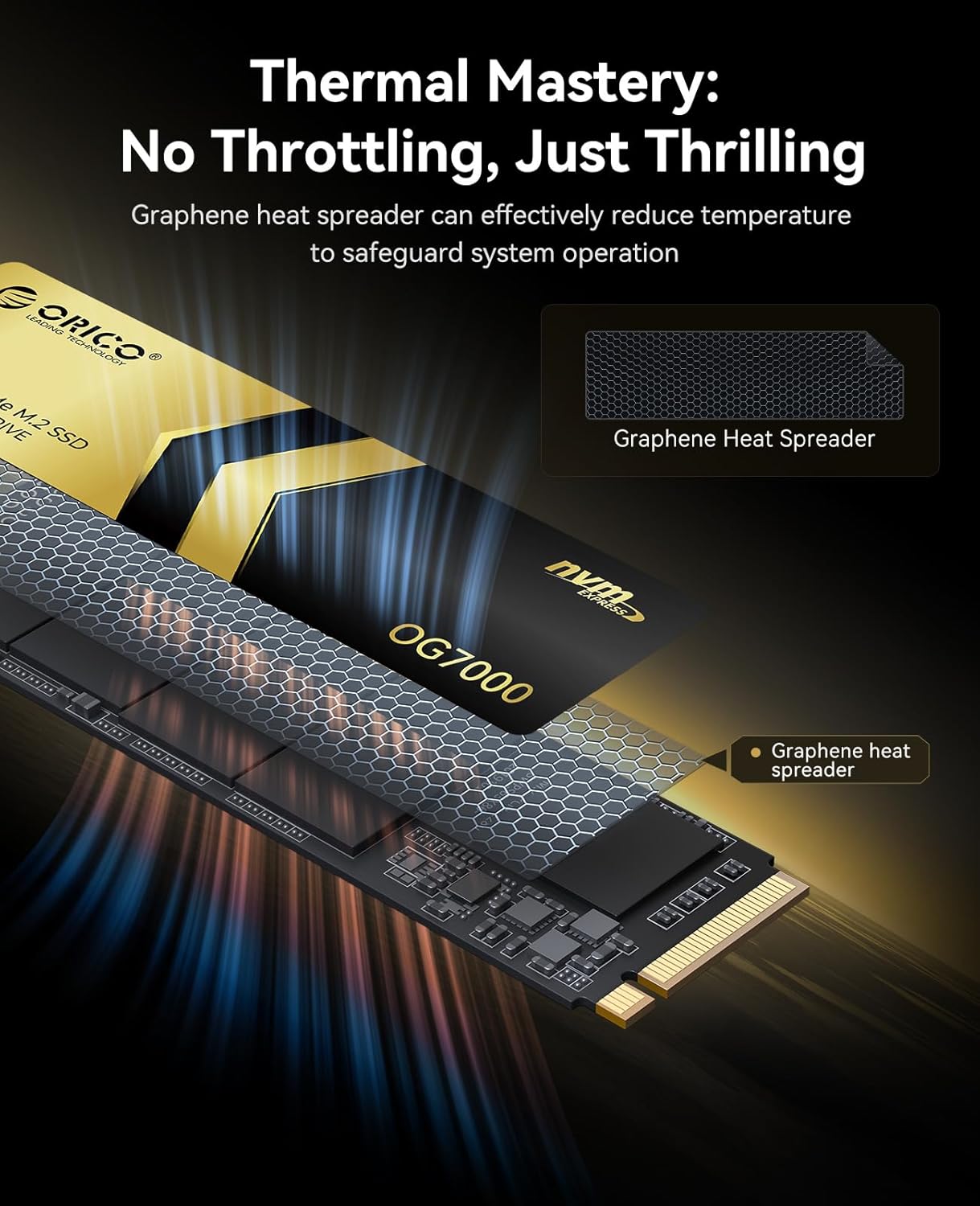
Figure 4: Shows the graphene heat spreader, a key component of the SSD's thermal management system.
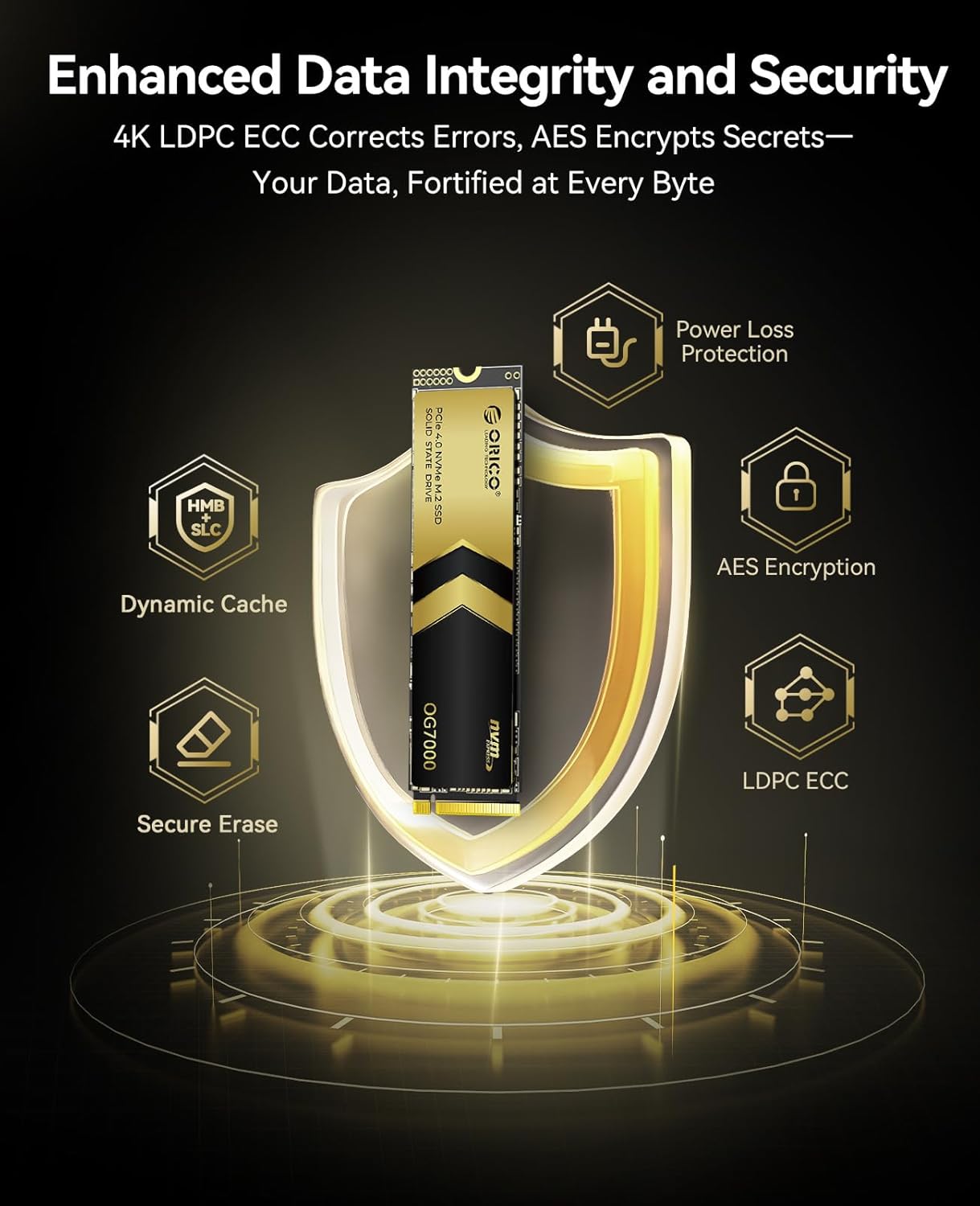
Figure 5: Highlights the various data integrity and security features, including LDPC ECC, AES Encryption, and Power Loss Protection.
4. Konfiguracja i instalacja
The ORICO OG7000 SSD is designed for easy installation in compatible devices. Please ensure your device supports PCIe Gen4 NVMe M.2 2280 SSDs.
4.1 Zawartość opakowania
- 1 x ORICO OG7000 NVMe SSD
- 1 x śrubokręt
- Śruby do montażu
- 1 x Instrukcja obsługi (ten dokument)

Figure 6: Contents included in the ORICO OG7000 SSD package, including the SSD, screwdriver, and screws.
4.2 Kroki instalacji (ogólne)
- Przygotuj swój system: Power off your computer or PS5 and disconnect all power cables.
- Dostęp do gniazda M.2: Open your computer case or PS5 console to locate the M.2 slot. Refer to your device's specific manual for instructions on accessing the M.2 slot.
- Włóż dysk SSD: Gently insert the ORICO OG7000 SSD into the M.2 slot at a 30-degree angle. Push it in until it is fully seated.
- Zabezpiecz dysk SSD: Press the SSD down and secure it with the provided screw.
- Zamknij system: Reassemble your computer or PS5.
- Power On and Initialize: Power on your system. For new installations, you may need to initialize and format the SSD through your operating system's Disk Management (Windows) or Disk Utility (macOS/Linux).
For PS5 installation, ensure your PS5 firmware is updated to the latest version. The OG7000 meets the recommended specifications for PS5 expansion storage.

Figure 7: Demonstrates the broad compatibility of the OG7000 SSD with various devices, including desktops, laptops, and PS5 consoles.
5. Obsługa dysku SSD
Once installed and formatted, the ORICO OG7000 SSD operates like any other storage drive in your system. Its high-speed capabilities are automatically utilized by your operating system and applications.
- Transfer danych: Enjoy rapid file transfers, faster application loading times, and quicker system boot-ups.
- Hazard: Experience reduced loading screens and smoother gameplay on compatible platforms like PS5 and PC.
- Tworzenie treści: Benefit from accelerated rendering, editing, and processing of large media files.
6. Konserwacja
To ensure the longevity and optimal performance of your ORICO OG7000 SSD, consider the following maintenance tips:
- Aktualizuj oprogramowanie sprzętowe: Periodically check the ORICO official webStrona z aktualizacjami oprogramowania układowego dla dysku SSD. Aktualizacje oprogramowania układowego mogą poprawić wydajność, stabilność i kompatybilność.
- Włącz TRIM: Ensure TRIM is enabled in your operating system. TRIM helps the SSD manage its data more efficiently, preventing performance degradation over time. Most modern operating systems enable TRIM by default for SSDs.
- Unikaj pełnego obciążenia: Dysk SSD działa dobrze nawet wtedy, gdy jest niemal całkowicie zapełniony, jednak pozostawienie pewnej ilości wolnego miejsca (np. 10–15%) może pomóc w utrzymaniu optymalnej wydajności i wydłużeniu żywotności dysku.
- Regularne kopie zapasowe: Always back up your important data to another storage device. While SSDs are reliable, no storage device is immune to failure.
7. Rozwiązywanie Problemów
If you encounter issues with your ORICO OG7000 SSD, please refer to the following common troubleshooting steps:
- Nie wykryto dysku SSD:
- Sprawdź, czy dysk SSD jest prawidłowo osadzony w gnieździe M.2.
- Check your system's BIOS/UEFI settings to confirm the M.2 slot is enabled and configured correctly (e.g., PCIe mode).
- Try the SSD in a different M.2 slot or a different compatible system if available.
- Ensure the operating system is updated and has the necessary drivers.
- Niska wydajność:
- Verify that your system's M.2 slot supports PCIe Gen4 speeds. If it's a Gen3 slot, the SSD will operate at Gen3 speeds.
- Check if TRIM is enabled (as mentioned in Maintenance section).
- Ensure the SSD's firmware is up to date.
- Monitor the SSD's temperature using third-party software. Excessive heat can lead to thermal throttling and reduced performance. The graphene thermal pad helps mitigate this.
- Uszkodzenie/błędy danych:
- Uruchom narzędzie do sprawdzania dysku (np. `chkdsk` w systemie Windows), aby zidentyfikować i naprawić dysk file błędy systemowe.
- Upewnij się, że zasilanie Twojego systemu jest stabilne.
- If issues persist, consider reformatting the drive (after backing up data).
If these steps do not resolve your issue, please contact ORICO customer support for further assistance.
8. Specyfikacje
| Funkcja | Opis |
|---|---|
| Marka | ORIKO |
| Numer modelu | OG7000 |
| Pojemność pamięci cyfrowej | 4 TB |
| Interfejs dysku twardego | Solid State (PCIe Gen4 NVMe M.2 2280) |
| Technologia łączności | PCIe4.0 |
| Prędkość odczytu (maks.) | 7400 MB/s |
| Prędkość zapisu (maks.) | 6500 MB/s |
| Kompatybilne urządzenia | Desktop, Laptop, PS5 |
| Funkcja specjalna | Backward Compatible, Graphene Thermal Pad |
| Waga przedmiotu | 13.1 uncji |
| Wymiary opakowania | 3.94 x 2.4 x 0.67 cala |
8.1 Performance by Capacity

Figure 8: Detailed performance specifications and TBW (Terabytes Written) ratings for different capacities of the OG7000 SSD.
| Pojemność | Prędkość odczytu | Prędkość zapisu | TBW |
|---|---|---|---|
| 1TB | 6600 MB/s | 2700 MB/s | 500TBW |
| 2TB | 7400 MB/s | 5600 MB/s | 1000TBW |
| 4TB | 7400 MB/s | 6500 MB/s | 2000TBW |
* Performance may vary depending on the SSD's firmware version, system, and hardware configuration.
9. Gwarancja i wsparcie
The ORICO OG7000 SSD comes with a 5-letnia gwarancja or up to the specified TBW (Terabytes Written) limit, whichever comes first. This warranty covers defects in materials and workmanship under normal use.
For technical support, warranty claims, or further inquiries, please visit the official ORICO website or contact their customer service department. Please have your product model number (OG7000) and purchase information ready when contacting support.
ORICO Official Webstrona: www.oricogroup.com