
1. Wprowadzenie
This manual provides detailed instructions for the operation and maintenance of your Generic XL-026N Electronic Stopwatch. Designed for precision timing, this device features a double-row display, 10-memory storage, and multiple functions including a clock, calendar, countdown timer, alarm, and metronome. Please read this manual thoroughly to ensure proper use and to maximize the lifespan of your stopwatch.
2. Koniec produktuview
The XL-026N stopwatch is built with an ABS plastic shell, offering wear-resistant, drop-resistant, shock-resistant, and anti-skid properties. Its life waterproof design allows for use in various conditions, including light rain. The large screen display ensures numbers are clear and easy to read.
Główne cechy:
- Double Row Display
- 10 Pamięć masowa
- Clock and Calendar Display
- Odliczanie czasu
- 4 Groups of Alarm Clocks
- Funkcja metronomu
- 1/100 Second Timing Accuracy
- 3-Key Operation for simplicity
- Life Waterproof Design
- Durable ABS Plastic Shell
- Powered by 1 x CR2032 Button Battery
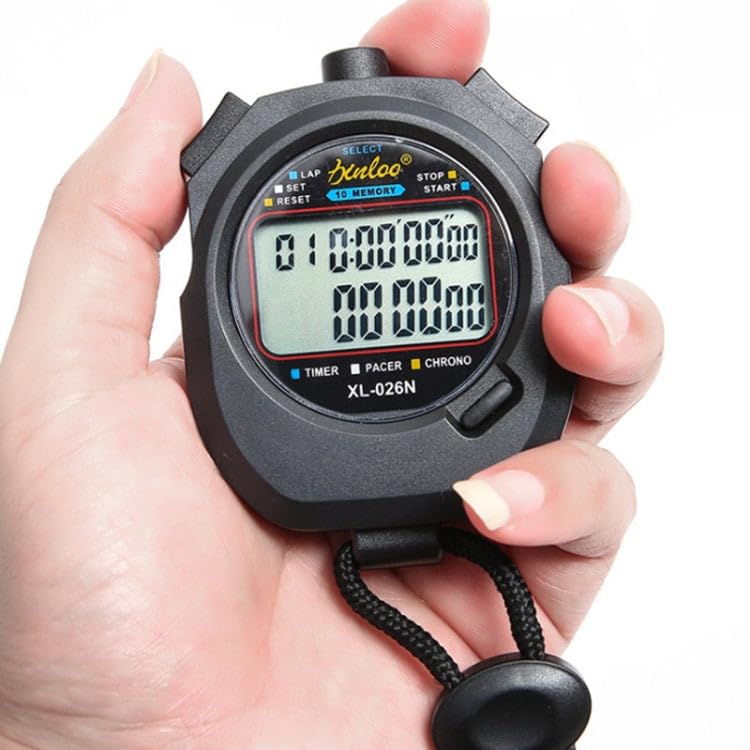
Rycina 2.1: Przód view of the XL-026N Electronic Stopwatch, showing the display and main buttons. The stopwatch is held in a hand, illustrating its compact size.
3. Konfiguracja
3.1 Instalacja baterii
The XL-026N stopwatch is powered by one CR2032 button battery. The battery is typically pre-installed. If the display is dim or unresponsive, the battery may need replacement.
- Znajdź komorę baterii z tyłu stopera.
- Use a small screwdriver or coin to open the battery cover by turning it counter-clockwise.
- Wyjmij starą baterię CR2032.
- Włóż nową baterię CR2032 biegunem dodatnim (+) skierowanym do góry.
- Replace the battery cover and turn it clockwise to secure.
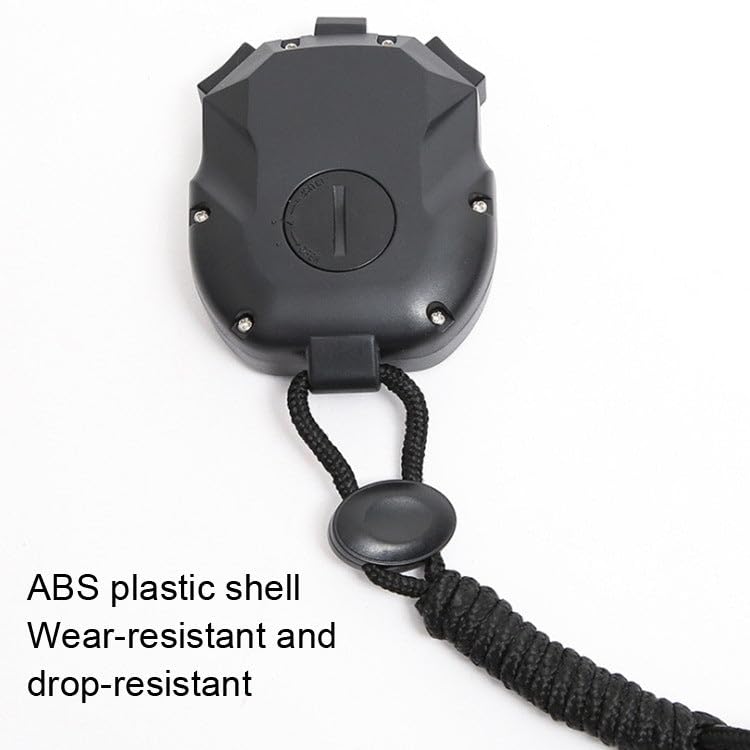
Rysunek 3.1: Tył view of the XL-026N Electronic Stopwatch, indicating the battery compartment for CR2032 battery replacement.
3.2 Pierwsze włączenie zasilania
Upon battery installation or first use, the stopwatch should automatically power on and display the current time or a default screen. If not, press any button to activate the display.
4. Instrukcja obsługi
The XL-026N stopwatch features a simple 3-key operation. Familiarize yourself with the buttons:
- WYBIERAĆ: Used to switch between modes (Time, Stopwatch, Countdown, Alarm, Metronome) and to confirm settings.
- LAP/SET: Used to record lap times in stopwatch mode, and to enter/adjust settings in setup modes.
- START/STOP/RESET: Used to start, stop, and reset the timer functions.
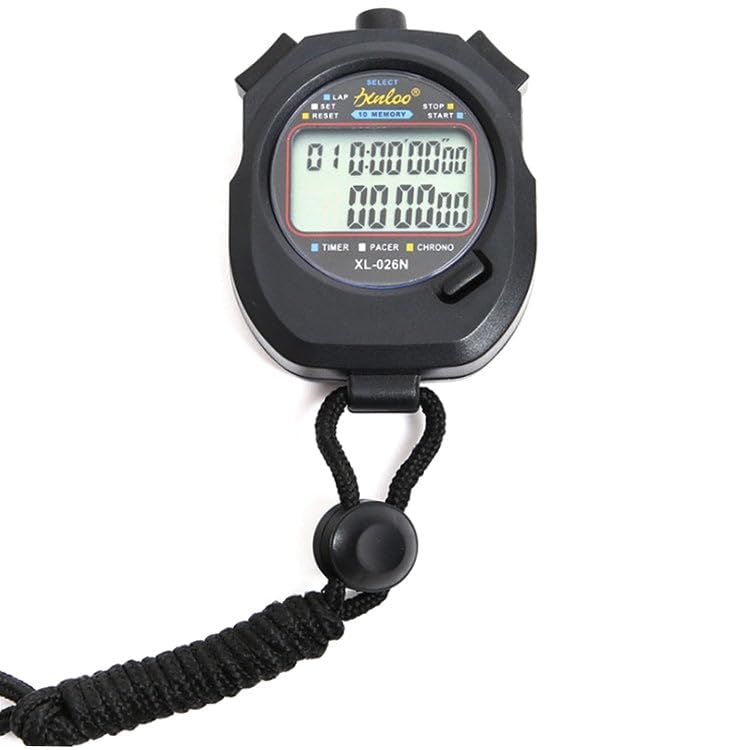
Rysunek 4.1: Szczegółowy view of the XL-026N stopwatch's front panel, highlighting the SELECT, LAP/SET, and START/STOP/RESET buttons.
4.1 Time and Calendar Display
In the default mode, the stopwatch displays the current time (hour, minute, second) and date (month, day, day of the week).
- W dowolnym trybie naciśnij WYBIERAĆ button repeatedly until the clock icon or "TIME" indicator is visible on the display.
- Aby ustawić godzinę i datę:
- In Time mode, press and hold LAP/SET until the digits begin to flash.
- Naciskać WYBIERAĆ to cycle through hours, minutes, seconds, month, day, and year.
- Używać START/STOP/RESET Aby dostosować wartość migania.
- Po wprowadzeniu wszystkich prawidłowych ustawień naciśnij LAP/SET ponownie, aby wyjść z trybu ustawień.
4.2 Stopwatch Function (1/100 Timing)
This mode is used for precise timing of events.
- Naciskać WYBIERAĆ until the "CHRONO" or stopwatch icon appears.
- Naciskać START/STOP/RESET aby uruchomić stoper.
- Aby zarejestrować czas okrążenia, naciśnij LAP/SET. The lap time will be displayed on the upper row, while the running total time continues on the lower row.
- Naciskać LAP/SET znowu do view the next lap time or return to the running display.
- To stop the timer, press START/STOP/RESET.
- To reset the timer to zero, press LAP/SET while the timer is stopped.
4.3 10 Memory Storage
Stoper może zapisać do 10 czasów okrążeń/międzyczasów.
- After stopping the stopwatch (see 4.2), press LAP/SET to enter memory recall mode.
- Używać WYBIERAĆ to scroll through the stored lap times. The memory number will be displayed.
- Naciskać LAP/SET again to exit memory recall.
4.4 Odliczanie czasu
Set a specific time for the stopwatch to count down from.
- Naciskać WYBIERAĆ until the "TIMER" or countdown icon appears.
- Aby ustawić czas odliczania, naciśnij i przytrzymaj LAP/SET aż cyfry zaczną migać.
- Używać WYBIERAĆ do poruszania się między godzinami, minutami i sekundami.
- Używać START/STOP/RESET Aby dostosować wartość migania.
- Naciskać LAP/SET to confirm the setting and exit.
- Naciskać START/STOP/RESET aby rozpocząć odliczanie.
- Naciskać START/STOP/RESET ponownie, aby wstrzymać/wznowić.
- Gdy odliczanie dojdzie do zera, rozlegnie się alarm. Naciśnij dowolny przycisk, aby go wyłączyć.
4.5 Alarm Clocks (4 Groups)
The stopwatch supports setting up to 4 independent alarms.
- Naciskać WYBIERAĆ until the "ALARM" icon appears. Repeated presses of WYBIERAĆ in this mode will cycle through AL1, AL2, AL3, AL4.
- To set an alarm, select the desired alarm (e.g., AL1) and press and hold LAP/SET aż zaczną migać cyfry godziny.
- Używać WYBIERAĆ aby przełączać się między godzinami i minutami.
- Używać START/STOP/RESET Aby dostosować wartość migania.
- Naciskać LAP/SET aby potwierdzić godzinę alarmu.
- To turn an alarm ON/OFF, in the alarm display mode, press START/STOP/RESET. Ikona alarmu pojawi się/zniknie, wskazując jego status.
- When an alarm sounds, press any button to silence it.
4.6 Funkcja metronomu
The metronome provides a rhythmic beat for training or pacing.
- Naciskać WYBIERAĆ until the "PACER" or metronome icon appears.
- To set the beat per minute (BPM), press and hold LAP/SET until the BPM value flashes.
- Używać START/STOP/RESET aby dostosować tempo.
- Naciskać LAP/SET aby potwierdzić BPM.
- Naciskać START/STOP/RESET to start the metronome.
- Naciskać START/STOP/RESET ponownie, aby zatrzymać metronom.
5. Konserwacja
5.1 Czyszczenie
Przetrzyj stoper miękką, suchą ściereczką. W przypadku uporczywych zabrudzeń, delikatnie przetrzyj.amp cloth can be used. Avoid using harsh chemicals, abrasive cleaners, or solvents, as these can damage the casing lub wyświetlacz.
5.2 Wodoodporność
The XL-026N features a life waterproof design, meaning it is resistant to splashes and light rain. It is nie suitable for swimming, showering, or submersion in water. Do not press buttons while the stopwatch is wet to prevent water ingress.
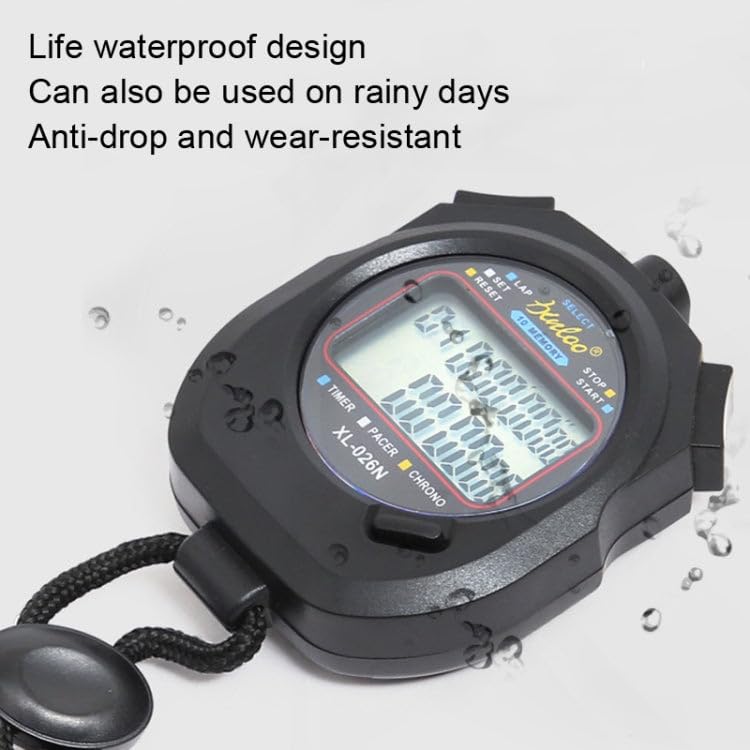
Figure 5.1: The XL-026N stopwatch demonstrating its life waterproof capability with water droplets on its surface.
5.3 Wymiana baterii
Refer to Section 3.1 for instructions on replacing the CR2032 button battery. Ensure the battery is disposed of properly according to local regulations.
6. Rozwiązywanie Problemów
| Problem | Możliwa przyczyna | Rozwiązanie |
|---|---|---|
| Wyświetlacz jest pusty lub przyciemniony. | Niski poziom naładowania akumulatora lub jego rozładowanie. | Wymień baterię CR2032 (patrz rozdział 3.1). |
| Przyciski nie reagują. | Tymczasowy błąd oprogramowania lub wilgoć. | Remove and reinsert the battery to perform a soft reset. Ensure the stopwatch is dry. |
| Nieprawidłowa data/godzina. | Data/czas są ustawione nieprawidłowo. | Refer to Section 4.1 to set the time and calendar. |
| Stopwatch not timing accurately. | Rarely a defect; usually user error. | Ensure you are in the correct mode and operating the buttons as described in Section 4.2. |
7. Specyfikacje
- Model: XL-026N
- Funkcje: Stopwatch (1/100s), Lap/Split Memory (10), Clock, Calendar, Countdown Timer, 4 Alarms, Metronome
- Wyświetlacz: Double Row, Large Screen
- Tworzywo: Tworzywo ABS
- Zasilanie: 1 x bateria guzikowa CR2032
- Wymiary (w przybliżeniu): 7.9 cm x 6.2 cm x 2 cm (dł. x szer. x wys.)
- Waga (w przybliżeniu): 85g
- Wodoodporność: Life Waterproof (splash/rain resistant, not submersible)
8. Gwarancja i wsparcie
This product is manufactured by Generic. For any queries or support, please refer to your retailer or the point of purchase. Please retain your proof of purchase for any warranty claims. Specific warranty terms may vary by region and retailer.
For general inquiries, please contact the seller directly as indicated on your purchase platform.