
Wstęp
This manual provides essential instructions for the safe and efficient use of your Philips TAT5000 True Wireless Bluetooth Earbuds. Please read this guide thoroughly before operating the device and retain it for future reference. These earbuds feature Adaptive Noise Canceling Pro, 6-mic call technology, and Bluetooth 5.4 multipoint connectivity, designed for a superior audio experience.
Co jest w pudełku
- Philips TAT5000 True Wireless Earbuds (Left and Right)
- Etui ładujące
- Kabel ładujący USB-C
- Końcówki douszne (małe, średnie, duże)
- Instrukcja obsługi

Image: Philips TAT5000 True Wireless Earbuds shown inside their open charging case, ready for use.
Organizować coś
1. Ładowanie słuchawek i etui
Before first use, fully charge the earbuds and charging case. Connect the USB-C charging cable to the charging port on the case and to a power source. The charging indicators on the case will show the charging status. A full charge provides up to 40 hours of total playtime (10 hours from earbuds + 30 hours from case with ANC off). A 15-minute quick charge provides approximately 3 hours of playtime.

Image: The Philips TAT5000 charging case, closed, displaying its USB-C charging port on the front.
2. Parowanie z urządzeniem
- Sprawdź, czy słuchawki są naładowane i umieszczone w etui ładującym.
- Otwórz etui ładujące. Słuchawki automatycznie przejdą w tryb parowania.
- Na swoim urządzeniu (smartfonie, tablecie, laptopie) włącz Bluetooth i wyszukaj nowe urządzenia.
- Select "Philips TAT5000" from the list of available devices to connect.
- For Android devices, Google Fast Pair allows for instant connection. For Windows devices, Microsoft Swift Pair offers quick pairing.
- The earbuds support Bluetooth 5.4 multipoint connectivity, allowing connection to two devices simultaneously.
3. Wybór odpowiednich końcówek dousznych
Choose the soft silicone eartips (S/M/L) that provide the most comfortable and secure fit for optimal sound quality and noise cancellation performance.
Instrukcja obsługi
1. Włączanie/wyłączanie zasilania
- Włączanie: Otwórz etui z funkcją ładowania, a słuchawki włączą się automatycznie.
- Wyłączone: Włóż słuchawki douszne z powrotem do etui ładującego i zamknij pokrywę. Wyłączą się automatycznie.
2. Music Playback (Touch Controls)
- Odtwórz/Pauza: Dotknij panelu dotykowego jednej ze słuchawek raz.
- Następny utwór: Double-tap the touch panel on the right earbud.
- Poprzedni utwór: Double-tap the touch panel on the left earbud.
3. Call Management (Touch Controls)
- Odbieranie/kończenie połączeń: Dotknij panelu dotykowego jednej ze słuchawek raz.
- Odrzuć połączenie: Press and hold the touch panel on either earbud for 2 seconds.
4. Tryby kontroli hałasu
The earbuds feature Adaptive Noise Canceling Pro. Tap the touch panel (specific earbud/pattern may vary, refer to app for customization) to cycle through modes:
- Adaptive Noise Canceling (ANC): Zmniejsza hałas otoczenia.
- Tryb świadomości: Umożliwia słyszenie otoczenia.
- Quick Awareness: Amplifies voices for quick conversations without removing earbuds.
5. Philips Headphones App
Pobierz aplikację Philips Headphones, aby uzyskać dostęp do dodatkowych funkcji, w tym:
- Dostosowywanie elementów sterujących dotykowych.
- Adjusting Equalizer (EQ) settings.
- Managing ANC levels and modes.
- Otrzymywanie aktualizacji oprogramowania układowego.
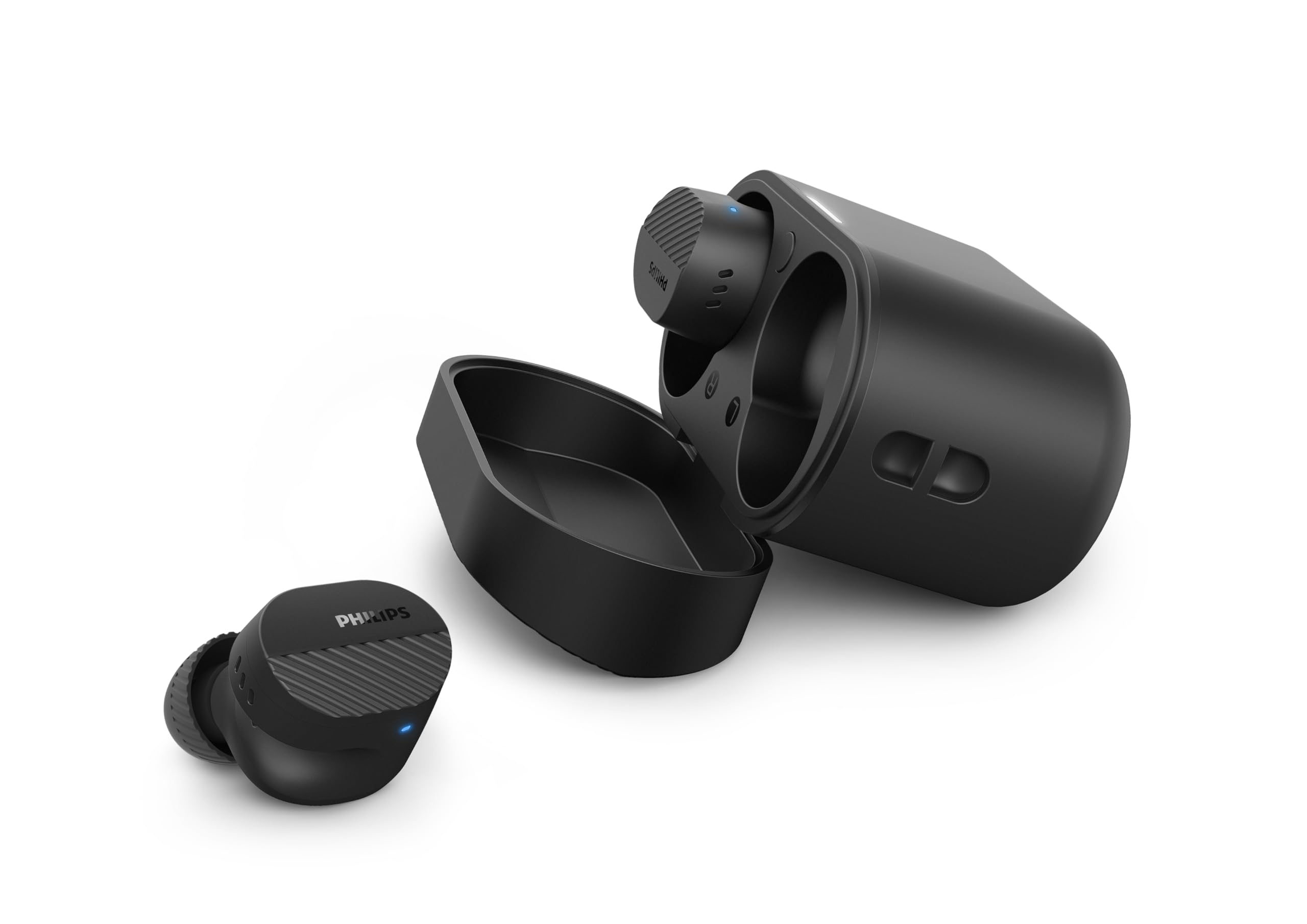
Image: A person holds the Philips TAT5000 earbuds in their charging case in one hand and a smartphone displaying the Philips Headphones app settings in the other, demonstrating app control.
Konserwacja
Czyszczenie
- Delikatnie przetrzyj słuchawki douszne i etui ładujące miękką, suchą i niepozostawiającą włókien ściereczką.
- Zdejmij nakładki douszne i umyj je łagodnym mydłem i wodą, a następnie dokładnie wysusz przed ponownym założeniem.
- Nie należy używać środków czyszczących o właściwościach ściernych, alkoholu ani rozpuszczalników chemicznych.
Odporność na wodę
The earbuds are IPX5 water resistant, meaning they are protected against sweat and splashes of water. They are not designed for submersion in water. Ensure the charging port is dry before charging.
Składowanie
Przechowuj słuchawki douszne w etui ładującym, gdy ich nie używasz, aby je chronić i oszczędzać baterię. Unikaj ekstremalnych temperatur.
Rozwiązywanie problemów
| Problem | Możliwa przyczyna | Rozwiązanie |
|---|---|---|
| Słuchawki douszne nie włączają się | Niski poziom baterii | Umieść słuchawki w etui ładującym i naładuj je całkowicie. |
| Nie można sparować z urządzeniem | Bluetooth off, earbuds not in pairing mode, or device too far | Ensure Bluetooth is enabled on your device. Open the charging case to activate pairing mode. Move device closer to earbuds. Try forgetting the device in Bluetooth settings and re-pairing. |
| Brak dźwięku lub słaba jakość dźwięku | Incorrect eartip size, low volume, or connection issue | Adjust eartips for a secure fit. Increase volume on your device. Reconnect earbuds to your device. |
| ANC nie działa efektywnie | Improper fit, or ANC mode not active | Ensure earbuds are properly seated in your ears with the correct eartip size. Verify ANC is enabled via touch controls or the Philips Headphones App. |
| Etui ładujące nie ładuje się | Wadliwy kabel lub źródło zasilania | Try a different USB-C cable and power adapter. Ensure the charging port is clean and dry. |
If issues persist, refer to the Philips Headphones App for further assistance or contact customer support.
Specyfikacje
- Nazwa modelu: TAT5000BK/00
- Łączność: Bluetooth 5.4
- Sterowniki audio: 8mm Graphene-Coated Dynamic Driver
- Czas pracy baterii: Up to 40 Hours Total (10 hours earbuds + 30 hours case, ANC off)
- Szybkie ładowanie: 15 minut na 3 godziny odtwarzania
- Wodoodporność: IPX5 (odporność na pot i zachlapanie)
- Metoda sterowania: Dotykać
- Kontrola hałasu: Adaptive Noise Canceling Pro
- Waga: Approximately 4.16 ounces (earbuds and case)
- Zawartość zestawu: Słuchawki douszne, etui ładujące, kabel USB-C, nakładki douszne, instrukcja obsługi
Gwarancja i wsparcie
Your Philips TAT5000 True Wireless Bluetooth Earbuds are covered by a limited warranty. Please refer to the warranty card included in your product packaging or visit the official Philips webAby zapoznać się ze szczegółowymi warunkami gwarancji obowiązującymi w Twoim regionie, odwiedź naszą witrynę.
For technical support, product registration, or frequently asked questions, please visit the Philips support webOdwiedź witrynę lub skontaktuj się bezpośrednio z działem obsługi klienta firmy Philips. Dane kontaktowe można zazwyczaj znaleźć na stronie internetowej firmy Philips. webstronie lub w dokumentacji produktu.