
1. Wprowadzenie
This manual provides essential information for the safe and efficient use of your KYOCERA ECOSYS PA2101cwx Color Laser Printer. Please read this manual thoroughly before operating the device and retain it for future reference.

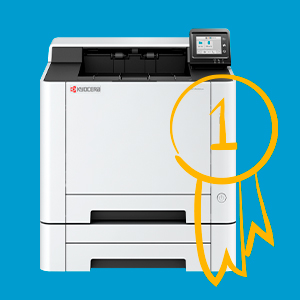
Rycina 1: Przód view of the KYOCERA ECOSYS PA2101cwx Color Laser Printer.
2. Konfiguracja
2.1 Rozpakowanie
Carefully remove the printer from its packaging. Ensure all packing materials and protective tapes are removed from the device. Verify that all included components, such as toner cartridges, are present.
2.2 Połączenie zasilania
- Podłącz przewód zasilający do gniazda zasilania drukarki.
- Podłącz drugi koniec przewodu zasilającego do uziemionego gniazdka elektrycznego.
- Press the power button, typically located on the front or side of the printer, to turn on the device.
2.3 Instalacja wkładu z tonerem
The printer comes with toner cartridges. Refer to the quick setup guide included in the box for specific instructions on how to install them. Ensure each cartridge is securely seated in its designated slot.
2.4 Ładowanie papieru
The standard paper capacity is 300 sheets, with a maximum of 550 sheets including the multipurpose tray. The printer supports various paper sizes including Letter, Legal, Statement, A4, A5, A6, and B5, with weights from 16 lb Bond to 90 lb Index (60-163 gsm).
- Otwórz tacę papieru.
- Dopasuj prowadnice papieru do rozmiaru ładowanego papieru.
- Załaduj stos papieru do podajnika, upewniając się, że leży płasko i nie przekracza linii maksymalnego zapełnienia.
- Zamknij podajnik papieru.
2.5 Łączność
The KYOCERA ECOSYS PA2101cwx offers multiple connectivity options for flexible integration into your network environment.
- Wi-Fi Direct: Allows direct connection from mobile devices without a router.
- Wi-Fi: Connect to your wireless network. An easy Wi-Fi Setup Tool is available for simplified configuration.
- Ethernet: Do przewodowych połączeń sieciowych.
- USB: Do bezpośredniego połączenia z komputerem.

Figure 2: Key features including Wi-Fi Direct and resolution highlighted on the printer.

Figure 3: The printer is designed for simple setup using Quick Network Setup or the Wi-Fi Setup Tool.
3. Działanie
3.1 Panel sterowania
The printer features a 2.7-inch Color Touch Screen Interface (TSI) control panel. This panel allows you to navigate menus, adjust settings, and monitor printer status.
Rysunek 4: Szczegółowy view of the 2.7-inch Color Touch Screen Control Panel.
3.2 Drukowanie
The ECOSYS PA2101cwx is a color laser printer capable of printing up to 22 pages per minute (ppm) in both color and black and white. It delivers high-quality output with a resolution of up to 1200 x 1200 dpi.
- Prędkość drukowania: Up to 22 ppm for both color and monochrome.
- Rozdzielczość wydruku: 1200 x 1200 dpi for maximum clarity.
- Drukowanie dwustronne: Automatic dual-sided printing is supported.
- Obsługiwany system operacyjny: Compatible with Windows 11/10/Server, Apple Macintosh OS X 10.9 or later, and Chrome OS version 118 or higher.

Figure 5: Printer capabilities: 1200x1200 dpi resolution, up to 22 pages per minute, and color printing.
3.3 Drukowanie mobilne
The printer is compatible with KYOCERA mobile applications, allowing for convenient printing directly from your smartphone or tablet. Refer to the KYOCERA website or app store for available applications and setup instructions.

Figure 6: The printer supports mobile applications for enhanced workflow and productivity.
4. Konserwacja
4.1 Wymiana tonera
When a toner cartridge is low or empty, a message will appear on the control panel. Follow the on-screen instructions or refer to the detailed guide for replacing toner cartridges. Use only genuine KYOCERA toner cartridges for optimal performance and to prevent damage to the printer.
4.2 Czyszczenie
Regular cleaning helps maintain print quality and extends the life of your printer. Use a soft, lint-free cloth to wipe the exterior of the printer. For internal cleaning, consult the detailed maintenance guide available on the KYOCERA support webstrona.
5. Rozwiązywanie Problemów
This section provides solutions to common issues you might encounter. For more complex problems, refer to the comprehensive troubleshooting guide on the KYOCERA support webodwiedź witrynę lub skontaktuj się z obsługą klienta.
- Drukarka nie odpowiada: Check power connections, network cables (Ethernet), or Wi-Fi connection status. Restart the printer and your computer.
- Słaba jakość druku: Check toner levels. Ensure correct paper type and quality are used. Perform a print head cleaning or calibration if available through the control panel.
- Zacięcia papieru: Follow on-screen instructions to clear paper jams. Always turn off the printer before attempting to remove jammed paper.
6. Specyfikacje
Below are the technical specifications for the KYOCERA ECOSYS PA2101cwx Color Laser Printer.
| Funkcja | Specyfikacja |
|---|---|
| Wymiary produktu | 16.2" gł. x 16.2" szer. x 13" wys. |
| Waga przedmiotu | 46.3 funta |
| Technologia druku | Laser |
| Wyjście drukarki | Kolor |
| Maksymalna prędkość drukowania (kolor) | 22 stron na milion |
| Maksymalna prędkość druku monochromatycznego | 22 stron na milion |
| Maksymalna rozdzielczość druku kolorowego | 1200 x 1200 dpi |
| Maksymalna rozdzielczość wydruku czarno-białego | 1200 x 1200 dpi |
| Drukowanie dwustronne | Automatyczny |
| Maksymalna pojemność arkuszy wejściowych | 300 sheets (Standard) / 550 sheets (Maximum) |
| Pojemność arkuszy wyjściowych | 150 arkuszy |
| Technologia łączności | Ethernet, USB, Wi-Fi |
| Interfejs sprzętowy | Ethernet (1 port), USB (1 port) |
| Pojemność pamięci masowej | 1 GB |
| Panel sterowania | 2.7-calowy kolorowy ekran dotykowy |
| Zawarte komponenty | Kasety z tonerem |
| Kolor tuszu | Cyjan, Magenta, Żółty, Czarny |
| Nazwa modelu | ECOSYS PA2101cwx |
| Numer modelu przedmiotu | PA2101cwx |
| UPC | 632983087244 |
7. Gwarancja i wsparcie
7.1 Informacje o gwarancji
The KYOCERA ECOSYS PA2101cwx Color Laser Printer comes with a limited warranty. For detailed terms and conditions, including coverage period and service procedures, please refer to the warranty documentation included with your product or visit the official KYOCERA webstrona.
7.2 Obsługa klienta
For technical assistance, product inquiries, or to locate authorized service centers, please contact KYOCERA customer support. Contact information can typically be found on the KYOCERA webstronie internetowej lub w dokumentacji dostarczonej wraz z drukarką.