
1. Wprowadzenie
This manual provides detailed instructions for the installation, setup, operation, and maintenance of your litillbuly Android 13 Qualcomm Car Radio. This unit is specifically designed for Ford F150 models from 2013 to 2014, featuring a 12.1-inch T-style display. Please read this manual thoroughly before installation and use to ensure proper functionality and safety.
2. Funkcje produktu
- Wyświetlacz: 12.1-inch 1080P capacitive touchscreen with Android 13 OS.
- Edytor: Powerful Qualcomm QCM6125 (8-core CPU: 4x A73@2.0GHz + 4x A53@1.8GHz) and 900MHz GPU for fast response.
- Pamięć: 4GB RAM + 64GB ROM for ampprzechowywanie i płynne działanie.
- Łączność: Built-in Wireless CarPlay and Android Auto via Bluetooth. Dual Bluetooth (BT1 for OBD/BLE devices, BT2 for phone calls/media). 4G for fast internet access.
- Nawigacja: Triple Navigation (GPS + GLONASS + BeiDou) with up to 50 satellite signals for precise positioning. Supports offline and online map applications.
- Audio: Immersive DTS Surround Sound with 32-band EQ and "Sweet Spot" tuning.
- Integracja pojazdu: Retains factory amplifier system, Onstar system, heating and cooling seat control, original camera, reverse camera, and steering wheel controls.
- Interfejs użytkownika: Clean and intuitive UI design with customizable themes, day/night modes, and split-screen navigation.
- Czujniki: Built-in 6-axis gyroscope (3-axis accelerometer + 3-axis gyroscope) for precise motion detection.
- Multimedia: Supports 4K@30fps video decoding (H.264) and 1080P@30fps encoding.

Image: The litillbuly 12.1-inch T-Style Android 13 Car Radio unit.

Image: Comparison showing the original Ford F150 radio interface versus the upgraded litillbuly 12.1-inch T-Style Android 13 Car Radio.
3. Zawartość opakowania
Sprawdź, czy w opakowaniu znajdują się wszystkie elementy:
- litillbuly Android 13 Car Radio Unit
- Main Harness Adaptor
- RCA Audio Output Cable
- Installation Tools (plastic pry tools, screwdriver)
- Cam Inputs
- Kabel antenowy radiowy
- Kabel USB
- Kabel MIKROFONOWY
- Kabel cofania
- Kabel antenowy GPS
- Moduł 4G
- Original Car USB Cable

Obraz: Ponadview of all accessories included with the litillbuly Android 13 Car Radio.

Image: Detailed wiring diagram showing various connections including RCA, GPS, 4G, USB, and MIC cables.
4. Instrukcja instalacji
Professional installation is recommended. Ensure the vehicle's ignition is off and the battery is disconnected before starting. Refer to the installation video for visual guidance.
Video: Installation guide for the litillbuly Android 13 Car Radio in a Ford F150 (2013-2014). This video demonstrates the step-by-step process of removing the original radio and installing the new unit.
4.1. Przygotowanie
- Gather all necessary tools, including the provided installation tools.
- Upewnij się, że pojazd jest wyłączony i zaciągnięty jest hamulec postojowy.
- Odłącz akumulator pojazdu, aby zapobiec zwarciom elektrycznym.
4.2. Demontaż oryginalnych komponentów
- Remove Right Storage Drawer: Carefully remove all screws at the bottom of the right storage drawer. Use a pry tool to detach the drawer.
- Unscrew Left Dashboard: Unscrew the screws located above the left dashboard, near the instrument cluster.
- Remove Dashboard Frame Kit: Use a pry tool to carefully remove the dashboard frame kit surrounding the original radio and air vents.
- Unscrew Air Vent Screws: Remove the screws on both sides of the air vents.
- Open Storage Box: Open the storage box located below the climate controls.
- Remove Car Stereo Screws: Locate and remove the screws securing the original car stereo unit.
- Disassemble Original Radio Interface: Carefully pull out the original radio interface and disconnect all electrical connectors.
4.3 Podłączanie nowego urządzenia
- Plug-in Connectors: Connect the provided wiring harness to the new litillbuly Android 13 Car Radio. Ensure all connections are secure, including the main power harness, RCA cables, USB cables, GPS antenna, and 4G antenna. Refer to the wiring diagram image for correct connections.
- Zabezpiecz jednostkę: Carefully slide the new unit into the dashboard opening. Secure it with the screws removed earlier.
4.4. Testowanie i ponowny montaż
- Podłącz ponownie akumulator: Podłącz ponownie akumulator pojazdu.
- Włącz i przetestuj: Turn on the vehicle's ignition and power on the new radio. Test all functions, including the touchscreen, audio, climate controls, and steering wheel controls.
- Test Air Conditioning UI: If the air conditioning mode (up, middle, down) does not work, navigate to System-Setting > Guide-Car Model/Protocol (password is 8861) > Setting button > Set the Climate UI. Ensure the UI is selected with MODE.
- Ponowny montaż: Once all functions are verified, reassemble the dashboard components in reverse order of removal.
5. Konfiguracja początkowa
Po pierwszym uruchomieniu system może poprowadzić Cię przez kroki początkowej konfiguracji:
- Wybór języka: Wybierz preferowany język.
- Czas i data: Ustaw prawidłową strefę czasową, datę i godzinę.
- Połączenie Wi-Fi: Connect to a Wi-Fi network to enable online features, app downloads, and map updates. Go to Ustawienia > Sieć i Internet > Wi-Fi.
- Konto Google: Log in with your Google account to access the Play Store and other Google services.
6. Instrukcja obsługi
6.1. Bezprzewodowy CarPlay i Android Auto
Connect your iPhone or Android phone wirelessly via Bluetooth to access navigation, calls, messages, and music directly on the car radio display.
- Sprawdź, czy Bluetooth jest włączony w Twoim smartfonie i radiu samochodowym.
- On the car radio, go to the CarPlay or Android Auto application.
- Sparuj telefon z radiem samochodowym przez Bluetooth.
- Aby nawiązać połączenie, postępuj zgodnie z instrukcjami wyświetlanymi na ekranie.

Image: Display of Wireless CarPlay and Android Auto interfaces on the litillbuly car radio, showing phone integration for navigation, music, and communication.
Video: Demonstration of the Android 12.1 Inch Car Stereo Radio for Ford F150 2013 2014, highlighting its features and user interface.
6.2. Nawigacja
The unit supports both offline and online map applications. Connect the supplied GPS antenna for optimal performance.
- Download preferred map applications from the app store (e.g., Google Maps, Waze).
- Use coordinates, zip codes, addresses, or points of interest to plan routes.
- Real-time traffic flow information is available with an internet connection.

Image: The GPS navigation interface displayed on the car radio, alongside a depiction of steering wheel controls.
6.3. Odtwarzanie multimediów
Enjoy various media formats including music and video. The unit supports 4K video decoding.
- Dostęp do muzyki i wideo files from internal storage, USB devices, or streaming apps.
- Utilize the 32-band EQ for customized audio settings.
6.4. Łączność Bluetooth
The unit features dual Bluetooth modules:
- BT1: Connects to OBD devices, BLE devices (keyboards, mice, ambient lights, BT speakers).
- BT2: Dedicated for phone calls and media streaming from your mobile device.

Image: Explanation of the dual Bluetooth mode, detailing BT1 for accessories and BT2 for mobile phones.
6.5. Sterowanie z kierownicy (SWC)
The unit retains the original vehicle's steering wheel control functionality, allowing for safe management of volume, tracks, and calls.
6.6. Reversing Assist
The system supports reversing assist features, including compatibility with the factory original camera and aftermarket reverse cameras (camera not included).
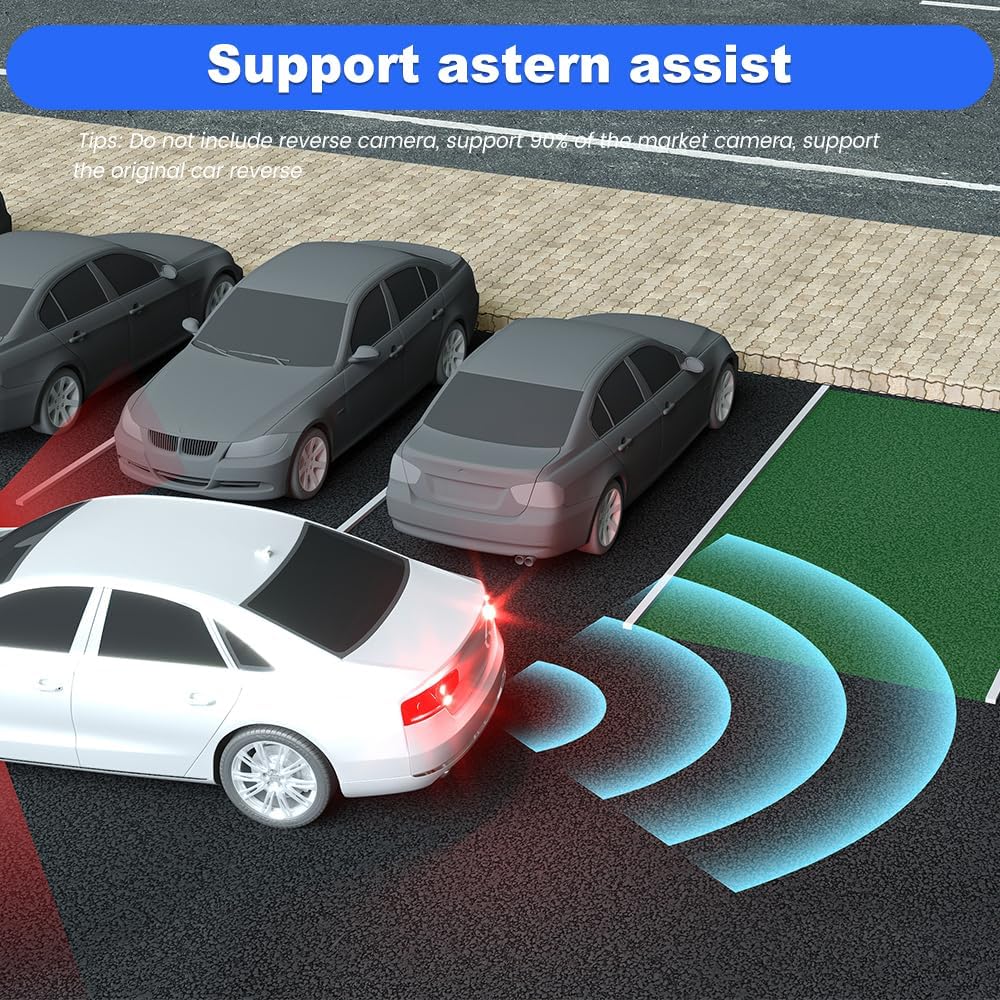
Image: A visual representation of the reversing assist feature, showing parking guidelines on the screen.
6.7. On-Screen Climate Control
Manage your vehicle's climate control settings directly from the large touchscreen display, retaining full functionality of heating and cooling seats.

Image: The on-screen climate control interface, allowing adjustment of temperature, fan speed, and other HVAC functions.
7. Konserwacja
- Czyszczenie ekranu: Do czyszczenia ekranu dotykowego używaj miękkiej, niepozostawiającej włókien ściereczki. Unikaj środków czyszczących o właściwościach ściernych i rozpuszczalników.
- Aktualizacje oprogramowania: Periodically check for system software updates via the settings menu to ensure optimal performance and access to new features.
- Opieka ogólna: Utrzymuj urządzenie w czystości, chroniąc je przed kurzem i zanieczyszczeniami. Unikaj wystawiania go na działanie ekstremalnych temperatur lub bezpośredniego światła słonecznego przez dłuższy czas.
8. Rozwiązywanie Problemów
W tej sekcji omówiono typowe problemy, na które możesz natrafić:
- Unit is Unresponsive: If the unit becomes unresponsive, a system upgrade may be required. Please contact customer support for assistance.
- Air Conditioning Mode Not Working: After the machine is turned on, navigate to System-Setting > Guide-Car Model/Protocol (password is 8861) > Setting button > Set the Climate UI. Ensure the correct Climate UI with MODE is selected.
- Blurry Reversing Camera Picture: If the picture from the original car's reversing camera is blurry, adjust the settings in the reversing screen interface (located at the bottom of the screen).
9. Specyfikacje
| Funkcja | Szczegół |
|---|---|
| Waga przedmiotu | 7.78 funta |
| Wymiary opakowania | 17.25 x 13.25 x 8 cala |
| Rozmiar wyświetlacza | 12.1 cali |
| Polecenie głosowe | Ekran dotykowy |
| System operacyjny | Android 13 |
| Pojemność pamięci masowej | 64 GB |
| BARAN | 4 GB |
| Edytor | Qualcomm QCM6125 (8-core CPU) |
| Technologia łączności | Wi-Fi, Bluetooth, 4G |
| Funkcja specjalna | Bluetooth, Wireless CarPlay, Android Auto, GPS, DSP, SWC, HDMI |
| Typ mapy | Ameryka Północna |
| Typ serwisu pojazdu | Truck (Ford F150 2013-2014) |
10. Gwarancja i wsparcie
Your litillbuly Android 13 Qualcomm Car Radio comes with a 2-letnia gwarancja.
For technical assistance, troubleshooting, or warranty claims, please contact litillbuly customer support:
- E-mail: litillbuly@outlook.com
Please provide your product model and purchase details when contacting support to expedite assistance.