
1. Wprowadzenie
The Cooler Master MasterFrame 600 is a versatile PC case designed for optimal performance and extensive customization. Constructed from high-quality aluminum, it offers a flexible space configuration to accommodate various hardware setups. This case supports the latest generation GPUs and features an optimized cooling layout to ensure efficient airflow and stable thermal performance. It is an ideal choice for users seeking both high functionality and personalized aesthetics for their computing needs.
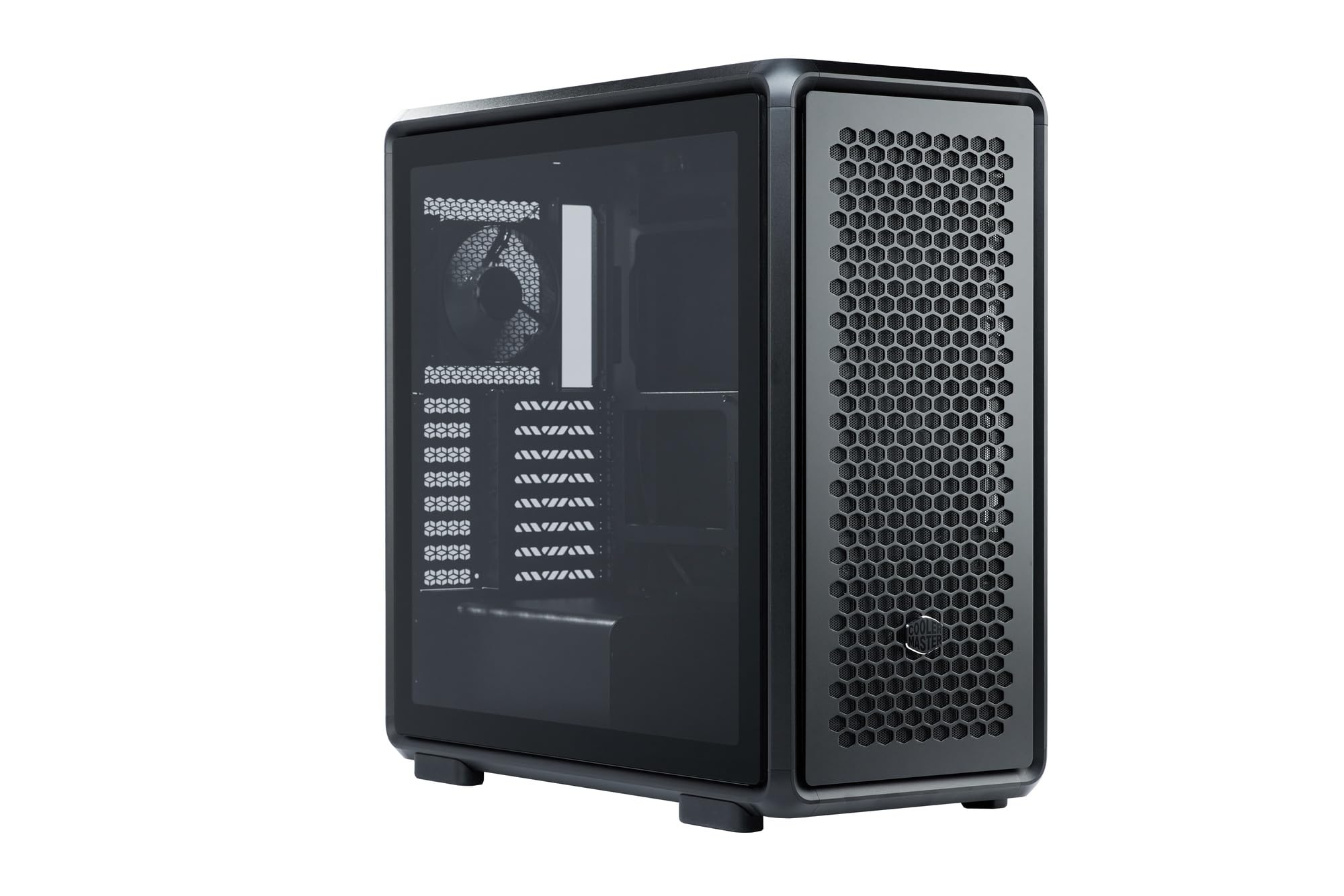
Figure 1: Cooler Master MasterFrame 600 PC Case, showcasing its sleek design and mesh panels.
Wideo 1: Overview of the MasterFrame 600's design, highlighting its EXO-STRUCTURE, adaptable frame, and versatile, maker-driven customization options. (Note: Video source is a placeholder as a specific m3u8 URL was not provided in the product data.)
2. Konfiguracja i instalacja
This section provides general guidelines for assembling your PC components within the MasterFrame 600. Always refer to the specific manuals for your individual components (motherboard, GPU, PSU, etc.) for detailed instructions.
2.1 Rozpakowywanie i identyfikacja komponentów
Carefully remove all components from the packaging. Verify that all parts listed in the packing list are present. Familiarize yourself with the case's internal layout and mounting points.

Rysunek 2: Eksplodowany view of the MasterFrame 600, illustrating its modular components and assembly parts.
2.2 Instalacja płyty głównej
- Identify the correct standoff positions for your motherboard form factor (ITX, Micro-ATX, ATX, E-ATX).
- Install the necessary standoffs onto the motherboard tray.
- Umieść osłonę I/O w tylnym otworze obudowy.
- Dokładnie dopasuj płytę główną do dystansów i osłony I/O, a następnie przymocuj ją śrubami.
2.3 Instalacja napędu
The MasterFrame 600 supports 2x 3.5-inch drives and 5x 2.5-inch drives.
- Locate the designated drive bays or mounting points.
- Secure your 3.5-inch or 2.5-inch drives using the provided screws or tool-less mechanisms.
2.4 Instalacja zasilacza (PSU).
- Position your PSU in the bottom-mount location.
- Secure the PSU to the case using the appropriate screws.
- Route the necessary power cables through the cable management cutouts.
2.5 Instalacja karty graficznej (GPU)
The case supports GPUs up to 485mm in length (without front fan/radiator).
- Zdejmij niezbędne osłony gniazd PCIe z tyłu obudowy.
- Umieść kartę graficzną w odpowiednim gnieździe PCIe na płycie głównej.
- Secure the GPU with the retention clip and screws.
2.6 Montaż układu chłodzenia
Install fans and/or radiators according to your cooling configuration. The case is designed for efficient airflow.
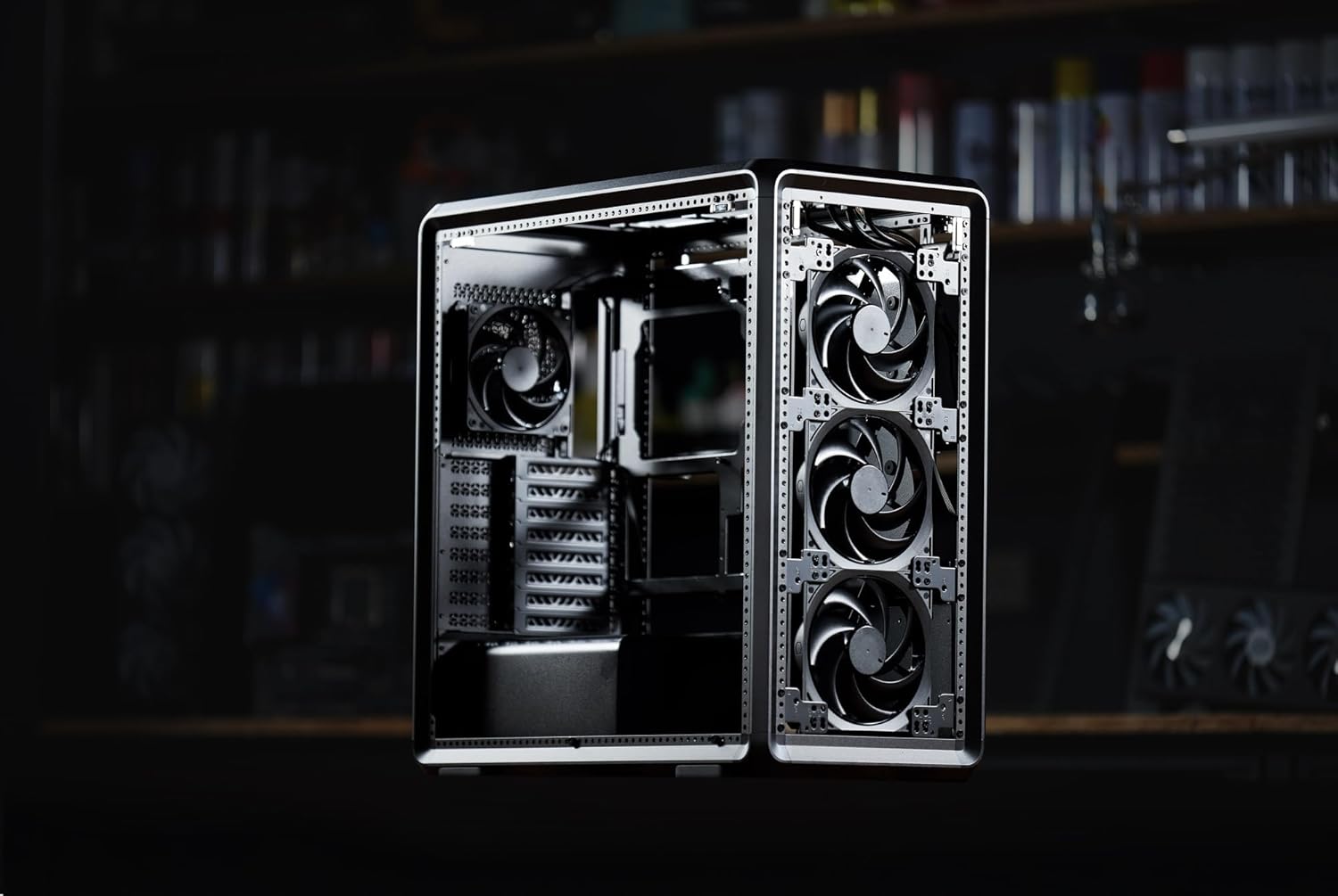
Rysunek 3: Wewnętrzne view of the MasterFrame 600, showing potential fan mounting locations for optimized airflow.
2.7 Zarządzanie kablami
Utilize the various cutouts and tie-down points behind the motherboard tray to route and secure cables. This improves airflow and aesthetics.
3. Instrukcja obsługi
3.1 Włączanie
After all components are securely installed and connected, plug the power cable into your PSU and a wall outlet. Press the power button on the front panel to start your system.
3.2 Połączenia na panelu przednim
The front panel provides convenient access to USB 3.0 ports and audio jacks. Connect your peripherals as needed.
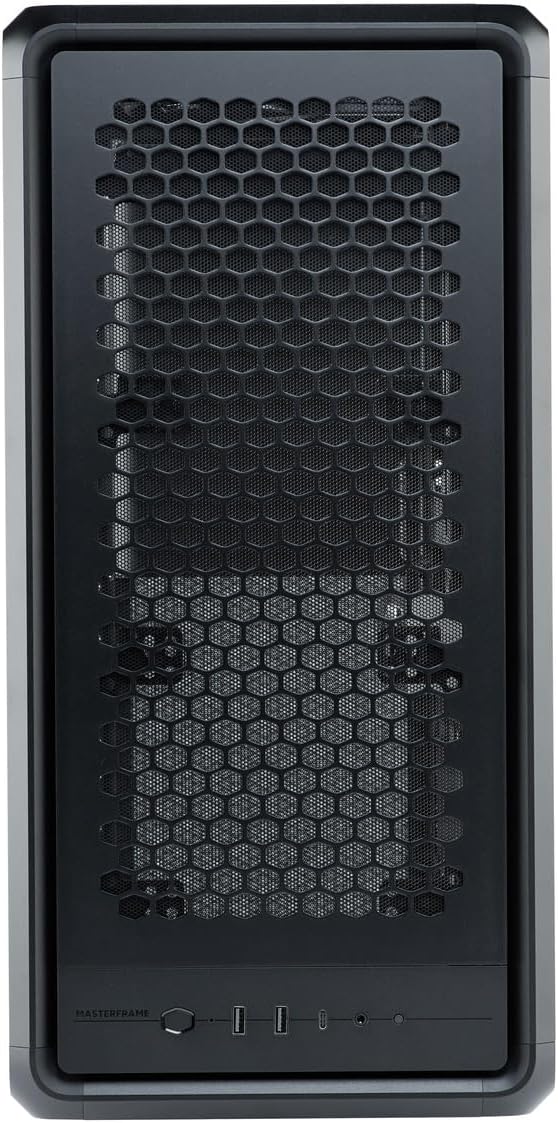
Figure 4: Close-up of the MasterFrame 600's front panel, detailing the power button and I/O ports.
3.3 Optymalizacja przepływu powietrza
The MasterFrame 600's design promotes excellent airflow. Ensure that fans are oriented correctly for intake and exhaust to maintain optimal component temperatures.
4. Konserwacja
Regularna konserwacja pomaga zapewnić długowieczność i wydajność podzespołów komputera.
4.1 Czyszczenie filtra przeciwpyłowego
The MasterFrame 600 features removable dust filters. Periodically remove and clean these filters to prevent dust buildup and maintain optimal airflow. Use compressed air or a soft brush.
4.2 Ogólne czyszczenie obudowy
Przetrzyj zewnętrzną część obudowy miękką szmatką.amp szmatką. Unikaj środków czyszczących o działaniu ściernym i rozpuszczalników, które mogą uszkodzić wykończenie.
4.3 Fan Cleaning
If accessible, gently clean fan blades with compressed air or a soft brush to remove accumulated dust.
5. Rozwiązywanie Problemów
Jeśli napotkasz problemy ze swoim komputerem, rozważ poniższe typowe kroki rozwiązywania problemów:
- Brak zasilania: Upewnij się, że wszystkie kable zasilające (zasilacz do gniazdka ściennego, zasilacz do płyty głównej, procesor, karta graficzna) są dobrze podłączone. Sprawdź włącznik zasilania na zasilaczu.
- Brak wyświetlacza: Verify that your monitor is connected to the graphics card (not the motherboard's integrated graphics, unless intended) and that the GPU is properly seated and powered.
- Hałas wentylatora: Excessive fan noise can indicate dust buildup or loose fan mounts. Clean fans and ensure they are securely fastened.
- Komponent nie został wykryty: Re-seat the component (e.g., RAM, GPU, storage drive) and check all associated power and data cables.
For specific component-related issues, consult the respective component manuals or Cooler Master's support resources.
6. Specyfikacje
| Funkcja | Szczegół |
|---|---|
| Marka | Mistrz chłodnicy |
| Nazwa modelu | MasterFrame 600 |
| Numer modelu | MF600-KGNN-S00 |
| Typ sprawy | Mid Tower |
| Kolor | Czarny |
| Obsługiwane płyty główne | ITX / Micro-ATX / ATX / E-ATX |
| Product Dimensions (including protrusions) | Wymiary: 531 x 261 x 544 mm |
| Product Dimensions (excluding protrusions) | Wymiary: 514 x 244 x 514 mm |
| Waga przedmiotu | 12000 gramów |
| Drive Bays (3.5-inch) | 2 |
| Drive Bays (2.5-inch) | 5 |
| Supported Video Card Length | Max 485 mm (without front fan, radiator) |
| Power Supply Unit Length | 235mm |
| Wysokość chłodzenia procesora | 190mm |
| Typ montażu zasilacza | Mocowanie dolne |
| Porty USB 3.0 | 3 |
| Cechy | Modular structure 'Freeform 2.0' |

Figure 5: Dimensional diagram of the MasterFrame 600, showing height, width, and depth measurements.
7. Informacje o gwarancji
The Cooler Master MasterFrame 600 PC Case comes with a 2-letnia gwarancja from the date of purchase. This warranty covers defects in materials and workmanship under normal use. Please retain your proof of purchase for warranty claims. For full warranty terms and conditions, please refer to the official Cooler Master webodwiedź witrynę lub skontaktuj się z działem obsługi klienta.
8. Wsparcie
For technical assistance, troubleshooting, or general inquiries regarding your Cooler Master MasterFrame 600 PC Case, please visit the official Cooler Master support webStrona internetowa. Zazwyczaj można tam znaleźć odpowiedzi na często zadawane pytania, pliki do pobrania sterowników i dane kontaktowe do działu obsługi klienta.
Oficjalny Cooler Master Webstrona: www.coolermaster.com