
Wstęp
This manual provides detailed instructions for the installation, operation, and maintenance of your Mio MiVue 935W 4K UHD Dashcam. Please read this manual thoroughly before using the device to ensure proper functionality and safety.
Główne cechy
- 4K 2160P Ultra High Definition Recording: Captures video with four times the resolution of Full HD for exceptional detail.
- Sony STARVIS CMOS Sensor: Ensures clear, high-contrast videos with rich colors, even in low-light conditions.
- Wysoki zakres dynamiki (HDR): Automatically combines multiple exposures to produce clearer, sharper images with reduced noise, especially in challenging lighting.
- Integrated High-Speed Wi-Fi: Enables fast video transfers and easy connection to the MiVue Pro app via QR code.
- Zintegrowany GPS: Provides location data, speed camera alerts (where permitted), and lane departure warnings.
- Czujnik G: Detects sudden movements or impacts and automatically protects the current recording.
- Kompaktowa konstrukcja: Discreetly fits into your vehicle's interior.
Zawartość opakowania
Sprawdź, czy w przesyłce znajdują się wszystkie elementy wymienione poniżej:
- Mio MiVue 935W Dashcam
- Ładowarka samochodowa
- Mocowanie samoprzylepne 3 M.
- Static Window Sticker
- Instrukcja obsługi (ten dokument)
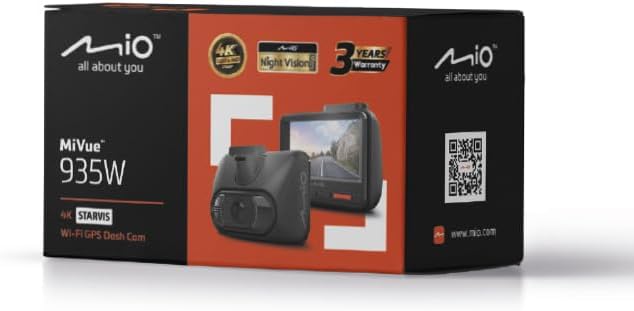
Image: Retail packaging of the Mio MiVue 935W Dashcam, showing the box contents and key features.
Produkt ponadview
Familiarize yourself with the components of your MiVue 935W dashcam.
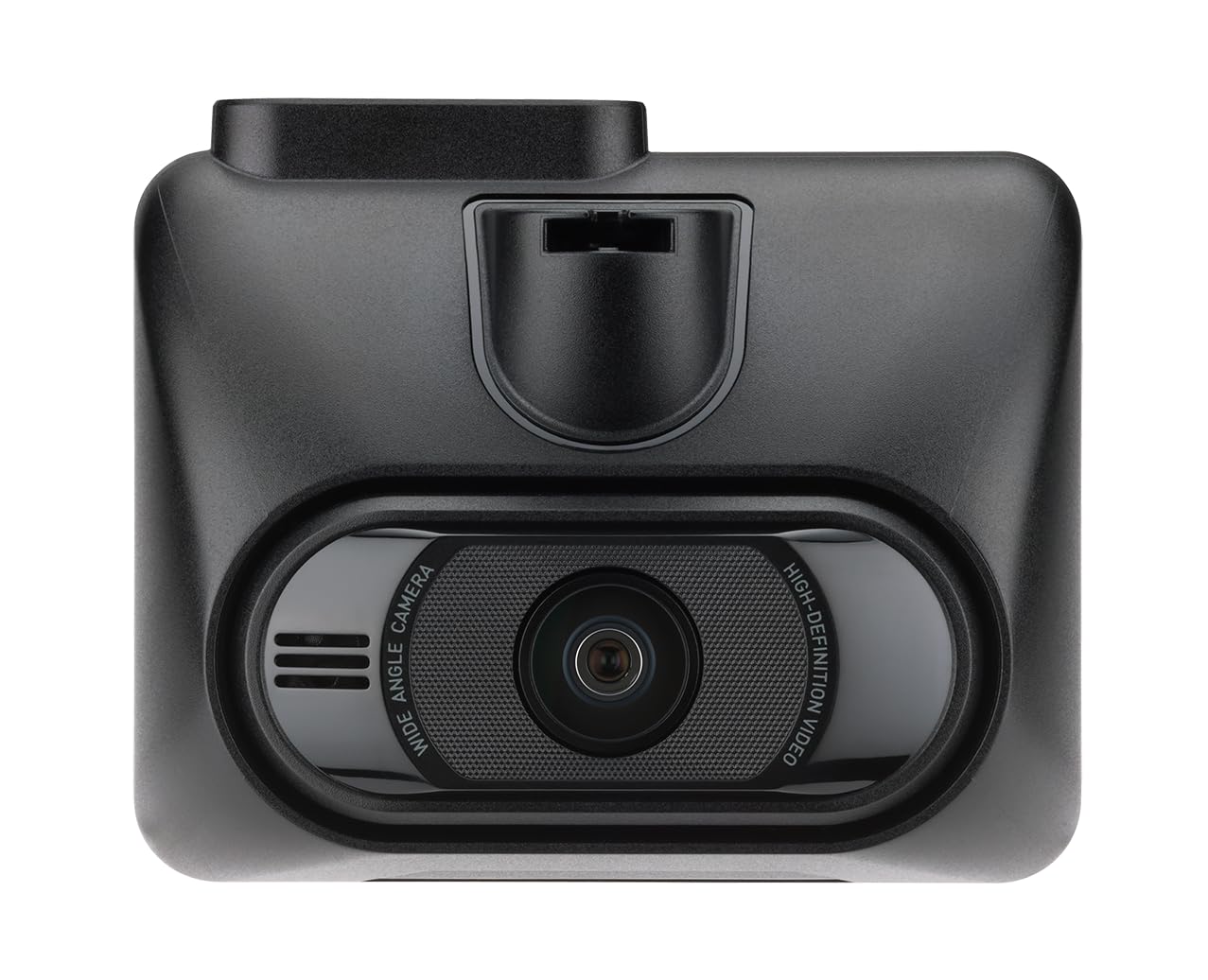
Obraz: Przód view of the MiVue 935W dashcam, displaying the screen and control buttons below it.

Obraz: Góra view of the MiVue 935W dashcam, highlighting the power input and rear camera connection ports.

Image: The 3M adhesive mount for securing the dashcam to the windshield.
Organizować coś
1. Installing the Dashcam
- Wyczyść obszar na przedniej szybie, w którym zamierzasz zamontować kamerę samochodową. Upewnij się, że nie zasłania ona widoku. view.
- Apply the static window sticker to the chosen area on the windshield. This helps protect your windshield and allows for easier repositioning.
- Attach the 3M adhesive mount to the static sticker. Press firmly for secure adhesion.
- Slide the MiVue 935W dashcam onto the mount until it clicks into place.
- Dostosuj kąt ustawienia kamery, aby mieć pewność, że wyraźnie uchwycisz drogę przed sobą.
2. Wkładanie karty MicroSD
A MicroSD card (not included) is required for recording. The device supports cards up to 256GB. Ensure the card is formatted before first use.
- With the dashcam powered off, locate the MicroSD card slot.
- Insert the MicroSD card with the contacts facing the screen until it clicks into place.
- Aby wyjąć kartę, delikatnie naciśnij ją, aż wyskoczy.
3. Podłączenie zasilania
- Connect the car charger to the dashcam's power input port (usually located on top).
- Podłącz drugi koniec ładowarki samochodowej do gniazda zasilania 12 V w pojeździe (gniazdo zapalniczki).
- The dashcam will automatically power on and begin recording when your vehicle starts.
Instrukcja obsługi
Podstawowa obsługa
- Włączanie/wyłączanie: The dashcam powers on automatically with vehicle ignition and powers off shortly after the engine is turned off. You can also manually power it on/off using the power button.
- Nagranie: The dashcam automatically starts continuous loop recording when powered on.
- Nagrywanie awaryjne: The built-in G-sensor detects sudden impacts or harsh braking and automatically saves the current recording to a protected folder, preventing it from being overwritten.
Łączność Wi-Fi
The integrated high-speed Wi-Fi allows for quick video transfers and easy management via the MiVue Pro app.
- Pobierz MiVue Pro aplikację ze sklepu z aplikacjami na Twoim smartfonie.
- On the MiVue 935W, navigate to the Wi-Fi settings and enable it. A QR code will be displayed on the dashcam screen.
- Open the MiVue Pro app on your smartphone and use the app to scan the QR code displayed on the dashcam.
- Po połączeniu możesz view żyćtage, transfer recordings, and adjust settings directly from your smartphone.
Funkcje GPS
The integrated GPS module provides accurate location and speed data, enhancing your driving records.
- Alerty o fotoradarach: The MiVue 935W provides alerts for speed cameras, displaying the distance, time, speed limit, and your average speed. Note: Speed camera alerts are not active in France, Germany, Switzerland, and Turkey due to local regulations.
- Ostrzeżenie o opuszczeniu pasa ruchu: This feature helps monitor your lane position and provides alerts if you unintentionally drift from your lane.
HDR (wysoki zakres dynamiki)
The HDR function improves video clarity in challenging lighting conditions.
- The dashcam automatically captures multiple images at different exposure levels and combines them into a single, optimized image.
- The 2.5K 1440P/Auto HDR mode automatically switches the image sensor between day and night settings for optimal video quality.
Tryb monitorowania parkingu
When properly configured and with a continuous power supply (e.g., via a hardwire kit, sold separately), the dashcam can monitor your vehicle while parked.
- The dashcam will automatically record if it detects motion or an impact while your vehicle is stationary.
Konserwacja
Czyszczenie urządzenia
- Do czyszczenia zewnętrznej części kamery samochodowej należy używać miękkiej, suchej ściereczki.
- Do czyszczenia soczewek należy używać specjalnej ściereczki, aby uniknąć zarysowań.
- Nie należy używać środków czyszczących ani rozpuszczalników, gdyż mogą one uszkodzić urządzenie.
MicroSD Card Care
- Regularnie formatuj kartę MicroSD (przynajmniej raz w miesiącu), aby zachować optymalną jakość nagrywania i zapobiec uszkodzeniu danych.
- Replace the MicroSD card periodically, especially if you notice recording errors or reduced performance, as memory cards have a limited lifespan.
Aktualizacje oprogramowania układowego
Check the official Mio webStrona (www.mio.com) for available firmware updates. Keeping your dashcam's firmware up-to-date ensures optimal performance and access to new features.
Rozwiązywanie problemów
| Problem | Możliwa przyczyna | Rozwiązanie |
|---|---|---|
| Kamera samochodowa nie włącza się. | Brak zasilania lub wadliwe połączenie. | Check car charger connection to both the dashcam and the vehicle's 12V outlet. Ensure the vehicle's ignition is on. |
| Nagrywanie zostaje nieoczekiwanie przerwane. | MicroSD card error or full. | Format the MicroSD card. Replace the card if the issue persists. Ensure the card is Class 10 or higher. |
| Słaba jakość wideo. | Dirty lens or incorrect settings. | Clean the camera lens. Check video resolution settings in the menu. Ensure HDR is enabled for challenging light. |
| Problemy z połączeniem Wi-Fi. | Incorrect password or app issue. | Ensure Wi-Fi is enabled on the dashcam and you are scanning the correct QR code. Restart both the dashcam and your smartphone. |
| GPS nie działa. | Poor satellite signal. | Upewnij się, że kamera samochodowa ma czyste pole widzenia view of the sky. Avoid mounting near metallic objects that might block the signal. |
Specyfikacje
| Funkcja | Szczegół |
|---|---|
| Nazwa modelu | Mio MiVue 935W |
| Rozmiar ekranu | 2.7 cala IPS |
| Rozdzielczość nagrywania | 4K (2160P) / 30fps |
| Czujnik wideo | Czujnik CMOS Sony STARVIS |
| Otwór | F1.8 |
| Format nagrywania | SuperMP4 (H.265) |
| Obiektyw szerokokątny | 140 stopnia |
| Łączność | Integrated Wi-Fi, GPS |
| Cechy specjalne | Compact Design, G-Sensor, Speed Camera Alerts, Lane Departure Warning, HDR |
| Źródło zasilania | 1 bateria litowo-polimerowa (w zestawie) |
| Wymiary (szer. x wys. x gł.) | Wymiary: 63 x 76.5 x 41.2 mm |
| Waga | 99.94 gramów |
| Zgodny typ pojazdu | Samochód, ciężarówka, motocykl |
| Typ montażu | Self-adhesive mount |
| Kolor | Czarny |
Gwarancja i wsparcie
Informacje o gwarancji
The Mio MiVue 935W Dashcam comes with a 3-letnia gwarancja. Zachowaj dowód zakupu na wypadek roszczeń gwarancyjnych.
Obsługa klienta
For technical assistance, firmware updates, or further information, please visit the official Mio webstrona:
Mio products are tested in a TAF-accredited laboratory by MITAC, ensuring high quality and reliability.