
Wstęp
This manual provides detailed instructions for the JZK Voice Remote Control, designed as a replacement or secondary remote for NVIDIA Shield TV Pro models from 2015, 2017, and 2019. This remote features voice search capabilities and an ergonomic design for comfortable use. Please read this manual thoroughly before operating your device.
Zawartość opakowania
Sprawdź, czy w przesyłce znajdują się wszystkie elementy:
- 1 x JZK Voice Remote Control
- 1 x Instrukcja obsługi (ten dokument)
Note: 2x AAA batteries are required and are not included in the package.

Image: Contents of the JZK remote control package, including the remote and a small user guide.
Organizować coś
1. Instalacja baterii
- Znajdź komorę baterii z tyłu pilota.
- Przesuń pokrywę baterii w dół, aby ją otworzyć.
- Włóż dwie (2) baterie AAA, zwracając uwagę na prawidłową biegunowość (+ i -), zgodnie ze wskazaniami wewnątrz komory.
- Wsuń pokrywę baterii z powrotem na miejsce, aż zaskoczy.

Image: The remote control with its battery cover removed, illustrating where to insert two AAA batteries.
2. Parowanie pilota
The remote control uses an infrared connection. For initial setup or re-pairing, follow these steps:
- Ensure your NVIDIA Shield TV is powered on and within 1 foot (approx. 30 cm) of the remote control.
- On your NVIDIA Shield TV, navigate to Settings > Device Preferences > Remotes & Accessories.
- Naciśnij i przytrzymaj Z powrotem przycisk i Dom button simultaneously on the JZK remote control until the remote's indicator light begins to flash.
- The NVIDIA Shield TV should detect the new remote. Select it from the list of available devices to complete the pairing process.
- Once paired, the remote's light will stop flashing, and you can begin using it.
If pairing fails, ensure the batteries are correctly installed and charged, and try the process again. You may also need to restart your NVIDIA Shield TV.
Instrukcja obsługi
Zapoznaj się z przyciskami i ich funkcjami:

Image: Detailed button layout of the JZK remote control with labels for each function.
| NIE. | Przycisk | Funkcjonować |
|---|---|---|
| 1 | Wbudowany mikrofon | Used for Voice Search commands. |
| 2 | Moc | Turns the NVIDIA Shield TV on or off. |
| 3 | Ustawienia | Accesses the NVIDIA Shield TV settings menu. (Customizable in Settings > Devices & Accessories > Customize Settings button) |
| 4 | Pierścień nawigacyjny | Navigates menus: Up, Down, Right, Left. |
| 5 | Select (OK) | Confirms selections or opens items. |
| 6 | Z powrotem | Powrót do poprzedniego ekranu lub menu. |
| 7 | Dom | Powrót do głównego ekranu głównego. |
| 8 | Przewiń do przodu | Skips forward in media playback. |
| 9 | Odtwórz/Pauza | Odtwarza lub wstrzymuje odtwarzanie multimediów. |
| 10 | Przewijać | Skips backward in media playback. |
| 11 | Wyszukiwanie głosowe | Activates voice command input. Press and hold, then speak your command. |
| 12 | Zwiększ głośność | Zwiększa głośność. |
| 13 | Zmniejsz głośność | Zmniejsza głośność. |
| 14 | Otwórz Netflixa | Directly launches the Netflix application. |
Using Voice Search
The voice search feature allows for quick navigation and content discovery. To use it:
- Naciśnij i przytrzymaj Wyszukiwanie głosowe przycisk (11).
- Speak your command clearly into the built-in microphone (1). For example, say "Open YouTube," "Find action movies," or "Adjust volume."
- Uwolnij Wyszukiwanie głosowe naciśnij przycisk po zakończeniu mówienia.
Konserwacja
Czyszczenie pilota
Do czyszczenia pilota należy używać miękkiej, suchej ściereczki. W przypadku uporczywych zabrudzeń należy delikatnie przetrzećampen the cloth with water or a mild, non-abrasive cleaner. Avoid using harsh chemicals or solvents, as these can damage the remote's surface or internal components.
Wymiana baterii
When the remote's performance degrades or it becomes unresponsive, it's time to replace the batteries. Follow the battery installation steps outlined in the Organizować coś section. Always replace both AAA batteries at the same time with new ones.
Rozwiązywanie problemów
If you encounter issues with your JZK Voice Remote Control, refer to the following common problems and solutions:
| Problem | Możliwa przyczyna | Rozwiązanie |
|---|---|---|
| Pilot nie odpowiada. | Low or dead batteries. Incorrect battery installation. Remote not paired. Obstruction between remote and Shield TV. | Replace batteries. Check battery polarity. Re-pair the remote (see Setup section). Ensure clear line of sight to Shield TV. |
| Voice Search not working. | Microphone blocked. Remote not properly paired for voice functions. Software glitch. | Ensure microphone is clear. Re-pair the remote. Restart NVIDIA Shield TV. |
| Buttons are sticky or not registering presses. | Brud lub zanieczyszczenia pod przyciskami. | Clean the remote (see Maintenance section). |
| Remote disconnects frequently. | Interference. Low batteries. | Ensure no strong interference sources nearby. Replace batteries. Re-pair the remote. |
Specyfikacje
| Funkcja | Szczegół |
|---|---|
| Marka | JZK |
| Zgodność modelu | NVIDIA Shield TV Pro (2015, 2017, 2019 models), NVIDIA Shield TV Cube (2019) |
| Typ połączenia | Podczerwieni (IR) |
| Źródło zasilania | 2 baterie alkaliczne AAA (brak w zestawie) |
| Cechy specjalne | Voice Search, Ergonomic Design, Dedicated Netflix Button |
| Tworzywo | Trwały ABS |
| Kolor | Czarny / Biały |
| Wymiary (dł. x szer. x wys.) | Około 16.8 x 6 x 2.6 cm (6.6 x 2.4 x 1.0 cala) |
| Waga | Około 60 grama (2.1 uncji) |

Image: Dimensions of the JZK remote control, indicating its length, width, and thickness.
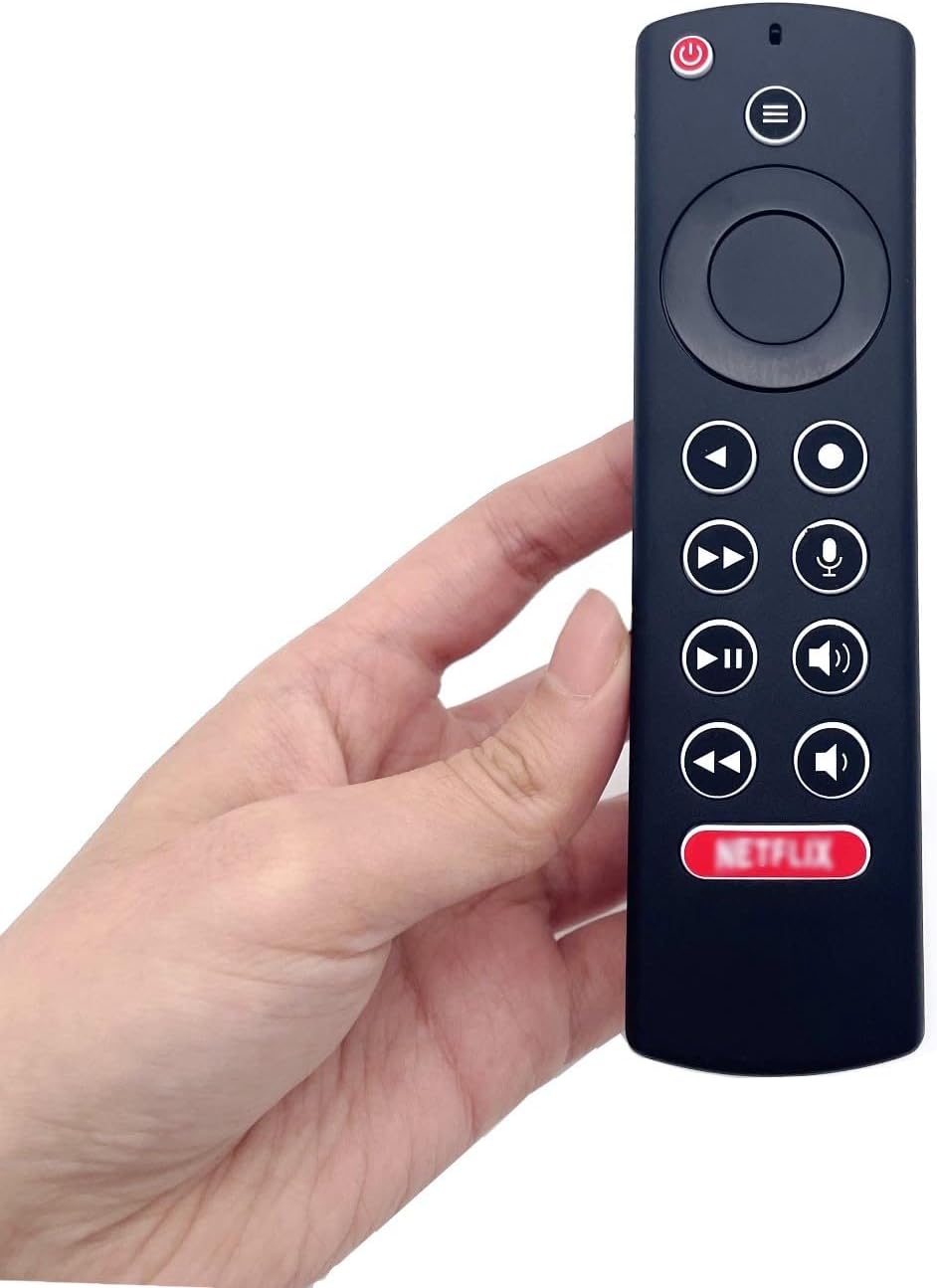
Image: The JZK remote control held in a hand, highlighting its comfortable and ergonomic design.
Informacje o gwarancji
Specific warranty details for this JZK product are not provided in the product description. Please refer to the retailer's return policy or contact JZK customer support for information regarding warranty coverage and terms.
Wsparcie
For further assistance, troubleshooting, or inquiries about your JZK Voice Remote Control, please contact the retailer where you purchased the product or refer to the official JZK website for customer support options.