
1. Wprowadzenie
The UGREEN USB C to HDMI Cable with 100W Power Delivery (PD) Adapter is designed to connect USB-C enabled devices to HDMI displays, offering 4K@60Hz video output and simultaneous fast charging. This 2-in-1 solution is ideal for extending your device's display to a larger screen while ensuring it remains powered.
2. Funkcje produktu
- Wyjście wideo 4K@60Hz: Supports resolutions up to 4K at 60Hz, 2K at 120Hz, and 1080P at 240Hz for clear and smooth visuals.
- Dostawa mocy 100 W: Features a dedicated USB-C PD port for fast charging your source device up to 100W while simultaneously displaying video.
- Advanced Audio & Visual Support: Compatible with 3D, HDR, HDCP 2.2/1.4, DTS 7.1, and Dolby audio for an immersive experience.
- Tryby wyświetlania: Supports both Mirror Mode (duplicate screen) and Extend Mode (separate content on external screen).
- Podłącz i graj: No additional drivers or software required for operation.
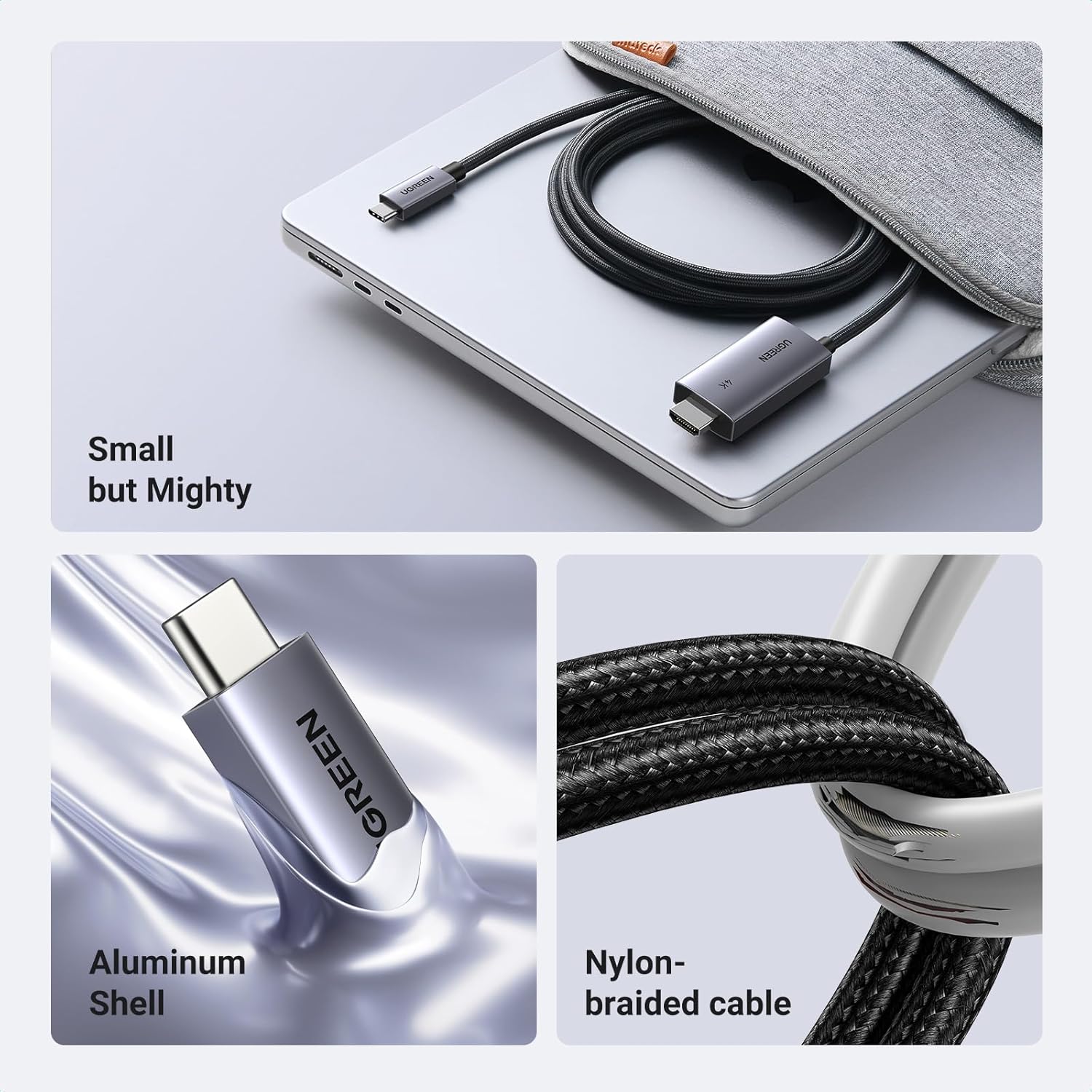
- Trwała konstrukcja: Constructed with an aluminum shell for heat dissipation and a nylon braided cable for enhanced durability and anti-corrosion properties.
- Unidirectional Signal Flow: Transmits signals only from USB-C source devices to HDMI displays.
3. Zawartość opakowania
- 1 x UGREEN USB C to HDMI Cable with 100W PD Adapter (Model CM675)
- 1 x Instrukcja obsługi
4. Specyfikacje
| Funkcja | Szczegół |
|---|---|
| Numer modelu | CM675 |
| Wsparcie rozdzielczości | Up to 4K@60Hz, 2K@120Hz, 1080P@240Hz |
| Dostarczanie mocy | Do 100 W (przez dedykowany port USB-C PD) |
| Audio/Video Standards | 3D, HDR, HDCP 2.2/1.4, DTS 7.1, Dolby |
| Typ złącza | USB Type C (input), HDMI (output), USB Type C PD (charging) |
| Długość kabla | 6.6 stóp (2 metrów) |
| Tworzywo | Aluminum shell, Nylon braided cable |
| Kolor | Szary |
| Wymiary produktu | 3.94 x 3.94 x 1.97 cala |
| Waga przedmiotu | 3.53 uncji |
5. Zgodność
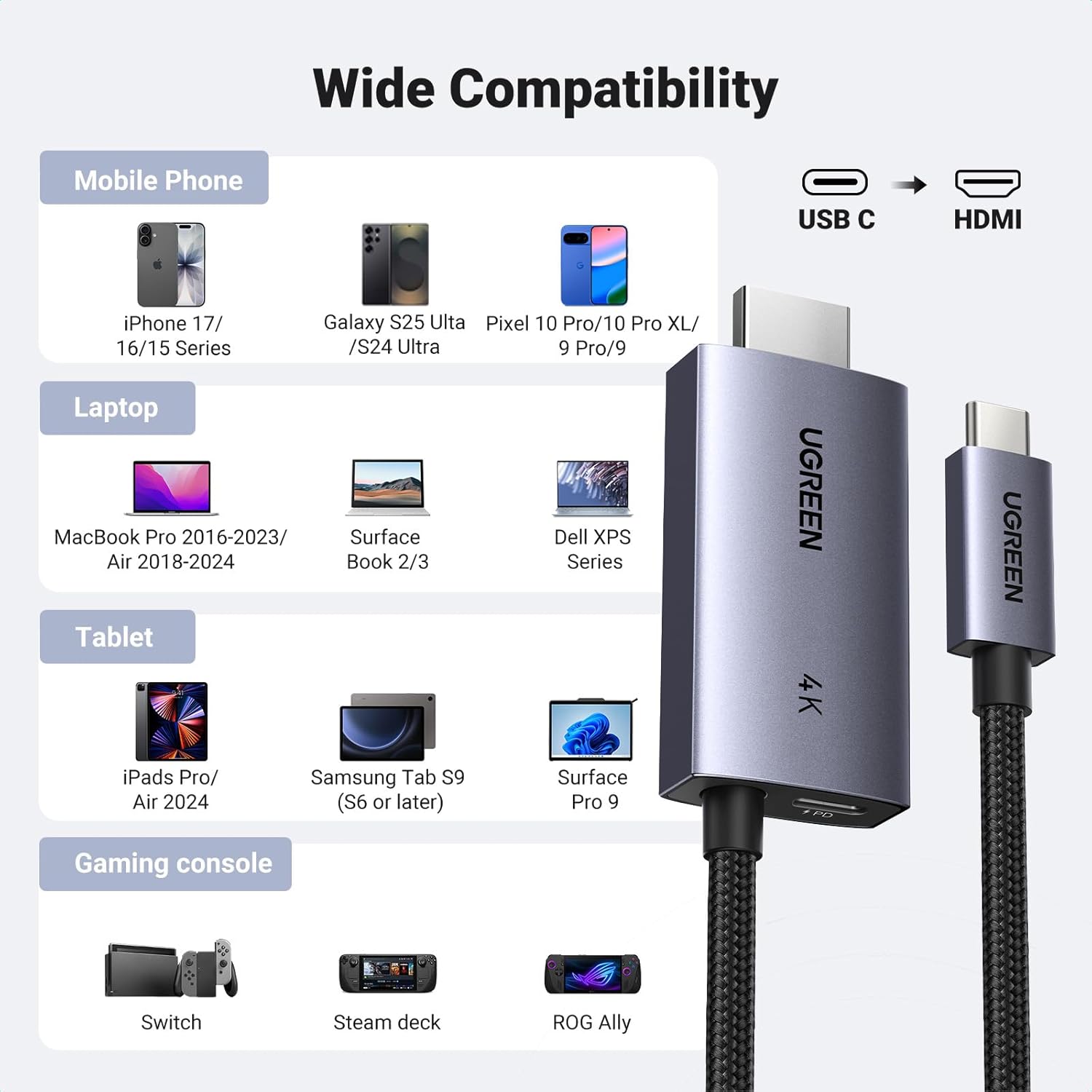
This cable is compatible with USB-C ports that support the "DP Alt Mode" video output function, as well as Thunderbolt 3 & 4 ports. It connects to any display device with an HDMI port (e.g., HDTVs, monitors, projectors).
Kompatybilne urządzenia obejmują:
- Telefony komórkowe: iPhone 17 Pro Max/17 Pro/Air/17/16 Pro Max/16 Pro/16 Plus/16, Galaxy S25/24 Ultra, Note 20, LG V40, Pixel 9/9 Pro/10/10 Pro/10 Pro XL.
- Laptopy: MacBook Pro/Air 2024, XPS 17/15, Dell, HP Chromebook, Surface Book.
- Tabletki: iPad Pro/Air 2024, Samsung Tablet S9 (S6 or later), Surface Pro 9.
- Konsole do gier: Valve Steam Deck, Nintendo Switch, ROG Ally.
6. Przewodnik konfiguracji
Follow these steps to connect your device to an HDMI display using the UGREEN USB C to HDMI Cable:
- Podłącz HDMI: Plug the HDMI connector of the UGREEN cable into the HDMI input port of your TV, monitor, or projector.
- Connect USB-C Source: Plug the USB-C connector of the UGREEN cable into the USB-C port of your source device (e.g., laptop, tablet, phone).
- Podłącz zasilanie (opcjonalne, ale zalecane): For simultaneous charging, insert your USB-C charging cable (not included) into the dedicated USB-C PD port on the HDMI adapter end of the UGREEN cable. Then, connect the charging cable to a power source (e.g., wall adapter, power bank).
- Wybierz wejście: On your display device, select the correct HDMI input source.
7. Instrukcja obsługi
Tryby wyświetlania:
- Tryb lustrzany: Your device's screen will be duplicated on the external HDMI display. This is useful for presentations or sharing content.
- Tryb rozszerzania: The external HDMI display will act as a separate screen, allowing you to display different content or extend your desktop workspace. This mode is ideal for multitasking.
To switch between display modes, access your device's display settings (e.g., System Preferences on macOS, Display Settings on Windows, or similar options on mobile devices).
Funkcja ładowania:
The dedicated USB-C PD port allows you to charge your source device (laptop, tablet, phone) at up to 100W while simultaneously using the HDMI display. Ensure you use a compatible USB-C charging cable and power adapter (not included) to utilize this feature.


8. Konserwacja
To ensure the longevity and optimal performance of your UGREEN USB C to HDMI Cable:
- Unikaj gwałtownego zginania kabla i stosowania nadmiernej siły na złączach.
- Store the cable in a clean, dry environment when not in use.
- Clean the connectors periodically with a soft, dry cloth to remove dust or debris.
- Nie wystawiaj kabla na działanie ekstremalnych temperatur ani bezpośredniego światła słonecznego.
9. Rozwiązywanie Problemów
Brak sygnału na wyświetlaczu:
- Ensure both the USB-C and HDMI connectors are fully inserted into their respective ports.
- Verify that your source device's USB-C port supports "DP Alt Mode" for video output.
- Check the input source selection on your TV/monitor to ensure the correct HDMI port is selected.
- Try connecting the cable to a different HDMI port on your display or a different display altogether.
- Uruchom ponownie urządzenie źródłowe.
Ładowanie nie działa:
- Ensure you are using a compatible USB-C charging cable and a power adapter that supports Power Delivery (PD).
- Verify that the charging cable is securely connected to the UGREEN adapter's PD port and the power source.
- Confirm that your power adapter provides sufficient wattage (do 100W obsługiwane przez adapter).
Migotanie lub niestabilny wyświetlacz:
- Ensure the cable is not damaged and connections are secure.
- Try reducing the display resolution or refresh rate in your device's display settings.
- Ensure your display device and source device drivers are up to date.
10. Ważne uwagi
- Ten kabel jest jednokierunkowy, meaning it only transmits signals from a USB-C source device to an HDMI display. It cannot be used in reverse (HDMI to USB-C).
- The USB-C PD charging cable and wall adapter are nie wliczone z tym produktem.
- For optimal 4K@60Hz performance, ensure your source device and display both support this resolution and refresh rate.
11. Gwarancja i wsparcie
UGREEN products come with a standard manufacturer's warranty. For specific warranty details, technical support, or customer service inquiries, please visit the official UGREEN website or contact their customer support team. You can also refer to the UGREEN store on Amazon for additional product information and support resources.
Oficjalny sklep UGREEN: Visit UGREEN Store


