
LEMNOI SG7
LEMNOI SG7 Educational Day/Night Alarm Clock - User Manual
Model: SG7 (Rabbit)
Wstęp
Thank you for choosing the LEMNOI SG7 Educational Day/Night Alarm Clock. This device is designed to assist children in developing healthy sleep habits through visual cues, gentle alarms, and a comforting night light. Please read this manual carefully to ensure proper use and maintenance of your new alarm clock.

Obraz: Przód view of the LEMNOI SG7 Educational Day/Night Alarm Clock, Rabbit Model, displaying time and temperature.
Główne cechy
- Day/Night Educational Function: Visual cues (sun/moon icons, green/blue light) to indicate wake-up and sleep times.
- Musical Alarm: 7 musical alarm options for a gentle wake-up.
- Digital Display & Temperature Monitor: 12/24-hour format, F/C temperature conversion. Screen activates with sound or touch.
- Funkcja podwójnego alarmu i drzemki: Two customizable alarms with a 9-minute snooze, repeatable up to 3 times.
- 5-kolorowe światło nocne: Functions as a wake-up light, multi-color night light, or room clock.
- Akumulator USB-C: Wbudowana bateria litowa o pojemności 2000 mAh.
Organizować coś
1. Ładowanie początkowe
Before first use, fully charge the alarm clock using the provided USB-C cable. Connect the cable to the device and a compatible USB power adapter (not included). The charging indicator will show status. A full charge typically takes approximately 3 hours.

Image: The alarm clock connected to a power source via a USB-C cable for charging.
2. Naciśnięcie przyciskuview
Familiarize yourself with the buttons located on the back of the device:
- ALARM 1 / ALARM 2: Ustawiaj i aktywuj indywidualne alarmy.
- CZAS: Adjust current time and date.
- SUN/MOON: Configure day/night educational settings.
- OBJĘTOŚĆ +/-: Adjust alarm and sound volume.
- °C/°F: Switch temperature display unit.
- SOUND & LIGHT: Select alarm sounds and light colors.
- WŁ./WYŁ./ŚWIATŁO: Power on/off, activate/deactivate screen light.
Video: A demonstration of the buttons on the back of the LEMNOI SG7 alarm clock and their functions.
Instrukcja obsługi
1. Ustawianie czasu
- Naciśnij i przytrzymaj CZAS button for 3 seconds. The hour display will flash.
- Użyj GŁOŚNOŚĆ +/- przyciski do regulacji godziny.
- Naciskać CZAS ponownie, aby przejść do regulacji minut. Użyj GŁOŚNOŚĆ +/- ustawić minuty.
- Naciskać CZAS aby potwierdzić i wyjść.
2. Setting Alarms (ALARM 1 / ALARM 2)
- Naciśnij i przytrzymaj albo ALARM 1 or ALARM 2 button for 3 seconds. The hour display will flash.
- Używać GŁOŚNOŚĆ +/- ustawić żądaną godzinę alarmu.
- Naciśnij odpowiedni ALARM button again to switch to minute adjustment. Use GŁOŚNOŚĆ +/- ustawić minuty.
- Naciśnij ALARM button to select the alarm sound (7 options available).
- Naciśnij ALARM button to select the alarm days (e.g., Mon-Fri, Sat-Sun, or all days).
- Naciśnij ALARM button to confirm and activate the alarm. An alarm icon will appear on the display.
To activate the snooze function when an alarm sounds, press the DRZEMKA button on top of the clock. The alarm will pause for 9 minutes and sound again. This can be repeated up to 3 times.

Image: A child sleeping with the alarm clock on a bedside table, illustrating the snooze function.
3. Day/Night Educational Settings
This feature uses visual cues to help children understand when it's time to wake up or sleep.
- Naciśnij i przytrzymaj SŁOŃCE KSIĘŻYC button for 3 seconds. The wake-up time hour will flash.
- Używać GŁOŚNOŚĆ +/- to set the desired wake-up hour.
- Naciskać SŁOŃCE KSIĘŻYC again to set wake-up minutes.
- Naciskać SŁOŃCE KSIĘŻYC again to set the sleep time hour.
- Naciskać SŁOŃCE KSIĘŻYC again to set sleep minutes.
- Naciskać SŁOŃCE KSIĘŻYC aby potwierdzić.
When the set wake-up time approaches, the clock will display a green light and sun icon. For sleep time, a blue light and moon icon will appear.
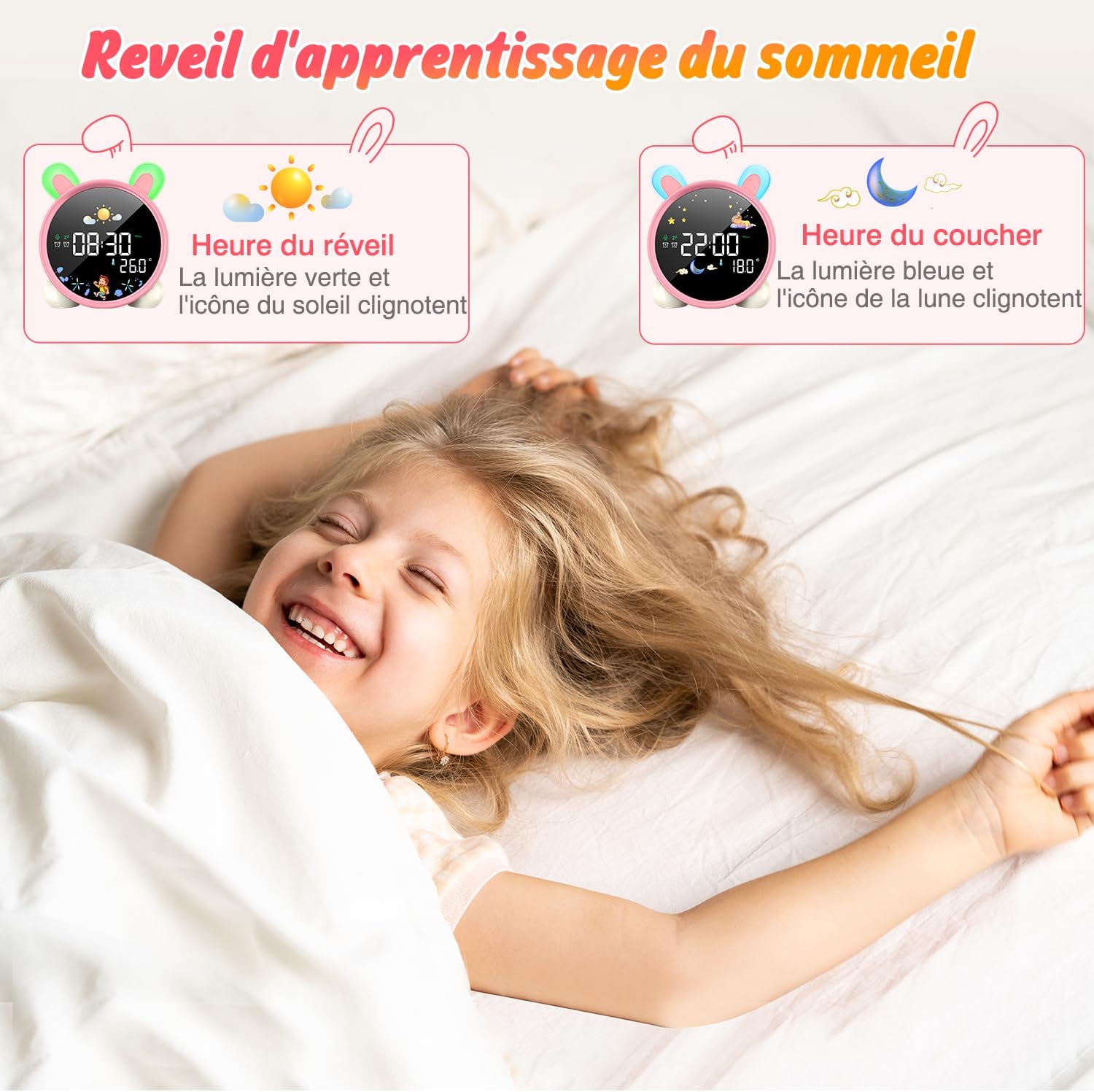
Image: The alarm clock displaying green light and sun icon for wake-up time, and blue light with moon icon for sleep time.
4. Funkcja oświetlenia nocnego
The alarm clock features a 5-color night light. To adjust:
- Naciśnij WŁ./WYŁ./ŚWIATŁO button to cycle through the 5 colors.
- Naciśnij i przytrzymaj WŁ./WYŁ./ŚWIATŁO aby dostosować poziom jasności.

Image: The alarm clock displaying various night light colors (yellow, blue, purple, white, gradient).
5. Wyświetlacz temperatury
The clock displays ambient temperature. Press the ° C / ° F przycisk do przełączania pomiędzy stopniami Celsjusza i Fahrenheita.
Video: A demonstration of switching between Celsius and Fahrenheit temperature display on the alarm clock.
6. Sound-Activated Screen
The screen can be activated by sound or touch. When the screen is off, a light tap or sound will illuminate it for 20 seconds.
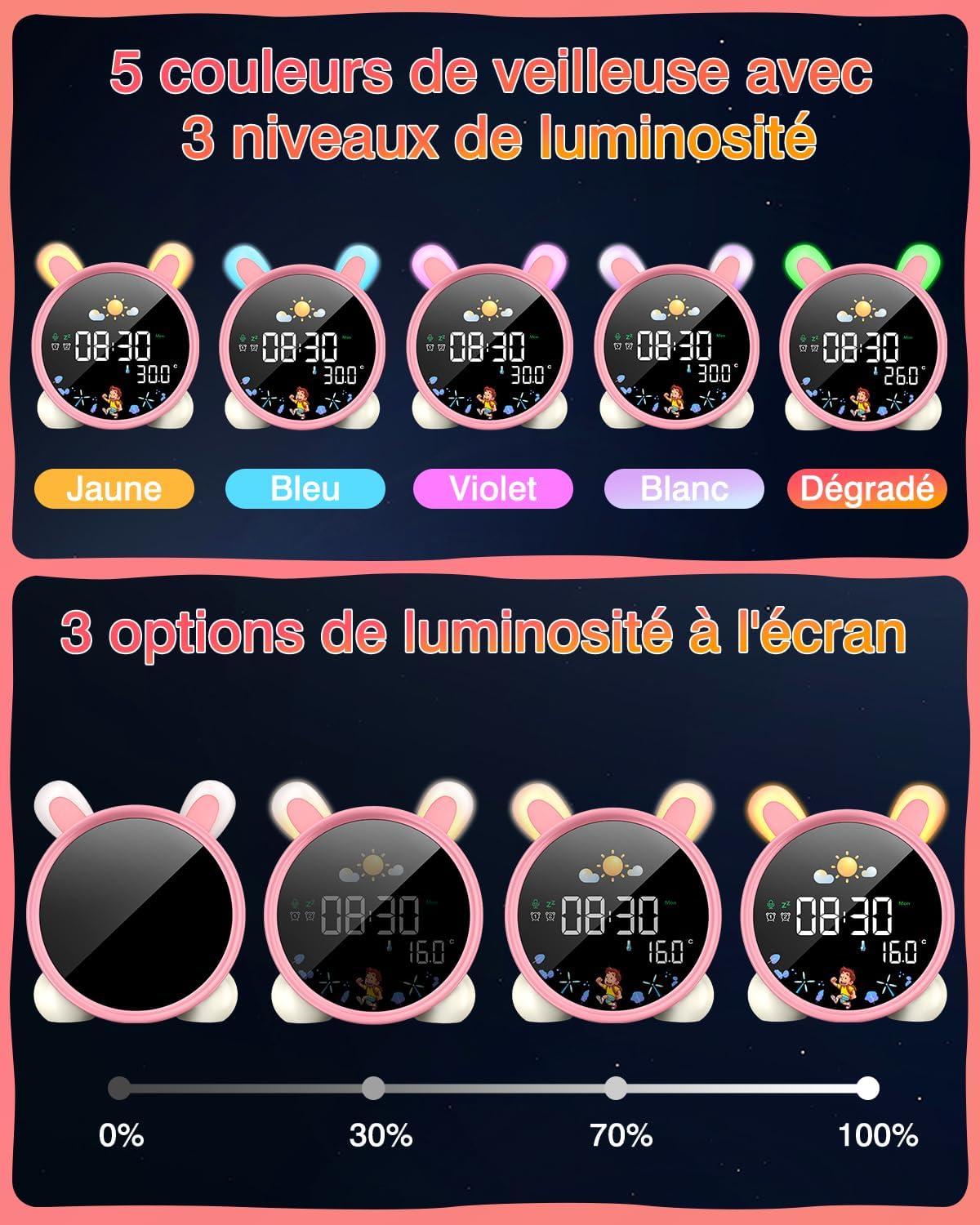
Image: A hand touching the alarm clock to activate its display.
7. Timer odliczający
The alarm clock includes a countdown timer for various activities.
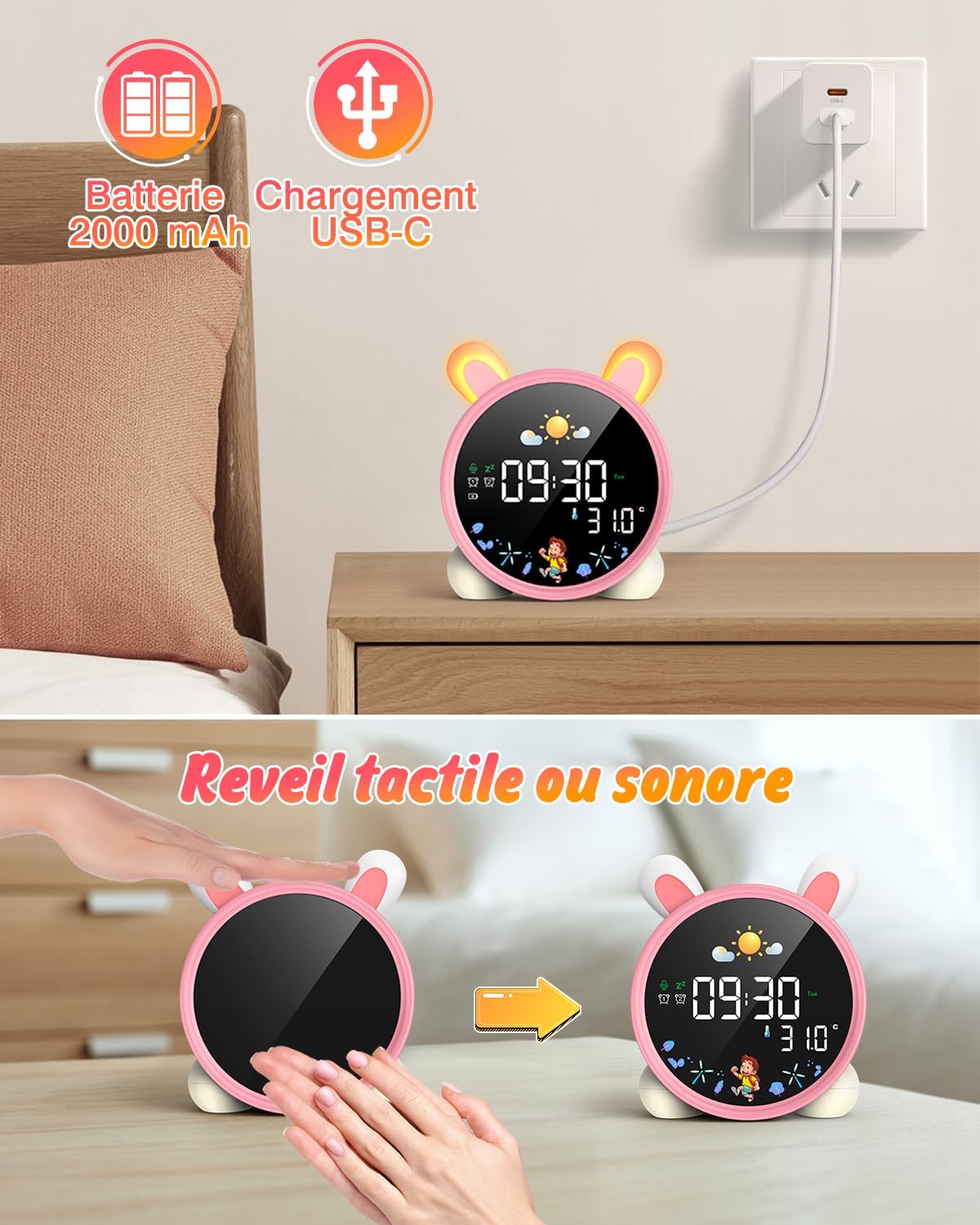
Image: The alarm clock displaying a countdown timer, useful for activities like reading or cooking.
Konserwacja
- Czyść urządzenie miękką, suchą ściereczką. Nie używaj środków czyszczących o właściwościach ściernych ani rozpuszczalników.
- Keep the alarm clock away from water and excessive moisture.
- Unikaj upuszczania urządzenia i narażania go na silne uderzenia.
- Przechowywać w chłodnym i suchym miejscu, jeżeli produkt nie będzie używany przez dłuższy czas.
Rozwiązywanie problemów
| Problem | Możliwa przyczyna | Rozwiązanie |
|---|---|---|
| Urządzenie się nie włącza. | Niski poziom naładowania baterii lub bateria nie naładowana. | Naładuj urządzenie w pełni za pomocą kabla USB-C. |
| Alarm nie włącza się. | Alarm nie jest ustawiony lub głośność jest za niska. | Verify alarm settings and adjust volume. |
| Screen does not light up. | Screen light is off or battery is low. | Tap the device or make a sound to activate. Check battery level. |
| Day/Night function not working. | Settings not configured correctly. | Review and adjust the SUN/MOON settings. |
Specyfikacje
- Marka: LEMNOI
- Numer modelu: SG7
- Kolor: Pink (Rabbit)
- Wymiary (dł. x szer. x wys.): Wymiary 10 x 3.81 x 10 cm
- Waga: 265 gramów
- Tworzywo: Plastikowy
- Źródło zasilania: Zasilany bateryjnie (bateria litowa 2000 mAh)
- Typ wyświetlacza: Cyfrowy
- Cechy szczególne: Display, Alarm, Snooze, Temperature, Night Light
Informacje o gwarancji
This product comes with a standard manufacturer's warranty. Please refer to the product packaging or contact your retailer for specific warranty terms and conditions. Keep your proof of purchase for any warranty claims.
Wsparcie
For further assistance, technical support, or inquiries regarding your LEMNOI SG7 Educational Day/Night Alarm Clock, please contact the seller directly through the platform where the purchase was made. You may also visit the official LEMNOI brand store for additional resources.
LEMNOI Brand Store: Odwiedź sklep
Ask a question about this manual
Ask about setup, troubleshooting, compatibility, parts, safety, or missing instructions. Manuals+ will review the question and use this page’s manual context to help answer it.