
1. Introduction
Thank you for choosing the TCL W08P-CF14D Window Air Conditioner. This manual provides essential information for the safe installation, operation, and maintenance of your new air conditioning unit. Please read these instructions thoroughly before using the appliance and retain them for future reference.
The TCL W08P-CF14D is an 8,000 BTU (British Thermal Units) window-mounted air conditioner designed to provide efficient cooling for rooms between 11 and 16 square meters. It operates on a 110V power supply and uses R32 refrigerant. Key features include 4-way air direction, a filter light reminder, a sleep mode, and convenient control via a wireless remote or the unit's push buttons.
2. Safety Information
To prevent injury to the user or other people and property damage, the following instructions must be followed. Incorrect operation due to ignoring instructions may cause harm or damage.
- Always connect the unit to a properly grounded 110V, 60Hz power outlet. Do not use extension cords or adapter plugs.
- Do not operate the air conditioner with wet hands or when standing on a wet surface.
- Ensure the unit is securely installed in a window opening according to the installation instructions to prevent it from falling.
- Keep children away from the unit. Do not allow them to play with the air conditioner.
- Do not insert fingers or foreign objects into the air inlet or outlet grilles.
- Turn off the air conditioner and unplug it from the power outlet before cleaning or performing any maintenance.
3. Package Contents
Verify that all items are present in the package:
- TCL W08P-CF14D Window Air Conditioner Unit
- Wireless Remote Control
- Installation Hardware (e.g., mounting brackets, foam seals)
- User Manual (this document)
4. Installation and Setup
The TCL W08P-CF14D is designed for window installation. Proper installation is crucial for optimal performance and safety.
4.1 Choosing an Installation Location
- Select a sturdy window frame that can support the unit's weight (approximately 23 kg).
- Ensure the window opening is compatible with the unit's dimensions: 45 cm (depth) x 37.8 cm (width) x 54 cm (height).
- The unit is suitable for cooling rooms between 11 and 16 square meters.
- Ensure there is a grounded 110V power outlet within reach of the power cord.

Image: The TCL W08P-CF14D Window Air Conditioner shown installed in a typical window opening, demonstrating its integration into a room environment.
4.2 Unit Dimensions
Refer to the diagram below for the physical dimensions of the air conditioner unit.

Image: A diagram illustrating the dimensions of the TCL W08P-CF14D Window Air Conditioner, showing its depth (45 cm), width (37.8 cm), and height (54 cm).
4.3 Installation Steps
Detailed installation instructions are typically provided in a separate installation guide or within the full manual. Generally, the process involves:
- Preparing the window opening.
- Securing the mounting brackets to the window sill.
- Carefully lifting and placing the unit into the window opening.
- Extending the side panels to seal the opening.
- Securing the unit to the window frame.
- Sealing any gaps with foam strips to prevent air leakage.
5. Operating Instructions
Your TCL W08P-CF14D air conditioner can be operated using the control panel on the unit or the wireless remote control.
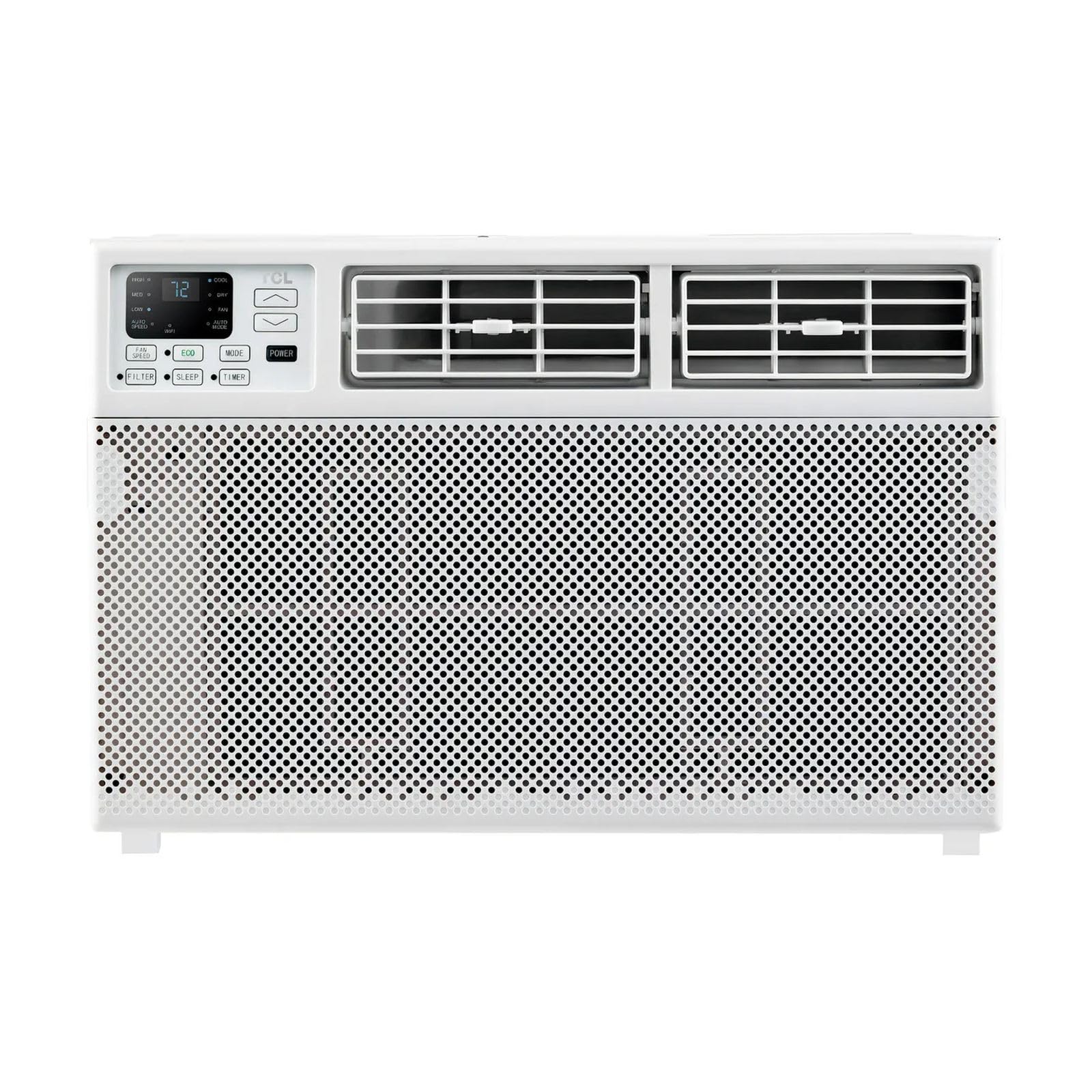
Image: A close-up view of the TCL W08P-CF14D Window Air Conditioner, highlighting its digital display and control buttons on the front panel.
5.1 Control Panel
The unit features an intuitive control panel with push buttons for various functions.
- Power Button: Turns the unit on or off.
- Mode Button: Cycles through available operating modes (e.g., Cool, Fan, Dry). This model primarily features a cooling mode.
- Temperature Up/Down Buttons: Adjust the desired temperature setting.
- Fan Speed Button: Selects fan speed (Low, Medium, High). There are 3 power levels available.
- Sleep Mode Button: Activates or deactivates sleep mode for quieter operation and energy saving during sleep.
- Filter Light Reset: Resets the filter reminder light after cleaning the air filter.
5.2 Wireless Remote Control
The included wireless remote control provides convenient access to all functions from a distance. Ensure the remote has fresh batteries and is pointed towards the unit's receiver.
5.3 Airflow Direction
The unit features 4-way air direction. Manually adjust the horizontal and vertical louvers on the front of the unit to direct the airflow as desired for optimal cooling distribution.
5.4 Noise Levels
The operating noise level of the unit is approximately 35 decibels. During high fan operation, noise levels can reach up to 58 dBA, medium at 56 dBA, and low at 53 dBA.
6. Maintenance
Regular maintenance ensures efficient operation and extends the lifespan of your air conditioner.
6.1 Air Filter Cleaning
The unit is equipped with a filter light reminder. When this light illuminates, it indicates that the air filter needs cleaning. A dirty filter can reduce cooling efficiency and airflow.
- Turn off the unit and unplug it from the power outlet.
- Open the front panel and carefully remove the air filter.
- Wash the filter with warm, soapy water. Rinse thoroughly and allow it to air dry completely before reinserting.
- Once the filter is reinstalled, press the Filter Light Reset button on the control panel (if available) or refer to the full manual for specific reset instructions.
6.2 Exterior Cleaning
Wipe the exterior of the unit with a soft, damp cloth. Do not use harsh chemicals or abrasive cleaners.
7. Troubleshooting
Before contacting customer service, please refer to the following common issues and solutions:
- Unit does not turn on: Check if the unit is properly plugged into a working 110V outlet. Ensure the circuit breaker has not tripped.
- Unit is not cooling effectively: Verify that the air filter is clean. Ensure windows and doors are closed to prevent warm air from entering the room. Check if the temperature setting is lower than the ambient room temperature.
- Unusual noises: Minor operational noises are normal. If you hear loud or unusual noises, turn off the unit and inspect for any obstructions.
- Water leakage: Ensure the unit is tilted slightly outwards during installation to allow proper drainage of condensation.
For issues not resolved by these steps, please contact TCL customer support.
8. Specifications
| Feature | Specification |
|---|---|
| Brand | TCL |
| Model Name | W08P-CF14D |
| Cooling Power | 8000 British Thermal Units (BTU) |
| Voltage | 110 Volts |
| Refrigerant | R-32 |
| Seasonal Energy Efficiency Ratio (SEER) | 11.0 |
| Noise Level | 35 Decibels (Min), up to 58 dBA (Max) |
| Product Dimensions (D x W x H) | 45 cm x 37.8 cm x 54 cm |
| Item Weight | 23 Kilograms |
| Recommended Room Size | 11 to 16 m² |
| Control Method | Push Button, Remote Control |
| Special Features | 4-way Air Direction, Filter Light Reminder, Remote Control, Sleep Mode |
| Annual Energy Consumption | 55 Kilowatt Hours Per Year |
| BEE Rating | 5 Star |
9. Warranty and Support
Your TCL W08P-CF14D Window Air Conditioner comes with a 1-year limited warranty directly from the manufacturer.
For warranty claims, technical support, or further assistance, please contact TCL customer service. You can also visit the official TCL store for more information:


