
Wstęp
Thank you for choosing the TECKNET TK-MS317 Bluetooth Wireless Mouse. This manual provides detailed instructions for setting up, operating, and maintaining your mouse to ensure optimal performance. Please read this manual thoroughly before use and retain it for future reference.
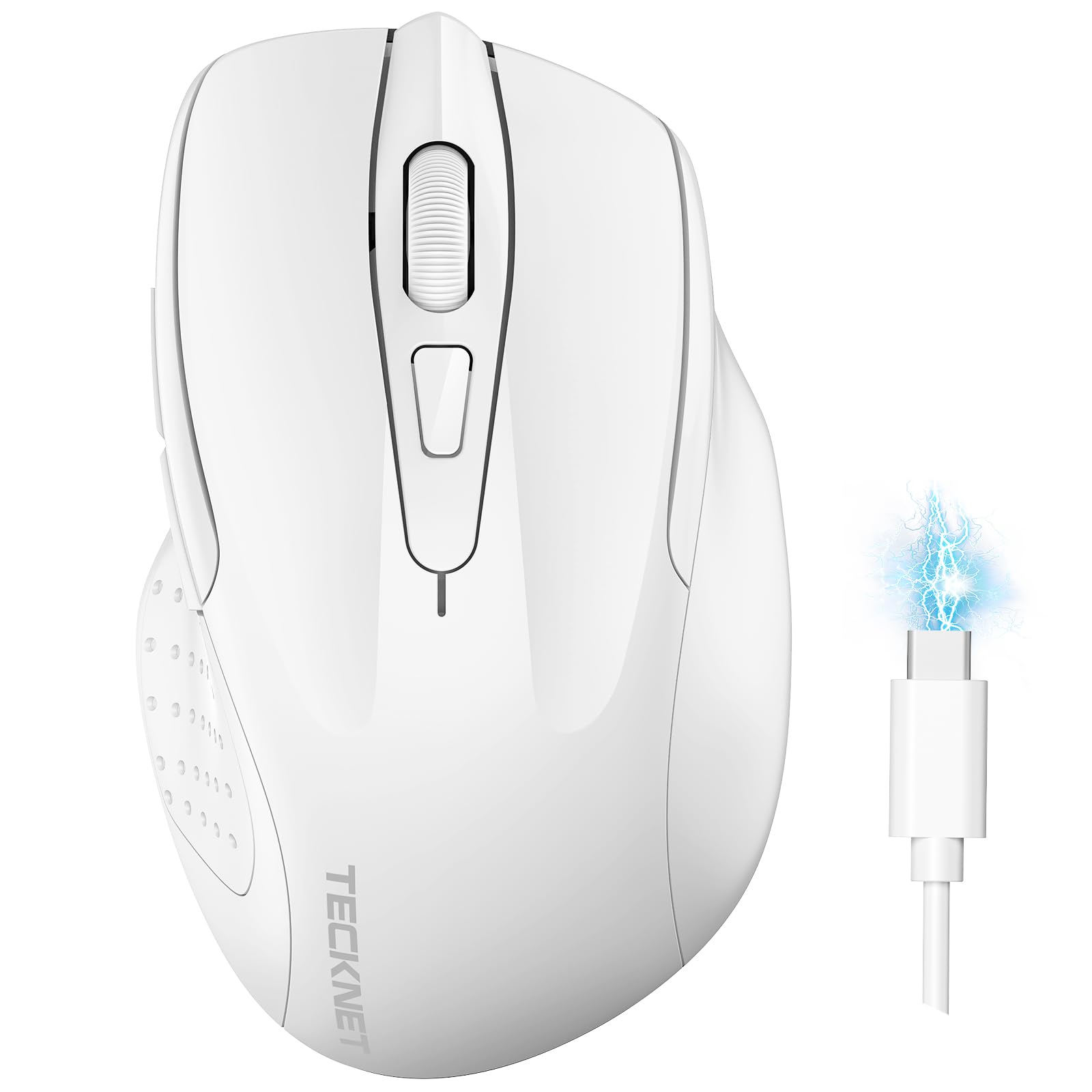
Image: The TECKNET TK-MS317 Bluetooth Wireless Mouse, showcasing its ergonomic design and sleek white finish.
Cechy produktu
- Potrójne tryby połączenia: Supports Bluetooth 5.0, Bluetooth 3.0, and 2.4GHz wireless connectivity, allowing seamless switching between up to two devices.
- Regulowane DPI: Six adjustable DPI levels (800/1200/1600/2400/3200/4800) for precise control and adaptability to various tasks.
- Akumulator: Equipped with a 700 mAh rechargeable battery, providing extended usage on a single charge. Can be used while charging via USB-C.
- Ciche kliknięcia: Designed for quiet operation, reducing click noise by 90% for a focused work environment.
- Ergonomiczna konstrukcja: Contoured shape fits comfortably in the palm, reducing hand fatigue during prolonged use.
- Oszczędność energii: Features a key-wake function and automatic sleep mode to conserve battery life.
- Uniwersalna kompatybilność: Compatible with Windows 11/10/8/7/XP/Vista, Mac OS, Linux, Android, and iOS (BT 5.0 for iOS 10.4+).

Image: Illustration highlighting the silent click feature of the mouse, showing a quiet work environment.

Image: Diagram illustrating the ergonomic curvature of the TECKNET TK-MS317 mouse, designed for comfortable hand fit.
Instrukcje konfiguracji
1. Ładowanie myszy
Before first use, or when the battery is low, connect the mouse to a power source using the provided USB-C cable. The charging indicator light will illuminate. A full charge typically takes about two hours and can last for 1 to 2 months of intensive use.

Image: The TECKNET TK-MS317 mouse connected via a USB-C cable for charging, highlighting its 700mAh battery capacity.
2. Łączenie przez sieć bezprzewodową 2.4 GHz
- Znajdź odbiornik USB 2.4G, który zwykle znajduje się w schowku na spodzie myszy.
- Podłącz odbiornik USB do wolnego portu USB-A w komputerze.
- Switch the mode selector on the bottom of the mouse to the "2.4G" position.
- The mouse should automatically connect to your computer. If not, try moving the mouse or restarting your computer.
3. Łączenie przez Bluetooth (BT5.0 / BT3.0)
- Switch the mode selector on the bottom of the mouse to either "BT5.0" or "BT3.0" position.
- Press and hold the Bluetooth pairing button (usually located near the mode switch) for 3-5 seconds until the indicator light starts flashing, indicating pairing mode.
- On your device (computer, laptop, tablet, smartphone), go to Bluetooth settings.
- Szukaj new devices. You should see "TECKNET Mouse" or a similar name appear in the list.
- Select the mouse to pair. Once connected, the indicator light on the mouse will stop flashing.
- To switch between paired Bluetooth devices or to the 2.4G mode, simply use the mode selector switch on the bottom of the mouse.

Image: Diagram showing the three connection modes (2.4G, Bluetooth 5.0, Bluetooth 3.0) of the TECKNET TK-MS317 mouse, connecting to a laptop and a tablet.
Instrukcja obsługi
1. Regulacja DPI
The mouse features a DPI button, typically located behind the scroll wheel. Press this button to cycle through the six available DPI settings: 800, 1200, 1600, 2400, 3200, and 4800. Select the DPI that best suits your task and preference for cursor speed and precision.

Image: Visual representation of the TECKNET TK-MS317 mouse highlighting its 6 levels of adjustable DPI, up to 4800 DPI.
2. Przełączanie trybu
Use the physical switch on the underside of the mouse to select your desired connection mode: 2.4G, BT5.0, or BT3.0. This allows you to quickly switch between different devices without re-pairing.
3. Tryb oszczędzania energii
The mouse will automatically enter sleep mode after a period of inactivity to conserve battery. To wake the mouse, simply move it or click any button.
Konserwacja
1. Czyszczenie
Do czyszczenia myszy użyj miękkiej, suchej ściereczki. W przypadku uporczywych zabrudzeń użyj lekkoamp cloth with mild soap can be used, ensuring no liquid enters the mouse. Avoid using harsh chemicals or abrasive materials.
2. Pielęgnacja baterii
- Unikaj częstego całkowitego rozładowywania akumulatora.
- Jeśli mysz nie będzie używana przez dłuższy czas, należy ją przechowywać w chłodnym i suchym miejscu.
- Do ładowania należy używać wyłącznie dołączonego kabla USB-C lub certyfikowanego odpowiednika.
Rozwiązywanie problemów
- Mysz nie odpowiada:
- Sprawdź, czy mysz jest naładowana.
- Check if the mode switch is set correctly (2.4G, BT5.0, or BT3.0).
- W przypadku trybu 2.4G należy upewnić się, że odbiornik USB jest prawidłowo podłączony.
- For Bluetooth mode, ensure Bluetooth is enabled on your device and the mouse is paired. Try re-pairing if necessary.
- Spróbuj podłączyć mysz do innego portu USB lub urządzenia, aby wykluczyć problemy z portem/urządzeniem.
- Przerywane połączenie:
- Przesuń mysz bliżej odbiornika/urządzenia.
- Unikaj używania myszy na powierzchniach metalowych, ponieważ mogą one zakłócać sygnały bezprzewodowe.
- Upewnij się, że w pobliżu nie ma innych silnych źródeł zakłóceń bezprzewodowych.
- Ruch kursora jest nieregularny:
- Wyczyść czujnik optyczny znajdujący się na spodzie myszy.
- Spróbuj użyć myszy na innej powierzchni lub podkładce pod mysz.
- Zmień ustawienie DPI na niższą wartość.
Specyfikacje
| Numer modelu | TK-MS317 |
| Marka | TeckNet |
| Tryby połączenia | Łączność bezprzewodowa 2.4 GHz, Bluetooth 5.0, Bluetooth 3.0 |
| Poziomy DPI | 800, 1200, 1600, 2400, 3200, 4800 |
| Liczba przycisków | 6 |
| Typ baterii | Wbudowana bateria litowa o pojemności 700 mAh |
| Port ładowania | USB-C |
| Waga | 150 gram |
| Zgodność | Windows 11/10/8/7/XP/Vista, Mac OS, Linux, Android, iOS (10.4+ for BT 5.0) |
Gwarancja i wsparcie
TECKNET offers a 36-month warranty for registered users of this product. If you encounter any issues with your TECKNET TK-MS317 Bluetooth Wireless Mouse, please do not hesitate to contact our professional customer service team for assistance.
W przypadku roszczeń gwarancyjnych lub w celu uzyskania pomocy technicznej prosimy o odwiedzenie oficjalnej strony TECKNET webodwiedź witrynę lub zapoznaj się z danymi kontaktowymi dołączonymi do opakowania produktu.


