
AOLON GT5 Pro
Instrukcja obsługi inteligentnego zegarka Aolon GT5 Pro
Model: GT5 Pro
1. Wprowadzenie
Thank you for choosing the Aolon GT5 Pro Smart Watch. This manual provides essential information for setting up, operating, and maintaining your device. Please read it carefully to ensure optimal performance and longevity of your smart watch.
2. Zawartość opakowania
Po otwarciu opakowania prosimy sprawdzić, czy znajdują się w nim wszystkie wymienione poniżej elementy:
- Aolon GT5 Pro Smart Watch (with one strap attached)
- Additional Strap (e.g., leather or silicone, depending on variant)
- Magnetyczny kabel ładujący
- Instrukcja obsługi

Image: Contents of the Aolon GT5 Pro Smart Watch package, showing the watch, an extra strap, a magnetic charging cable, and the user manual.
3. Koniec produktuview
The Aolon GT5 Pro Smart Watch features a robust design with a 1.6-inch HD display and multiple physical buttons for intuitive control, especially during outdoor activities.
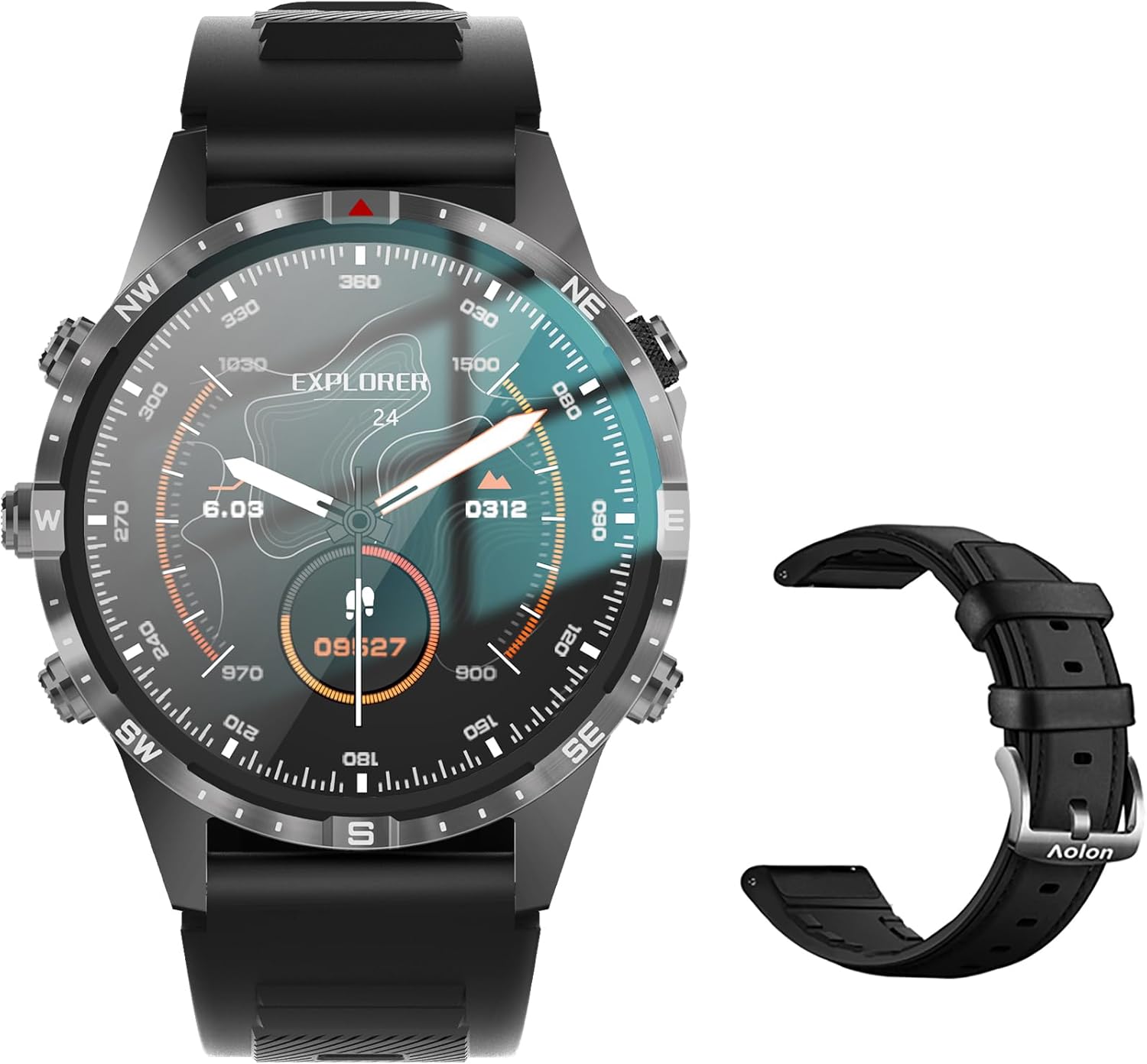
Image: The Aolon GT5 Pro Smart Watch displaying a compass-like watch face, alongside an additional black leather strap.
3.1. Elementy zegarka
- Wyświetlacz: 1.6-inch HD Large Screen (360x360 resolution IPS HD with ultra-narrow bezel).
- Pikolak: 5 independent physical buttons for precise control and navigation.
- Czujniki: Heart rate sensor, blood oxygen sensor, motion sensor.
- Głośnik i mikrofon: For Bluetooth calling functionality.

Obraz: Zbliżenie view of the Aolon GT5 Pro Smart Watch screen, emphasizing its 1.6-inch HD display with 360x360 pixel resolution and narrow bezel.
4. Konfiguracja
4.1. Ładowanie inteligentnego zegarka
Before first use, fully charge your Aolon GT5 Pro Smart Watch. Connect the magnetic charging cable to the charging points on the back of the watch and plug the USB end into a power adapter (not included) or a computer's USB port.
- Czas ładowania: Pełne naładowanie zajmuje około 1.5 godzin.
- Battery Life: Up to 7-10 days with typical use, 30 days standby time.

Image: Visual representation of the Aolon GT5 Pro's battery performance, indicating 30 days standby, 7-10 days typical use, and 1.5 hours charging time.
4.2. Instalacja i parowanie aplikacji
To unlock the full potential of your smart watch, download the companion app on your smartphone.
- Pobierz aplikację: Scan the QR code in the manual or on the watch screen, or search for the app name (usually mentioned in the quick start guide) in your phone's app store (App Store for iOS, Google Play Store for Android).
- Zarejestruj się/Zaloguj: Otwórz aplikację i postępuj zgodnie z instrukcjami wyświetlanymi na ekranie, aby utworzyć konto lub się zalogować.
- Sparuj zegarek: Ensure Bluetooth is enabled on your smartphone. In the app, navigate to the device pairing section and select your Aolon GT5 Pro from the list of available devices. Confirm the pairing request on both your phone and watch.
5. Instrukcja obsługi
5.1. Podstawowa nawigacja
- Przesuń w górę/w dół: Przewijaj menu i powiadomienia.
- Przesuń w lewo/w prawo: Uzyskaj dostęp do szybkich funkcji i różnych widżetów.
- Naciśnij przyciski: Use the 5 independent buttons for specific functions like power on/off, back, or quick access to sports modes. Refer to the quick start guide for specific button assignments.
- Dotknij ekranu: Wybierz elementy lub potwierdź działania.
5.2. Połączenia Bluetooth
The Aolon GT5 Pro supports Bluetooth calling, allowing you to make and receive calls directly from your wrist.
- Upewnij się, że zegarek jest połączony z telefonem przez Bluetooth.
- Access the call function on your watch to dial numbers or answer incoming calls.
- Receive message notifications from your phone's apps directly on your watch.

Image: The Aolon GT5 Pro Smart Watch showing its Bluetooth calling feature, with icons representing call, music, and contact functions.
5.3. Tryby sportowe
The watch supports over 100 sports modes, including swimming, running, cycling, and yoga. Select your desired activity to track specific metrics.
- Navigate to the Sports section on your watch.
- Choose your activity. The watch will record data such as calories burned, steps, distance, and pace.
- Connect to your phone's GPS via the app for detailed route tracking.
5.4. Monitorowanie stanu zdrowia
The Aolon GT5 Pro continuously monitors various health metrics.
- Tętno: Dynamic heart rate measurement 24/7.
- Tlen we krwi: Low power consumption blood oxygen level monitoring.
- Monitorowanie snu: Records your sleep status in real-time, providing data on deep, light, and awake times.

Image: The Aolon GT5 Pro Smart Watch screen showing health monitoring features, including heart rate, blood pressure, and blood oxygen levels.

Image: The Aolon GT5 Pro Smart Watch screen illustrating sleep quality monitoring, detailing sleep stagi czas trwania.
5.5. Compass Navigation
Utilize the built-in guide needle navigation for accurate direction during outdoor activities.
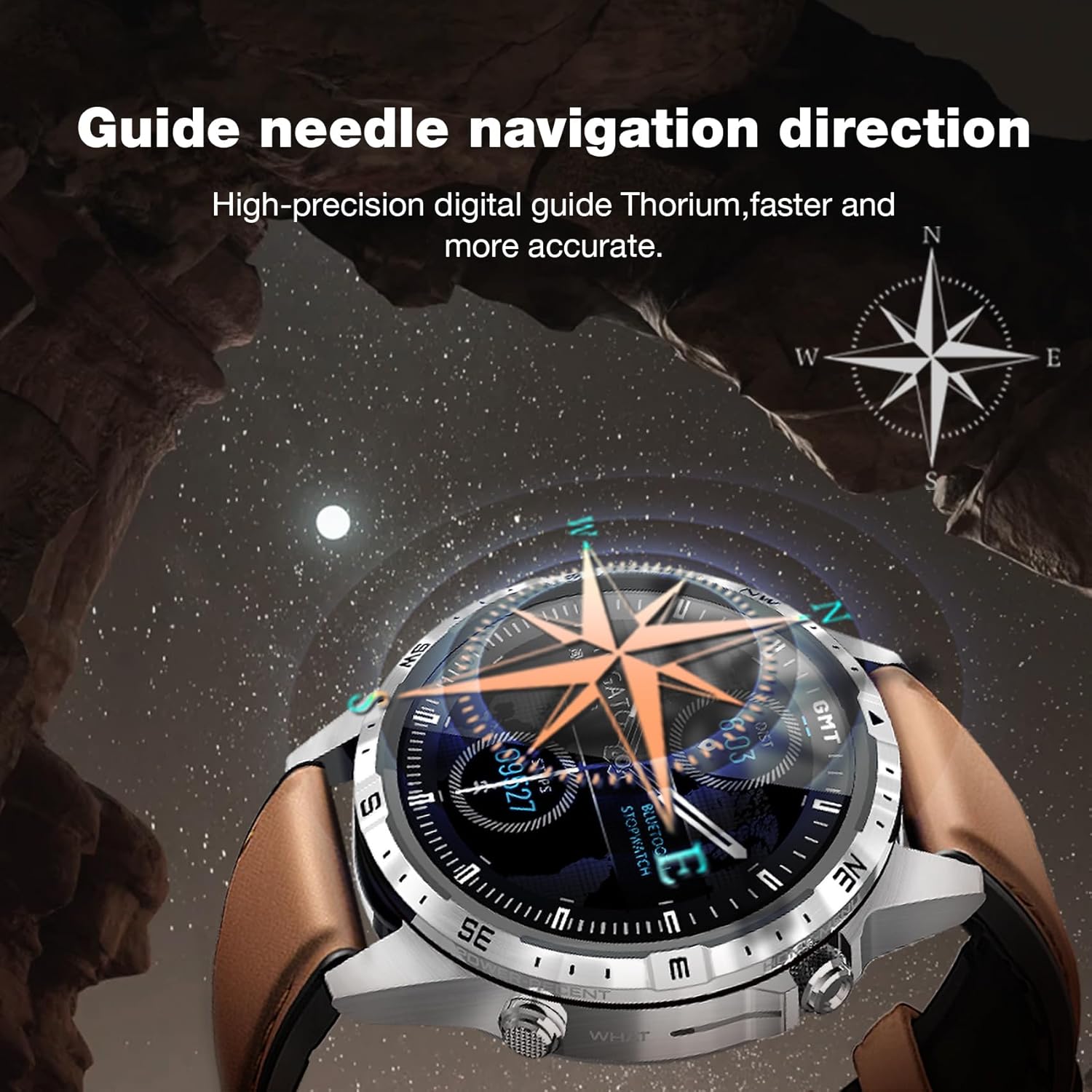
Image: The Aolon GT5 Pro Smart Watch showing its guide needle navigation feature, providing high-precision digital direction.
5.6. Inne funkcje
The watch includes various other essential functions:
- Sterowanie muzyką
- Prognoza pogody
- Stoper
- Zdalne sterowanie kamerą
- Ambient Sound Monitoring
- Znajdź mój telefon
- Budzik
- Przypomnienie o siedzącym trybie życia
- Przypomnienie o lekach
- Women's Menstrual Health Tips
5.7. Zmiana tarcz zegarka
Personalize your watch by choosing from multiple types of dials available through the watch or the companion app.

Image: A selection of diverse watch faces for the Aolon GT5 Pro, demonstrating customization options.
6. Konserwacja
6.1. Cleaning the Watch
- Przetrzyj ekran i obudowę zegarka miękką, niepozostawiającą włókien ściereczką.
- W przypadku uporczywych zabrudzeń, delikatnieampPrzetrzyj szmatkę wodą. Unikaj stosowania silnych środków chemicznych i materiałów ściernych.
- Przed ładowaniem sprawdź, czy styki ładowania są czyste i suche.
6.2. Wodoodporność
The Aolon GT5 Pro is IP67 waterproof. This means it is protected against dust and can withstand immersion in water up to 1 meter for 30 minutes.
- It is suitable for daily use, such as washing hands, face, or sweating during exercise.
- Unikać gorącej wody, pary i długotrwałego zanurzania w wodzie.
- Nie używaj przycisków pod wodą.
6.3. Strap Care and Replacement
The watch comes with standard dual straps (silicone and leather). Clean straps regularly. The silicone strap is ideal for sports, while the leather strap offers a more formal look. Straps can be easily switched without tools.
7. Rozwiązywanie Problemów
If you encounter issues with your Aolon GT5 Pro Smart Watch, refer to the following common solutions:
| Problem | Rozwiązanie |
|---|---|
| Zegarek się nie włącza | Upewnij się, że zegarek jest w pełni naładowany. Naciśnij i przytrzymaj przycisk zasilania przez kilka sekund. |
| Nie można sparować ze smartfonem | Ensure Bluetooth is enabled on your phone. Restart both the watch and phone. Make sure the watch is not already paired with another device. Check app permissions. |
| Niedokładne dane dotyczące zdrowia | Upewnij się, że zegarek ściśle przylega do nadgarstka, nie jest za ciasny ani za luźny. Wyczyść obszar czujnika z tyłu zegarka. |
| Powiadomienia nie odebrane | Check app notification settings on your phone and within the watch app. Ensure the watch is connected via Bluetooth. |
| Krótki czas pracy baterii | Reduce screen brightness, turn off unnecessary features (e.g., continuous heart rate monitoring if not needed), and ensure proper charging. |
8. Specyfikacje
| Funkcja | Szczegół |
|---|---|
| Model | GT5 Pro |
| Wyświetlacz | 1.6-inch HD IPS, 360x360 Pixel Resolution |
| Pojemność baterii | 340 mAh litowo-polimerowy |
| Żywotność baterii | 7-10 dni (typowe użytkowanie), 30 dni (tryb czuwania) |
| Czas ładowania | Około 1.5 godzin |
| Odporność na wodę | IP67 |
| Łączność | Bluetooth |
| Zgodność | Android i iOS |
| Wymiary | 16.3 x 10 x 2.5 cm (Package); Watch: 47.5mm diameter, 22mm strap width |
| Waga | 180 g (Opakowanie) |
9. Informacje dotyczące bezpieczeństwa
- Nie próbuj demontować ani modyfikować zegarka.
- Trzymaj zegarek z dala od ekstremalnych temperatur i bezpośredniego światła słonecznego.
- Consult a medical professional before starting any new exercise regimen or if you have pre-existing health conditions. The health data provided by the watch is for reference only and should not be used for medical diagnosis or treatment.
- Przechowywać w miejscu niedostępnym dla dzieci.
10. Gwarancja i wsparcie
For warranty information and customer support, please refer to the warranty card included in your package or visit the official AOLON webJeśli napotkasz jakiekolwiek problemy nieopisane w tym podręczniku, skontaktuj się z obsługą klienta, aby uzyskać pomoc.