
ROMJ E99 A14
ROMJ E99 A14 Foldable Drone User Manual
Kompleksowy przewodnik po obsłudze i konserwacji
1. Koniec produktuview
The ROMJ E99 A14 is a compact and foldable drone designed for both adults and beginners, featuring a 4K/1080P HD camera for high-quality aerial photography and videography. Its intelligent functions like auto-return and one-touch take-off/landing make it user-friendly. The drone's foldable design ensures portability and easy storage, making it an ideal companion for outdoor adventures.
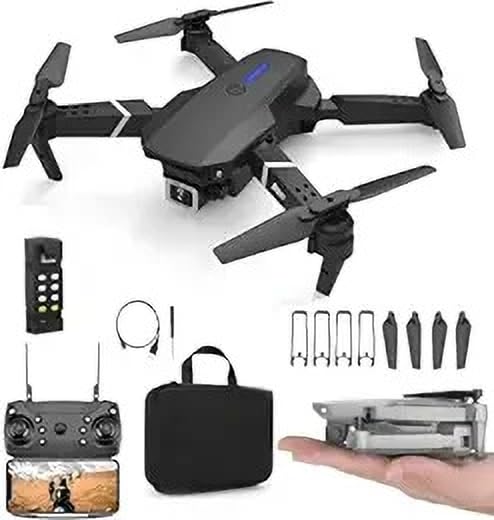
Image: The ROMJ E99 A14 drone, remote control, spare propellers, USB charging cable, and a carrying bag are shown. The drone is black with four propellers and an integrated camera. A smaller image shows the drone folded and held in a hand, highlighting its compact size.
2. Zawartość opakowania
Sprawdź, czy w przesyłce znajdują się wszystkie wymienione poniżej elementy:
- ROMJ E99 A14 Foldable Drone
- Zdalne sterowanie
- Battery (Lithium Polymer)
- Śmigła (w zestawie zapasowe)
- Ładowarka USB
- Storage Bag (as shown in images)
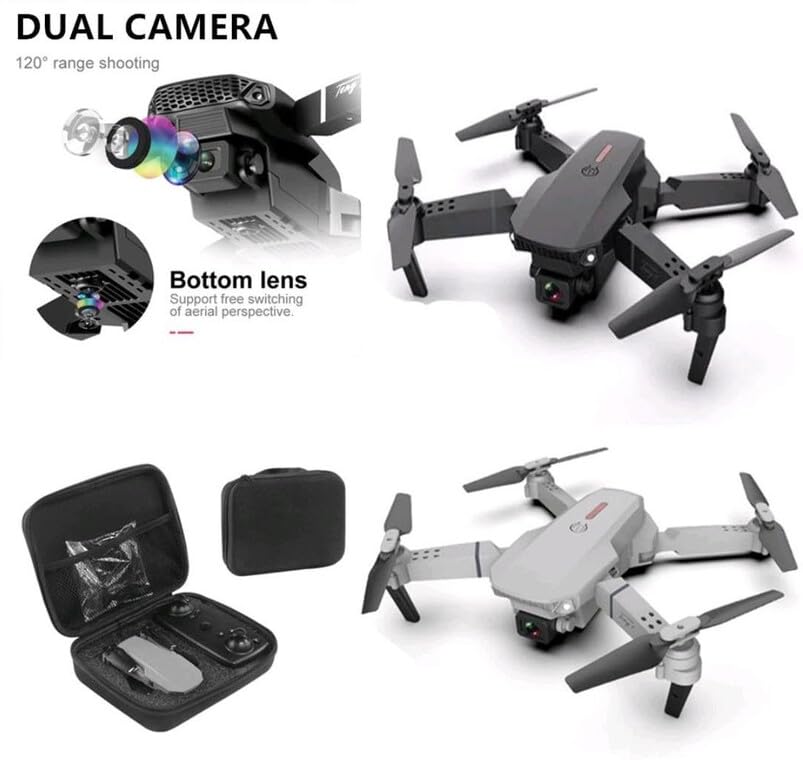
Image: An open black travel storage bag for the drone, showing the drone and remote control neatly fitted inside. The bag is designed for convenient and light travel.
3. Wytyczne bezpieczeństwa
Operating a drone requires responsibility. Adhere to the following safety guidelines to ensure a safe and enjoyable flight experience:
- Kontrola przed lotem: Przed każdym lotem zawsze sprawdzaj drona, śmigła i akumulator.
- Świadomość ekologiczna: Lataj na otwartej przestrzeni, z dala od ludzi, zwierząt, budynków i linii energetycznych. Unikaj latania przy silnym wietrze lub niekorzystnych warunkach pogodowych.
- Linia wzroku: Przez cały czas utrzymuj widoczność drona.
- Bezpieczeństwo baterii: Używaj wyłącznie dołączonej ładowarki i akumulatora. Nie przeładowuj ani nie przekłuwaj akumulatorów. Zaprzestań używania, jeśli akumulatory są uszkodzone lub spuchnięte.
- Bezpieczeństwo śmigła: Trzymaj ręce, twarz i luźne ubrania z dala od obracających się śmigieł.
- Zgodność z przepisami prawnymi: Należy znać i przestrzegać lokalnych przepisów dotyczących dronów i ograniczeń przestrzeni powietrznej.
- Zalecany wiek: This product is not a toy and is recommended for users of appropriate age and skill level.
4. Konfiguracja
4.1 Rozkładanie drona
- Gently pull out each of the four propeller arms until they lock into place.
- Przed lotem upewnij się, że wszystkie ramiona są całkowicie wyciągnięte i stabilne.
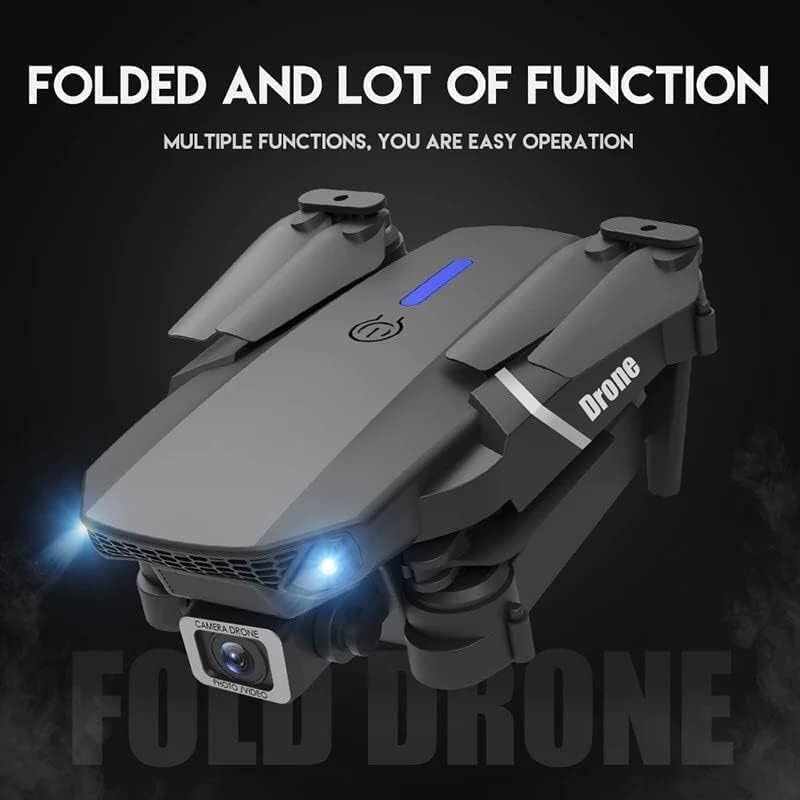
Image: The ROMJ E99 A14 drone in its folded state, showcasing its compact design. The front lights are illuminated, indicating power or readiness.
4.2 Instalacja i ładowanie akumulatora
- Drone Battery: Insert the fully charged Lithium Polymer battery into the battery compartment on the drone's rear until it clicks into place.
- Bateria pilota zdalnego sterowania: Open the battery cover on the back of the remote control and insert the required batteries (not specified, assume AA/AAA, user should check remote). Close the cover.
- Ładowanie: Connect the USB charger to the drone's battery (or directly to the drone if integrated charging) and then to a USB power source. The indicator light will show charging status (refer to charger's specific light indications).
4.3 Montaż śmigła (jeśli wymagany)
Dron zazwyczaj jest dostarczany z fabrycznie zamontowanymi śmigłami. W razie konieczności wymiany:
- Identify the correct propeller type (A or B) for each motor arm. Propellers are usually marked.
- Align the propeller with the motor shaft and press down firmly until it is securely attached. Ensure it spins freely without wobbling.
5. Instrukcja obsługi
5.1 Zdalne sterowanieview
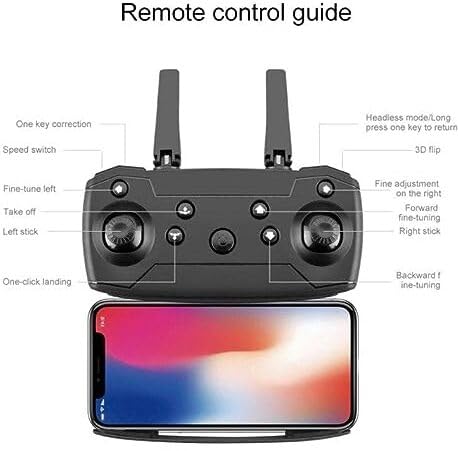
Image: A detailed diagram of the drone's remote control, labeling various buttons and joysticks. Key functions include One Key Correction, Speed Switch, Fine-tune Left, Take off, Left Stick, One-click Landing, Headless Mode/Long press one key to return, 3D Flip, Fine adjustment on the right, Forward fine-tuning, Right Stick, and Backward fine-tuning. A smartphone is shown mounted below the remote, indicating app connectivity.
- Lewy drążek: Kontroluje wysokość (w górę/w dół) i obrót (w lewo/w prawo).
- Prawy patyk: Kontroluje ruch do przodu/do tyłu oraz w lewo/w prawo.
- Jeden kluczowy start/lądowanie: Naciśnij, aby automatycznie wystartować lub wylądować.
- Przełącznik prędkości: Adjusts flight speed (e.g., low, medium, high).
- Tryb bezgłowy: Ułatwia lot poprzez orientację drona względem pilota, niezależnie od kierunku, w którym dron jest skierowany.
- Jeden kluczowy powrót: Initiates an automatic return to the take-off point (requires calibration).
- Odwrócenie 3D: Executes an acrobatic flip (ensure sufficient altitude).
- Przyciski do precyzyjnego dostrajania: Used to trim the drone's flight to correct drift.
5.2 Pairing the Drone
- Umieść drona na płaskiej, poziomej powierzchni.
- Włącz drona. Kontrolki zaczną migać.
- Włącz pilota.
- Push the left joystick up to the maximum position, then pull it down to the minimum position. The drone lights will stop flashing and become solid, indicating successful pairing.
5.3 Start i lądowanie
- One-Touch Take-off: After pairing, press the "Take off" button on the remote control. The drone will automatically ascend to a stable hovering height.
- Ręczny start: After pairing, push both joysticks simultaneously to the bottom-outer corners to arm the motors. Then, slowly push the left joystick up to ascend.
- One-Touch Landing: Press the "One-click Landing" button. The drone will slowly descend and land.
- Lądowanie ręczne: Slowly pull the left joystick down to descend. Once landed, pull both joysticks to the bottom-outer corners again to disarm the motors.
5.4 Obsługa kamery
The ROMJ E99 A14 features an integrated 1080p HD camera and a bottom lens for diverse aerial perspectives.
Obraz: Zbliżenie view of the drone's front, highlighting its dual camera system. The main camera is visible at the front, and a secondary bottom lens is shown, indicating support for free switching of aerial perspectives.
- Zdjęcie/wideo: Use the dedicated buttons on the remote control (or via the companion app) to capture photos or start/stop video recording.
- Łączność aplikacji: For live video feed and advanced camera controls, download the official ROMJ drone app (check manual for QR code or app store name) and connect your smartphone via Wi-Fi to the drone's network.
5.5 Specjalne funkcje lotu
- 360° Tumbling Stunt: Press the 3D Flip button and then move the right joystick in the desired direction to perform a flip. Ensure sufficient altitude (at least 2-3 meters) for this maneuver.
- Tryb bezgłowy: Activate Headless Mode before take-off. In this mode, the drone's forward direction is always the direction the pilot is facing when Headless Mode was activated, simplifying control.
- Jeden kluczowy powrót: Long press the One Key Return button. The drone will fly back towards its take-off position. This function works best after proper compass calibration.
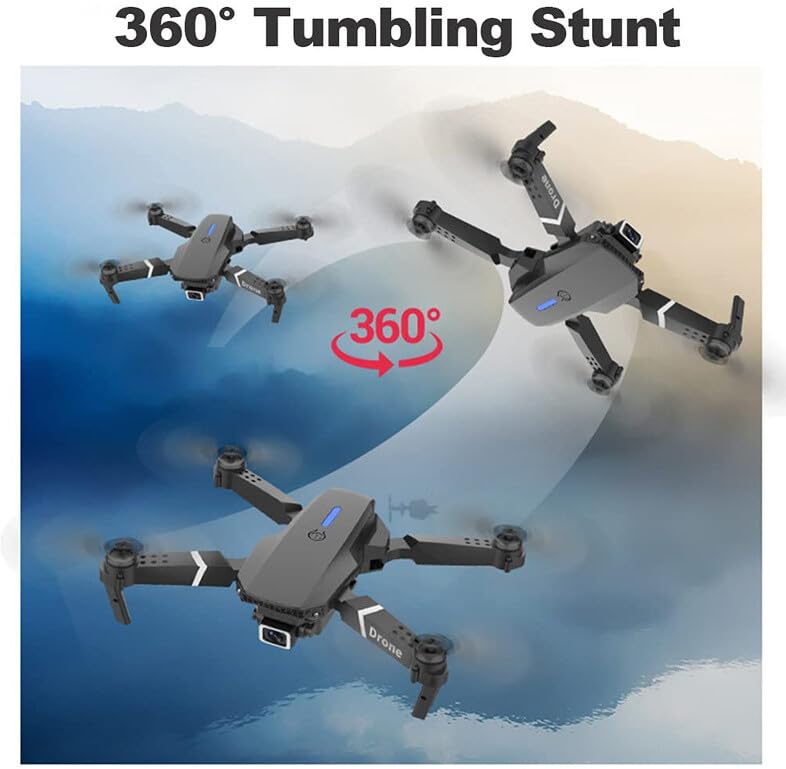
Image: Three instances of the ROMJ E99 A14 drone in mid-air, illustrating a 360-degree tumbling stunt. The drone is shown at different angles during the flip, with an arrow indicating the circular motion.
6. Konserwacja
- Czyszczenie: Do czyszczenia korpusu drona i obiektywu kamery używaj miękkiej, suchej ściereczki. Unikaj stosowania płynów i rozpuszczalników.
- Kontrola śmigła: Regularnie sprawdzaj śmigła pod kątem pęknięć, wygięć lub uszkodzeń. Natychmiast wymień uszkodzone śmigła, używając dołączonych części zamiennych.
- Pielęgnacja baterii: Store batteries in a cool, dry place. Do not store fully charged or completely depleted batteries for extended periods. Charge them to about 50-60% for long-term storage.
- Pielęgnacja silnika: Keep motors free from dust and debris. Do not attempt to lubricate motors.
- Składowanie: When not in use, fold the drone and store it in its original packaging or the provided storage bag to protect it from dust and physical damage.
7. Rozwiązywanie Problemów
| Problem | Możliwa przyczyna | Rozwiązanie |
|---|---|---|
| Dron się nie włącza. | Akumulator nie jest naładowany lub nie został prawidłowo zainstalowany. | Sprawdź, czy akumulator jest całkowicie naładowany i prawidłowo włożony. |
| Pilot zdalnego sterowania nie łączy się z dronem. | Not paired correctly; interference. | Repeat pairing procedure (Section 5.2). Ensure no strong Wi-Fi interference. |
| Dron dryfuje w czasie lotu. | Nie skalibrowano. Zakłócenia ze strony wiatru. | Perform gyroscope calibration (refer to app/remote instructions for specific steps). Use fine-tuning buttons. Fly in calm conditions. |
| Kamera nie nagrywa lub jakość jest słaba. | SD card issues (if applicable); lens dirty; app not connected. | Ensure SD card is inserted and formatted (if applicable). Clean camera lens. Verify app connection. |
| Krótki czas lotu. | Akumulator nie jest w pełni naładowany; akumulator jest stary; latanie jest agresywne. | Upewnij się, że bateria jest w pełni naładowana. Rozważ wymianę starych baterii. Lataj ostrożniej. |
8. Specyfikacje
| Funkcja | Szczegół |
|---|---|
| Marka | ROMJ |
| Nazwa modelu | E99A14 |
| Cechy specjalne | Compact, Foldable, Integrated Camera |
| Rozdzielczość przechwytywania wideo | 1080p |
| Technologia łączności | USB, Wi-Fi |
| Zawarte komponenty | Battery, Propeller, USB Charger |
| Poziom umiejętności | Wszystko |
| Tworzywo | Akrylonitryl-butadien-styren, tworzywo sztuczne |
| Skład ogniw baterii | Polimer litowy |
| Czy pilot zdalnego sterowania jest w zestawie? | Tak |
9. Gwarancja i wsparcie
ROMJ products are manufactured to high-quality standards. For any issues, technical support, or warranty inquiries, please contact your retailer or the official ROMJ customer service channel. Please retain your proof of purchase for warranty claims.
For the most up-to-date support information, please visit the official ROMJ webodwiedź witrynę lub zapoznaj się z danymi kontaktowymi podanymi przy zakupie.
Ask a question about this manual
Ask about setup, troubleshooting, compatibility, parts, safety, or missing instructions. Manuals+ will review the question and use this page’s manual context to help answer it.