
1. Koniec produktuview
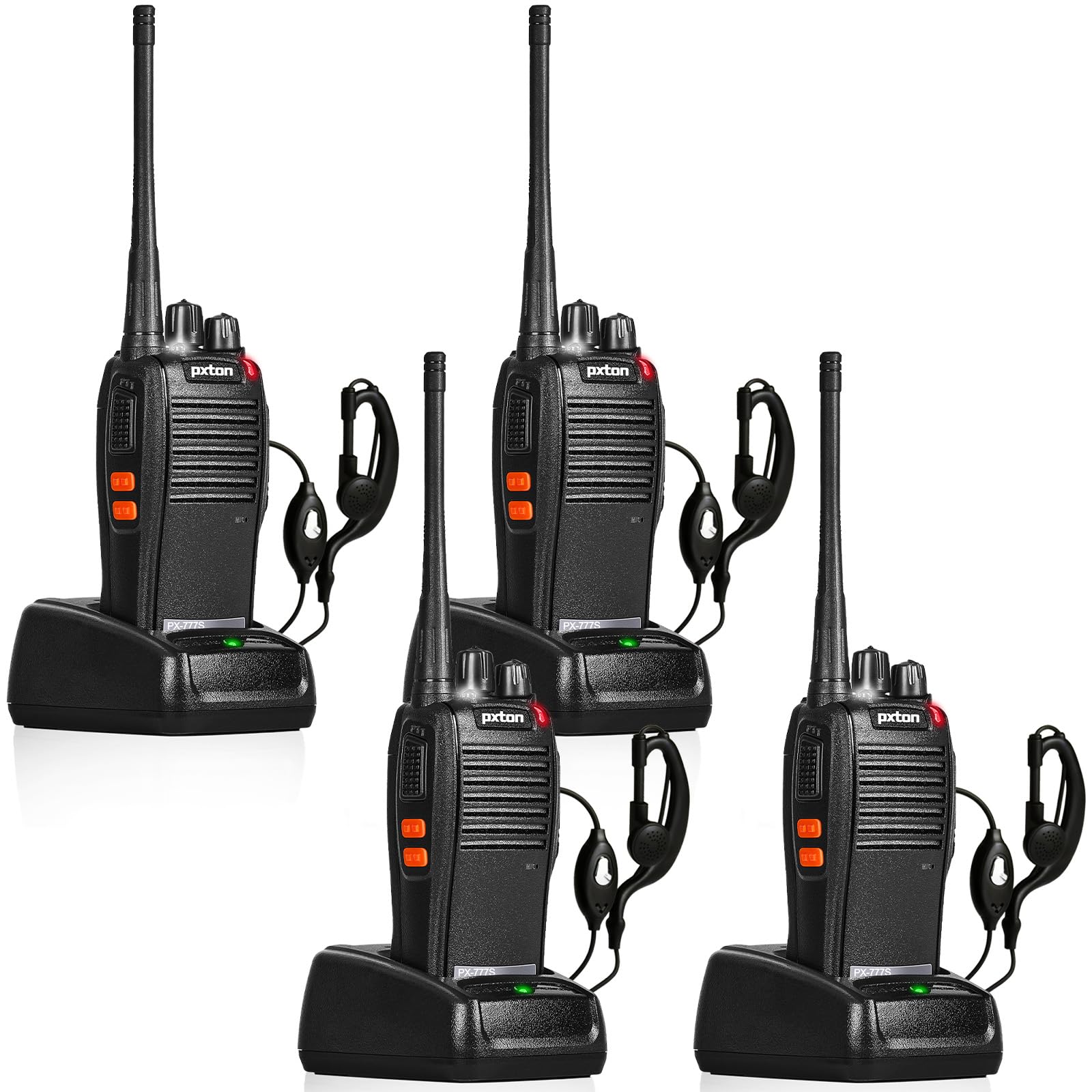
The pxton 777S is a versatile two-way radio designed for reliable communication. It features 16 memory channels, 165 privacy codes, VOX functionality, an emergency alarm, noise reduction, automatic squelch, a low battery alert, power-saving mode, scanning, monitoring, and an LED flashlight.
2. Zawartość opakowania
Przed przystąpieniem do konfiguracji sprawdź, czy w przesyłce znajdują się wszystkie elementy:
- 4 x pxton 777S Walkie Talkies
- 4 x stacje ładujące
- 4 baterie litowe o pojemności 1500 mAh
- 4 x paski
- 4 x Słuchawki
- 2 x Instrukcje obsługi

3. Instrukcje konfiguracji
3.1 Identyfikacja komponentów
Familiarize yourself with the various parts and controls of your pxton 777S walkie talkie:

3.2 Instalacja baterii
- Upewnij się, że krótkofalówka jest wyłączona.
- Znajdź komorę baterii z tyłu urządzenia.
- Align the 1500mAh lithium battery with the contacts and gently push it into place until it clicks securely.
- Zamknij pokrywę komory baterii.
3.3 Ładowanie akumulatora
Przed pierwszym użyciem należy całkowicie naładować akumulator. Pełne ładowanie trwa zazwyczaj 3–4 godziny.
- Connect the charging dock to a power outlet using the provided adapter.
- Place the walkie talkie (with battery installed) into the charging dock.
- The LED indicator on the walkie talkie or charging dock will show the charging status (e.g., red for charging, green for fully charged).

3.4 Mocowanie akcesoriów
- Sprzączka: Attach the belt clip to the designated slot on the back of the walkie talkie.
- Słuchawki: Insert the earpiece plug into the SP/MIC jacks on the side of the walkie talkie.
4. Instrukcja obsługi
4.1 Włączanie/wyłączanie i regulacja głośności
Obróć Przełącznik zasilania/regulacja głośności knob clockwise to power on the walkie talkie. Continue rotating to increase the volume. Rotate counter-clockwise to decrease volume and power off the unit.
4.2 Wybór kanału
Obróć Przełącznik kanałów knob to select one of the 16 available channels. Ensure all radios in your group are set to the same channel for communication.
4.3 Przesyłanie i odbieranie
- Aby przesłać, naciśnij i przytrzymaj Przycisk PTT (Naciśnij i mów) on the side of the walkie talkie. Speak clearly into the microphone.
- Release the PTT button to receive messages.
4.4 Funkcja VOX (wymiana sterowana głosem)
The VOX function allows hands-free operation. When activated, the radio will transmit automatically when it detects your voice.
- The pxton 777S offers 5 levels of VOX sensitivity adjustment. Refer to the full user manual for detailed programming instructions to adjust VOX sensitivity.
4.5 Funkcja monitorowania
Naciśnij i przytrzymaj MONI Button to temporarily disable the squelch and listen for weak signals on the current channel.
Latarka LED 4.6
Naciśnij Przycisk latarki aby włączyć lub wyłączyć latarkę LED.
4.7 Alarm awaryjny
The walkie talkie includes an emergency alarm function. Consult the full user manual for specific activation and deactivation procedures.
4.8 Funkcja skanowania
The scanning function allows the radio to automatically scan through active channels. Refer to the full user manual for details on activating and managing channel scanning.
4.9 Zasięg komunikacji
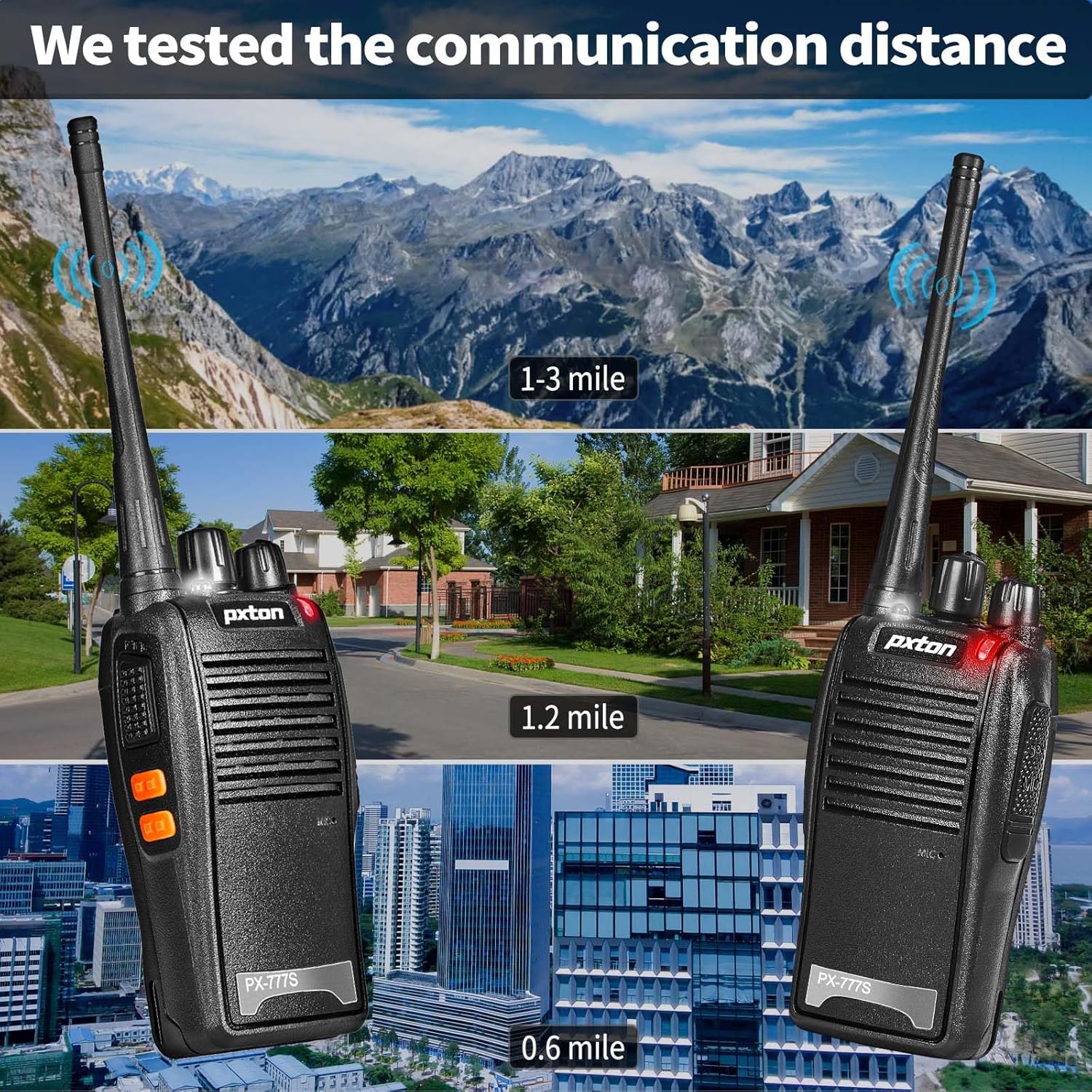
The effective communication range varies based on terrain and obstacles:
- Unobstructed Areas (e.g., flat terrains, mountain peaks): Do 3 mil.
- Suburban or Rural Areas: Approximately 1.2 miles.
- Within Cities: Approximately 0.6 miles.
Actual range may vary significantly depending on environmental conditions and obstructions.
5. Konserwacja
5.1 Pielęgnacja baterii
- To maximize battery life, fully charge the 1500mAh lithium battery before initial use.
- Unikaj przeładowywania lub całkowitego rozładowania akumulatora.
- If the walkie talkie will not be used for an extended period, remove the battery and store it in a cool, dry place.
- A full charge typically takes 3-4 hours. Under normal usage, the battery can last up to 120 hours on standby or up to 12 hours of continuous usage.
5.2 Czyszczenie
- Clean the exterior of the walkie talkie with a soft, damp płótno.
- Nie używaj żrących chemikaliów ani ściernych środków czyszczących.
- Ensure the unit is dry before use or storage.
5.3 Przechowywanie
Store the walkie talkie in a cool, dry environment away from direct sunlight and extreme temperatures.
6. Rozwiązywanie Problemów
If you encounter issues with your pxton 777S walkie talkie, refer to the following common problems and solutions:
| Problem | Możliwa przyczyna | Rozwiązanie |
|---|---|---|
| Brak zasilania | Niski poziom baterii lub bateria nie została prawidłowo zainstalowana | Naładuj baterię lub zainstaluj ją ponownie prawidłowo. |
| Nie można przesyłać ani odbierać | Incorrect channel, out of range, or squelch too high | Ensure all radios are on the same channel. Move closer to other radios. Adjust squelch level or use MONI button. |
| Słaba jakość dźwięku | Weak signal, interference, or low volume | Move to an area with fewer obstructions. Adjust volume. Check earpiece connection if applicable. |
| Bateria szybko się rozładowuje | Frequent transmission, old battery, or high power setting | Reduce transmission time. Consider replacing the battery if it's old. Ensure power-saving mode is active. |
If the problem persists after attempting these solutions, please contact pxton customer support.
7. Specyfikacje
| Funkcja | Szczegół |
|---|---|
| Numer modelu | PX-777S-0002 |
| Identyfikator FCC | 2AX68GTR8 |
| Liczba kanałów | 16 |
| Kody prywatności | 165 (CTCSS/DCS) |
| Zakres częstotliwości | UHF |
| Maksymalny zasięg rozmów | 3 Miles (unobstructed) |
| Typ baterii | 1500mAh litowo-jonowy (w zestawie) |
| Tomtage | 3.7 V (prąd stały) |
| Wymiary produktu | 9.9 x 4.4 x 6.9 cala (25.1 x 11.2 x 17.5 cm) |
| Waga przedmiotu | 2.82 funtów (1.28 kg) |
| Poziom wodoodporności | Wodoodporny |
| Cechy specjalne | Battery Saver Mode, Emergency Alarm, Long Range, Noise Reduction, Rechargeable, VOX, TOT, Flashlight, Scan Function |

8. Gwarancja i wsparcie
8.1 Informacje o gwarancji
pxton offers a 30-dniowa bezwarunkowa polityka zwrotów I dożywotni serwis posprzedażowy for the PX-777S walkie talkies.
8.2 Obsługa klienta
If you have any questions, concerns, or require assistance with your pxton 777S walkie talkies, please contact pxton customer service. Refer to the product packaging or the official pxton webodwiedź naszą stronę, aby uzyskać szczegółowe dane kontaktowe.
8.3 Uwaga dotycząca zgodności
The PX-777S walkie talkie is compatible with the PX-888S, PX-666S, and PX-888S Pro models. These models can operate together and utilize the same programming tools and cables. Please note that programming cables must be purchased separately and are not included with this product.


