
Wstęp
This manual provides detailed instructions for the installation, operation, and maintenance of your litillbuly Android 13 Car Radio. Designed for Ford Escape models from 2013 to 2016, this unit features a 9-inch touch screen, Android 13 operating system, Wireless CarPlay, Android Auto, GPS navigation, FM/AM radio, WiFi, and support for a reverse camera and steering wheel controls. Please read this manual thoroughly before use to ensure proper functionality and safety.
Zawartość opakowania
Sprawdź, czy w przesyłce znajdują się wszystkie elementy wymienione poniżej:
- 9-calowy wyświetlacz
- Kabel zasilający
- Oryginalny adapter USB
- Skrzynka CANBUS
- Łom
- Śrubokręt
- Radio Antenna
- Linia odwrotna
- Mikrofon
- Antena GPS
- Reversing Radar
- Kabel RCA
- Kabel USB (x2)
Instrukcja instalacji
Professional installation is recommended. Ensure the vehicle's power is disconnected before beginning installation. This unit is specifically designed for Ford Escape models from 2013-2016. Please confirm your vehicle's compatibility before proceeding.
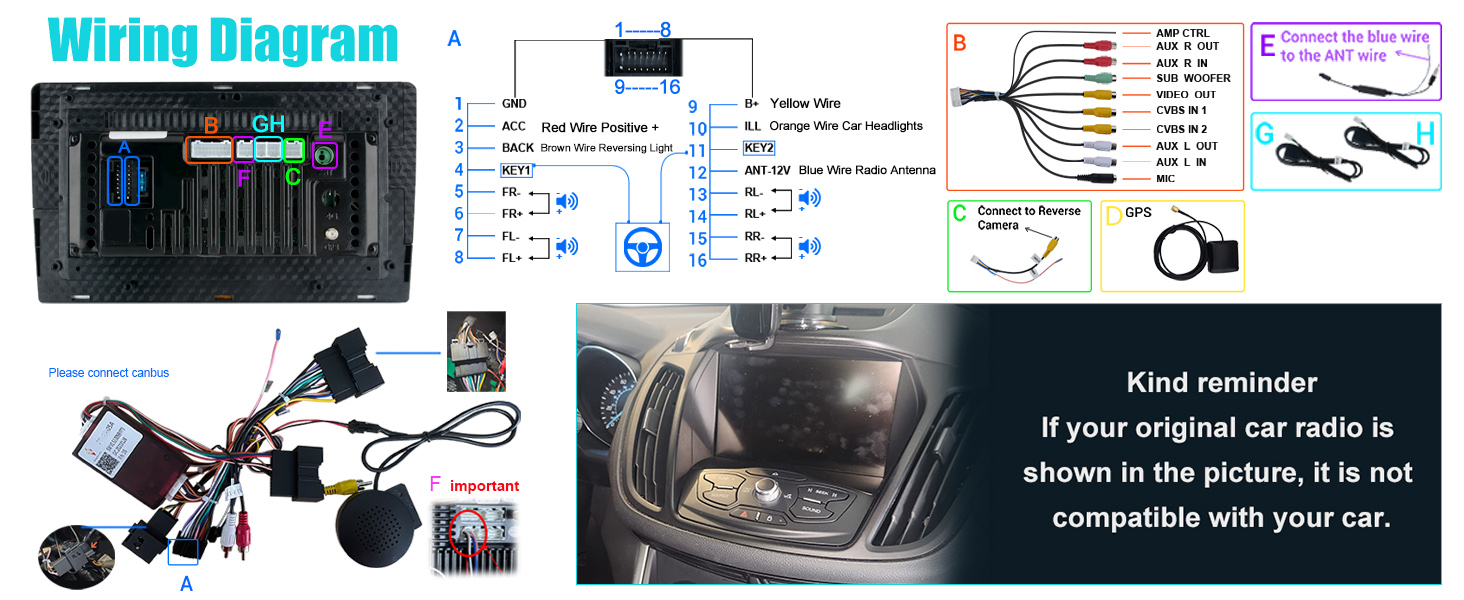
Sprawdzenie zgodności
If your original car radio matches the image below, this unit is not compatible with your vehicle. Please verify your vehicle's original radio system.
Instalacja ponadview
The unit comes with all necessary cables and a frame for direct fitment. The CAN-BUS system is included for seamless integration with your vehicle's electronics. Refer to the wiring diagram for specific connections.

Schemat okablowania
Follow the detailed wiring diagram for correct connections of power, audio, video, and peripheral devices like the reverse camera and GPS antenna.

Instrukcja obsługi
Włączanie/wyłączanie zasilania
The unit powers on automatically with the vehicle's ignition. To manually power off or restart, press and hold the power button on the side panel.
Obsługa ekranu dotykowego
The 9-inch IPS capacitive touchscreen offers a 1280x720 HD resolution for vibrant colors and sensitive touch response. Navigate through menus and functions by tapping, swiping, and pinching.

Bezprzewodowy CarPlay i Android Auto
Connect your iPhone or Android phone wirelessly via Bluetooth to access CarPlay or Android Auto. This allows for navigation, calls, messages, and music playback through the car radio's interface. Use smart voice assistants for hands-free control.


This video demonstrates the process of connecting your smartphone to the litillbuly car radio for Wireless CarPlay functionality, including Bluetooth pairing and app launch.
Nawigacja GPS
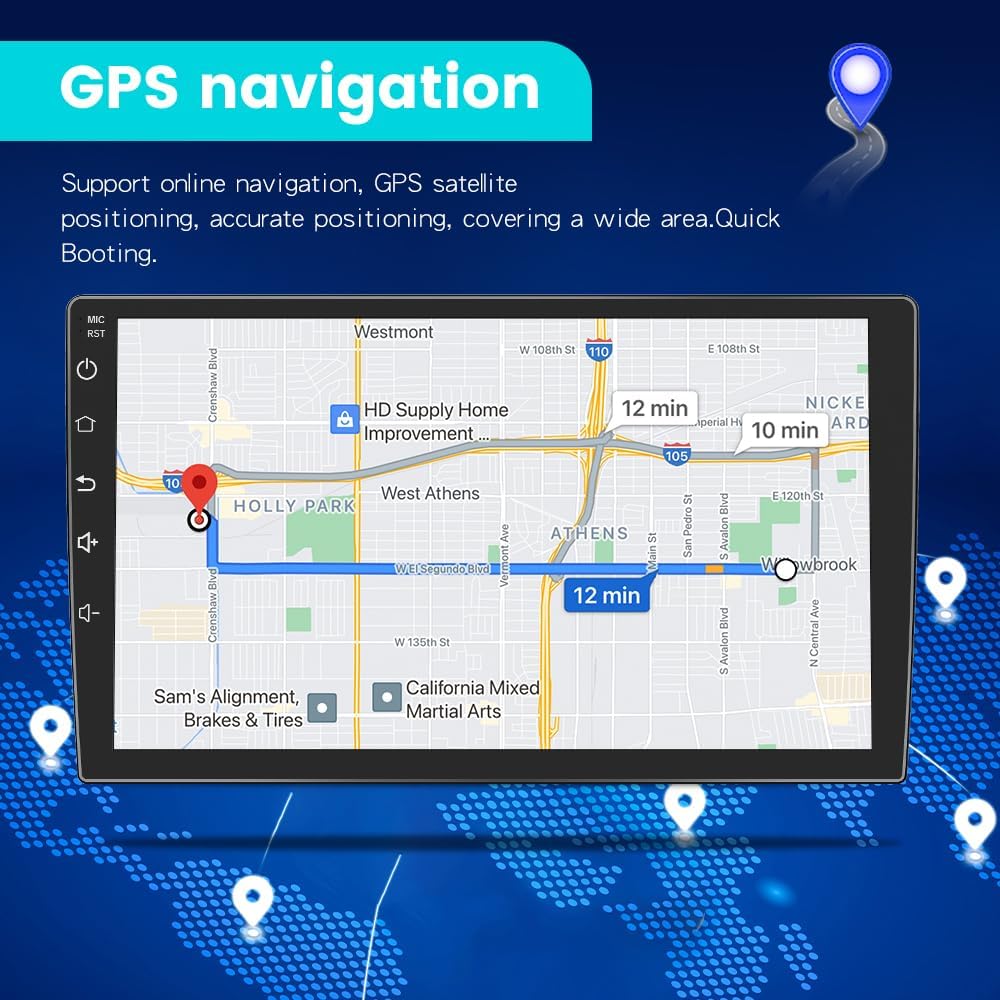
The unit includes built-in GPS with offline North America Google maps, functioning without an internet connection. Dual-band 2.4G/5G WiFi provides faster, more stable connections for real-time online maps and other services.

Bluetooth Hands-Free & Audio
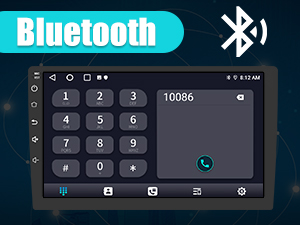
Utilize the Bluetooth hands-free function for safe calling with both Android and iOS phones. The built-in microphone ensures clear communication. You can also stream music wirelessly from your device.
Radio FM/AM
The high-quality digital stereo (RDS) FM/AM tuner allows for automatic or semi-automatic station searching. Adjust volume and sound settings with various EQ presets like jazz, rock, pop, and classic.
Łączność WiFi
Connect to 2.4G/5G WiFi networks for internet access, enabling app downloads (e.g., YouTube, Gmail), online music/video streaming, and real-time map updates.
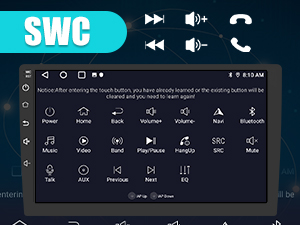
Sterowanie na kierownicy (SWC)
The unit supports steering wheel controls, allowing you to safely manage calls, adjust volume, and change songs without taking your hands off the wheel.
Funkcja podzielonego ekranu
The split-screen mode allows you to run two applications simultaneously, such as navigation and music, enhancing efficiency and entertainment during your drives.

This video tutorial shows how to activate and use the split-screen feature on the litillbuly Android 13 Car Radio, allowing two applications to run simultaneously.
Dostosowywanie interfejsu użytkownika
Personalize your car radio experience by changing the user interface (UI) themes and customizing the homepage layout. The unit supports multiple UI designs and custom wallpapers.


Learn how to change the user interface (UI) theme and customize the homepage layout on your litillbuly Android 13 Car Radio with this instructional video.
Reversing Assistance
Connect a rear reversing camera (included) to the unit for visual assistance when backing up. The display automatically switches to the camera feed when the vehicle is in reverse.

Link lustrzany
The Mirror Link function allows you to mirror your Android or iOS smartphone screen onto the car radio display, providing access to your phone's content directly on the larger screen.
Konserwacja
Aby zapewnić długowieczność i optymalną pracę radia samochodowego, należy przestrzegać poniższych wskazówek dotyczących konserwacji:
- Czyszczenie: Do czyszczenia ekranu i obudowy używaj miękkiej, suchej ściereczki. Unikaj środków czyszczących o działaniu ściernym i rozpuszczalników.
- Aktualizacje oprogramowania: Okresowo sprawdzaj dostępność aktualizacji oprogramowania i instaluj je, aby poprawić wydajność i dodać nowe funkcje.
- Temperatura: Unikaj wystawiania urządzenia na działanie ekstremalnych temperatur.
- Moc: Ensure the vehicle's electrical system is stable to prevent damage to the unit.
Rozwiązywanie problemów
If you encounter issues with your litillbuly Android 13 Car Radio, refer to the following common problems and solutions:
- Jednostka nie włącza się: Check all power connections and ensure the vehicle's ignition is on. Verify the CAN-BUS connection.
- Brak dźwięku: Check speaker connections, volume settings, and ensure the correct audio source is selected.
- Ekran dotykowy nie reaguje: Spróbuj ponownie uruchomić urządzenie. Jeśli problem będzie się powtarzał, skontaktuj się z obsługą klienta.
- CarPlay/Android Auto nie łączy się: Ensure Bluetooth is enabled on your phone and the car radio. Confirm proper pairing. Try restarting both devices.
- GPS signal lost: Upewnij się, że antena GPS jest prawidłowo zainstalowana i ma zapewnioną przejrzystość. view nieba.
- Unit powers off randomly: Check power connections for stability. If the issue persists, it may indicate an internal fault; contact customer support.
- Difficulty with installation/fitment: Some installations may require minor modifications. If you are unsure, seek professional assistance.
Specyfikacje
| Marka | litillbuly |
| Nazwa modelu | Radio z Androidem |
| System operacyjny | Android 13 |
| BARAN | 2 GB |
| ROM | 64 GB |
| Rozmiar wyświetlacza | 9 cali |
| Rozdzielczość ekranu | 1280*720 HD IPS |
| Technologia łączności | Bluetooth, USB, Wi-Fi (2.4G/5G) |
| Cechy specjalne | Touchscreen, Wireless CarPlay, Android Auto, GPS Navigation, FM/AM Tuner, Steering Wheel Controls, Split-Screen, Reversing Assistance, Mirror Link |
| Typ mapy | North America (offline Google maps) |
| Tryb wyjścia audio | Stereofoniczny |
| Waga przedmiotu | 6.39 funta |
| Wymiary opakowania | 18.5 x 14 x 9 cala |
Gwarancja i wsparcie
This litillbuly car radio comes with a 1-year warranty from the date of purchase, covering manufacturing defects. For technical assistance, troubleshooting, or warranty claims, please contact litillbuly customer support. Ensure you have your purchase details and model information available when contacting support.
E-mail obsługi klienta: litillbuly@outlook.com