
1. Wprowadzenie
Dziękujemy za zakupasing the ULTIMEA Nova S50 Dolby Atmos Soundbar. This 2.1 channel sound system, featuring a powerful 190W output and a dedicated subwoofer, is designed to deliver an immersive audio experience for your home theater, PC, or TV. This manual provides detailed instructions for setting up, operating, maintaining, and troubleshooting your device to ensure optimal performance.

Figure 1.1: ULTIMEA Nova S50 Soundbar delivering immersive Dolby Atmos sound.
2. Konfiguracja
2.1 Zawartość opakowania
Przed rozpoczęciem sprawdź, czy w przesyłce znajdują się wszystkie elementy:
- Listwa dźwiękowa (x1)
- Wired Subwoofer (x1)
- Zasilacz (x1)
- Kabel HDMI (x1)
- HDMI Adapter (x1)
- Pilot zdalnego sterowania (x1, baterie nie są dołączone)
- Optical Cable (x1)
- Kabel audio 3.5 mm (x1)
- Wall Mounting Kit (x1)
- Instrukcja obsługi (x1)

Rysunek 2.1: Dołączone akcesoria i komponenty.
2.2 Umieszczenie fizyczne
The Nova S50 soundbar features a compact and slim design, allowing for flexible placement options. It can be placed on a TV stand, a tabletop, or wall-mounted. Ensure the soundbar is positioned centrally in front of your TV for the best audio experience. The subwoofer can be placed on the floor near the soundbar.

Figure 2.2: Compact design allows for placement under a TV without obstructing the view.
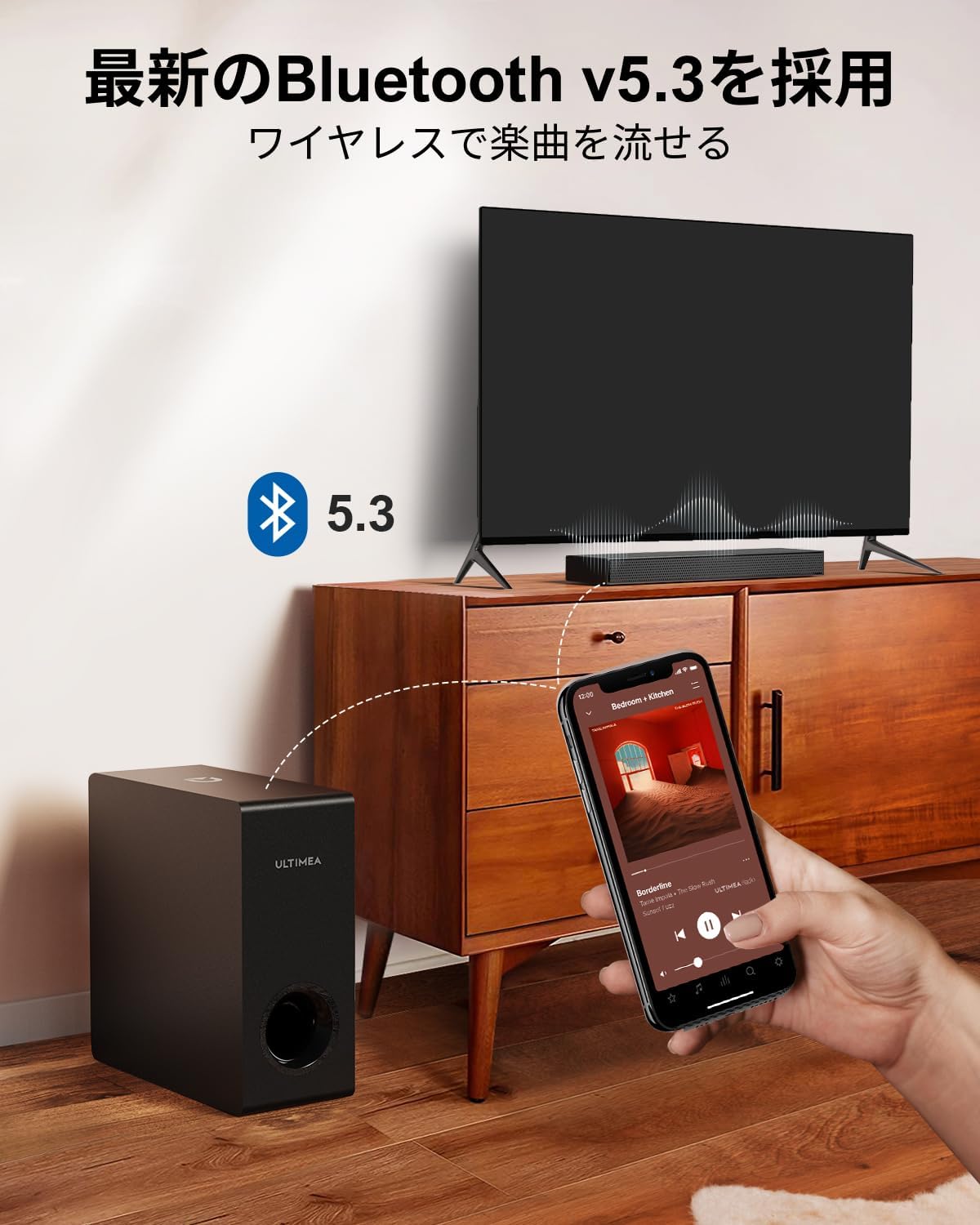
Figure 2.3: Dimensions of the soundbar and subwoofer.
2.3 Połączenia
The Nova S50 offers multiple connectivity options. Choose the method that best suits your device.

Rysunek 2.4: Połączenia na panelu tylnym.
2.3.1 HDMI eARC Connection
For the highest quality audio transmission, connect your TV to the soundbar using the HDMI eARC port.
- Connect one end of the provided HDMI cable to the HDMI eARC port on your TV.
- Connect the other end of the HDMI cable to the HDMI eARC port on the soundbar.
- On the soundbar's remote control, press the 'eARC' button to select the HDMI eARC input mode.
- Ensure your TV's audio output settings are configured for HDMI eARC (usually found under TV Settings > Sound > Digital Audio Output > Auto).

Figure 2.5: HDMI eARC connection steps.
2.3.2 Połączenie optyczne
Use the optical cable for digital audio connection if your TV does not support HDMI eARC.
- Connect one end of the optical cable to the optical output port on your TV.
- Connect the other end of the optical cable to the optical input port on the soundbar.
- Select the 'OPT' input mode on the soundbar using the remote control.
2.3.3 Połączenie AUX
For analog audio devices, use the 3.5mm AUX cable.
- Connect one end of the 3.5mm audio cable to the audio output of your device (e.g., PC, smartphone).
- Connect the other end to the AUX input port on the soundbar.
- Select the 'AUX' input mode on the soundbar using the remote control.
2.3.4 Połączenie Bluetooth
Connect your mobile devices wirelessly via Bluetooth 5.3.
- Turn on the soundbar and select 'BT' input mode using the remote control. The soundbar will enter pairing mode.
- On your mobile device, enable Bluetooth and search for 'Nova S50'.
- Select 'Nova S50' from the list of available devices to pair. Once connected, you will hear an audible confirmation.

Figure 2.6: Wireless audio streaming via Bluetooth 5.3.
3. Instrukcja obsługi
3.1 Włączanie/wyłączanie zasilania
Naciśnij przycisk zasilania na soundbarze lub pilocie, aby włączyć lub wyłączyć urządzenie.
3.2 Wybór wejścia
Use the dedicated input buttons (HDMI eARC, OPT, AUX, BT, USB) on the remote control to switch between audio sources.
3.3 Regulacja głośności
Adjust the volume using the Volume Up (+) and Volume Down (-) buttons on the remote control or the soundbar. The soundbar also supports HDMI-CEC, allowing you to control its volume with your TV remote if your TV supports this feature.

Figure 3.1: Remote control with HDMI-CEC support.
3.4 tryby dźwięku
The Nova S50 features audio algorithms and machine learning technology to optimize sound based on content. Use the remote control to select from the following sound modes:
- FILM: Enhances cinematic sound for movies and TV shows, emphasizing vocals and dynamic scenes.
- GRA: Optimized for gaming, providing clear sound effects and immersive spatial audio.
3.5 BassMX Adjustment
The dedicated subwoofer and ULTIMEA's proprietary BassMX technology provide powerful and adjustable bass. Use the BassMX button on the remote to cycle through different bass levels (Weak, Medium, Strong) to suit your preference.

Figure 3.2: BassMX technology for enhanced bass.
4. Konserwacja
4.1 Czyszczenie
To maintain the appearance and performance of your soundbar, regularly clean it with a soft, dry cloth. Do not use liquid cleaners or abrasive materials, as these can damage the finish or internal components.
4.2 Przechowywanie
If storing the soundbar for an extended period, disconnect it from the power source and store it in a cool, dry place, away from direct sunlight and extreme temperatures.
5. Rozwiązywanie Problemów
If you encounter issues with your ULTIMEA Nova S50 soundbar, refer to the following common problems and solutions:
- Brak dźwięku:
- Sprawdź, czy soundbar jest włączony i czy wybrano prawidłowe źródło sygnału wejściowego.
- Check all cable connections (HDMI, Optical, AUX) are secure.
- Verify the TV's audio output settings are correctly configured for the chosen connection type (e.g., HDMI eARC, PCM for Optical).
- Increase the volume on both the soundbar and your connected device.
- If using HDMI eARC, ensure HDMI-CEC is enabled on your TV.
- Problemy z połączeniem Bluetooth:
- Upewnij się, że soundbar jest w trybie parowania Bluetooth.
- Wyłącz i ponownie włącz Bluetooth w swoim urządzeniu mobilnym.
- Move your device closer to the soundbar to ensure it is within the 10-meter range.
- Clear previous Bluetooth pairings on your device and try pairing again.
- Zniekształcony dźwięk:
- Reduce the volume on both the soundbar and the connected device.
- Check for any physical obstructions or interference near the soundbar or subwoofer.
- Sprawdź, czy kable nie są uszkodzone lub luźno podłączone.
- Pilot nie działa:
- Wymień baterie w pilocie.
- Upewnij się, że między pilotem a czujnikiem soundbara nie ma żadnych przeszkód.
- Skieruj pilota bezpośrednio na soundbar.
6. Specyfikacje
| Funkcja | Szczegół |
|---|---|
| Nazwa modelu | Nowa S50 |
| Typ głośnika | Dolby Atmos Soundbar 2.1ch (with Subwoofer) |
| Technologia łączności | AUX, Bluetooth, HDMI-eARC, Optical |
| Technologia komunikacji bezprzewodowej | Bluetooth 5.3 |
| Maksymalna moc wyjściowa | 190 W |
| Odpowiedź częstotliwościowa | 45 Hz - 18 kHz |
| Wymiary soundbara (dł. x szer. x wys.) | Wymiary: 40 cm x 7.9 cm x 3.8 cm |
| Wymiary subwoofera (dł. x szer. x wys.) | Wymiary: 27 cm x 11.4 cm x 27 cm |
| Waga produktu | 4.52 kilogramów |
| Metoda kontroli | Zdalny |
| Zalecana powierzchnia pokoju | ≤ 25 m² |

Figure 6.1: Ultra-thin driver technology for high-fidelity sound.
7. Gwarancja i pomoc techniczna
7.1 Ograniczona gwarancja
ULTIMEA products come with a limited warranty. Please refer to the warranty card included in your package or visit the official ULTIMEA webSzczegółowe warunki gwarancji można znaleźć na naszej stronie.
7.2 Obsługa klienta
For any questions, technical assistance, or support needs, please contact ULTIMEA customer service. We offer 365-day support and a 30-day free return policy. You can find contact information on our official webstronie lub poprzez platformę zakupową.