
1. Wprowadzenie
The BOTSLAB W302 Outdoor Dual-Lens Security Camera is designed to provide comprehensive surveillance for your home or business. Featuring advanced dual-lens technology, it offers a 170° super-wide viewing angle and crystal-clear 4MP resolution. This manual provides detailed instructions for setting up, operating, and maintaining your security camera to ensure optimal performance.
2. Zawartość opakowania
Sprawdź, czy w przesyłce znajdują się wszystkie wymienione poniżej elementy. Jeśli brakuje któregokolwiek z nich lub jest on uszkodzony, skontaktuj się z obsługą klienta.
- Jednostka kamery x 1
- Wspornik x 1
- Naklejka pozycjonująca x 1
- Warning sticker x 1
- Szybki przewodnik x 1
- Zasilacz x 1
- Pakiet śrub x 1

Figure 2.1: All components included in the BOTSLAB W302 camera package.
3. Funkcje produktu
- Dual-Lens Vision: Captures a wide 170° super-wide viewing angle with 4MP (2MP+2MP) resolution for seamless panoramic images without blind spots.
- Kolorowe widzenie nocne: Provides continuous color views 24/7, even in low light, thanks to automatic light adaptation (ColorGuard) and up to 100ft night vision range.
- Smart Security & Precise Alerts: Detects people and vehicles with motion detection, sending precise alerts. Features a customizable siren and light alarm for enhanced security.
- AI-Powered Tracking: Intelligently focuses on humans, offering close-up views and dual live views (wide panorama and close-up) simultaneously via the Botslab app.
- Bezproblemowa łączność: Supports faster and more stable dual-band Wi-Fi (2.4GHz/5GHz).
- Dwukierunkowy dźwięk: Stay connected and communicate with visitors or deter intruders.
- Odporna na warunki atmosferyczne konstrukcja: IP66 rated, ensuring reliable performance in temperatures from -20°C to 60°C.
- Integracja inteligentnego domu: Seamlessly integrates with Amazon Alexa and Google Assistant for voice control.

Figure 3.1: Dual-Lens Vision with 170° Super-Wide Angle.

Figure 3.2: Non-Stop Color Night Vision.

Figure 3.3: Smart Security with Person, Vehicle, and Motion Detection.
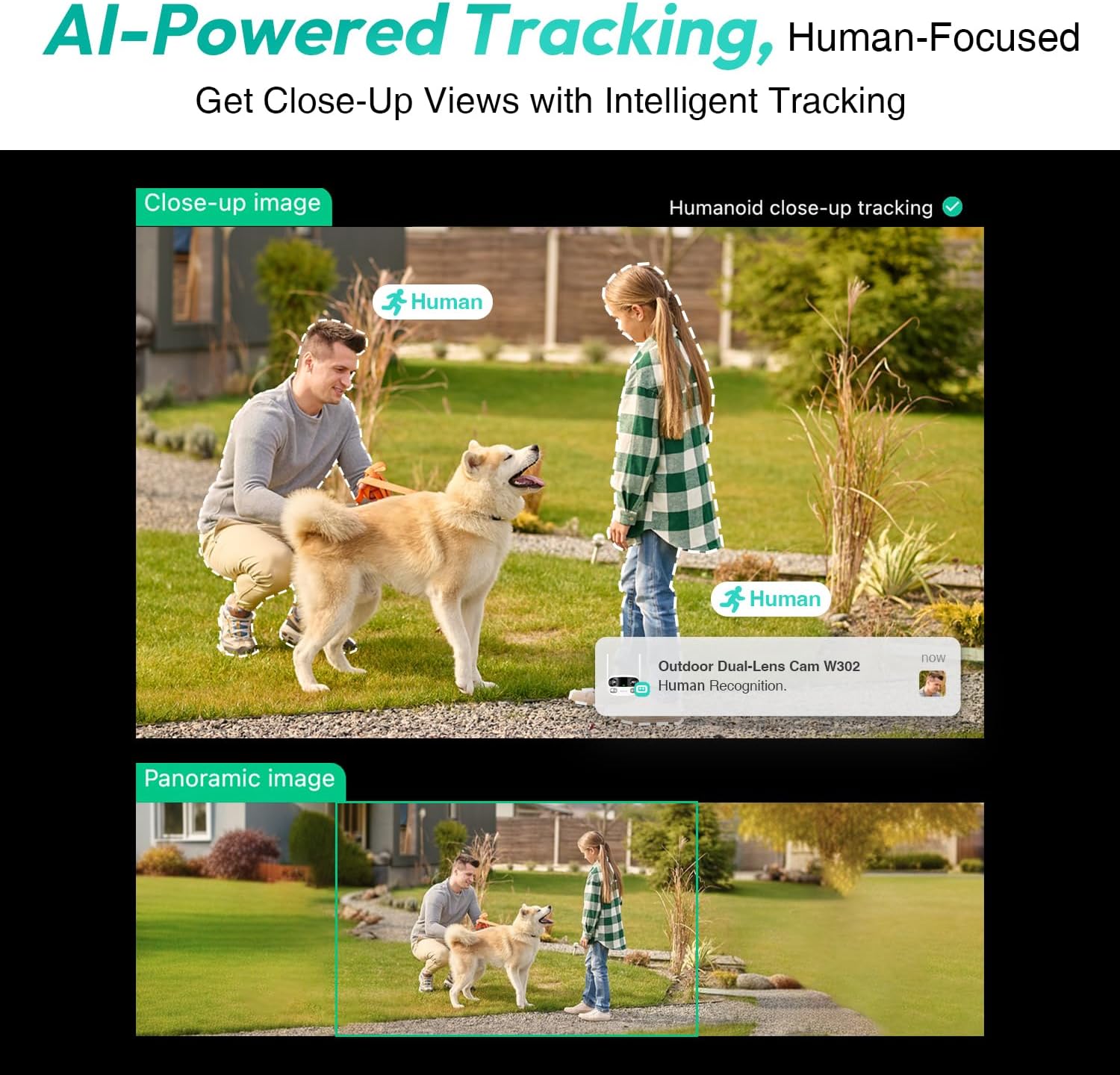
Figure 3.4: AI-Powered Human Tracking with Dual Live Views.
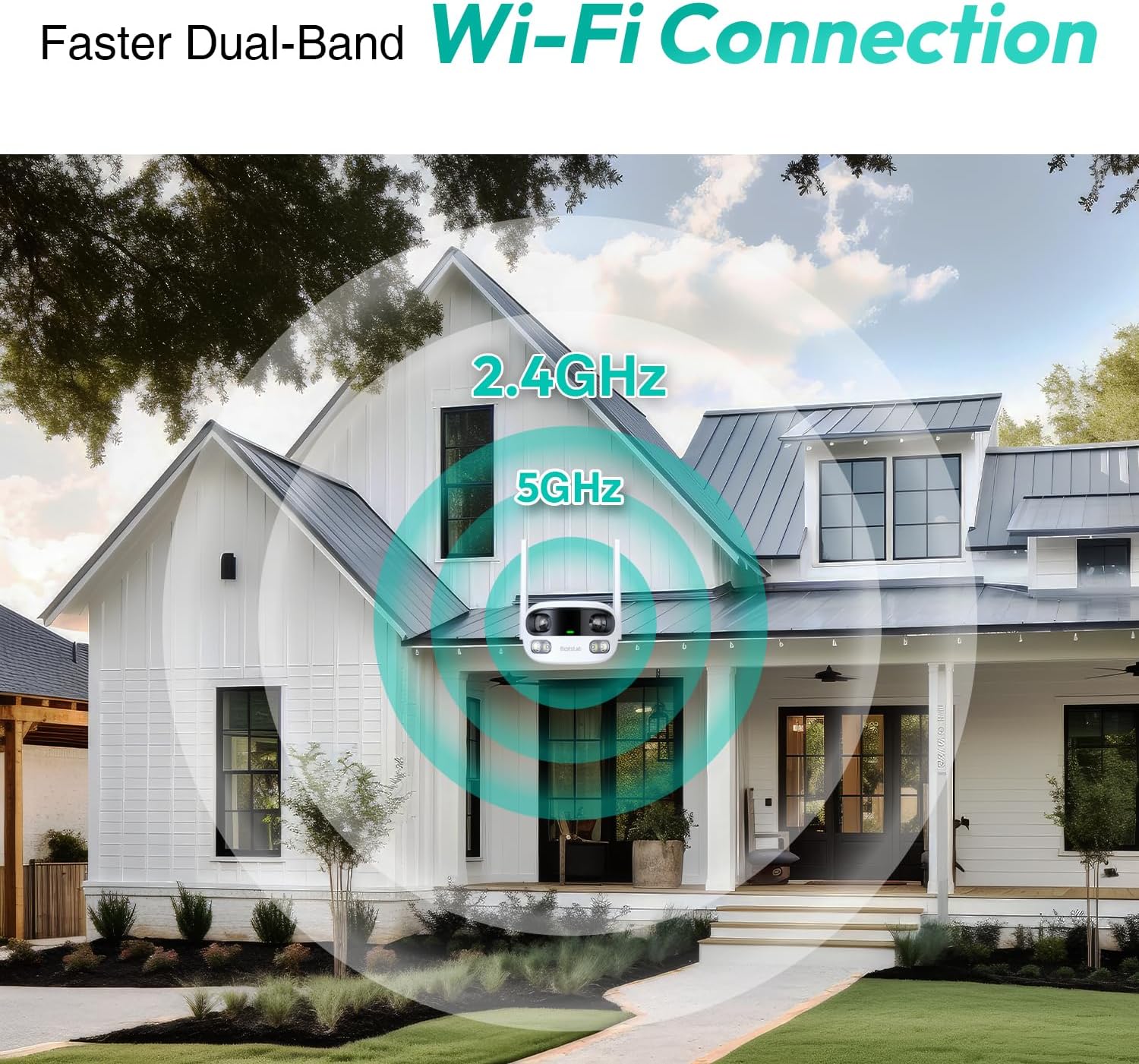
Figure 3.5: Faster Dual-Band Wi-Fi Connection.

Rysunek 3.6: Dwukierunkowa komunikacja audio.

Figure 3.7: IP66 Weatherproof Design.

Figure 3.8: Alexa & Google Assistant Integration.
4. Konfiguracja i instalacja
Follow these steps to properly install your BOTSLAB W302 camera.
- Wybierz lokalizację: Wybierz miejsce na zewnątrz z czystym powietrzem view of the area you wish to monitor. Ensure it's within Wi-Fi range and near a power outlet.
- Zamontuj wspornik: Use the provided positioning sticker to mark drill holes on the wall or ceiling. Drill the holes, insert expansion tubes, and securely fasten the bracket with screws.
- Zamocuj kamerę: Rotate the camera body and screw it onto the bracket. Adjust the camera's position and tighten the bracket.
- Podłącz zasilanie: Plug the power adapter into the camera and then into a power outlet. The indicator light will turn green and start flashing when ready for pairing.

Figure 4.1: Versatile Installation Options (Wall and Ceiling).
Wideo 4.1: Overview of the Botslab Security Camera Outdoor, including its features and installation process. This video is provided by Botslab Security.
5. Konfiguracja aplikacji
The Botslab app is essential for controlling and monitoring your camera. Download and install the app on your smartphone (available on App Store and Google Play).
- Zarejestruj się/Zaloguj: Open the Botslab app and register a new account or log in with an existing one.
- Dodaj urządzenie: Tap 'Add Device' or the '+' icon in the app.
- Skanowania QR code: Zeskanuj kod QR znajdujący się na spodzie aparatu.
- Połącz się z Wi-Fi: Follow the in-app instructions to connect the camera to your 2.4GHz or 5GHz Wi-Fi network. Ensure your phone is near the camera during this process.
- Powiązanie urządzenia: The app will bind the device to your account. Once connected, the indicator light on the camera will turn solid blue.
Wideo 5.1: Szczegółowy przeglądview of the Botslab W302 Outdoor Dual Lens Security Camera, including app setup and features. This video is provided by Galaxy Tech Review.
6. Instrukcja obsługi
Once configured, you can access and control your camera through the Botslab app.
- Na żywo View: Access the live feed from both lenses. You can switch between close-up and panoramic views, or use the left/right mode for individual lens feeds.
- Panoramowanie/powiększanie: In panoramic mode, slide the bottom image to pan left or right. Pinch to zoom on the close-up image.
- Dwukierunkowy dźwięk: Tap the phone icon to speak through the camera's speaker. Tap the mute icon to silence audio from the camera's microphone.
- Siren & Light Alarm: Activate the siren and floodlights manually from the app to deter intruders.
- Motion/Vehicle/Person Detection: Enable these features in the app settings to receive precise alerts.
- Strefy prywatności: Ustaw określone obszary w obrębie kamery view that will not be monitored for privacy.
- Widzenie nocne: The camera automatically adapts to low light. You can choose between full-color night vision (using floodlights) or infrared night vision.

Figure 6.1: Dual Live Views on the Botslab App.

Figure 6.2: Siren & Light Alarm for Instant Deterrence.

Figure 6.3: Configuring Privacy Zones.

Figure 6.4: Smart Security with Precise Alerts.
7. Opcje przechowywania
The BOTSLAB W302 offers flexible storage solutions for your recorded footage.
- Przechowywanie w chmurze Botslab: Includes a one-year trial with 7-day storage for motion-detected clips at 5-minute intervals.
- Pamięć lokalna: Supports up to 256GB MicroSD cards (not included). The MicroSD card slot is located under a protective cover at the bottom of the camera.

Figure 7.1: Cloud and Local Storage Options.
8. Specyfikacje
| Funkcja | Specyfikacja |
|---|---|
| Rozdzielczość przechwytywania wideo | 4 MP |
| Viewing kąt | 170 stopni |
| Technologia łączności | Wi-Fi 2.4 GHz/5 GHz |
| Międzynarodowa Ocena Ochrony | IP66 |
| Temperatura pracy | -20°C do 60°C |
| Zgodność z inteligentnym domem | Amazon Alexa, Asystent Google |
| Pamięć lokalna | Up to 256GB MicroSD (Not Included) |
| Źródło zasilania | Wired (AC power cord included) |
| Kolor | White Pro |
| Waga przedmiotu | 1.63 funta |
9. Konserwacja
- Czyszczenie: Regularnie czyść obiektyw i korpus aparatu miękką, miękką szmatką.amp Ściereczką usuń kurz i brud. Nie używaj silnych środków chemicznych.
- Aktualizacje oprogramowania układowego: Check the Botslab app periodically for firmware updates to ensure optimal performance and security.
- Zasilanie: Ensure the camera is connected to a stable power source. Avoid using unofficial power adapters.
- Zarządzanie kartami SD: If using local storage, regularly back up important footage and format the MicroSD card to maintain performance.
10. Rozwiązywanie Problemów
- Kamera offline: Check Wi-Fi connection and power supply. Try restarting the camera and your router.
- Słaba jakość wideo: Ensure the lens is clean. Check your Wi-Fi signal strength. Adjust camera placement if necessary.
- Problemy z wykrywaniem ruchu: Verify detection zones are correctly set in the app. Adjust sensitivity settings.
- Problemy z dwukierunkową transmisją dźwięku: Sprawdź ustawienia mikrofonu i głośnika w aplikacji. Upewnij się, że poziom głośności jest odpowiedni.
- Karta SD nie nagrywa: Ensure the MicroSD card is inserted correctly and is not full. Format the card if issues persist.
11. Gwarancja i wsparcie
BOTSLAB zobowiązuje się do oferowania wysokiej jakości produktów i doskonałej obsługi klienta.
- Gwarancja jakości: Enjoy a 365-day quality guarantee.
- Pomoc techniczna: Dostępne jest dożywotnie wsparcie techniczne.
- Zwroty: Możliwość bezpłatnego zwrotu w ciągu 30 dni.
- Fast Support: Expect support within 48 hours.
Aby uzyskać dalszą pomoc, odwiedź stronę global.botslab.com lub kontakt serwis@botslab.com.