
Wstęp
This manual provides essential information for setting up, operating, maintaining, and troubleshooting your Motorola Moto G84 5G smartphone. Please read this guide thoroughly to ensure proper use and to maximize your device's capabilities.
Organizować coś
1. Rozpakowanie i wstępna inspekcja
Ostrożnie wyjmij wszystkie przedmioty z opakowania. Pudełko powinno zawierać:
- Smartfon Motorola Moto G84 5G
- Kabel USB
- Etui na telefon
- Narzędzie do wyjmowania karty SIM
Przed kontynuacją sprawdź, czy urządzenie nie ma uszkodzeń fizycznych.
2. Instalacja karty SIM
The Moto G84 5G supports Dual SIM functionality using Nano SIM cards.
- Znajdź tackę na kartę SIM znajdującą się z boku urządzenia.
- Insert the SIM eject tool into the small hole on the SIM tray. Press firmly until the tray pops out.
- Place your Nano SIM card(s) into the designated slots on the tray, ensuring the gold contacts face downwards.
- Ostrożnie wsuń tackę karty SIM z powrotem do telefonu, aż zatrzaśnie się na miejscu.

Rysunek 1: Strona view of the Motorola Moto G84 5G, illustrating the location of the SIM card tray for installation.
3. Pierwsze włączenie zasilania
Press and hold the Power button located on the side of the device until the Motorola logo appears. Follow the on-screen prompts to complete the initial setup, including language selection, Wi-Fi connection, and Google account setup.

Rysunek 2: Strona view of the Motorola Moto G84 5G, highlighting the power and volume buttons for device control.
4. Ładowanie urządzenia
Before first use, it is recommended to fully charge your device. The Moto G84 5G features a 5000 mAh battery and supports 30W TurboPower charging.
- Podłącz kabel USB do portu USB-C znajdującego się na dole telefonu.
- Podłącz drugi koniec kabla USB do kompatybilnego zasilacza (sprzedawanego oddzielnie), a następnie podłącz go do gniazdka elektrycznego.
- Na ekranie pojawi się wskaźnik ładowania.
Instrukcja obsługi
1. Wyświetl
The Moto G84 5G features a 6.55-inch pOLED FHD+ display with a 120 Hz refresh rate, offering vibrant colors and smooth scrolling.
- Nawigacja na ekranie dotykowym: Interact with the device using touch gestures such as tap, swipe, pinch-to-zoom.
- Regulacja jasności: Dostosuj jasność ekranu w panelu Szybkie ustawienia lub ustawieniach wyświetlania.
- Częstotliwość odświeżania: The 120 Hz refresh rate provides a fluid visual experience. This can be adjusted in display settings to optimize battery life.
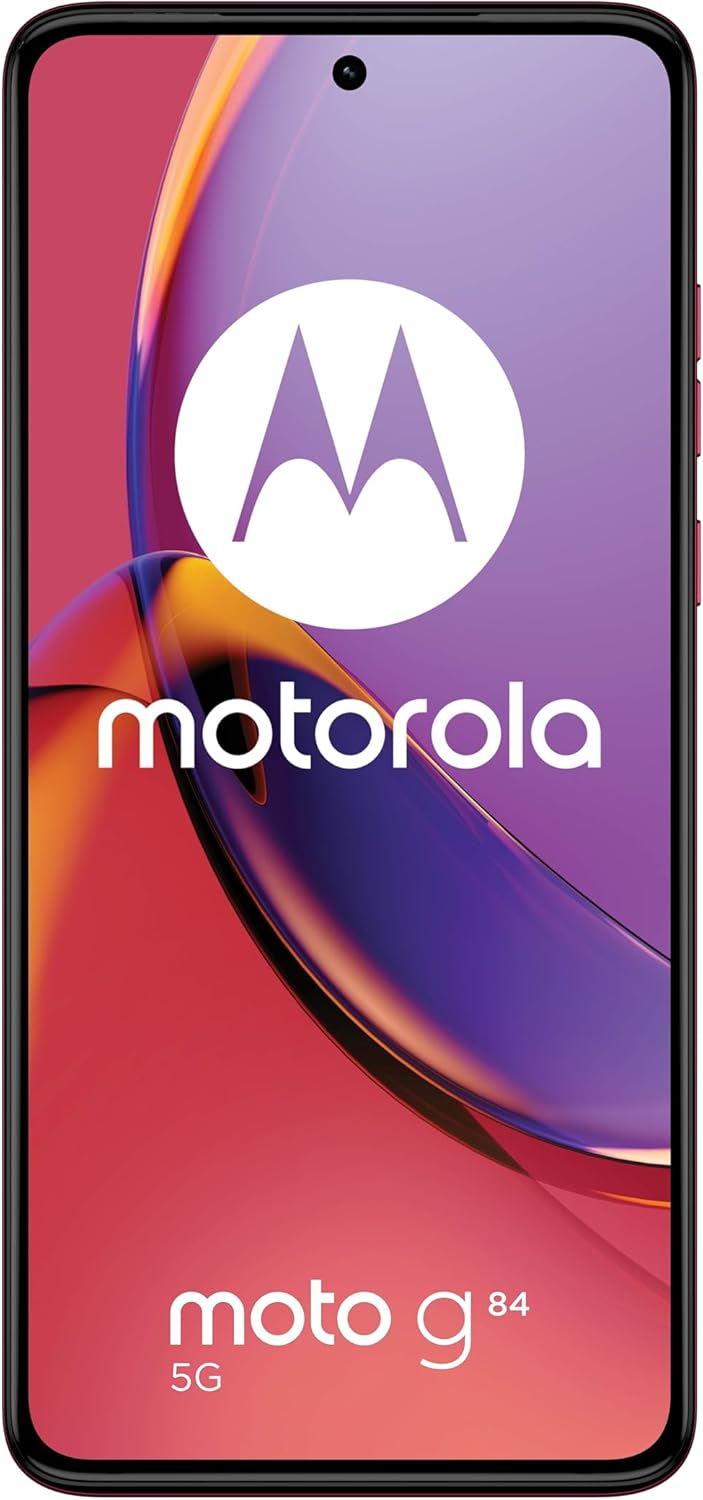
Rycina 3: Przód view of the Motorola Moto G84 5G, showcasing its vibrant pOLED display.
2. Aparat fotograficzny
The device is equipped with a 50 MP Ultra Pixel main camera with Optical Image Stabilization (OIS) and an 8 MP ultra-wide/macro lens on the rear, and a front-facing camera for selfies.
- Robienie zdjęć: Otwórz aplikację Aparat, skomponuj kadr i naciśnij przycisk migawki.
- Nagrywanie wideo: Switch to video mode in the Camera app. The device supports 4K video recording at 30 fps.
- Tryby aparatu: Explore various modes such as Portrait, Night Vision, Panorama, and Pro mode for advanced controls.

Rysunek 4: Tył view of the Motorola Moto G84 5G, highlighting the 50MP Ultra Pixel camera system.
3. audio
Experience immersive audio with Dolby Atmos, Motorola Spatial Audio, and Hi-Res Audio support through stereo speakers.
- Regulacja głośności: Use the volume buttons on the side of the device or the on-screen volume slider.
- Ustawienia audio: Dostosuj dźwięk profiles and Dolby Atmos settings in the Sound & Vibration menu.
4. Łączność
The Moto G84 5G offers comprehensive connectivity options.
- Sieć 5G: Connect to 5G networks for faster data speeds (requires 5G service plan).
- Wi-Fi: Connect to wireless networks via Wi-Fi settings.
- Bluetooth: Sparuj z urządzeniami Bluetooth, np. słuchawkami lub głośnikami.
- NFC: Korzystaj z technologii Near Field Communication, aby dokonywać płatności zbliżeniowych i szybko parować się z kompatybilnymi urządzeniami.
5. Biometric Features
The device supports biometric identification for enhanced security.
- Czujnik odcisków palców: Zarejestruj swoje odciski palców w ustawieniach zabezpieczeń, aby zapewnić szybkie i bezpieczne odblokowywanie.
- Odblokowanie twarzą: Skonfiguruj rozpoznawanie twarzy, aby ułatwić odblokowywanie.
6. Oprogramowanie
The Moto G84 5G runs on Android 13, offering a clean user interface and access to a wide range of applications via the Google Play Store.
- Aktualizacje systemu: Regularnie sprawdzaj dostępność aktualizacji systemu i instaluj je, aby zapewnić optymalną wydajność i bezpieczeństwo.
- Zarządzanie aplikacjami: Install, uninstall, and manage applications through the Settings menu or Google Play Store.
Konserwacja
1. Czyszczenie urządzenia
To keep your phone clean, gently wipe the screen and body with a soft, lint-free cloth. Avoid using harsh chemicals or abrasive materials.
2. Wodoodporność
The Moto G84 5G has an IP52 rating, meaning it is resistant to dust and splashing water. It is not waterproof. Avoid submerging the device in water or exposing it to high-pressure water jets.
Rozwiązywanie problemów
Typowe problemy i rozwiązania
- Urządzenie nie włącza się: Upewnij się, że bateria jest naładowana. Podłącz telefon do ładowarki i odczekaj kilka minut przed ponownym włączeniem.
- Problemy z ładowaniem: Check the USB cable and charger for damage. Try a different cable or power outlet. Ensure the charging port is clean and free of debris.
- Słaby sygnał sieciowy: Move to an area with better network coverage. Check if your SIM card is properly inserted. Restart the device.
- Aplikacje ulegają awarii lub zawieszają się: Zamknij i ponownie otwórz aplikację. Wyczyść pamięć podręczną i dane aplikacji w Ustawieniach > Aplikacje. Jeśli problem nadal występuje, odinstaluj aplikację i zainstaluj ją ponownie.
- Ekran nie reaguje: Wykonaj wymuszone ponowne uruchomienie, przytrzymując przycisk zasilania przez około 10–15 sekund.
Specyfikacje
| Funkcja | Specyfikacja |
|---|---|
| Nazwa modelu | Moto G84 5G |
| System operacyjny | Android 13 |
| Edytor | Snapdragon 695 (up to 2.2 GHz) |
| BARAN | 12 GB |
| Pamięć wewnętrzna | 256 GB |
| Wyświetlacz | 6.55-inch pOLED FHD+ (1080x2400), 120 Hz |
| Kamera tylna | 50 MP Ultra Pixel (OIS) + 8 MP Ultra-wide/Macro |
| Przednia kamera | 1 |
| Pojemność baterii | 5000 mAh |
| Ładowanie | TurboPower 30 W |
| Łączność | 5G, Wi-Fi, Bluetooth, NFC |
| Typ karty SIM | Podwójna karta Nano SIM |
| Odporność na wodę | IP52 (odporny na zachlapania) |
| Wymiary | Wymiary 16 x 7.4 x 0.8 cm |
| Waga | 160 gram |
| W zestawie: | USB Cable, Phone Case, SIM Eject Tool |
Gwarancja i wsparcie
Informacje o gwarancji
Your Motorola Moto G84 5G comes with a 2-year manufacturer's warranty. Please retain your proof of purchase for warranty claims. The warranty covers manufacturing defects but typically excludes damage caused by misuse, accidents, or unauthorized repairs.
Obsługa klienta
For further assistance, technical support, or warranty service, please visit the official Motorola support website or contact their customer service. Refer to the documentation included with your device for specific contact details in your region.
Ważne informacje dotyczące bezpieczeństwa
Always follow basic safety precautions when using your phone to reduce the risk of fire, electric shock, and injury. Do not disassemble the device. Use only approved accessories. Avoid extreme temperatures. Dispose of the device and battery responsibly according to local regulations.