
1. Wprowadzenie
Thank you for choosing the Baseus 35W USB C GaN5 Power Strip. This device is a versatile 7-in-1 charging station designed to power multiple electronic devices simultaneously. It features 3 AC outlets, 2 USB-C ports, and 2 USB-A ports, offering a total power output of 35W for fast charging and a 4000W power strip capacity. Equipped with advanced GaN5 technology and smart digital protection, it ensures efficient and safe charging for your laptops, tablets, smartphones, and other electronic gadgets.
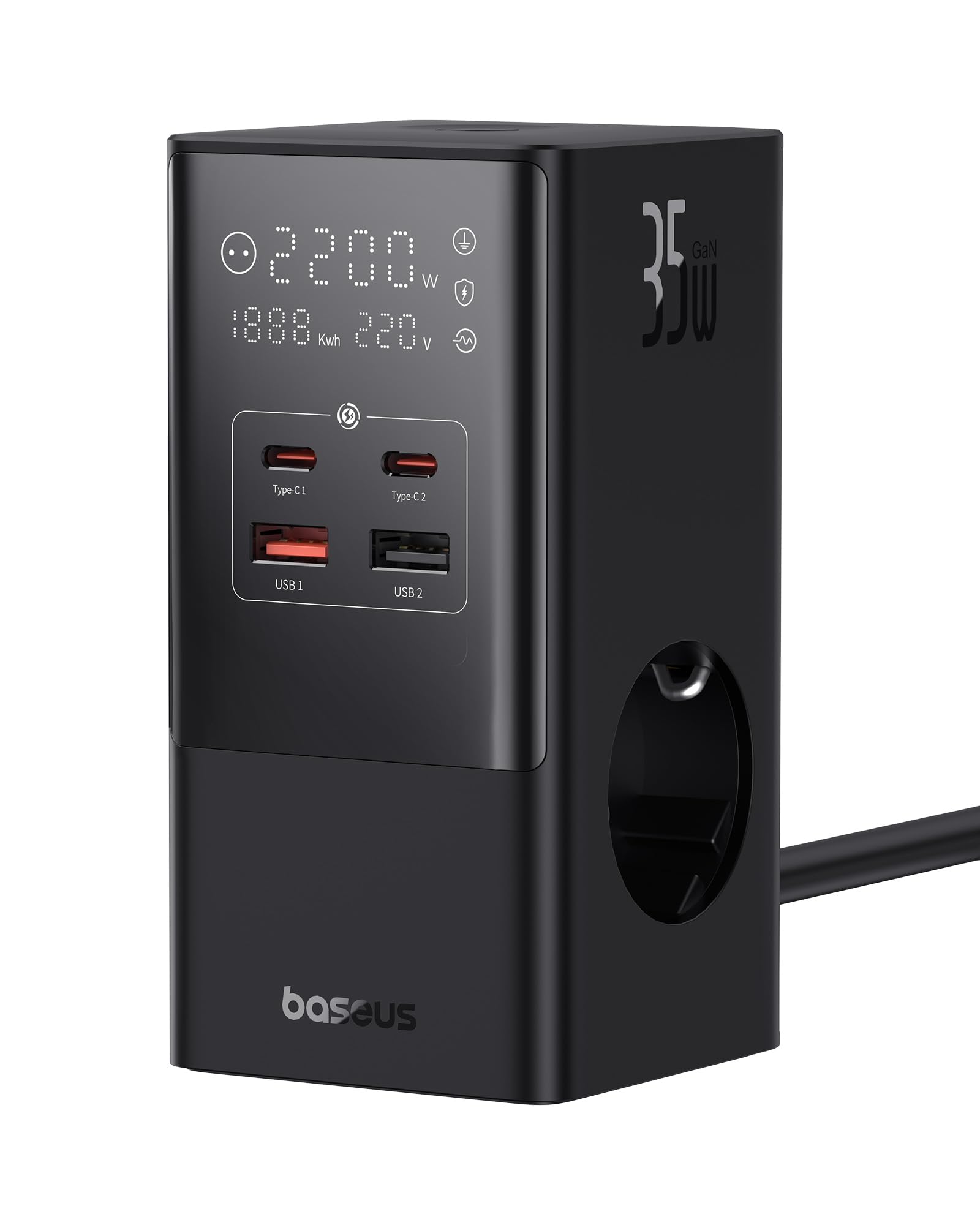
Image 1.1: The Baseus 7-in-1 Charging Station in use, illustrating its multiple ports and compact design.
2. Instrukcje bezpieczeństwa
Przed użyciem produktu należy przeczytać i zrozumieć wszystkie instrukcje bezpieczeństwa. Nieprzestrzeganie tych instrukcji może spowodować porażenie prądem, pożar lub poważne obrażenia.
- Do not exceed the maximum load of 4000W for the AC outlets.
- This device is equipped with 1200J surge protection and lightning protection. However, avoid using it during thunderstorms.
- Nie rozmontowuj, nie modyfikuj ani nie naprawiaj urządzenia samodzielnie. Skontaktuj się z wykwalifikowanym personelem serwisowym w celu uzyskania pomocy.
- Trzymaj urządzenie z dala od wody, wilgoci i wysokich temperatur.
- Ensure the power plug is fully inserted into the wall socket.
- Nie używaj urządzenia, jeśli kabel lub wtyczka są uszkodzone.
- Przechowywać w miejscu niedostępnym dla dzieci.
- The device features a 0.1-second automatic short-circuit shutdown to protect connected devices from overcurrent, overvoltage i niedobór głośnościtage.

Image 2.1: Illustration of the 1200J Surge & Lightning Protection feature, highlighting enhanced safety.
3. Zawartość opakowania
Sprawdź, czy w opakowaniu znajdują się wszystkie elementy:
- 1 x Baseus 35W USB C GaN5 Power Strip
- 1 x Instrukcja obsługi
- 1 x Karta gwarancyjna
- 1 x Nano Adhesive Pad
4. Funkcje produktu
The Baseus 35W USB C GaN5 Power Strip offers a comprehensive charging solution with multiple advanced features:
- Stacja ładująca 7 w 1: Equipped with 3 AC power outlets, 2 USB-C ports, and 2 USB-A ports to charge up to 7 devices simultaneously.
- Szybkie ładowanie PD o mocy 35 W: Utilizes GaN5 technology for efficient and rapid charging of compatible devices, such as MacBooks, iPads, and iPhones.
- 4000W Power Strip: Provides robust power delivery for various appliances and electronics.
- Inteligentny wyświetlacz cyfrowy: A unique digital screen monitors real-time charging information, including power, current, and charging status.
- Kompleksowe zabezpieczenia: Features 1200J surge protection, lightning protection, and 9 additional safety measures to safeguard your devices from current fluctuations and potential hazards.
- 0.1s Automatic Short-Circuit Shutdown: Industry-leading rapid shutdown mechanism to protect devices from damage due to short circuits or overloads.
- Automatic Power Split (BPS 2.0): Intelligently distributes power across connected USB ports for optimized charging efficiency.
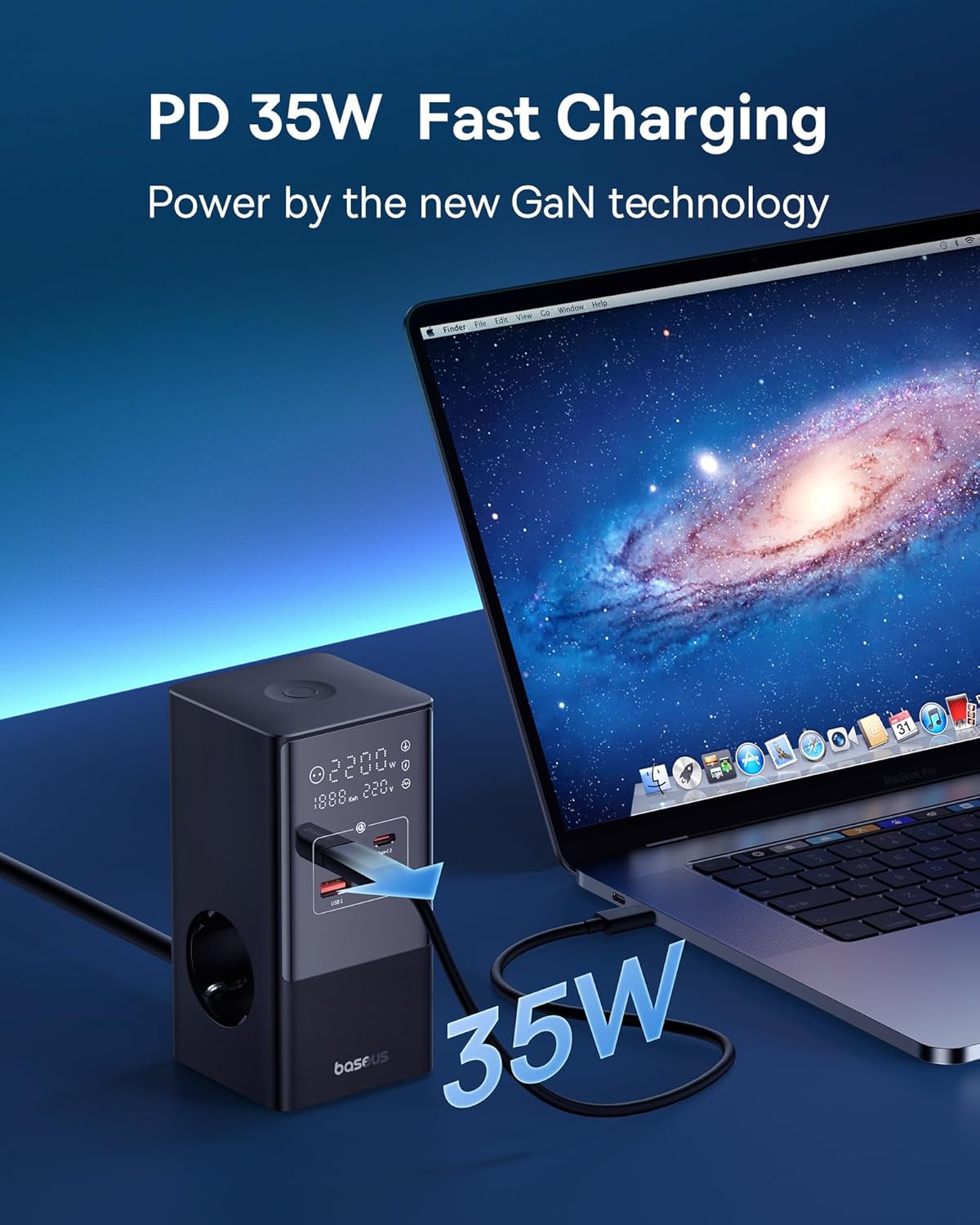
Image 4.1: The power strip providing 35W PD fast charging to a MacBook Pro.

Image 4.2: Visual representation of the Automatic Split Power feature, ensuring optimal power distribution.

Image 4.3: Digital Smart Protection actively eliminating potential hazards compared to standard power strips.
5. Konfiguracja
- Rozpakuj urządzenie: Carefully remove the power strip and all accessories from the packaging.
- Wybierz lokalizację: Place the power strip on a stable, flat surface, away from direct sunlight, heat sources, and moisture. Ensure adequate ventilation.
- Podłącz do zasilania: Podłącz główny kabel listwy zasilającej do uziemionego gniazdka ściennego.
- Optional: Secure with Nano Adhesive Pad: If desired, use the provided nano adhesive pad to secure the power strip to a surface. Ensure the surface is clean and dry before application.
- Podłącz urządzenia: Plug your electronic devices into the available AC outlets, USB-C ports, or USB-A ports.
6. Instrukcja obsługi
6.1 Korzystanie z gniazdek prądu zmiennego
- Insert the power plugs of your devices into the 3 AC outlets.
- Ensure that the total power consumption of all connected AC devices does not exceed 4000W.
6.2 Korzystanie z portów ładowania USB
- Connect your USB-C compatible devices to the 2 USB-C ports for fast charging.
- Connect your USB-A compatible devices to the 2 USB-A ports.
- The power strip will automatically detect the connected device and deliver optimal charging current.
6.3 Zrozumienie wyświetlacza cyfrowego
The integrated digital display provides real-time feedback on the power strip's status:
- Working Status Display: Shows the current power output (W) and voltagmi (V).
- Digital Protection Indication: Indicates active protection features.
- Grounded Indication: Confirms proper grounding for safety.

Image 6.1: The smart digital display providing real-time charging status and safety indicators.
7. Konserwacja
- Czyszczenie: Przed czyszczeniem odłącz listwę zasilającą od gniazdka ściennego. Do przetarcia powierzchni użyj miękkiej, suchej ściereczki. Nie używaj płynów ani aerozoli czyszczących.
- Składowanie: Jeśli nie używasz urządzenia przez dłuższy czas, odłącz je od zasilania i przechowuj w chłodnym, suchym miejscu.
- Kontrola: Okresowo sprawdzaj przewód zasilający i wtyczkę pod kątem uszkodzeń. W przypadku stwierdzenia uszkodzenia, zaprzestań użytkowania i skontaktuj się z obsługą klienta.
8. Rozwiązywanie Problemów
Jeśli masz problemy z listwą zasilającą Baseus, zapoznaj się z poniższymi typowymi problemami i ich rozwiązaniami:
| Problem | Możliwa przyczyna | Rozwiązanie |
|---|---|---|
| Brak zasilania podłączonych urządzeń. | Power strip not plugged in; wall outlet not working; device's power switch off; internal safety mechanism triggered. | Ensure the power strip is securely plugged into a live wall outlet. Check if the wall outlet works with another device. Verify connected devices are switched on. Unplug all devices, wait a few minutes, and plug them back in. |
| Powolne ładowanie przez porty USB. | Cable issue; device not supporting fast charging; multiple devices drawing high power simultaneously. | Use a high-quality, fast-charging compatible USB cable. Ensure your device supports PD fast charging. If many devices are connected, the power may be distributed, reducing individual port speed. Try charging fewer devices. |
| Digital display is off or flickering. | Loose connection; internal fault. | Ensure the power strip is firmly plugged into the wall outlet. If the issue persists, discontinue use and contact customer support. |
| Listwa zasilająca jest gorąca. | Overload; poor ventilation. | Reduce the number of connected devices, especially high-power ones. Ensure the power strip has adequate airflow and is not covered. If it remains excessively hot, unplug immediately. |
9. Specyfikacje
| Marka | Baza |
| Model | CCGAN35-S3ACE |
| Kolor | Czarny |
| Gniazda prądu przemiennego | 3 |
| Porty USB | 2 x USB-C, 2 x USB-A (Total 4 USB ports) |
| Max AC Power Output | 4000 W |
| Max USB Power Output | 35 W (całkowity) |
| Tomtage | 230 V |
| Maksymalny prąd | 17.39 Ampjesteś |
| Ocena ochrony przeciwprzepięciowej | 1200 dżuli |
| Tworzywo | Plastikowy |
| Wymiary (dł. x szer.) | 6.6 x 6.6 centymetrów |
| Waga | 519 gram |
| Kompatybilne urządzenia | MacBook Pro/Air, XPS, ThinkPad, MateBook, iPhone 15/14/13/12 series, iPad Pro/Air/Mini, Galaxy S/Tab series, Pixel, Redmi, Xiaomi, and other USB-C/USB-A powered devices. |
10. Gwarancja i obsługa klienta
This product comes with a warranty. Please refer to the included Warranty Card for specific terms and conditions regarding coverage and duration. For technical support, troubleshooting assistance, or warranty claims, please contact Baseus customer service through their official webwitrynę lub sprzedawcę, u którego zakupiono produkt.
For further information, you may visit the official Baseus store: Oficjalny sklep Baseus