
JYX JYX-70
JYX 82BT Karaoke Machine User Manual
Portable Bluetooth Speaker with UHF Microphone
1. Wprowadzenie
Dziękujemy za zakupasing the JYX 82BT Portable Karaoke Machine. This device combines a powerful Bluetooth speaker with a UHF microphone, offering versatile entertainment options including karaoke, FM radio, audio recording, and TWS functionality. Please read this manual carefully to ensure proper use and to maximize your enjoyment of the product.

Figure 1: JYX 82BT Karaoke Machine, showing the main unit, wireless UHF microphone, and remote control.
2. Funkcje produktu
- Funny Sound Effects: Features Monster, Male, Female, and Baby-voice options via remote control for an enhanced karaoke experience.
- Jakość dźwięku HD Stereo: Equipped with a 6.5-inch subwoofer and 2-inch tweeter, delivering 15W power output. Independent Treble/Bass adjustment ensures clear and strong audio.
- Bluetooth 5.0 DSP Chip: Provides stable wireless streaming with extended range for uninterrupted connectivity.
- Tryb TWS: Allows pairing of two JYX 82BT units for synchronized, powerful stereo sound.
- Wiele opcji łączności: Supports Bluetooth, USB, TF card, and 3.5mm auxiliary input.
- Funkcje dodatkowe: Includes FM radio, audio recording, and echo control.
- Automatic Microphone Connection: Microphone connects automatically to the speaker upon power-on.

Rysunek 2: Koniecview of JYX 82BT's rich feature extensions, including Karaoke, Voice Change, Radio, Sound Recording, Bluetooth, AUX In, USB, and TF Card support.
3. Co znajduje się w pudełku
Po rozpakowaniu należy sprawdzić, czy znajdują się w nim wszystkie poniższe elementy:
- JYX 82BT Karaoke Machine (Amplifier/Speaker Unit)
- Mikrofon bezprzewodowy UHF
- Zdalne sterowanie
- Kabel ładujący
- Instrukcja obsługi (ten dokument)
4. Przewodnik konfiguracji
4.1 Ładowanie urządzenia
Before first use, fully charge the JYX 82BT unit. Connect the provided charging cable to the charging port on the speaker and to a suitable power adapter (not included). The charging indicator will show the charging status. A full charge provides approximately 12 hours of playing time.

Figure 3: The JYX 82BT offers up to 12 hours of playing time on a single charge, thanks to its 5200mAh battery.
4.2 Włączanie/wyłączanie
Locate the power switch on the JYX 82BT unit. Press and hold the power button for a few seconds to turn the unit ON or OFF. The display will illuminate when the unit is powered on.
4.3 Podłączenie mikrofonu
Insert batteries into the UHF wireless microphone (batteries not included). Turn on the microphone. The microphone will automatically connect to the JYX 82BT speaker when both devices are powered on and within range. No manual pairing is required for the microphone.
5. Instrukcja obsługi
5.1 Tryb Bluetooth
- Turn on the JYX 82BT speaker. It will automatically enter Bluetooth pairing mode, indicated by a flashing "BLUE" on the display.
- On your smartphone, tablet, or other Bluetooth-enabled device, search for "JYX-82BT" in the Bluetooth settings.
- Select "JYX-82BT" to connect. Once connected, the "BLUE" indicator will stop flashing and remain solid.
- You can now play audio from your connected device through the JYX 82BT speaker.
5.2 Parowanie TWS (prawdziwe bezprzewodowe stereo)
To achieve a true stereo sound experience, you can pair two JYX 82BT units together:
- Ensure both JYX 82BT speakers are powered on and not connected to any other Bluetooth device.
- On one of the speakers, press and hold the TWS button (refer to the control panel diagram in the product packaging if available). The speaker will emit a prompt sound.
- The two speakers will automatically search for and pair with each other. Once paired, you will hear a confirmation sound.
- Now, connect your Bluetooth device to one of the paired JYX 82BT speakers as described in Section 5.1. Audio will play through both speakers in stereo.
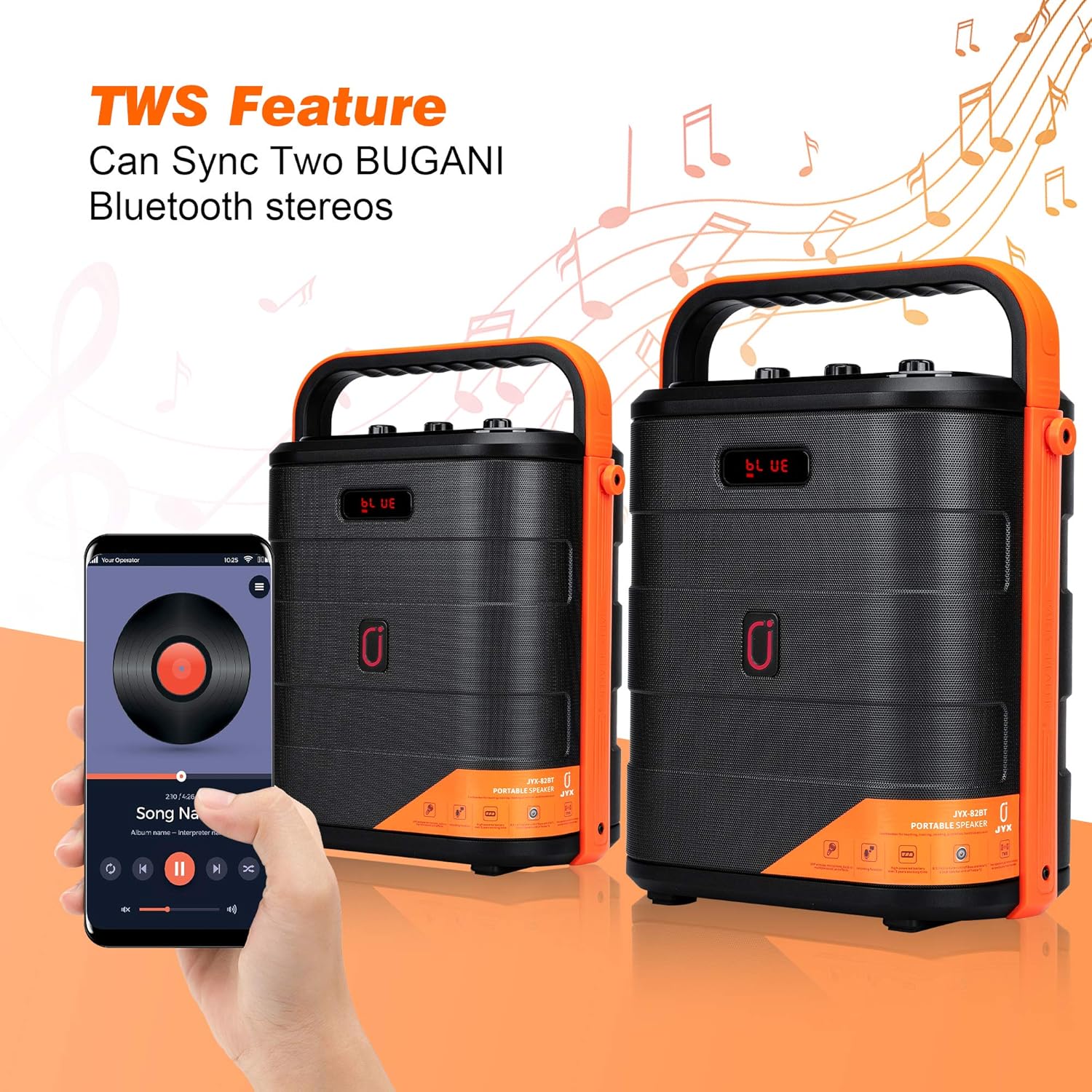
Figure 4: The TWS feature allows two JYX 82BT units to sync for a powerful, immersive stereo sound experience.
5.3 Odtwarzanie z karty USB/TF
Insert a USB flash drive or TF (microSD) card containing MP3 audio files into the respective port on the JYX 82BT. The unit will automatically switch to USB/TF mode and begin playing music. Use the control buttons on the unit or remote control to navigate tracks.
5.4 Tryb wejścia AUX
Connect an external audio device (e.g., MP3 player, computer) to the JYX 82BT using a 3.5mm AUX cable (not included). The unit will automatically switch to AUX mode. Adjust volume from both the connected device and the JYX 82BT.
Tryb radia FM 5.5
Press the "MODE" button on the unit or remote control to switch to FM Radio mode. Press the Play/Pause button to auto-scan and save available radio stations. Use the Previous/Next track buttons to switch between saved stations.
5.6 Nagrywanie dźwięku
To record audio (e.g., your singing with the microphone), ensure a USB drive or TF card is inserted. In microphone mode, press the "REC" button on the remote control. Press "REC" again to stop recording. Recordings are saved to the inserted storage device.
5.7 Korzystanie z pilota zdalnego sterowania
The included remote control provides full functionality for the JYX 82BT. Key functions include:
- Moc: Włącz/wyłącz urządzenie.
- Tryb: Switch between Bluetooth, FM, USB/TF, and AUX modes.
- Głośność +/-: Dostosuj głośność główną.
- Poprzednie Następne: Poruszaj się po utworach lub stacjach radiowych.
- Odtwórz/Pauza: Kontroluj odtwarzanie.
- REK: Start/stop audio recording.
- Zmieniacz głosu: Buttons for Monster, Male, Female, and Baby-voice effects.
- Echo: Dostosuj efekt echa mikrofonu.
- Klawiatura numeryczna: Direct track selection (in USB/TF mode).
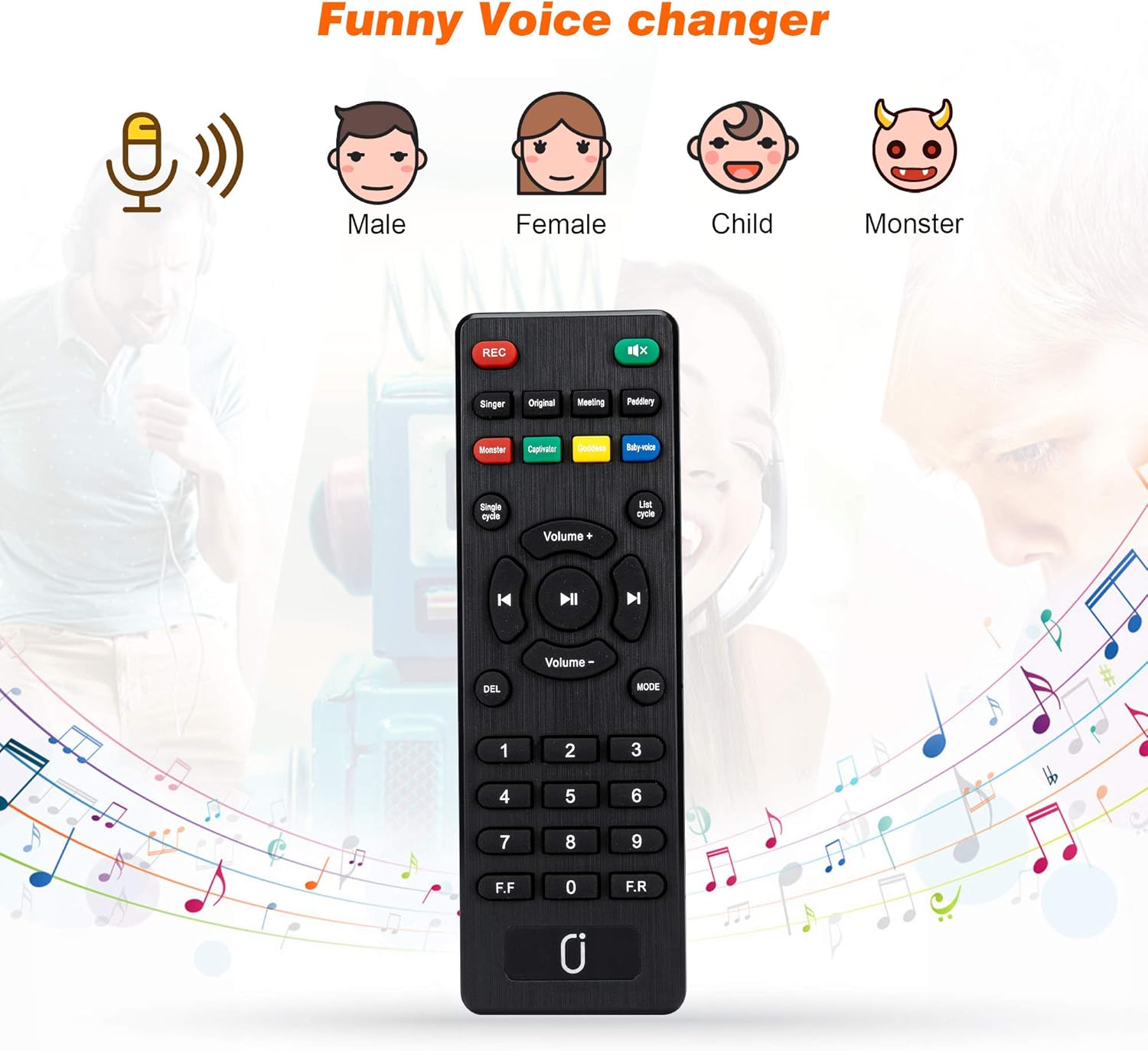
Figure 5: The remote control allows access to various functions, including the fun voice changer effects.
6. Konserwacja i pielęgnacja
- Czyszczenie: Do czyszczenia powierzchni urządzenia należy używać miękkiej, suchej ściereczki. Nie należy używać środków czyszczących o właściwościach ściernych ani rozpuszczalników.
- Składowanie: Przechowywać urządzenie w chłodnym, suchym miejscu, z dala od bezpośredniego światła słonecznego i ekstremalnych temperatur.
- Pielęgnacja baterii: If the unit will not be used for an extended period, charge it periodically to maintain battery health.
- Narażenie na działanie wody: To urządzenie nie jest wodoodporne. Unikaj narażenia na działanie wody i wysokiej wilgotności.
7. Rozwiązywanie Problemów
| Problem | Możliwa przyczyna | Rozwiązanie |
|---|---|---|
| Brak zasilania | Bateria jest rozładowana. | Naładuj urządzenie całkowicie. |
| Brak dźwięku | Głośność jest zbyt niska; wybrano niewłaściwy tryb; urządzenie nie jest prawidłowo podłączone. | Increase volume; ensure correct input mode (Bluetooth, AUX, USB/TF); re-pair Bluetooth device or check cable connection. |
| Mikrofon nie działa | Microphone batteries are low or dead; microphone not powered on; microphone out of range. | Replace microphone batteries; ensure microphone is powered on; move microphone closer to the speaker. |
| Połączenie Bluetooth niestabilne | Device too far from speaker; interference from other devices. | Move device closer to speaker; turn off other Bluetooth devices nearby. |
| Parowanie TWS nie powiodło się | One or both units already connected to another device; TWS button not pressed correctly. | Disconnect both units from any Bluetooth devices; ensure only one unit initiates TWS pairing. |
8. Specyfikacje
| Funkcja | Szczegół |
|---|---|
| Numer modelu | JYX-70 |
| Moc wyjściowatage | 15 watów |
| Liczba kanałów | 2 |
| Technologia łączności | Bluetooth 5.0, AUX, USB |
| Źródło zasilania | Zasilany bateryjnie (5200mAh) |
| Czas gry | Do 12 godzin |
| Wymiary produktu (dł. x szer. x wys.) | 10 x 6.06 x 12.99 cala |
| Waga przedmiotu | 7.54 funta |
| Kolor | Pomarańczowy |
| Kompatybilne urządzenia | Radio, Smartphone, Tablet |
9. Informacje dotyczące bezpieczeństwa
- Nie wystawiaj urządzenia na działanie ekstremalnych temperatur, bezpośredniego światła słonecznego i wysokiej wilgotności.
- Nie rozmontowuj ani nie próbuj samodzielnie naprawiać urządzenia. Wszelkie prace serwisowe powierzaj wykwalifikowanemu personelowi.
- Trzymaj urządzenie z dala od dzieci i zwierząt.
- Use only the specified charging cable and power adapter (if applicable) to avoid damage or fire.
- Unikaj słuchania przy dużej głośności przez dłuższy czas, aby zapobiec uszkodzeniu słuchu.
10. Gwarancja i wsparcie
JYX products are designed for reliability and performance. For warranty information or technical support, please refer to the contact details provided with your purchase or visit the official JYX webStrona. Zachowaj dowód zakupu na wypadek roszczeń gwarancyjnych.
Ask a question about this manual
Ask about setup, troubleshooting, compatibility, parts, safety, or missing instructions. Manuals+ will review the question and use this page’s manual context to help answer it.