Wstęp
This manual provides detailed instructions for the setup, operation, maintenance, and troubleshooting of your NiPoGi AK1 PRO Mini PC. The AK1 PRO is a compact desktop computer powered by an 11th Generation Intel Celeron N5105 processor, designed for efficient daily tasks, multimedia playback, and business applications. It features 12GB DDR4 RAM, a 256GB M.2 SSD, 4K UHD video output, dual display support, Dual Band WiFi, and Bluetooth 4.2.
Co jest w pudełku
Prosimy o sprawdzenie zawartości przesyłki po jej otrzymaniu. Standardowy pakiet obejmuje:
- 1 x NiPoGi AK1 PRO Mini PC (12GB RAM, 256GB ROM)
- 1 x zasilacz UE
- 1 x kabel HDMI
- 1 x VESA Bracket with Screws
- 1 x Instrukcja obsługi
Produkt ponadview
The NiPoGi AK1 PRO Mini PC is designed with various ports for connectivity and expansion. Familiarize yourself with the layout below.
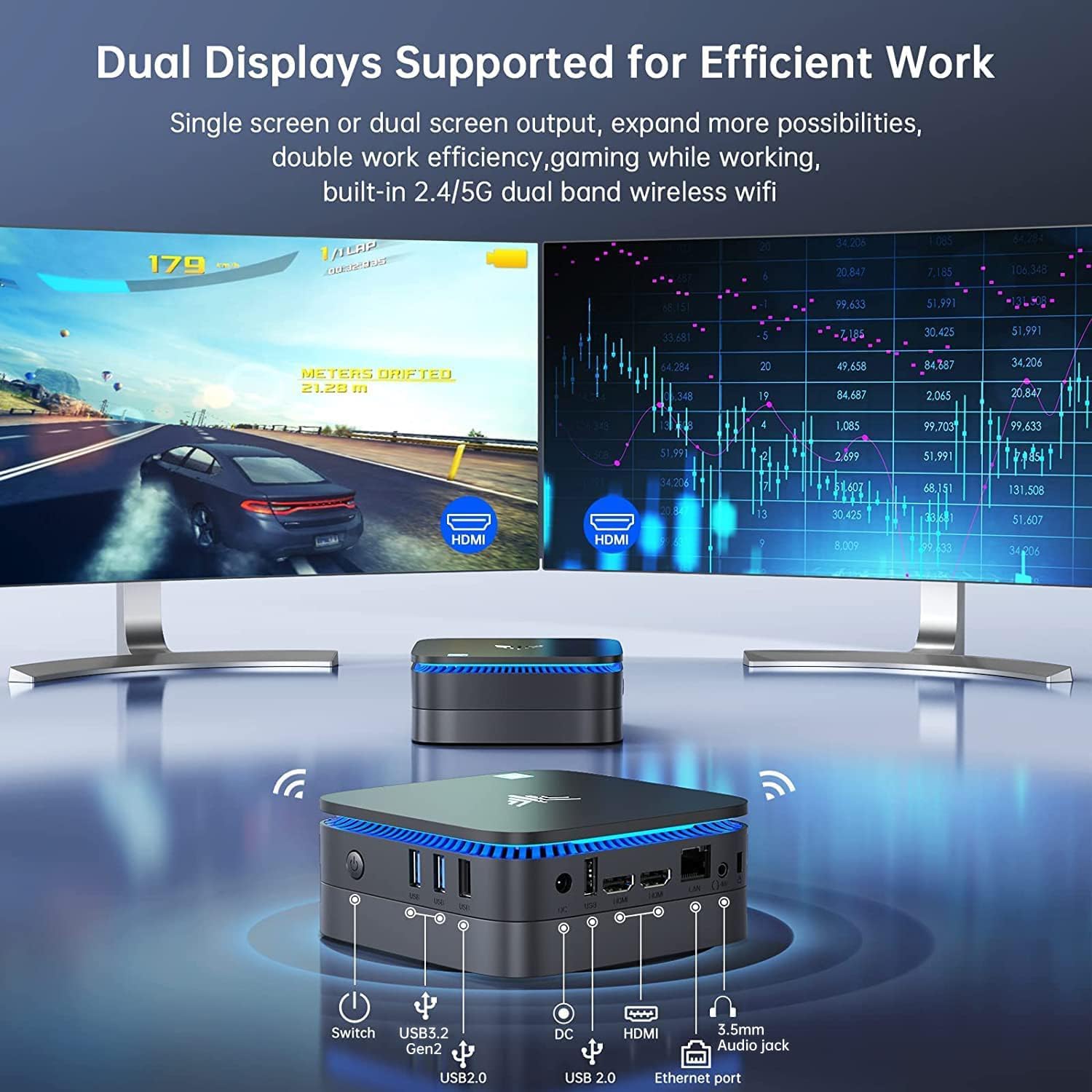
Obraz: Przód i tył view of the NiPoGi AK1 PRO Mini PC, highlighting its various ports and compact design. The front features the power button and USB ports, while the rear includes HDMI, Ethernet, and additional USB ports.
Układ portu:
- Przód: Power Button, 2 x USB 3.0 ports, 2 x USB 2.0 ports
- Tył: DC Power Input, 2 x HDMI ports, 1 x RJ45 Gigabit Ethernet port, 1 x 3.5mm Audio Jack
Główne cechy:
- Edytor: 11th Gen Intel Celeron N5105 Quad-Core (up to 2.9 GHz)
- Grafika: Intel UHD Graphics, supporting 4K UHD (4096x2160@60Hz)
- Pamięć: 12 GB pamięci RAM DDR4
- Składowanie: 256GB M.2 SSD (expandable with 2.5-inch SSD/HDD up to 2TB)
- Łączność: Dual Band 2.4GHz+5GHz WiFi, Gigabit Ethernet, Bluetooth 4.2
- Wyjście wyświetlacza: Dual HDMI for dual screen setup
- System operacyjny: Preinstalowany system operacyjny
Przewodnik po konfiguracji
Follow these steps to set up your NiPoGi AK1 PRO Mini PC for the first time.
- Podłącz do wyświetlacza: Use the provided HDMI cable to connect the Mini PC to your monitor or TV. The AK1 PRO supports dual displays, so you can connect two monitors via the two HDMI ports.
- Podłącz urządzenia peryferyjne: Podłącz klawiaturę i mysz USB do dostępnych portów USB.
- Podłącz do zasilania: Connect the EU power adapter to the DC input port on the Mini PC, then plug the adapter into a power outlet.
- Włączanie: Press the power button located on the front of the Mini PC. The device will boot up, and the blue light will illuminate.
- Początkowa konfiguracja systemu operacyjnego: Follow the on-screen instructions to complete the operating system setup, including language, region, and network configuration.
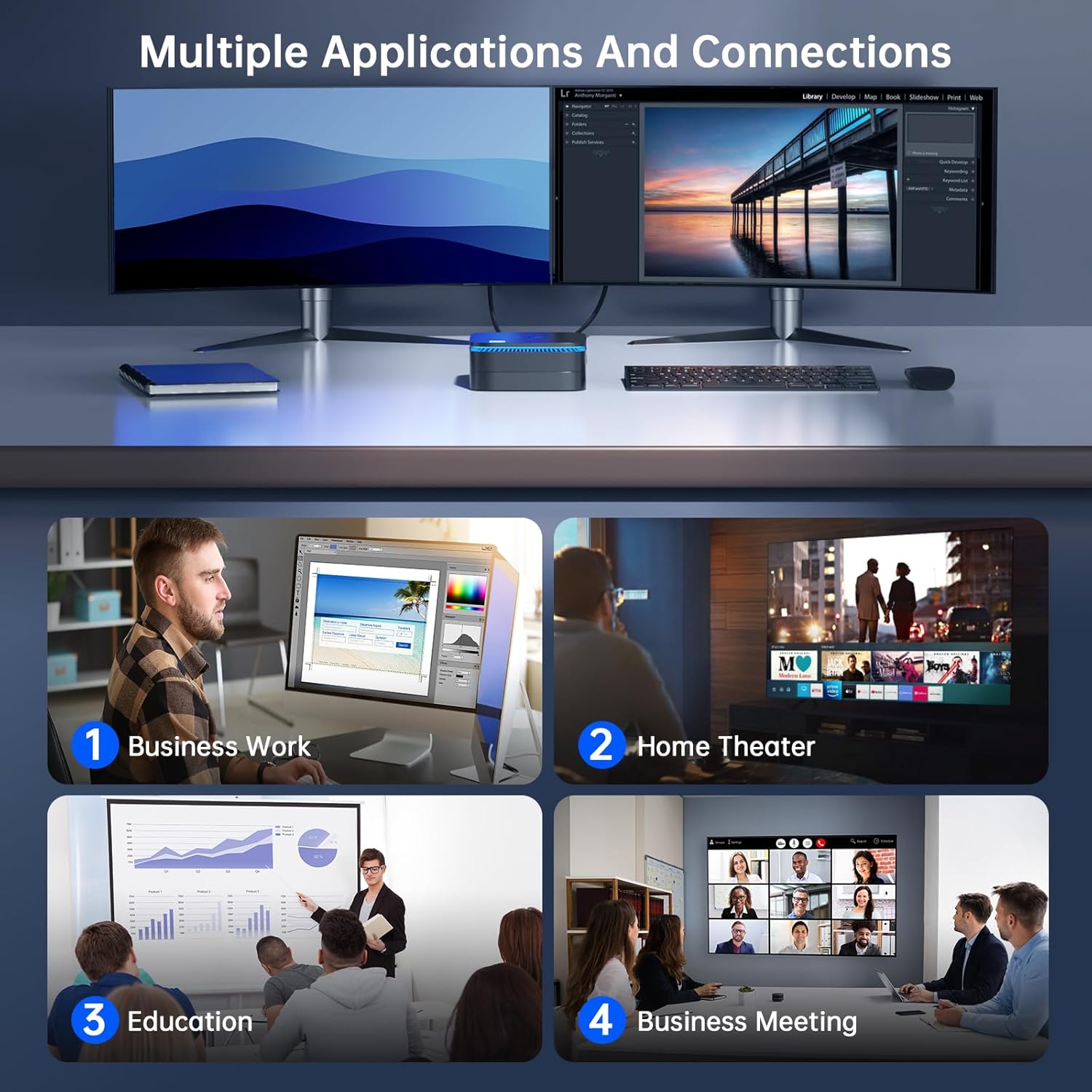
Obraz: The NiPoGi AK1 PRO Mini PC demonstrating multiple applications and connections, including business work, home theater, education, and business meetings, showcasinze względu na swoją wszechstronność.
Instrukcja obsługi
Podstawowa obsługa:
- Włączanie/wyłączanie: Press the front power button to turn the PC on. To turn off, use the operating system's shutdown function or press and hold the power button for a few seconds for a forced shutdown (not recommended for regular use).
- Uruchom ponownie: Użyj funkcji ponownego uruchomienia systemu operacyjnego.
- Tryb uśpienia: The PC can enter sleep mode to save power. Wake it up by moving the mouse or pressing a key on the keyboard.
4K UHD Video Playback:
The integrated Intel UHD Graphics supports 4K UHD resolution (4096x2160@60Hz), providing a clear visual experience for movies, streaming, and presentations.

Obraz: A person enjoying 4K HD video playback on a large display, powered by the NiPoGi AK1 PRO Mini PC, highlighting its multimedia capabilities and wireless Bluetooth support.
Konfiguracja z dwoma wyświetlaczami:
Connect two monitors to the two HDMI ports for an extended desktop experience. This can enhance productivity for work or provide a more immersive entertainment setup. Configure display settings within your operating system.
Rozszerzenie pamięci masowej
The NiPoGi AK1 PRO Mini PC comes with a 256GB M.2 SSD. For additional storage, you can install a 2.5-inch SSD or HDD (not included) in the removable base, supporting up to 2TB.
Kroki instalacji:
- Ensure the Mini PC is powered off and disconnected from the power adapter.
- Ostrożnie otwórz dolną pokrywę komputera Mini PC.
- Insert your 2.5-inch SSD/HDD into the designated slot in the removable base.
- Secure the drive with screws if necessary (check the base for mounting points).
- Załóż ponownie dolną pokrywę.
- After powering on, you may need to initialize and format the new drive through your operating system's disk management tools.

Obraz: A visual tutorial demonstrating how to install a 2.5-inch SSD or HDD into the NiPoGi AK1 PRO Mini PC by opening the bottom cover and inserting the drive into the expansion bay.
Instalacja uchwytu VESA
The included VESA bracket allows you to mount the Mini PC to the back of a compatible monitor or TV, saving desk space and creating an all-in-one computing solution.
Kroki instalacji:
- Attach the VESA bracket to the back of your monitor using the provided screws. Ensure your monitor has standard VESA mounting holes.
- Slide the NiPoGi AK1 PRO Mini PC onto the VESA bracket until it clicks securely into place.
- Connect all necessary cables (power, HDMI, peripherals) to the Mini PC.

Obraz: The NiPoGi AK1 PRO Mini PC shown mounted on the rear of a computer monitor using a VESA bracket, illustrating how it can transform into an all-in-one computer and save desk space.
Konserwacja
Właściwa konserwacja gwarantuje długowieczność i optymalną wydajność Twojego Mini PC.
- Czyszczenie: Regularly clean the exterior of the Mini PC with a soft, dry cloth. Use compressed air to clear dust from ventilation openings to prevent overheating.
- Aktualizacje oprogramowania: Aktualizuj system operacyjny i sterowniki, aby zapewnić bezpieczeństwo i wydajność.
- Warunki środowiskowe: Używaj Mini PC w dobrze wentylowanym pomieszczeniu, z dala od bezpośredniego światła słonecznego, nadmiernego ciepła i wilgoci.
- Zarządzanie energią: Use the provided power adapter. Avoid frequent abrupt power cuts.
Rozwiązywanie problemów
If you encounter issues with your Mini PC, refer to the following common troubleshooting steps.
- Brak zasilania:
- Upewnij się, że zasilacz jest prawidłowo podłączony do komputera Mini PC i do sprawnego gniazdka elektrycznego.
- Sprawdź, czy gniazdko elektryczne działa prawidłowo, podłączając do niego inne urządzenie.
- Brak wyświetlacza:
- Check that the HDMI cable is firmly connected to both the Mini PC and the monitor.
- Sprawdź, czy monitor jest włączony i ustawiony na prawidłowe źródło sygnału wejściowego (HDMI 1, HDMI 2 itd.).
- Jeśli to możliwe, wypróbuj inny kabel HDMI lub monitor.
- Brak połączenia internetowego (Wi-Fi/Ethernet):
- For Wi-Fi, ensure the Wi-Fi adapter is enabled in the operating system and you are connected to the correct network with the correct password.
- For Ethernet, ensure the Ethernet cable is securely connected to both the Mini PC and your router/modem. Check router status.
- Uruchom ponownie router/modem i komputer Mini PC.
- Niska wydajność:
- Zamknij niepotrzebne aplikacje działające w tle.
- Upewnij się, że na dysku głównym jest wystarczająca ilość wolnego miejsca.
- Check for and install any pending operating system updates.
- Monitor CPU and RAM usage through Task Manager (Windows) to identify resource-intensive processes.
Specyfikacje
Detailed technical specifications for the NiPoGi AK1 PRO Mini PC.
| Funkcja | Szczegół |
|---|---|
| Marka | NiPoGi |
| Seria modeli | AK1PRO N5105/12GB RAM+256GB ROM |
| Edytor | Intel Celeron N5105 (11th Gen, Quad-Core, up to 2.9 GHz) |
| Koprocesor graficzny | Grafika Intel UHD |
| BARAN | 12 GB DDR4 |
| Składowanie | 256GB M.2 SSD (Expandable with 2.5" SSD/HDD up to 2TB) |
| System operacyjny | OS |
| Łączność | Dual Band Wi-Fi (802.11a/b/g/n/ac), Bluetooth 4.2, Gigabit Ethernet |
| Porty USB | 2 x USB 3.0, 2 x USB 2.0 |
| Porty HDMI | 2 (supports dual display, 4K UHD resolution) |
| Audio | 1 x gniazdo audio 3.5 mm |
| Wymiary | 12.8 x 12.8 x 5.15 cm (ok. 5.04 x 5.04 x 2.05 cala) |
| Waga | 274 gramów |
| Kolor | Czarny |
Gwarancja i wsparcie
NiPoGi provides comprehensive support and warranty services for your Mini PC.
Skontaktuj się z pomocą techniczną:
- Amazon Orders: Log in to Amazon, go to "Your Account", then "Your Orders", and select "Ask Product Question" for assistance.
- Wsparcie e-mailowe: support@inipogi.com
- Wsparcie telefoniczne: +44 808 175 2348 (od poniedziałku do piątku, 9:00-17:00 czasu wschodniego)
NiPoGi offers maintenance points for exchange or repair of your mini PC during the warranty period. Please retain your proof of purchase for warranty claims.

Obraz: Information regarding NiPoGi's "All-Around Protection" plan, including contact methods for support via Amazon, email, and phone, and details about maintenance services.