
Wstęp
Thank you for choosing the SHARE SUNSHINE Wireless Ergonomic Vertical Optical Mouse. This manual provides essential information for setting up, operating, and maintaining your new mouse. Designed for comfort and precision, this vertical mouse aims to reduce wrist strain and enhance your computing experience.


Zawartość opakowania
Proszę sprawdzić, czy w paczce znajdują się następujące elementy:
- 1 x SHARE SUNSHINE Wireless Vertical Ergonomic Optical Mouse
- 1 x 2.4G USB Receiver (stored in the bottom of the mouse)
- 1 x Instrukcja obsługi
Note: 2 AAA batteries are not included and must be purchased separately.
Produkt ponadview
Familiarize yourself with the different parts and functions of your mouse.


Organizować coś
Follow these steps to get your mouse ready for use:
- Zainstaluj baterie: Open the battery compartment on the bottom of the mouse. Insert two (2) AAA batteries, ensuring correct polarity. Close the compartment securely.
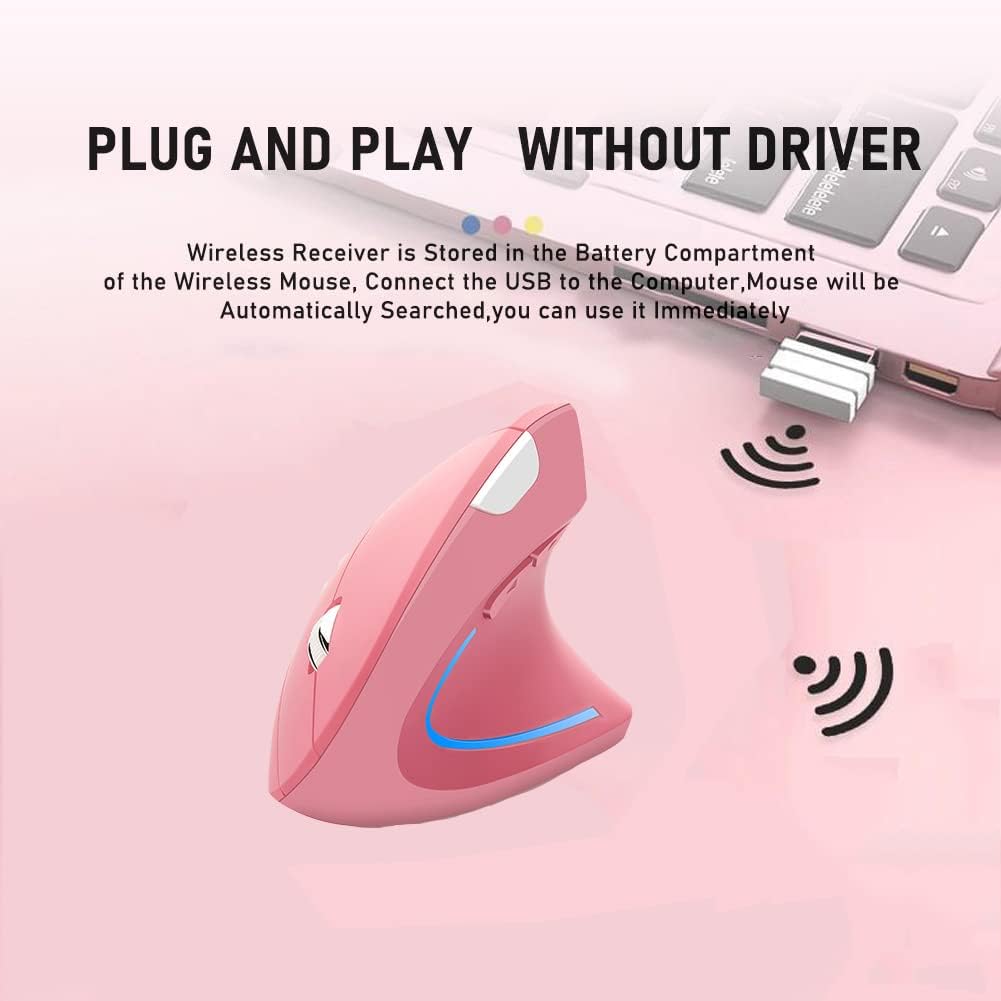
- Pobierz odbiornik USB: The 2.4G USB receiver is stored in a slot next to the battery compartment on the bottom of the mouse. Gently slide it out.
- Podłącz odbiornik: Plug the USB receiver into an available USB port on your computer (desktop, laptop, Mac, etc.).
- Włączanie: Turn on the mouse using the Power Switch located on the bottom. The mouse will automatically be searched and connected by your computer. No additional drivers are required for most operating systems.

Instrukcja obsługi
Your SHARE SUNSHINE Vertical Mouse is designed for intuitive use.
- Podstawowe funkcje: Use the Left and Right buttons for standard clicking actions. The Scroll Wheel allows for smooth vertical scrolling.
- Regulacja DPI: Naciśnij Przycisk przełączania DPI (located on the top of the mouse, see Figure 3) to cycle through the available DPI settings: 800, 1200, and 1600. Choose the sensitivity that best suits your task, whether for precise work or faster browsing.
- Przyciski boczne: Ten Przycisk wstecz I Przycisk do przodu (located on the side, see Figure 3) are pre-programmed to navigate web strony lub dokumenty.
- Tryb oszczędzania energii: To conserve battery life, the mouse will automatically enter a power-saving mode after 8 minutes of inactivity. To wake it up, simply press any button (left or right click).

Zgodność
The SHARE SUNSHINE Vertical Mouse offers broad compatibility with various operating systems and devices:
- Systemy operacyjne: Windows 2000/ME/XP (x64)/Vista/7/8/10, Mac OS X (over V10.4)
- Zgodne urządzenia: Desktop PCs, Laptops, Macbooks, and other devices with an available USB port.

Konserwacja
Aby zapewnić długowieczność i optymalną wydajność myszy:
- Czyszczenie: Do czyszczenia myszy używaj miękkiej, suchej ściereczki. Unikaj stosowania silnych środków chemicznych i materiałów ściernych.
- Wymiana baterii: When the mouse performance degrades or the LED light indicates low power, replace the two AAA batteries.
- Składowanie: When not in use for extended periods, turn off the mouse to conserve battery life. Store the USB receiver in its designated slot on the bottom of the mouse to prevent loss.
- Unikaj ekstremalnych warunków: Nie wystawiaj myszy na działanie ekstremalnych temperatur, wilgoci ani bezpośredniego światła słonecznego.
Rozwiązywanie problemów
Jeśli napotkasz jakiekolwiek problemy, wypróbuj następujące rozwiązania:
- Mysz nie odpowiada:
- Upewnij się, że mysz jest włączona.
- Sprawdź, czy odbiornik USB jest prawidłowo podłączony do działającego portu USB.
- Wymień baterie na nowe.
- Spróbuj podłączyć odbiornik USB do innego portu USB.
- Ruch kursora jest nieregularny lub powolny:
- Wyczyść czujnik optyczny znajdujący się na spodzie myszy.
- Upewnij się, że używasz myszy na odpowiedniej powierzchni (nie odblaskowej ani przezroczystej).
- Adjust the DPI setting using the DPI Switch Button.
- Problemy z połączeniem bezprzewodowym:
- Upewnij się, że mysz znajduje się w zasięgu działania odbiornika wynoszącym nie mniej niż 33 stopy.
- Avoid obstructions between the mouse and the receiver.
- Zminimalizuj zakłócenia ze strony innych urządzeń bezprzewodowych.
Specyfikacje
| Funkcja | Szczegół |
|---|---|
| Marka | UDOSTĘPNIJ SŁOŃCE |
| Nazwa modelu | Vertical Mouse |
| Kolor | Różowy |
| Technologia łączności | Bezprzewodowy (odbiornik USB 2.4G) |
| Technologia wykrywania ruchu | Optyczny |
| Rozdzielczość DPI | 800 / 1200 / 1600 DPI (regulowana) |
| Ilość przycisków | 6 (lewo, prawo, kółko przewijania, przełącznik DPI, do przodu, do tyłu) |
| Orientacja dłoni | Prawidłowy |
| Zasięg działania | Do 33 stóp (10 metrów) |
| Źródło zasilania | Baterie 2 x AAA (brak w zestawie) |
| Oszczędność energii | Automatic power-saving mode after 8 minutes idle |
| Funkcja zdobienia | Światło LED |
| Waga przedmiotu | 80 gram |
| Wymiary przedmiotu (dł. x szer.) | 4.92" dł. x 3.23" szer. |
Gwarancja i wsparcie
Your SHARE SUNSHINE Wireless Ergonomic Vertical Optical Mouse comes with a comprehensive warranty and dedicated customer support:
- Gwarancja: Skorzystaj z 12-miesięcznej gwarancji od daty zakupu.
- Zwroty i refundacje: A 30-day free return and refund policy is available.
- Obsługa klienta: Our customer support team is committed to a 24-hour response time for any issues or inquiries you may have.
For warranty claims or support, please refer to the contact information provided with your purchase or visit the official SHARE SUNSHINE store on Amazon: SHARE SUNSHINE Store.