
1. Wprowadzenie
The Rettru XDWIFI Mini Wireless WiFi Camera is a compact surveillance device designed for discreet monitoring. It offers HD1080P video resolution, night vision capabilities, motion detection, and remote viewing via a mobile application. This manual provides detailed instructions for setting up, operating, and maintaining your camera.
Wideo: Ponadview of the Rettru XDWIFI Mini Wireless WiFi Camera, highlighting its compact size and features.
2. Zawartość opakowania
Sprawdź, czy w przesyłce znajdują się wszystkie poniższe elementy:
- 1 x Rettru XDWIFI Camera
- 1 x Instrukcja obsługi
- 1 x kabel USB
- 1 x czytnik kart Micro SD
- 1 x podstawa magnetyczna

Image: All components included in the Rettru XDWIFI Mini Wireless WiFi Camera package.
3. Funkcje produktu
- Ultrakompaktowa konstrukcja: The camera measures approximately 1.57 x 1.18 x 0.5 inches, making it highly discreet and easy to conceal.
- HD1080P Video: Nagrywa wideo w wysokiej rozdzielczości, umożliwiając wyraźny nadzór.
- Ulepszone widzenie w nocy: Equipped with two 940nm infrared lights, providing clear visibility up to 26 feet in low light or total darkness without visible glow.
- Inteligentne wykrywanie ruchu: Features customizable motion detection zones and times. Sends alarm notifications with images to your phone upon detection.
- Nagrywanie w pętli: Supports continuous recording, overwriting the oldest files gdy karta pamięci jest pełna.
- Przechowywanie w chmurze: Offers cloud service for video storage (subscription may be required).
- Zdalny Viewing: Access live video remotely via the mobile application on iOS/Android devices.
- Elastyczna instalacja: Includes a magnetic base and mounting options for versatile placement.

Image: The camera's compact size, held between two fingers.
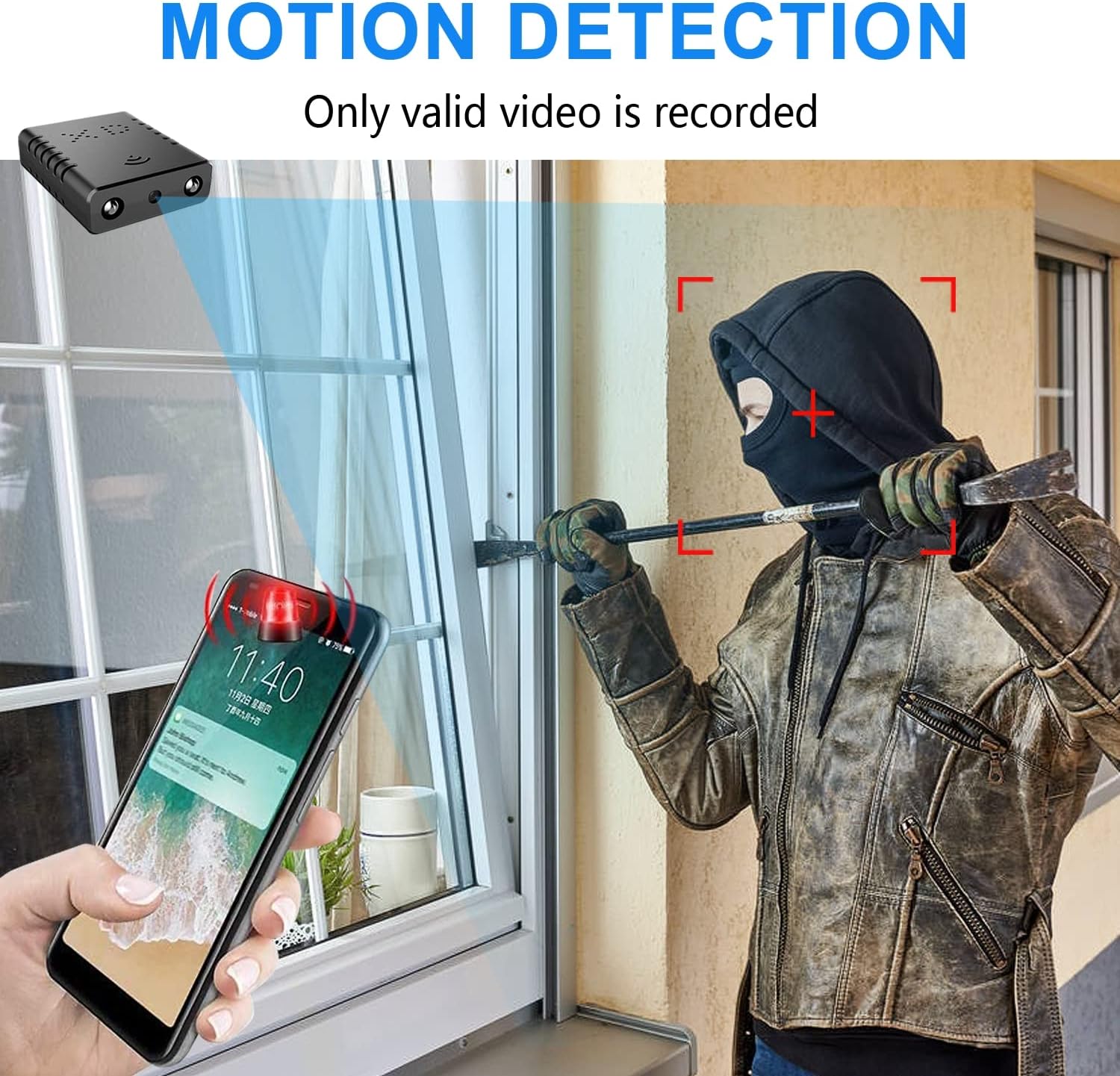
Image: Illustration of the motion detection feature, showing an alert on a smartphone.

Image: Day and night vision comparison, showing clear infrared night vision.
4. Przewodnik konfiguracji
4.1. Ładowanie początkowe
Before first use, fully charge the camera for approximately 6 hours. During charging, a yellow light will illuminate. The camera charges via a USB-C port.
4.2. No-WiFi Recording Mode
To record without a WiFi connection, insert a compatible Micro SD card (16GB to 128GB, formatted in FAT32) into the TF card slot. Press the power button. When the blue light flashes, continuous recording will begin automatically in 5-minute clips. No app registration or device binding is needed for this mode. (Micro SD card not included, purchased separately).

Obraz: Bok view of the camera highlighting the TF card slot and charging port.
4.3. WiFi Recording Mode (App Connection)
Dla pilota viewing and advanced features, connect the camera to your home WiFi network via the mobile application. The recommended app is V380 Pro.
- Pobierz aplikację: Szukaj "V380 Pro" in your device's app store (iOS/Android) and install it.
- Zarejestruj konto: Otwórz aplikację i postępuj zgodnie z instrukcjami wyświetlanymi na ekranie, aby zarejestrować nowe konto.
- Włącz kamerę: Włącz kamerę.
- Hotspot Connection (Method 1):
- Hold the "Reset" button until both red and blue lights flash simultaneously.
- When the blue light flashes again, the camera will send out a hotspot signal.
- On your phone's WLAN settings, connect to the camera's hotspot (e.g., "@MC-********" or "@IPC-********"). No password is required.
- The device should be added automatically in the app. Go to "Device Settings" > "Wi-Fi Network" and choose your available home WiFi network. Enter the password and confirm.
- Bluetooth Connection (Method 2):
- Włącz Bluetooth w telefonie.
- Log into the O-KAM Pro app (or V380 Pro), go to the "Mine" page, tap "System Permissions," and enable Bluetooth.
- In the app, click the "+" button in the upper right corner. The app will automatically detect the camera's UID. Click "Connect."
- Enter your correct WiFi password and complete the connection steps. Finally, click "Get Start" to begin using your camera.

Image: Step-by-step guide for easy app installation and WiFi connection.
Video: Detailed tutorial on camera setup and app connection for the Rettru XDWIFI camera.
5. Instrukcja obsługi
5.1. Zdalny Viewwchodzenie
Po połączeniu z aplikacją możesz view live video from anywhere in the world. The app allows multiple users to view jednocześnie włącz kamerę.
5.2. Detekcja ruchu
Configure intelligent motion detection settings within the app. You can manually set monitoring areas and schedules. Upon detection, the camera sends alarm notifications with images to your phone.
5.3. Wizja nocna
The camera automatically switches to night vision in low light conditions, providing clear black and white video up to 26 feet.
5.4. Nagrywanie ciągłe
With an inserted Micro SD card, the camera supports loop recording. When the card is full, new footage will automatically overwrite the oldest files, ensuring continuous surveillance.
5.5. Przechowywanie w chmurze
Utilize the powerful cloud service for secure storage of your video data. This ensures your recordings are safe even if the camera is tampstracony lub stracony.
6. Konserwacja
To ensure optimal performance and longevity of your Rettru XDWIFI camera, follow these maintenance guidelines:
- Czyszczenie: Delikatnie przetrzyj obiektyw i korpus aparatu miękką, suchą ściereczką. Unikaj stosowania silnych środków chemicznych i materiałów ściernych.
- Czas pracy baterii: For prolonged use, ensure the camera is regularly charged. While battery-powered, continuous live viewing or frequent motion alerts can drain the battery faster.
- Zarządzanie kartami SD: Regularly check the status of your Micro SD card. If using loop recording, ensure the card is functioning correctly. Periodically back up important footage.
- Aktualizacje oprogramowania układowego: Check the V380 Pro app for any available firmware updates to ensure your camera has the latest features and security enhancements.
7. Rozwiązywanie Problemów
Jeśli masz problemy z aparatem, zapoznaj się z poniższymi, często spotykanymi rozwiązaniami:
- Błąd połączenia: If the camera fails to connect to the app or WiFi, try resetting the camera and attempting to reconnect.
- Resetowanie urządzenia: To restore factory settings, power on the camera and hold the "Reset" button until both red and blue lights flash simultaneously. This will clear previous settings and allow for a fresh connection attempt.
- No QR Code for Setup: Some users have reported issues with missing or non-functional QR codes. Follow the manual connection methods (hotspot or Bluetooth) as detailed in Section 4.3.
- Problemy z nagrywaniem: Ensure a compatible Micro SD card (16GB-128GB, FAT32) is properly inserted. Check app settings for recording mode (continuous, motion-activated) and storage preferences.
- Stan offline: Verify your WiFi network is stable and within range. Ensure the camera is powered on and fully charged.
8. Specyfikacje
| Funkcja | Szczegół |
|---|---|
| Model | XDWIFI |
| Rozdzielczość przechwytywania wideo | 1080p |
| Technologia łączności | Bezprzewodowy (Wi-Fi) |
| Kompatybilne urządzenia | iOS/Android Phone/Window/Mac PC |
| Źródło zasilania | Zasilany bateryjnie |
| Typ kontrolera | Aplikacja V380 Pro |
| Typ montażu | Montaż powierzchniowy (podstawa magnetyczna) |
| Zakres noktowizora | 26-28 stóp |
| Pozycja Wymiary (dł. x szer. x wys.) | 1.6 x 1.2 x 0.5 cala |
| Waga przedmiotu | 0.8 uncji |
| Cechy specjalne | HD1080P, Local Recording, Motion Sensor, Night Vision, Portable |
| Zastosowanie wewnątrz/na zewnątrz | Indoor/Outdoor (IP65 Rated) |
| Możliwości nagrywania dźwięku i obrazu | Wideo |
| Liczba diod LED podczerwieni | 2 |
9. Gwarancja i wsparcie
For any issues or inquiries regarding your Rettru XDWIFI Mini Wireless WiFi Camera, please contact our after-sales service. The contact email is typically provided in the user manual included in your package. We are committed to providing support and assistance.