
LETTON V2020
LETTON Wireless Keyboard and Mouse Combo V2020 User Manual
Model: V2020 | Brand: LETTON
Wstęp
This manual provides detailed instructions for the setup, operation, and maintenance of your LETTON Wireless Keyboard and Mouse Combo (Model V2020). Please read this manual thoroughly before use to ensure optimal performance and longevity of your device.
Zawartość opakowania
- 1 x Bezprzewodowa klawiatura
- 1 x mysz bezprzewodowa
- 1 x odbiornik USB (przechowywany w komorze baterii myszy)
- 1 x Instrukcja obsługi (ten dokument)
Instrukcje konfiguracji
1. Zainstaluj baterie
The keyboard requires 2 AAA batteries and the mouse requires 1 AA battery (not included). Ensure correct polarity when inserting batteries.

Rysunek 1: Battery installation for the mouse and location of the USB receiver.
Szczegółowy opis: The image displays the underside of the wireless mouse, showing the battery compartment where an AA battery should be inserted. Next to it, a small slot indicates where the USB receiver is stored. A diagram also shows the keyboard's battery compartment for AAA batteries.
2. Connect USB Receiver
Locate the USB receiver stored in the mouse battery compartment. Plug the receiver into an available USB port on your computer (PC, laptop, desktop, etc.).
Rysunek 2: Plugging the 2.4GHz USB receiver into a computer.
Szczegółowy opis: This image illustrates the small USB receiver being inserted into a USB port on a laptop. The setup is shown to be plug-and-play, requiring no additional software installation.
The system will automatically install the necessary drivers. No additional software is required. The keyboard and mouse are pre-paired with the USB receiver.
Instrukcja obsługi
Funkcje klawiatury
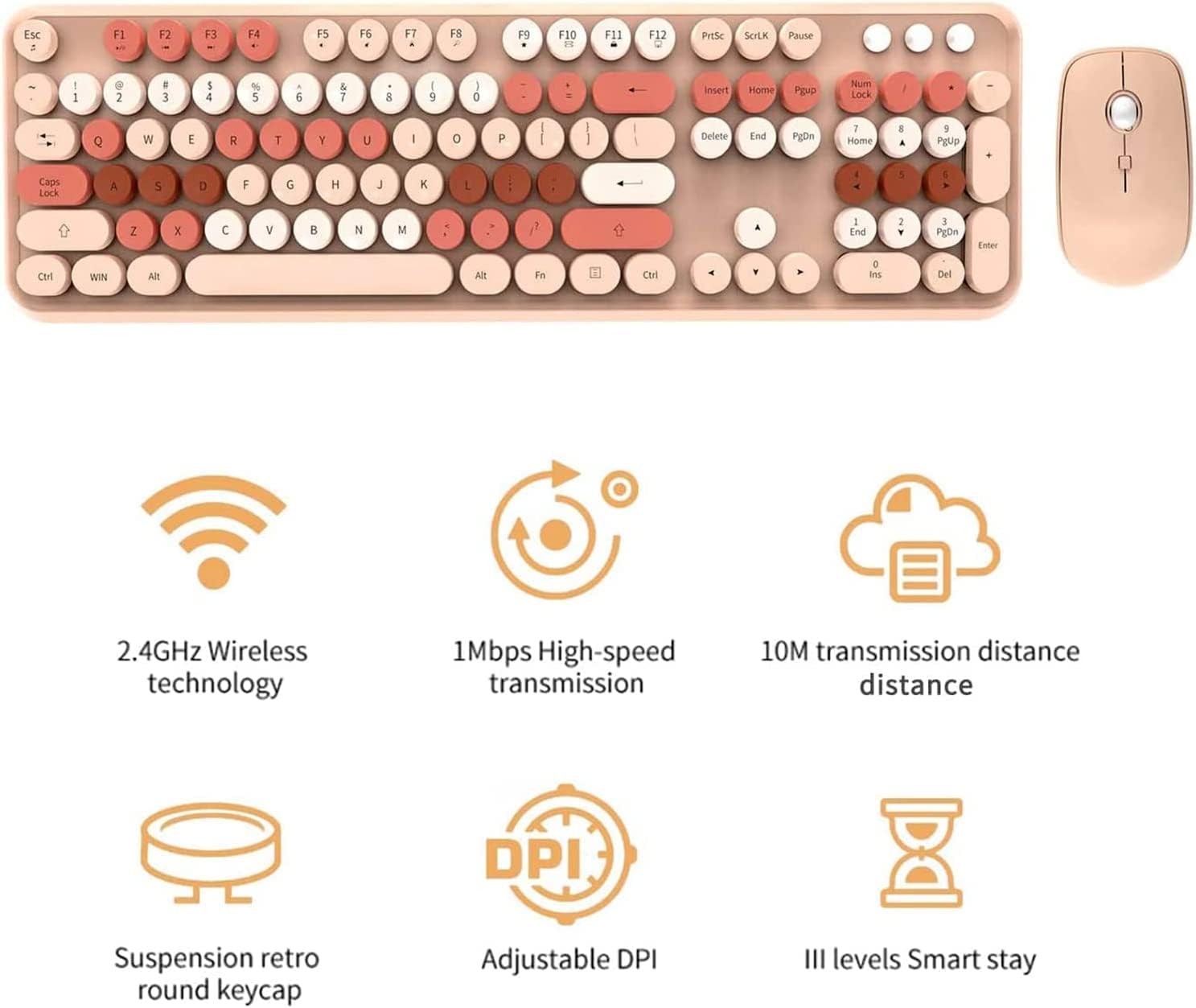
- Układ pełnowymiarowy: 104 keys with a numeric keypad for comprehensive functionality.
- Round Keycaps: Designed for comfortable typing and a retro aesthetic.
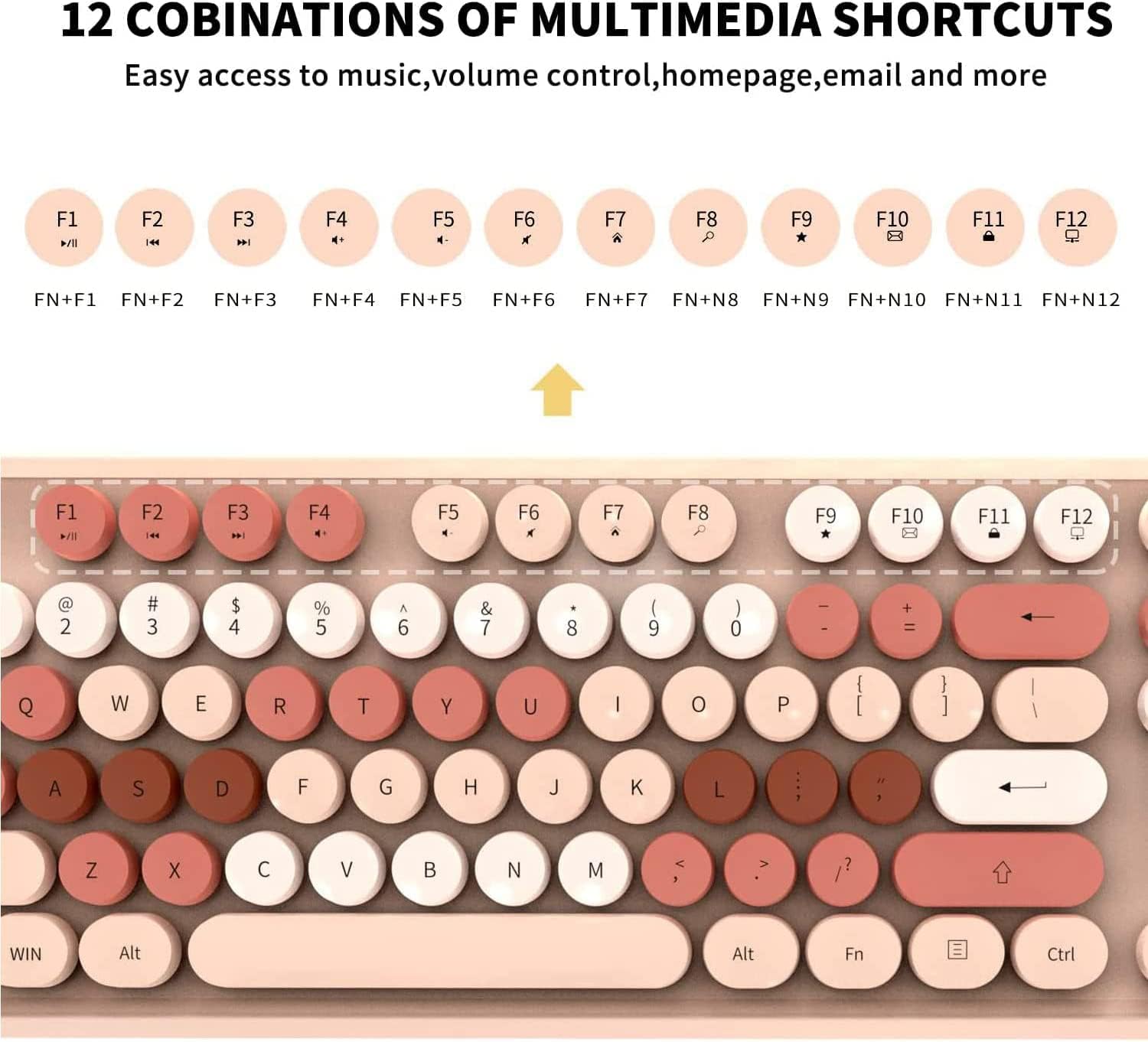
- Skróty multimedialne: Access common functions quickly using Fn key combinations.

Rysunek 3: Nadview of the 104-key full-size wireless keyboard.
Szczegółowy opis: Na tym obrazie widać widok z góry view of the full-size keyboard, highlighting its 104 round keys and overall layout, including the numeric keypad and function keys.
Multimedia Shortcuts (Fn Key Combinations)
To use multimedia functions, press and hold the Fn key, then press the corresponding F-key.
| Kombinacja klawiszy | Funkcjonować |
|---|---|
| Fn+F1 | Odtwarzacz multimedialny |
| Fn+F2 | Zmniejsz głośność |
| Fn+F3 | Zwiększ głośność |
| Fn+F4 | Niemy |
| Fn+F5 | Poprzedni utwór |
| Fn+F6 | Następny utwór |
| Fn+F7 | Odtwórz/Pauza |
| Fn+F8 | Zatrzymywać się |
| Fn+F9 | Otwarte Web Przeglądarka |
| Fn+F10 | Otwórz e-mail |
| Fn+F11 | Mój komputer |
| Fn+F12 | Kalkulator |
Rysunek 4: Multimedia function keys (F1-F12) with Fn key combinations.
Szczegółowy opis: This image highlights the top row of the keyboard, specifically the F1-F12 keys, which have secondary multimedia functions accessible by pressing them in combination with the 'Fn' key.
Funkcje myszy
- Regulowane DPI: Cycle through 800, 1200, and 1600 DPI settings for varied cursor speed and precision.
- Ergonomiczna konstrukcja: Wygodny uchwyt umożliwiający dłuższe użytkowanie.

Rysunek 5: Wireless mouse with labeled buttons and DPI information.
Szczegółowy opis: The image shows the wireless mouse from a top-down perspective, with labels pointing to the left click button, right click button, and the scroll wheel/middle button. Text indicates the adjustable DPI settings (800/1200/1600).
To adjust the DPI, press the middle key (scroll wheel) on the mouse. Each press will cycle through the available DPI settings.
Konserwacja
- Czyszczenie: Use a soft, dry cloth to clean the keyboard and mouse. For deeper cleaning, the round keycaps are detachable.
- Wymiana baterii: Replace batteries when the low battery indicator light on the keyboard illuminates. The keyboard uses 2 AAA batteries, and the mouse uses 1 AA battery.
- Składowanie: When not in use for extended periods, remove batteries and store the USB receiver in its designated slot within the mouse.

Rysunek 6: Detachable keycaps for simplified cleaning.
Szczegółowy opis: This image shows a close-up of the keyboard with some keycaps removed, illustrating their detachable nature for easy cleaning. A small cleaning brush is also visible, suggesting its use for maintenance.
Rozwiązywanie problemów
- Brak odpowiedzi:
- Sprawdź, czy baterie są prawidłowo zainstalowane i nie są rozładowane.
- Sprawdź, czy odbiornik USB jest prawidłowo podłączony do działającego portu USB.
- Spróbuj podłączyć odbiornik USB do innego portu USB.
- Uruchom ponownie komputer.
- Opóźnione/przerywane połączenie:
- Ensure the keyboard and mouse are within the 33-foot operating range of the USB receiver.
- Zminimalizuj zakłócenia ze strony innych urządzeń bezprzewodowych 2.4GHz.
- Jeśli baterie są słabe, wymień je.
- Klucze nie są rejestrowane:
- Clean under the keycaps to remove any debris.
- Sprawdź, czy nakładki klawiszy są prawidłowo osadzone.
Specyfikacje
| Funkcja | Szczegół |
|---|---|
| Marka | LETTON |
| Model | V2020 |
| Łączność | Bezprzewodowy 2.4GHz |
| Układ klawiatury | 104 Keys, Full Size |
| DPI myszy | 800/1200/1600 (regulowane) |
| Bateria klawiatury | 2 x AAA (brak w zestawie) |
| Bateria myszy | 1 x AA (brak w zestawie) |
| Zasięg działania | Do 33 stóp (10 metrów) |
| Zgodność | Windows (2000/ME/XP/7/8/10), Vista, PC, Laptop, Desktop, Notebook, Chromebook, Smart TVs |
| Wymiary (klawiatura) | 17.7 x 5.47 x 1.37 cala (w przybliżeniu) |
| Waga (klawiatura) | 2.31 funta (w przybliżeniu) |
Gwarancja i wsparcie
For warranty information and technical support, please contact LETTON customer service. Refer to the product packaging or the official LETTON webna naszej stronie znajdziesz najnowsze dane kontaktowe.
Notatka: The manufacturer's contact information provided in one of the videos (alex@lettonworld.com) is for general inquiries. For specific product support, please refer to the official channels provided with your product purchase.
Wideo 1: Nadview of the 2.4GHz Wireless Keyboard Mouse Combo. This video demonstrates the product's features and connectivity.
Ask a question about this manual
Ask about setup, troubleshooting, compatibility, parts, safety, or missing instructions. Manuals+ will review the question and use this page’s manual context to help answer it.