
1. Wprowadzenie
This manual provides essential information for setting up, operating, maintaining, and troubleshooting your SAMSUNG Galaxy S21 FE 5G. Please read this guide thoroughly to ensure optimal performance and longevity of your device.
2. Koniec produktuview
The SAMSUNG Galaxy S21 FE 5G is a feature-rich smartphone designed for versatile use. It features a vibrant display, advanced camera system, and robust performance.

Obraz: przód i tył view of the SAMSUNG Galaxy S21 FE 5G smartphone.
Główne cechy:
- Wyświetlacz: 6.4" FHD+ Dynamic AMOLED 2X, 120Hz refresh rate.
- Edytor: Qualcomm SM8350 Snapdragon 888 5G (5 nm), Octa-core.
- Pamięć i przechowywanie: 6GB RAM, 128GB Internal Storage.
- System kamer: Rear: 12MP Ultra-Wide + 12MP Wide-angle + 8MP Telephoto. Front: 32MP.
- Bateria: Pojemność 4500mAh.
- Bezpieczeństwo: Under Display Fingerprint sensor.
- Łączność: 5G, Bluetooth, Wi-Fi, GPS.
3. Konfiguracja
3.1. Instalacja karty SIM
- Znajdź tackę na kartę SIM znajdującą się z boku urządzenia.
- Insert the SIM ejection tool (or a small paper clip) into the small hole on the tray and press firmly until the tray ejects.
- Umieść kartę(y) nano-SIM w tacce złotymi stykami do dołu. Upewnij się, że jest ona prawidłowo ułożona.
- Delikatnie wsuń tackę z powrotem do gniazda, aż zatrzaśnie się na swoim miejscu.
3.2. Pierwsze włączenie zasilania
- Press and hold the Power/Side key until the SAMSUNG logo appears.
- Follow the on-screen prompts to complete the initial setup, including language selection, Wi-Fi connection, Google account setup, and fingerprint/face recognition setup.
3.3. Zgodność sieciowa
This device is an Unlocked US Model, compatible with most GSM and CDMA carriers such as AT&T, T-Mobile, MetroPCS, Verizon, and Straight Talk. Verify compatibility with your specific carrier before use.
4. Instrukcja obsługi
4.1. Wyświetlacz i nawigacja
- The 6.4-inch Dynamic AMOLED 2X display offers a 120Hz refresh rate for smooth scrolling and responsiveness.
- Navigate using gestures or traditional navigation buttons (configurable in Settings).
- The Under Display Fingerprint sensor allows for quick and secure unlocking.
4.2. Korzystanie z aparatu
Your device features a versatile triple-lens rear camera and a high-resolution front camera.
- Otwórz aplikację Aparat na ekranie głównym lub ekranie blokady.
- Select desired modes (Photo, Video, Portrait, Pro, etc.) by swiping across the bottom of the viewznalazca.
- Naciśnij przycisk migawki, aby zrobić zdjęcie lub rozpocząć/zatrzymać nagrywanie wideo.
4.3. Zarządzanie baterią
Bateria o pojemności 4500 mAh zapewnia dłuższe użytkowanie. Aby zoptymalizować czas pracy baterii:
- Dostosuj ustawienia jasności i czasu wygaszania ekranu.
- Włącz tryb oszczędzania energii, gdy jest to potrzebne.
- Zamknij nieużywane aplikacje działające w tle.
- Use the provided charging cable and a compatible power adapter for charging.
4.4. Łączność
- Wi-Fi: Connect to wireless networks via Settings > Connections > Wi-Fi.
- Bluetooth: Pair with Bluetooth devices (headphones, speakers) via Settings > Connections > Bluetooth.
- Dane mobilne: Ensure mobile data is enabled for internet access when Wi-Fi is unavailable.
5. Konserwacja
5.1. Czyszczenie urządzenia
- Do czyszczenia ekranu i obudowy należy używać miękkiej, niepozostawiającej włókien ściereczki.
- Unikaj stosowania silnych środków chemicznych i materiałów ściernych.
- Nie narażaj urządzenia na działanie nadmiernej wilgoci.
5.2. Aktualizacje oprogramowania
Regularnie sprawdzaj dostępność aktualizacji oprogramowania i instaluj je, aby mieć pewność, że Twoje urządzenie ma najnowsze funkcje, poprawki zabezpieczeń i udoskonalenia wydajności. Przejdź do Ustawienia > Aktualizacja oprogramowania.
6. Rozwiązywanie Problemów
Jeśli masz problemy z urządzeniem, spróbuj wykonać następujące czynności:
- Uruchom ponownie urządzenie: Wiele drobnych usterek oprogramowania można rozwiązać poprzez proste ponowne uruchomienie.
- Sprawdź łączność: For network issues, ensure Wi-Fi or mobile data is enabled and signal strength is adequate. Try toggling Airplane Mode on and off.
- Spust baterii: Review battery usage in Settings to identify apps consuming excessive power.
- Problemy z aplikacją: Jeśli aplikacja nie działa prawidłowo, spróbuj wyczyścić jej pamięć podręczną lub zainstalować ją ponownie.
- Przywrócenie ustawień fabrycznych: As a last resort, a factory reset can resolve persistent software problems. Back up your data before performing a factory reset (Settings > General management > Reset > Factory data reset).
For more complex issues, refer to Samsung's official support resources.
7. Specyfikacje
| Funkcja | Specyfikacja |
|---|---|
| Nazwa modelu | Galaxy S21 FE 5G |
| Wyświetlacz | 6.4 Inches FHD+ Dynamic AMOLED 2X (2400 x 1080) |
| Częstotliwość odświeżania | 120 Hz |
| Edytor | Qualcomm SM8350 Snapdragon 888 5G (Octa-core, 2.8 GHz) |
| BARAN | 6 GB |
| Pamięć wewnętrzna | 128 GB |
| Kamera tylna | 12MP Ultra-Wide + 12MP Wide-angle + 8MP Telephoto |
| Przednia kamera | 32 MP |
| Pojemność baterii | 4500 mlnamp Godziny |
| System operacyjny | Android |
| Wymiary (dł. x szer. x wys.) | 6.13 x 2.93 x 0.31 cala |
| Waga przedmiotu | 6.2 uncji |
| Łączność | 5G, Bluetooth, Wi-Fi, GPS |
| Cechy specjalne | Under Display Fingerprint, Accelerometer, Internet Browser, Music Player, Speakerphone, Touchscreen, Unlocked |
8. Gwarancja i wsparcie
This SAMSUNG Galaxy S21 FE 5G is a renewed product. Amazon Renewed products are inspected, tested, and refurbished to be fully functional.
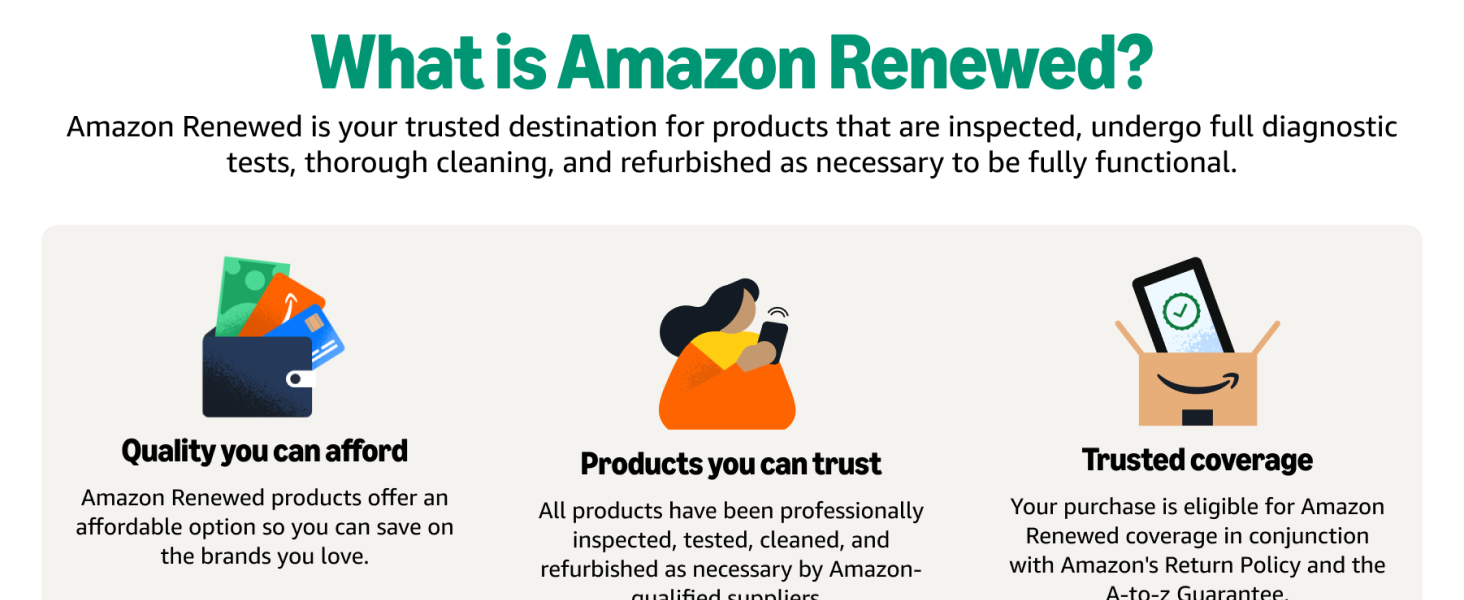
Image: Explanation of Amazon Renewed program, highlighting inspection, testing, and refurbishment processes.
8.1. Odnowiona gwarancja Amazon
Your purchase is covered by the Amazon Renewed Guarantee, which provides a refund or replacement within 90 days of receipt if you are not satisfied. This guarantee is in conjunction with Amazon's Return Policy and the A-to-z Guarantee.
8.2. Product Condition
Renewed products are fully functional and come with generic or original accessories and packaging. The battery life is guaranteed to be greater than 80% of the original capacity.
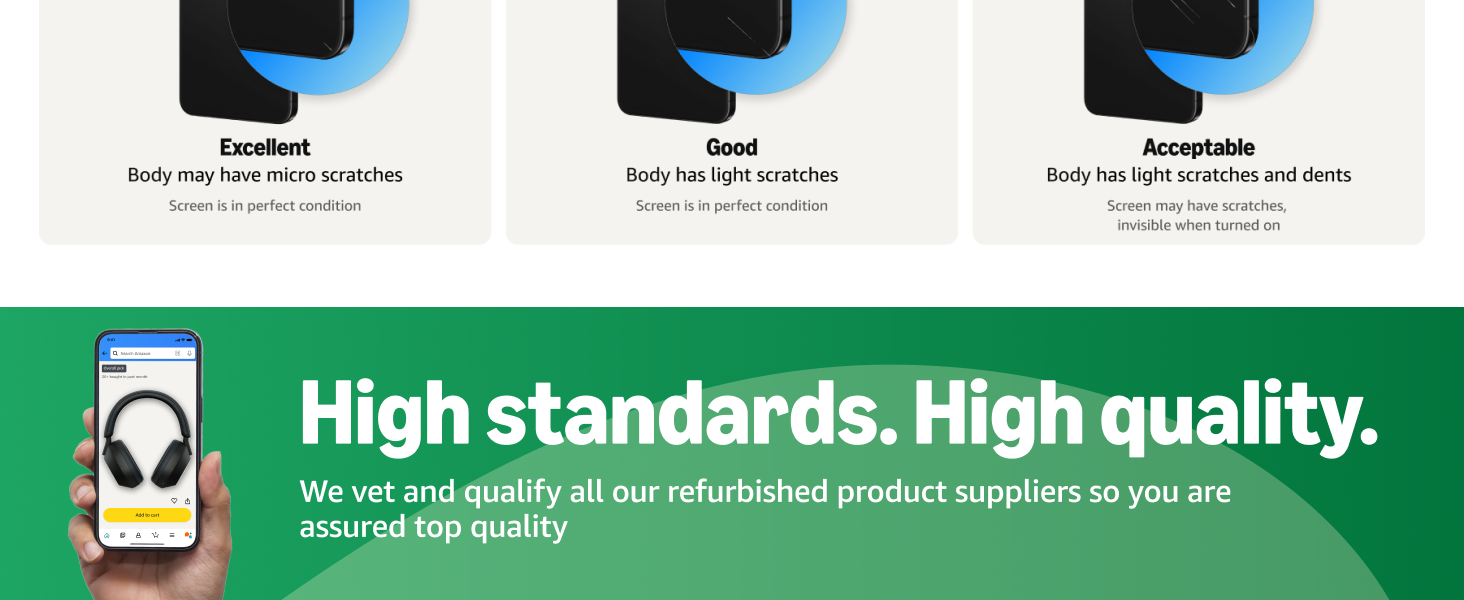
Image: Details on refurbished product conditions, including potential cosmetic imperfections like micro scratches or light dents.
8.3. Wsparcie producenta
For specific technical support, software inquiries, or advanced troubleshooting beyond the scope of this manual, please visit the official SAMSUNG support webwitryny lub skontaktuj się z obsługą klienta.