
Wstęp
The TELE System TS6815 is a DVB-T2 HEVC 10-bit digital terrestrial decoder designed to receive digital television broadcasts. It supports HD, HDR, and HLG technologies, offering enhanced viewing experiences. This manual provides essential information for setting up, operating, and maintaining your decoder.
Co jest w pudełku
- TELE System TS6815 Decoder
- Zdalne sterowanie
- Zasilacz zewnętrzny
- Szybki przewodnik
Produkt ponadview
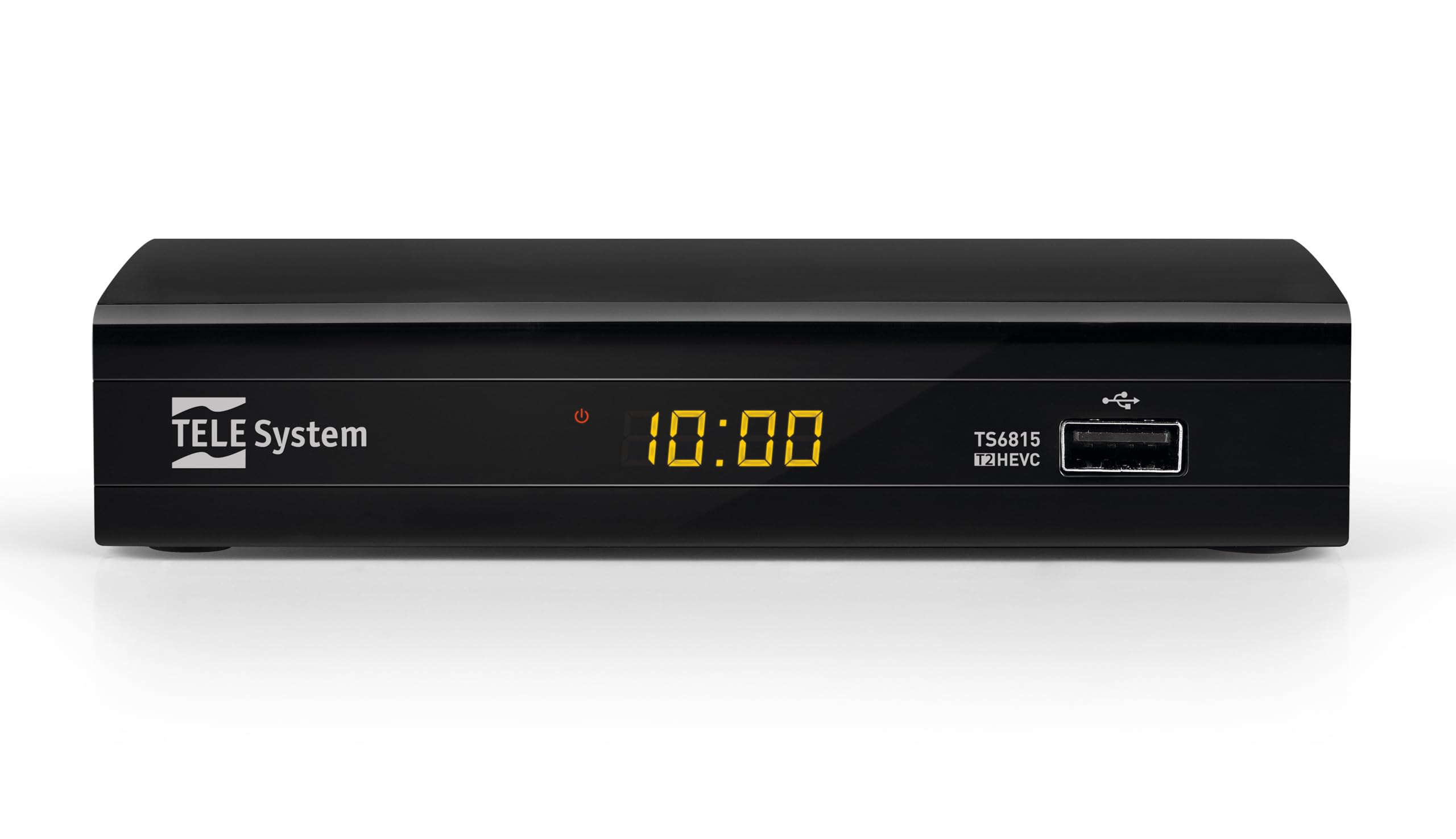
Przód View: The front panel features the TELE System logo, model number TS6815, DVB-T2 HEVC branding, and a USB port for media playback and updates.

Tył View: The rear panel includes an RF IN port for antenna connection, an HDMI output, a TV SCART connector, and a DC IN port for power.

Zdalne sterowanie: The included remote control allows for full functionality, including power, channel selection, volume adjustment, EPG access, and media playback controls.

Etykieta produktu: This label provides important information such as the model number (TS6815 T2HEVC/02), power input (DC 5V = 1A), and maximum power consumption (5W Max).
Instrukcje konfiguracji
- Podłącz antenę: Podłącz kabel anteny naziemnej do portu RF IN z tyłu dekodera.
- Połącz z telewizorem: Use an HDMI cable to connect the decoder's HDMI OUT port to an HDMI IN port on your television. Alternatively, use a SCART cable to connect the TV SCART port to your TV's SCART input.
- Podłącz zasilanie: Plug the external power supply into the DC IN port on the decoder, then plug the power adapter into a wall outlet.
- Włączanie: Turn on your television and select the correct HDMI or SCART input source. The decoder should power on automatically or can be turned on using the remote control.
- Initial Channel Scan (AUTOSCAN): Upon first use, the decoder will typically initiate an automatic channel scan. Follow the on-screen prompts. The AUTOSCAN feature will find all available channels, and LCN (Logical Channel Numbering) will organize them into a logical order.
- Ustawienia języka i regionu: Select your preferred language and region during the initial setup process.
Instrukcja obsługi
Podstawowa obsługa
- Włączanie/wyłączanie: Naciśnij MOC przycisk na pilocie.
- Wybór kanału: Użyj CH+ / CH- buttons or the numeric keypad to change channels.
- Regulacja głośności: Użyj Objętość + / TOM- Przyciski do regulacji głośności.
- Dostęp do menu: Naciśnij MENU przycisk umożliwiający dostęp do menu głównego w celu uzyskania dostępu do ustawień i funkcji.
- Elektroniczny przewodnik po programach (EPG): Naciśnij EPG przycisk do view harmonogram bieżących i nadchodzących audycji.
Odtwarzanie multimediów przez USB
The decoder supports media playback from a USB storage device. Insert a USB drive into the front USB port.
- Naciśnij GŁOSKA BEZDŹWIĘCZNA button on the remote control to access the media player interface.
- Poruszaj się po swoim files (videos, music, photos) using the arrow keys and press OK aby wybrać i odtworzyć.
Timeshift Function
The Timeshift function allows you to pause live TV and resume watching later. A USB storage device is required for this feature.
- Podczas oglądania programu naciśnij przycisk PAUZA button on the remote control to activate Timeshift.
- Naciskać GRAĆ aby wznowić odtwarzanie.
Rozwiązywanie problemów
- No Signal / Poor Image Quality:
- Ensure the antenna cable is securely connected to the RF IN port.
- Check your TV's HDCP compatibility.
- Try replacing the HDMI or SCART cable.
- In the decoder's AV settings, try changing the "color-space" option to RGB.
- If experiencing image fluidity issues, navigate to AV SET > Screen > Screen Options > Resolution and select a 50Hz format.
- Perform a new channel scan (AUTOSCAN) to refresh the channel list.
- HDMI Signal Issues (e.g., no signal after changing TV source):
- If the signal does not return after switching TV sources, try powering off and on both the TV and the decoder.
- Ensure the HDMI cable is not faulty.
- Pilot nie odpowiada:
- Sprawdź, czy baterie są prawidłowo włożone i nie są rozładowane. W razie potrzeby wymień je.
- Ensure there are no obstructions between the remote control and the decoder's IR sensor.
- Decoder Not Compatible with UHD Channels:
- The TS6815 is an HD decoder, not a 4K (UHD) decoder. It is not designed to receive or display UHD channels.
Specyfikacje
| Funkcja | Opis |
|---|---|
| Model | TS6815 |
| Typ tunera | DVB-T/T2 |
| Dekodowanie wideo | MPEG-2, MPEG-4 H264/AVC, H.265/HEVC Main10 |
| Rozdzielczość wideo | Max. 1080p@50/60Hz |
| Cechy specjalne | HD, HDR, HLG, AUTOSCAN, LCN, EPG, Timeshift, Media Player |
| Łączność | 1x HDMI, 1x SCART, 1x USB, Ethernet |
| Tryb wyjścia audio | Surround (5.1 channels) |
| Moc wejściowa | Prąd stały 5 V = 1 A |
| Pobór mocy | 5W Max |
| Kolor | Czarny |
Gwarancja i wsparcie
The TELE System TS6815 decoder comes with a 2-year manufacturer's warranty. For technical support, further assistance, or to access detailed instruction manuals in various languages, please refer to the official TELE System webwitryny lub skontaktuj się z obsługą klienta.
You can find additional information and support resources by visiting the TELE System Brand Store.