
Wstęp
This manual provides detailed instructions for the installation, operation, and maintenance of your EZoneTronics Android 11 Car Stereo. Please read this manual thoroughly before using the product to ensure proper function and safety. This unit is designed for Peugeot 308 and 408 models manufactured between 2010 and 2016.
Zawartość opakowania
Sprawdź, czy w przesyłce znajdują się wszystkie elementy wymienione poniżej:
- 1 x EZoneTronics Android Player
- 1 x antena GPS
- 1 x uprząż zasilająca
- 1 x kabel wejściowy/wyjściowy RCA
- 2 x adaptery USB
- 1 x kabel wejściowy kamery
- 1 x Instrukcja obsługi (ten dokument)
Konfiguracja i instalacja
The EZoneTronics Android 11 Car Stereo is designed for plug-and-play installation in compatible Peugeot 308/408 models. Professional installation is recommended.
Kontrole przed instalacją
- Przed rozpoczęciem instalacji należy upewnić się, że zapłon pojazdu jest wyłączony, a akumulator odłączony.
- Confirm compatibility with your vehicle's make, model, and year (Peugeot 308/408, 2010-2016).
Kroki instalacji
- Carefully remove the original car stereo unit from your vehicle's dashboard. Refer to your vehicle's service manual for specific instructions.
- Connect the provided Power Harness to the vehicle's wiring harness. Ensure all connections are secure.
- Connect the GPS Antenna. Position the antenna in a location with a clear view nieba w celu optymalnego odbioru sygnału.
- Connect the RCA Input/Output Cable, USB Adapters, and Camera Input Cable as needed for external devices (e.g., rear camera, USB drives).
- Carefully slide the EZoneTronics Android Player into the dashboard opening. Ensure all cables are tucked away and not pinched.
- Secure the unit in place using the appropriate mounting brackets or screws.
- Podłącz ponownie akumulator pojazdu i włącz zapłon, aby przetestować urządzenie.
Notatka: Minor modifications to the vehicle's frame (e.g., removing plastic tabs) may be required for a perfect fit. Consult online resources or a professional if unsure.
Instrukcja obsługi
Your EZoneTronics Android 11 Car Stereo features a 9-inch TFT Capacitive Touch Screen and an Octa Core CPU for a responsive user experience.
Podstawowa nawigacja
- Włączanie/wyłączanie: Naciśnij i przytrzymaj przycisk zasilania na urządzeniu lub skorzystaj z zapłonu pojazdu.
- Ekran dotykowy: Poruszaj się po menu i aplikacjach, dotykając, przesuwając i szczypając ekran.
- Ekran główny: Access frequently used apps and widgets. Customize by long-pressing on empty areas.
- Ustawienia: Access system settings, network configurations, display options, and more.

Image: The Android 11 interface with various application icons, highlighting the Octa Core processor for smooth operation.
Łączność Bluetooth 5.0
The unit features built-in Bluetooth 5.0 for hands-free calling and audio streaming (A2DP).
- Przejdź do ustawień Bluetooth w samochodowym radiu.
- Włącz Bluetooth w swoim telefonie komórkowym i wyszukaj dostępne urządzenia.
- Select the car stereo (e.g., "EZoneTronics Car Stereo") from your phone's list and pair.
- Once paired, you can make/receive calls and stream music directly from your phone.

Image: The Bluetooth 5.0 interface displaying options for call history, dialing, hanging up, and playing music from a connected phone.
CarPlay i Android Auto
Integrated CarPlay and Android Auto allow seamless smartphone integration via USB (wired) or wirelessly.
- Connect your iPhone (for CarPlay) or Android phone (for Android Auto) to one of the USB ports.
- Postępuj zgodnie z instrukcjami wyświetlanymi na ekranie, aby uruchomić CarPlay lub Android Auto.
- Once connected, you can access navigation, music, messages, and calls through the car stereo interface.
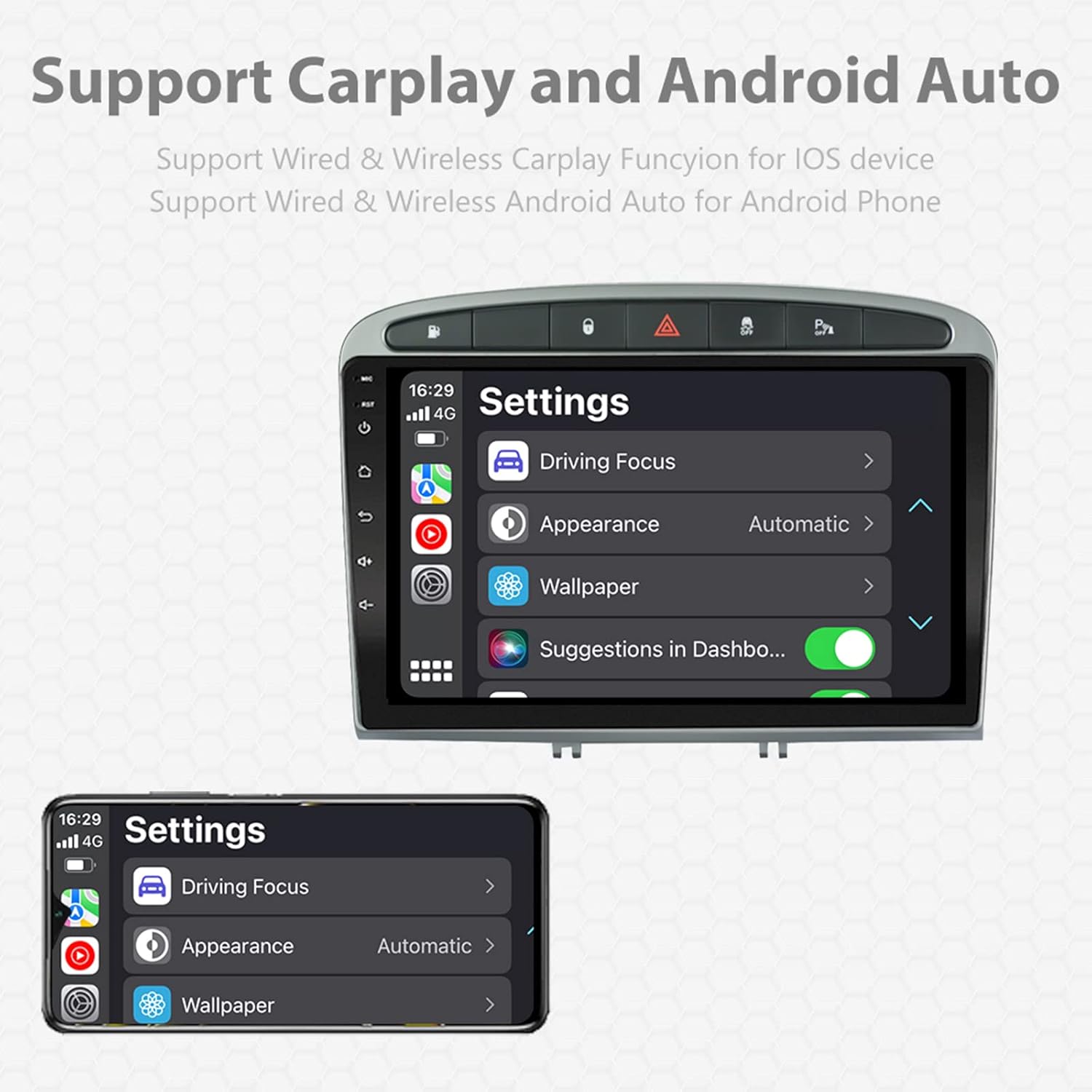
Image: A screen capture showing the settings menu for CarPlay and Android Auto, indicating support for both wired and wireless connections.
Funkcja podzielonego ekranu
The Android 11 system supports multi-tasking, allowing two applications to run side-by-side.
- To activate, open an application, then swipe up from the bottom of the screen (or use the recent apps button) and drag another app to one side of the screen.
- This enables simultaneous use of navigation and music playback, or browsing while listening to the radio.
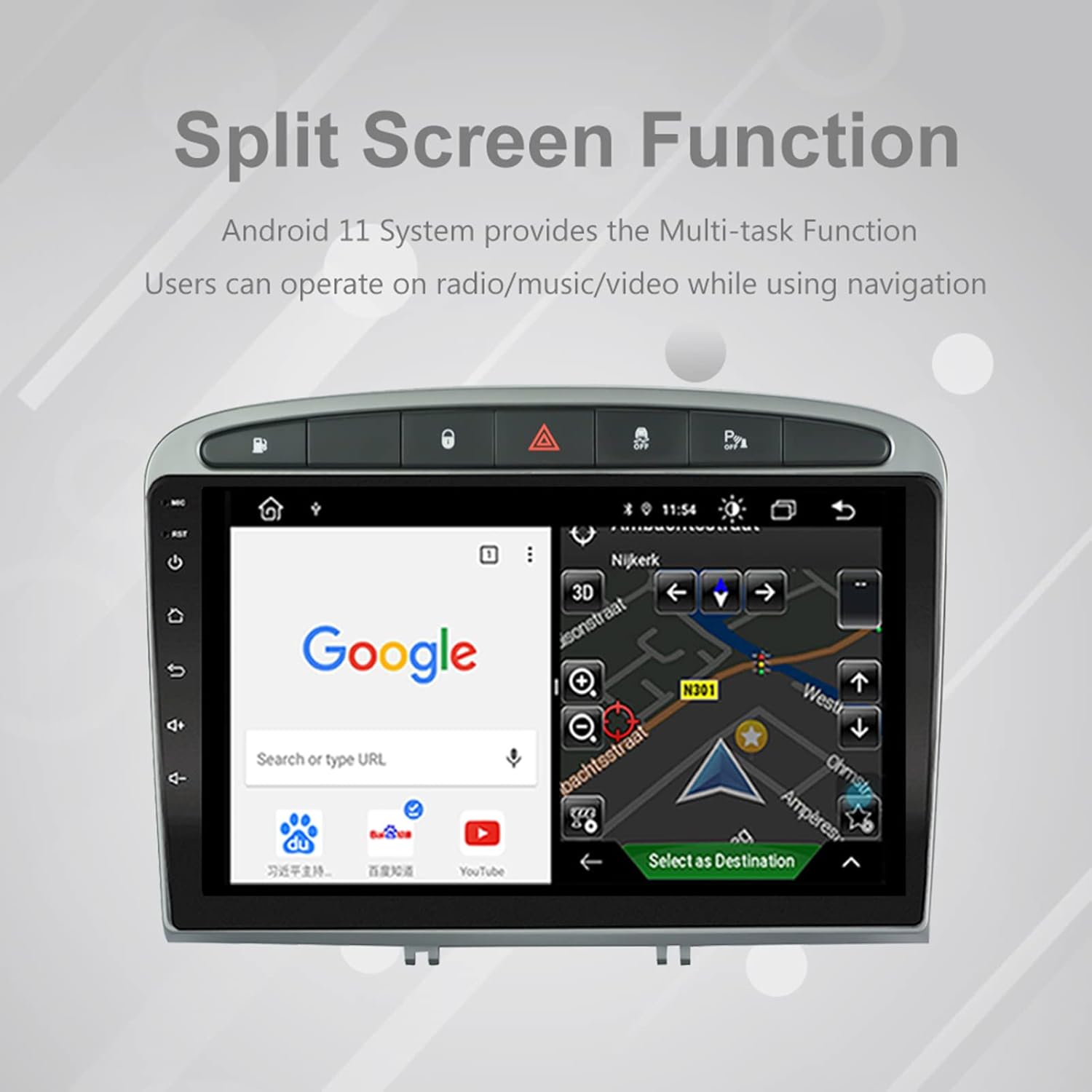
Image: The split-screen feature in action, displaying a Google search interface on one side and a navigation map on the other.
Radio (AM/FM/RDS)
The unit includes an automotive-grade chipset for optimal radio signal reception.
- Select the 'Radio' application from the home screen.
- Użyj przycisków na ekranie, aby wyszukać stacje, dostroić je ręcznie lub wybrać zaprogramowane stacje.
- System RDS (Radio Data System) dostarcza dodatkowych informacji, takich jak nazwa stacji i typ programu, jeśli są dostępne.
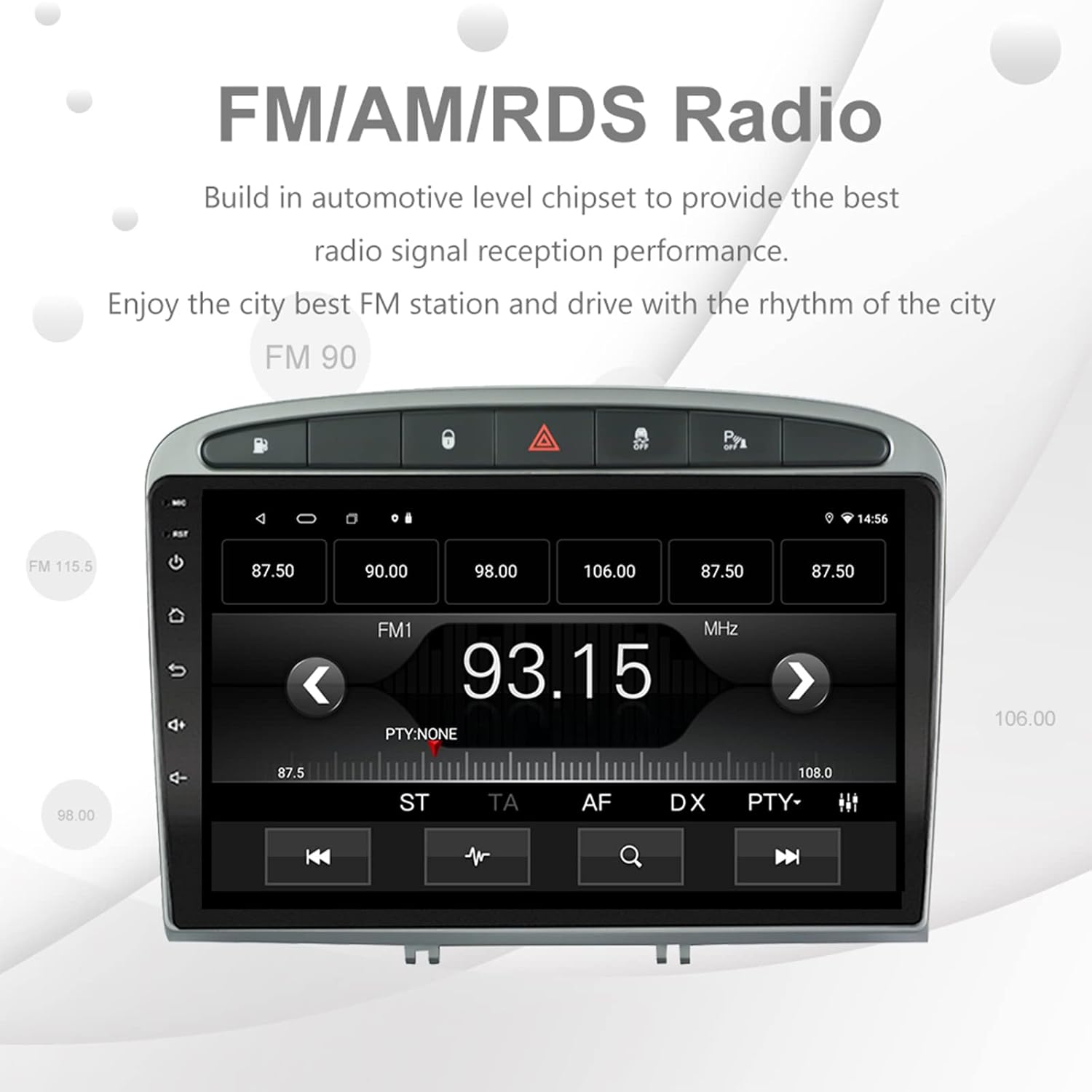
Image: The FM/AM/RDS radio interface, showing frequency display, tuning controls, and preset options.
Cyfrowy procesor dźwięku (DSP)
The built-in 32-band DSP allows for precise audio customization to match your preferences and vehicle acoustics.
- Access the 'EQ' or 'DSP' application from the home screen.
- Adjust individual frequency bands, fader, balance, treble, and bass settings.
- Select from preset EQ modes or create and save your custom profiles.

Image: The DSP system interface, illustrating the multi-band equalizer with adjustable frequency sliders for sound customization.
Multimedia Playback (Music & Video)
The unit supports various multimedia formats for music and 1080P HD video playback.
- Connect USB drives to the rear USB inputs for media files.
- Use the 'Music' or 'Video' applications to browse and play your media.
- Stream music from your mobile phone via Bluetooth or compatible apps like Spotify (requires internet connection).

Image: The multimedia player displaying a high-definition scenic image, demonstrating its capability for 1080P video and music playback.
Wejście kamery cofania
The unit supports a reverse camera input for enhanced parking safety. An AHD camera (optional) provides superior clarity compared to standard CVBS cameras.
- Connect a compatible reverse camera to the 'Camera Input' cable.
- Wyświetlacz automatycznie przełączy się na kamerę view po włączeniu biegu wstecznego.
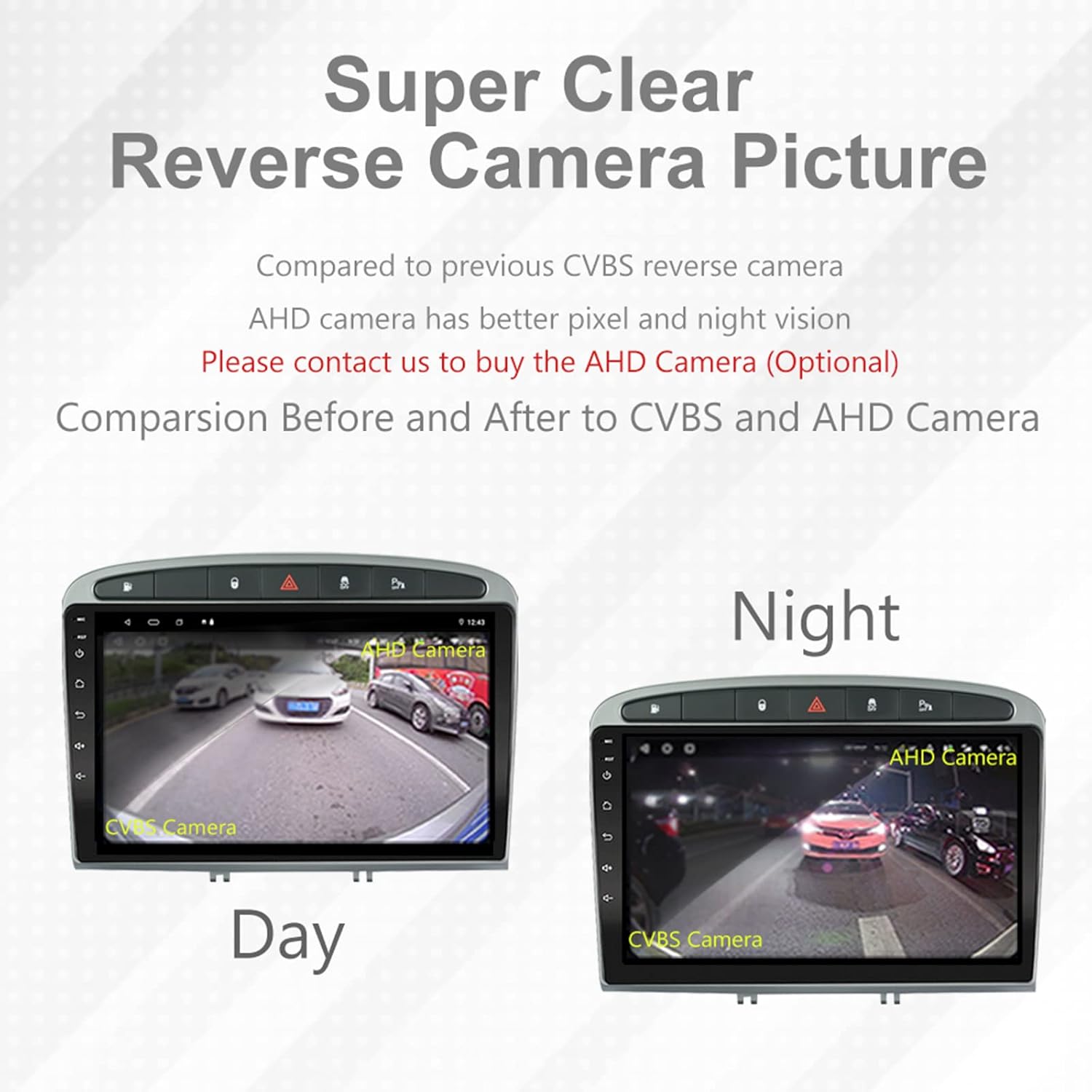
Image: A visual comparison demonstrating the clear reverse camera picture, highlighting the improved clarity of an AHD camera during both day and night conditions.
Konserwacja
Właściwa konserwacja zapewnia długowieczność i optymalną pracę radia samochodowego.
- Czyszczenie ekranu: Delikatnie przetrzyj ekran dotykowy miękką, niepozostawiającą włókien ściereczką. Unikaj środków czyszczących o działaniu ściernym i rozpuszczalników.
- Aktualizacje oprogramowania: Periodically check for system software updates to ensure optimal performance and access to new features. Updates can usually be found in the system settings or on the manufacturer's webstrona.
- Temperatura: Unikaj wystawiania urządzenia na działanie ekstremalnych temperatur.
Rozwiązywanie problemów
Jeśli napotkasz problemy, zapoznaj się z poniższymi typowymi problemami i rozwiązaniami:
| Problem | Możliwa przyczyna | Rozwiązanie |
|---|---|---|
| Urządzenie nie włącza się | Luźne połączenie zasilania, przepalony bezpiecznik, problem z akumulatorem pojazdu. | Sprawdź połączenia wiązki zasilania. Sprawdź bezpieczniki pojazdu. Upewnij się, że akumulator pojazdu jest naładowany. |
| Brak dźwięku | Zbyt niska głośność, wyciszenie włączone, problem z okablowaniem głośników, nieprawidłowe ustawienia wyjścia audio. | Increase volume. Check mute status. Verify speaker connections. Adjust audio settings in DSP/EQ. |
| Sygnał GPS jest słaby lub niedokładny | Nieprawidłowo umieszczona lub odłączona antena GPS, zakłócenia ze strony środowiska. | Upewnij się, że antena GPS ma czyste pole widzenia view of the sky and is securely connected. Avoid placing near metal objects. |
| Problemy z parowaniem Bluetooth | Bluetooth not enabled on unit or phone, incorrect pairing procedure, device interference. | Ensure Bluetooth is enabled on both devices. Restart both devices. Follow pairing instructions carefully. |
| CarPlay/Android Auto nie działa | Wadliwy kabel USB, problem z oprogramowaniem telefonu, aplikacja nie została zainstalowana lub zaktualizowana. | Try a different USB cable. Ensure your phone's OS and CarPlay/Android Auto apps are updated. Restart phone and stereo. |
| Jednostka jest powolna lub nie reaguje | Too many apps running in background, low storage, software glitch. | Close unnecessary applications. Clear cache. Perform a system restart. If persistent, a factory reset might be needed (backup data first). |
W razie problemów nieopisanych w tym artykule, skontaktuj się z obsługą klienta.
Specyfikacje
- Numer modelu: RMS8-PGT-408-08-2G32
- System operacyjny: Android 11
- Rozmiar ekranu: 9 cali
- Typ wyświetlacza: Pojemnościowy ekran dotykowy TFT
- Rezolucja: 1280 x 720 pixels (Note: Some documentation may state 1024x600, but 1280x720 is the primary specification)
- Procesor: Octa Core with 1.6GHz Cortex A55
- BARAN: 2 GB DDR3
- Pamięć wewnętrzna: 32 GB pamięci flash
- Bluetooth: Version 5.0 (A2DP, Hands-Free, Phonebook)
- Łączność: Built-in WiFi, 4G SIM Card Compatible (requires external module/dongle for 4G), RCA, USB
- GPS: Built-in receiver, compatible with Waze/Navfree/Yandex Map etc.
- Radio: AM/FM/RDS with Auto Memory Store/Preset Scan
- Wyjście audio: 4 x 45W Power Output, 4.1 Channel RCA/Sub Output
- Przetwarzanie dźwięku: 32 Band DSP, Multi EQ Settings, Volume/Fader/Balance/Treble/Bass Control
- Wejście wideo: 1 Channel Video Input, Back Camera Input
- Wejście audio: Wejście audio 2-kanałowe
- Zgodne urządzenia: Smartphone (for CarPlay/Android Auto, Bluetooth)
- Obsługiwane usługi internetowe: Spotify
- Języki: Angielski, francuski, włoski, niemiecki, hiszpański, portugalski, chiński, japoński i inne.
- Wymiary opakowania: Wymiary 31.3 x 21.6 x 11.9 cm
- Waga paczki: 1.51 kilogramów
Gwarancja i wsparcie
Your EZoneTronics car stereo comes with a 1-letnia gwarancja od daty zakupu.
For technical assistance, warranty claims, or any inquiries, please contact our customer support team:
- E-mail: sales2@rhythmhk.com
Please provide your model number (RMS8-PGT-408-08-2G32) and a detailed description of the issue when contacting support.