
acer KB242Y Abi
Instrukcja obsługi monitora Acer KB242Y Abi
Model: KB242Y Abi
1. Wprowadzenie
Thank you for choosing the Acer KB242Y Abi monitor. This 23.8-inch Full HD (1920 x 1080) VA display features a 75Hz refresh rate, 1ms VRB response time, and 250 Nit brightness, providing a clear and smooth visual experience. It supports AMD FreeSync technology and offers versatile connectivity with HDMI and VGA inputs. This manual provides essential information for setting up, operating, and maintaining your monitor.
2. Informacje dotyczące bezpieczeństwa
Przed użyciem monitora należy uważnie przeczytać wszystkie instrukcje. Zachowaj tę instrukcję do wykorzystania w przyszłości.
- Nie wystawiaj monitora na działanie deszczu i wilgoci.
- Nie blokuj otworów wentylacyjnych.
- Należy używać wyłącznie zasilacza dostarczonego przez producenta.
- Unikaj umieszczania monitora w bezpośrednim świetle słonecznym lub w pobliżu źródeł ciepła.
- Czyść ekran miękką, niepozostawiającą włókien ściereczką. Nie używaj płynnych środków czyszczących bezpośrednio na ekranie.
- Unplug the monitor from the power outlet before cleaning or if it will not be used for a long period.
3. Zawartość opakowania
Sprawdź, czy w przesyłce znajdują się wszystkie elementy:
- Acer KB242Y Abi Monitor
- Stojak na monitor (podstawa i szyjka)
- Kabel zasilający
- Kabel HDMI (może się różnić w zależności od regionu)
- Instrukcja obsługi (ten dokument)
4. Konfiguracja
4.1 Montaż podstawy monitora
- Aby zapobiec porysowaniu, ostrożnie połóż monitor ekranem do dołu na miękkiej i czystej powierzchni.
- Przymocuj podstawę do tylnej części monitora, dopasowując punkty mocowania. Przymocuj śrubami, jeśli są dołączone.
- Attach the stand base to the neck, ensuring it clicks into place or is secured with the thumb screw.
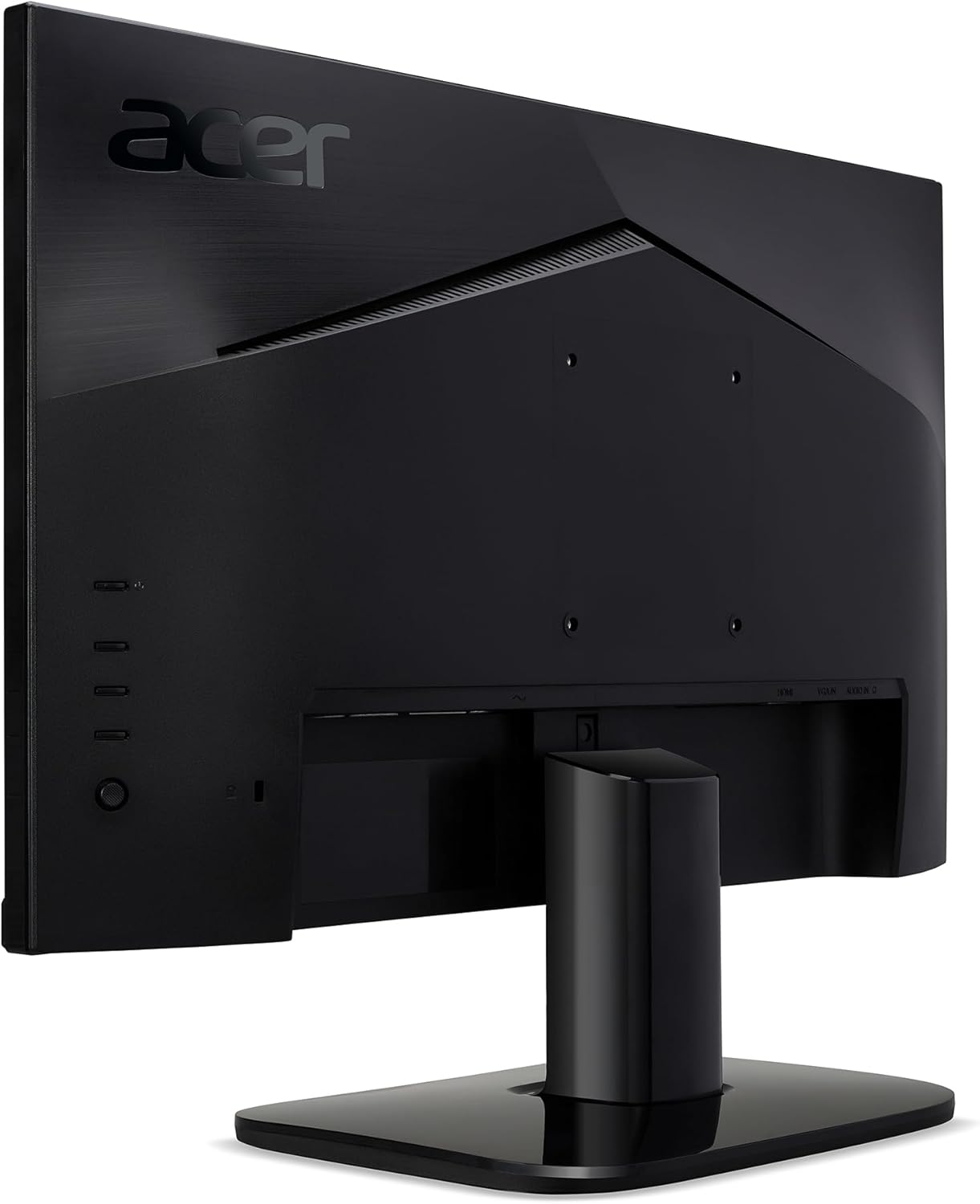
Rysunek 4.1: Tył view of the monitor, illustrating the stand attachment area and VESA mounting points.
4.2 Kable połączeniowe
Podłącz niezbędne kable do monitora i komputera.
- Podłączenie zasilania: Podłącz kabel zasilający do wejścia zasilania monitora, a następnie do gniazdka sieciowego.
- Połączenie wideo:
- HDMI: Connect one end of the HDMI cable to the monitor's HDMI port and the other end to the HDMI port on your computer.
- VGA: Connect one end of the VGA cable to the monitor's VGA port and the other end to the VGA port on your computer.

Rysunek 4.2: Tył view of the monitor, highlighting the HDMI and VGA input ports for video connection.

Rysunek 4.3: Strona view of the monitor, showing the location of the control buttons for menu navigation and power.
5. Obsługa monitora
5.1 Włączanie/wyłączanie zasilania
Press the power button, usually located on the bottom right side or rear of the monitor, to turn the monitor on or off. The power indicator light will illuminate when the monitor is on.
5.2 Menu ekranowe (OSD)
The OSD menu allows you to adjust various monitor settings. Use the control buttons (refer to Figure 4.3) to navigate the menu.
- Jasność/Kontrast: Dostosuj poziom jasności i kontrastu wyświetlacza.
- Ustawienia kolorów: Modify color temperature, gamma, and color saturation.
- Wybór wejścia: Ręczne przełączanie pomiędzy wejściami HDMI i VGA.
- Audio: Adjust volume if external speakers are connected to the monitor's audio out (if available).
- Funkcje gier: Enable/disable AMD FreeSync, adjust VRB (Visual Response Boost) settings for reduced motion blur.
- Ustawienia OSD: Zmień język OSD, przezroczystość i limit czasu.
5.3 Technologia AMD FreeSync
This monitor supports AMD FreeSync technology, which synchronizes the monitor's refresh rate with your graphics card's frame rate to eliminate screen tearing and stuttering during gaming. Ensure your graphics card supports FreeSync and that the feature is enabled in both your graphics card settings and the monitor's OSD menu.
6. Konserwacja
Proper maintenance ensures the longevity of your monitor.
- Czyszczenie ekranu: Delikatnie przetrzyj ekran miękką, niepozostawiającą włókien ściereczką. W przypadku uporczywych zabrudzeń delikatnie przetrzyj.ampPrzetrzyj ściereczkę wodą lub specjalnym środkiem do czyszczenia ekranów. Nigdy nie spryskuj ekranu bezpośrednio płynem.
- Czyszczenie Casing: Do czyszczenia monitora należy używać miękkiej, suchej ściereczki.asing.
- Wentylacja: Aby zapobiec przegrzaniu, należy upewnić się, że otwory wentylacyjne są czyste, bez kurzu i przeszkód.
7. Rozwiązywanie Problemów
| Problem | Możliwa przyczyna / rozwiązanie |
|---|---|
| Brak obrazu na ekranie |
|
| Obraz jest niewyraźny lub zniekształcony |
|
| Brak dźwięku (jeśli dotyczy) |
|
8. Specyfikacje
| Funkcja | Szczegół |
|---|---|
| Numer modelu | KB242Y Abi |
| Rozmiar ekranu | 23.8 cali |
| Typ panelu | VA |
| Rezolucja | 1920 x 1080 (Pełna rozdzielczość HD) |
| Proporcje obrazu | 16:9 |
| Częstotliwość odświeżania | 75 Hz |
| Czas reakcji | 1ms VRB |
| Jasność | 250 cd/m² (nitów) |
| Współczynnik kontrastu | 100,000,000:1 (Adaptive Contrast Management) |
| Obsługiwane kolory | 16.7 miliona |
| Wejścia wideo | 1xHDMI, 1xVGA |
| Zgodność z mocowaniem VESA | 100 x 100mm |
| Dostosowania | Nachylenie |
| Wymiary produktu | 2.48 x 21.26 x 12.72 cala |
| Waga przedmiotu | 6 funta |
9. Gwarancja i wsparcie
This product is a Certified Refurbished item and includes a 90-day warranty. For technical support, warranty claims, or service inquiries, please refer to the contact information provided by your retailer or the official Acer support webstrona.
Więcej informacji znajdziesz na stronie Odnowiony sklep Amazon.
Ask a question about this manual
Ask about setup, troubleshooting, compatibility, parts, safety, or missing instructions. Manuals+ will review the question and use this page’s manual context to help answer it.