
Wstęp
The havit GK58B is a USB plug-and-play gaming microphone designed for clear voice communication. It features omnidirectional sound pickup, a flexible gooseneck, a stable base, and unique RGB lighting effects. This manual provides instructions for setup, operation, maintenance, and troubleshooting to ensure optimal performance.
Cechy
- Podłączenie przez USB i korzystanie: Simple connection without driver installation.
- Odbiór dookólny: Captures sound from all directions for clear communication.
- Elastyczna gęsia szyja: Adjustable microphone position for optimal voice capture.
- Stabilna podstawa: Ensures the microphone remains securely in place.
- Oświetlenie RGB: Integrated lighting for an enhanced aesthetic.
Zawartość opakowania
The havit GK58B package includes:
- 1 x havit GK58B USB Gaming Microphone
- 1 x Instrukcja obsługi (ten dokument)

Obraz: Przód view of the havit GK58B USB Gaming Microphone retail packaging.

Obraz: Tył view of the havit GK58B USB Gaming Microphone retail packaging, showing product specifications.
Organizować coś
- Rozpakuj mikrofon: Carefully remove the havit GK58B microphone from its packaging.
- Umiejscowienie mikrofonu: Place the microphone on a stable, flat surface. Adjust the flexible gooseneck to position the microphone head optimally for your voice, typically 15-30 cm (6-12 inches) from your mouth.
- Połącz z komputerem: Plug the USB connector of the microphone cable into an available USB port on your computer.
- Instalacja sterownika: The microphone is plug-and-play and does not require additional driver installation. Your operating system should automatically detect and configure the device.
- Wybierz jako urządzenie domyślne:
- Okna: Idź do Ustawienia dźwięku > Panel sterowania dźwiękiem > Nagranie tab. Select "havit GK58B" or similar as your default recording device.
- MacOS: Idź do Preferencje systemowe > Dźwięk > Wejście tab. Select "havit GK58B" or similar as your input device.
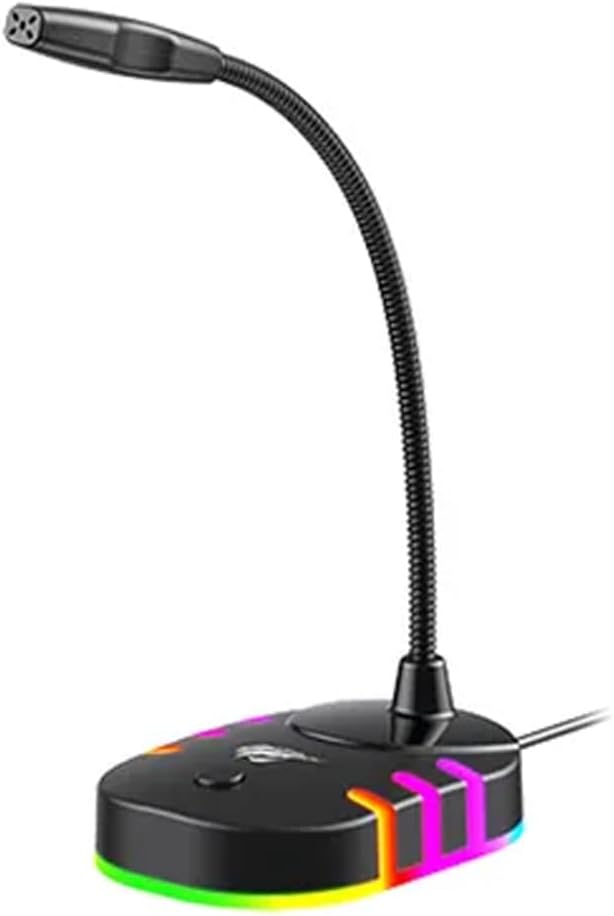
Obraz: Przód view of the havit GK58B USB Gaming Microphone, showing the gooseneck and base with RGB lighting.
Instrukcja obsługi
- Aktywacja mikrofonu: Once connected and selected as the default input device, the microphone is ready for use. The RGB lighting on the base will illuminate, indicating it is powered on.
- Regulacja głośności: Microphone input volume can be adjusted through your computer's sound settings or within the specific application you are using (e.g., game chat, communication software).
- Odbiór dookólny: The GK58B features an omnidirectional polar pattern, meaning it picks up sound equally from all directions. This is suitable for capturing ambient sound or multiple speakers around the microphone. For best voice clarity, speak directly towards the microphone head.
- Sterowanie oświetleniem RGB: The microphone base features RGB lighting. While specific controls are not detailed, typically these lights cycle automatically or can be toggled via a button on the base if present. Refer to the product's physical buttons for any lighting control options.
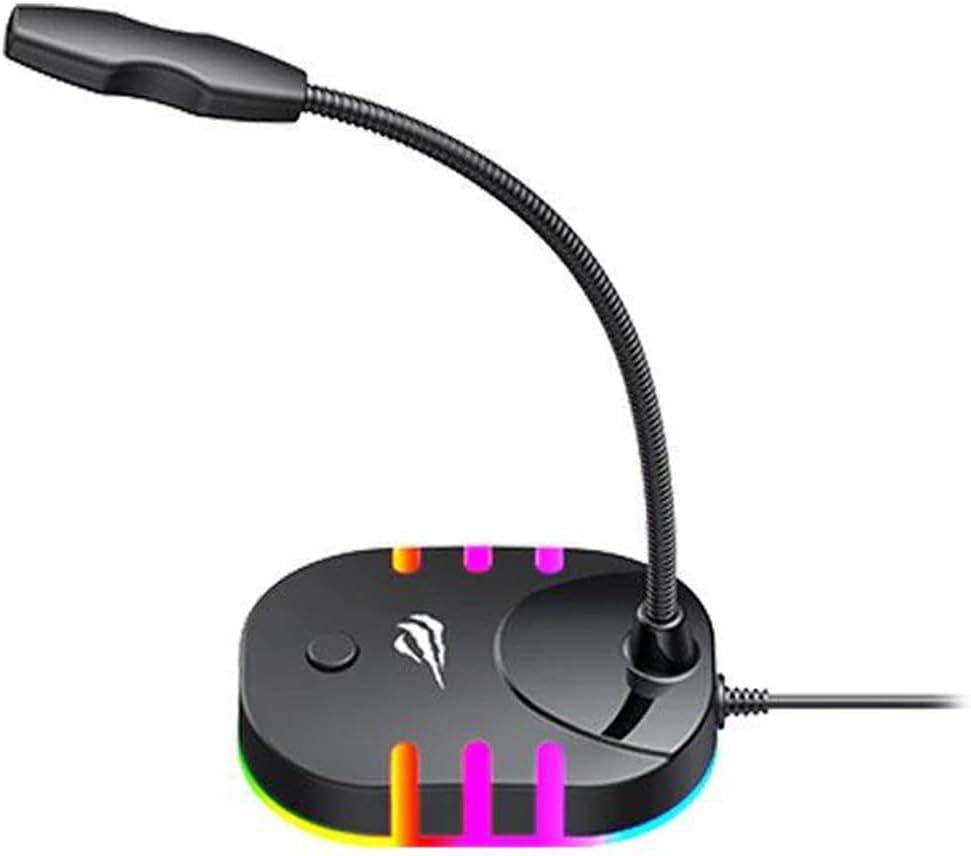
Image: Back-side view of the havit GK58B USB Gaming Microphone, showing the USB cable connection point and the base with RGB lighting.
Konserwacja
- Czyszczenie: Use a soft, dry cloth to wipe the microphone and its base. Avoid using liquid cleaners or abrasive materials, as these can damage the device.
- Składowanie: When not in use, store the microphone in a clean, dry environment away from direct sunlight and extreme temperatures.
- Pielęgnacja kabli: Nie zginaj ani nie ściskaj nadmiernie kabla USB. Podczas odłączania zawsze chwytaj za wtyczkę, a nie za kabel.
Rozwiązywanie problemów
| Problem | Możliwa przyczyna | Rozwiązanie |
|---|---|---|
| Nie wykryto mikrofonu / Brak sygnału dźwiękowego |
|
|
| Niska głośność mikrofonu |
|
|
| Nie działa oświetlenie RGB |
|
|
Specyfikacje
| Nazwa modelu | GK58B |
| Technologia łączności | USB |
| Typ złącza | USB typu A |
| Wzór biegunowy | Wielokierunkowy |
| Wrażliwość | -36 ± 3dB |
| Impedancja | 2.2kΩ |
| Odpowiedź częstotliwościowa | 30Hz – 16kHz |
| Długość kabla | 1.5m |
| Objętość operacyjnatage | 5.0 V |
| Prąd roboczy | 90mA |
| Wymiary mikrofonu | φ6*5 mm |
| Wymiary produktu | Wymiary 7.5 x 13 x 11 cm |
| Waga przedmiotu | 2 gramów |
| Kompatybilne urządzenia | Laptop, komputer osobisty |
| Funkcja specjalna | Stojak, oświetlenie RGB |
Gwarancja i wsparcie
For warranty information and technical support, please refer to the official havit webOdwiedź witrynę lub skontaktuj się z lokalnym sprzedawcą. Zachowaj paragon zakupu na wypadek reklamacji.
Producent: Mieć