
NTONPOWER APS-6A4U-US
NTONPOWER APS-6A4U-US Surge Protector Power Strip User Manual
Model: APS-6A4U-US
1. Wprowadzenie
This manual provides essential information for the safe and efficient operation of your NTONPOWER Surge Protector Power Strip. Please read these instructions thoroughly before use and retain for future reference.
2. Funkcje produktu
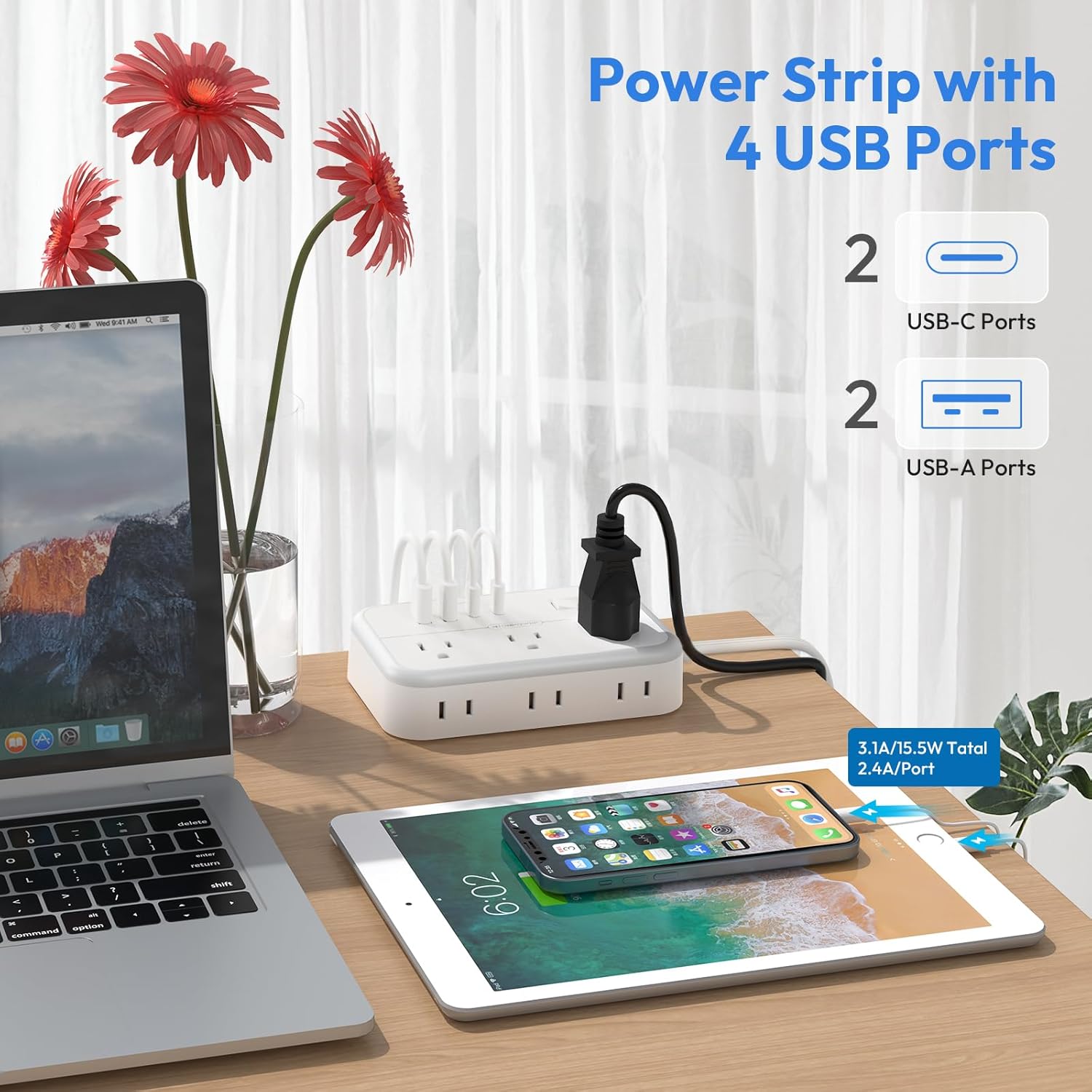
- Łączność 10 w 1: Features 6 AC outlets and 4 USB charging ports (2 USB-C, 2 USB-A) for simultaneous device charging.
- Inteligentna technologia układu scalonego: USB ports automatically detect and deliver optimal current to connected devices.
- Płaska konstrukcja wtyczki: 45-degree angled flat plug allows for use in tight spaces without blocking other outlets.
- Konstrukcja do montażu: Includes two mounting holes, screws, and a template for horizontal or vertical installation.
- Szeroko rozmieszczone gniazda: AC outlets are spaced to accommodate larger power adapters without obstruction.
- Ochrona przeciwprzepięciowa: Protects connected electronics from lightning, power surges, and voltage spikes (1080J rating).
- Zabezpieczenie przed przeciążeniem: Built-in circuit breaker with an ON/OFF/RESET switch automatically shuts off power if overload is detected (rated power: 1250W).
- Flat Extension Cord: The 5 ft flat power cord is designed to run discreetly under rugs or behind furniture.
- 8-punktowy system bezpieczeństwa: Incorporates multiple safety features including surge, overload, over-temperature, short-circuit, over-voltage, over-current protection, and fire resistance.
3. Specyfikacje
| Numer modelu | APS-6A4U-US |
| Wymiary produktu | 5.5 x 3.5 x 1.2 cala |
| Waga przedmiotu | 13.7 uncji |
| Całkowita moc gniazdek | 6 AC Outlets, 4 USB Ports (2 USB-C, 2 USB-A) |
| Całkowite wyjście USB | 5 V/3.1 A (15.5 W) |
| Tomtage | 125 wolty |
| Moc znamionowa | 1250 W |
| Ocena ochrony przeciwprzepięciowej | 1080 dżuli |
| Długość przewodu | 5 stóp |
| Kolor | Biały |
| Producent | NTONPOWER Technology Co.,Ltd |
4. Konfiguracja i instalacja
4.1 Podłączanie do gniazdka elektrycznego
- Ensure the power strip's ON/OFF switch is in the OFF position.
- Plug the power strip's flat plug into a standard 125V AC wall outlet. The 45-degree angled plug is designed to fit in tight spaces without obstructing the second wall outlet.
- Press the ON/OFF switch to the ON position. The indicator light will illuminate, confirming power is supplied.
4.2 Mounting the Power Strip (Optional)
The power strip can be mounted horizontally or vertically using the provided screws and mounting template.
- Wybierz odpowiednie miejsce montażu.
- Use the included mounting template to mark the positions for the two screws.
- Wywierć otwory pilotujące w zaznaczonych miejscach.
- Insert the screws, leaving a small portion exposed for the mounting holes on the back of the power strip.
- Align the mounting holes on the back of the power strip with the exposed screw heads and slide the power strip into place.


5. Instrukcja obsługi
5.1 Korzystanie z gniazdek prądu zmiennego
- Plug your devices into the 6 AC outlets. The outlets are widely spaced to accommodate larger power adapters.
- Ensure the total power consumption of all connected devices does not exceed 1250W to prevent overload.

5.2 Korzystanie z portów ładowania USB
- Connect your USB-powered devices (e.g., smartphones, tablets, e-readers) to the 2 USB-C ports or 2 USB-A ports.
- The built-in Smart IC technology will automatically detect your device and deliver the optimal charging current up to 5V/3.1A total output.
5.3 Włącznik/wyłącznik zasilania
- The power strip features a master ON/OFF switch with an indicator light.
- Press the switch to turn power ON or OFF to all connected outlets and USB ports.
- In case of an overload, the switch will automatically trip to the OFF position to protect your devices. Reset by pressing the switch back to ON after reducing the load.

6. Funkcje bezpieczeństwa
The NTONPOWER Surge Protector Power Strip is equipped with an 8-point safety system to ensure the protection of your devices and home:
- Ochrona przeciwprzepięciowa: 1080 Joules rating to absorb excess voltage.
- Zabezpieczenie przed przeciążeniem: Automatic shutdown when current exceeds safe limits.
- Zabezpieczenie przed przegrzaniem: Zapobiega przegrzaniu.
- Zabezpieczenie przed zwarciem: Zabezpiecza przed zwarciami elektrycznymi.
- Over-voltage Ochrona: Protects from excessive voltage wejście.
- Ochrona nadprądowa: Zabezpiecza przed nadmiernym przepływem prądu.
- Fire-Resistance: Wykonane z materiałów trudnopalnych.
- Przełącznik bezpieczeństwa: Manual control and reset for power.


7. Konserwacja i pielęgnacja
- Keep the power strip away from water and high humidity environments.
- Do not disassemble or attempt to repair the unit yourself. Refer to qualified personnel for service.
- Clean the power strip with a dry, soft cloth. Do not use liquid cleaners or aerosols.
- Avoid placing heavy objects on the power cord or outlets.
- Regularly inspect the power cord for any signs of damage. Discontinue use if damage is found.
8. Rozwiązywanie Problemów
8.1 Brak zasilania urządzeń
- Check Power Strip Switch: Ensure the ON/OFF switch is in the ON position and the indicator light is illuminated. If it's OFF, press to reset.
- Sprawdź gniazdko ścienne: Verify the wall outlet is functioning by plugging in another device directly.
- Check Device Connection: Ensure devices are securely plugged into the power strip.
- Przeciążać: If the switch tripped, unplug some devices to reduce the load, then press the switch to ON.
8.2 Slow USB Charging
- Jakość kabla: Use high-quality USB cables for optimal charging speeds.
- Zgodność urządzenia: While Smart IC optimizes current, some devices may have specific charging requirements.
- Total USB Load: If multiple devices are charging simultaneously, the total output of 5V/3.1A is shared, which may result in slower charging for individual devices.
9. Gwarancja i wsparcie
NTONPOWER products typically come with an 18-month warranty for refund or replacement. For technical support, warranty claims, or further assistance, please contact NTONPOWER customer service through their official channels or the retailer where the product was purchased.
Visit the official NTONPOWER Store for more information: NTONPOWER Store
10. Ważne informacje dotyczące bezpieczeństwa
- Nie przekraczaj maksymalnej mocy znamionowej wynoszącej 1250 W.
- This device is intended for indoor use only. Do not use in wet or damp warunki.
- Przechowywać w miejscu niedostępnym dla dzieci.
- Do not plug one power strip into another.
- Całkowicie włóż wtyczkę do gniazdka.
- Nie stosować w akwariach ani innych produktach mających kontakt z wodą.
- Jeśli produkt wydaje się uszkodzony, należy natychmiast zaprzestać jego używania.
11. Filmy produktowe
NTONPOWER Surge Protector Overview
Wideo: Krótki przeglądview of the NTONPOWER Surge Protector Power Strip, showcasing its compact design, multiple outlets, and USB charging capabilities. This video highlights the product's versatility for various settings like home, office, and travel.
NTONPOWER Power Strip Features in Use
Video: This video demonstrates the NTONPOWER power strip in action, showing how its flat plug fits behind furniture, how multiple devices can be charged simultaneously, and its suitability for different environments like a nightstand or office desk.
Ask a question about this manual
Ask about setup, troubleshooting, compatibility, parts, safety, or missing instructions. Manuals+ will review the question and use this page’s manual context to help answer it.