
1. Koniec produktuview
The UNICOO L Shaped Desk is designed to provide a versatile and efficient workspace for home offices, gaming setups, and professional environments. Its L-shape maximizes corner space, offering ample surface area for multiple monitors, computers, and other essentials. This desk features a sturdy metal frame and a durable rustic brown finish, complemented by integrated storage options.
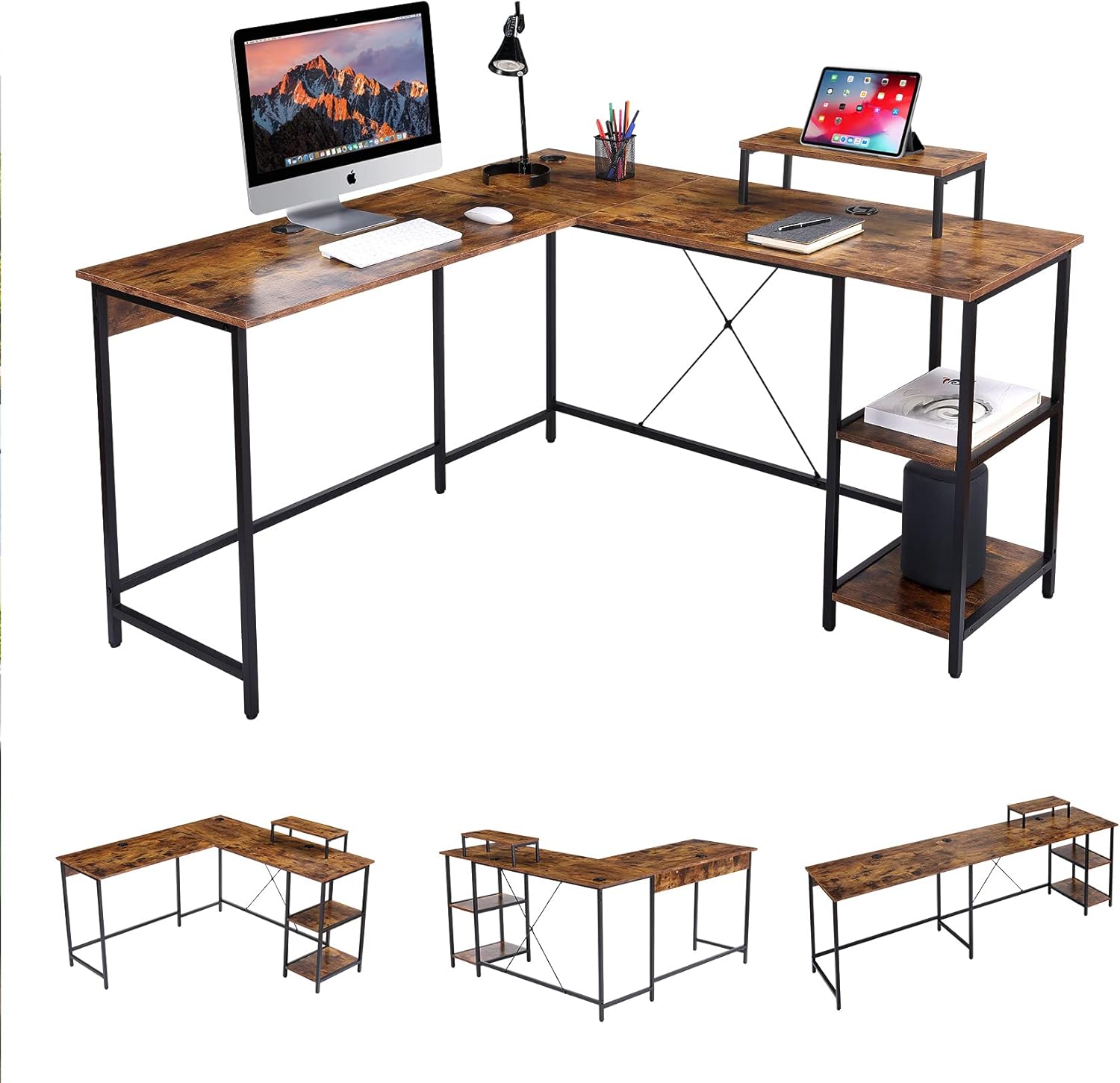
Obraz 1: Koniecview of the UNICOO L Shaped Desk in Rustic Brown.
2. Zawartość opakowania
Before beginning assembly, please verify that all components listed below are present and undamaged. If any parts are missing or damaged, please contact UNICOO customer support.
- Desk Panels (L-shaped sections, monitor stand, shelf panels)
- Elementy ramy metalowej (nogi, drążki podporowe)
- Sprzęt montażowy (śruby, nakrętki, podkładki)
- Regulowane podkładki pod stopy
- Instrukcja obsługi (ten dokument)
Notatka: Assembly tools are not included and must be provided by the user.
3. Instalacja i montaż
Follow these instructions carefully to assemble your UNICOO L Shaped Desk. It is recommended to have two people for assembly.
- Przygotuj przestrzeń roboczą: Clear a spacious, stable, and level area for assembly. Lay out all components and hardware within easy reach.
- Złóż ramę: Attach the metal legs to the main support bars using the provided hardware. Ensure all connections are secure but do not fully tighten screws until the entire frame is assembled.
- Zamontuj panele biurkowe: Carefully place the desk panels onto the assembled frame. Secure them using the designated screws. The L-shape design is reversible, allowing you to configure the longer side to your left or right as needed.
- Install Shelves and Monitor Stand: Attach the two-tier adjustable shelves and the monitor stand to their respective positions on the desk.
- Ostateczne dokręcanie: Gdy wszystkie elementy znajdą się na swoim miejscu i zostaną wyrównane, należy dokręcić wszystkie śruby i nakrętki.
- Regulacja nóżek poziomujących: Adjust the foot pads at the bottom of the desk legs to ensure the desk is stable and level on your floor.

Image 2: Desk dimensions and L-shape configuration (55.1" x 19.7" & 55.1" x 29.9"H).

Image 3: Desk dimensions in straight configuration (90.6" x 19.7" x 29.9"H).

Image 4: The reversible design allows for left or right L-shape configuration.
4. Instrukcja obsługi
The UNICOO L Shaped Desk is designed for optimal functionality and space utilization.
- Wykorzystanie przestrzeni roboczej: Arrange your computer, monitors, and other office equipment on the spacious desk surface. The L-shape provides distinct areas for different tasks, enhancing productivity.
- Podstawka pod monitor: Use the elevated monitor stand to position your screen at an ergonomic height, reducing neck and eye strain.
- Półki do przechowywania: Utilize the two-tier adjustable shelves for storing books, documents, a CPU tower, or other office supplies, keeping your workspace organized.
- Zarządzanie kablami: The desk includes integrated cable grommets to help route and organize power cords and data cables, maintaining a tidy appearance.
Obraz 5: Szczegóły view of the cable grommet for organization and adjustable foot pad for stability.
5. Konserwacja
Proper maintenance ensures the longevity and appearance of your desk.
- Czyszczenie: Przetrzyj powierzchnie biurka miękką,amp szmatką. Unikaj środków czyszczących o działaniu ściernym i silnych środków chemicznych, które mogłyby uszkodzić wykończenie.
- Sprawdzenie sprzętu: Okresowo sprawdzaj wszystkie śruby i nakrętki, aby upewnić się, że są dobrze dokręcone. W razie potrzeby dokręć je, aby zachować stabilność.
- Rozkład masy: Distribute weight evenly across the desk surface. Avoid placing excessively heavy items on one section.
6. Rozwiązywanie Problemów
If you encounter any issues with your UNICOO L Shaped Desk, refer to the following common problems and solutions:
- Biurko się chwieje:
- Sprawdź, czy wszystkie elementy montażowe są całkowicie dokręcone.
- Adjust the leveling foot pads on each leg to compensate for uneven floor surfaces.
- Verify that the desk is not overloaded beyond its maximum weight capacity.
- Części nie są wyrównane podczas montażu:
- Loosen all screws slightly, realign the components, and then retighten.
- Double-check the instruction manual to ensure each part is oriented correctly.
If problems persist, please contact UNICOO customer support for assistance.
7. Specyfikacje
| Funkcja | Szczegół |
|---|---|
| Marka | UNICOO |
| Numer modelu | B099DP5KC2 |
| Product Dimensions (L-shape) | 55.1"W x 19.7"D x 29.9"H (each side of L) |
| Wymiary produktu (prosty) | 90.6" szer. x 19.7" gł. x 29.9" wys. |
| Kolor | Rustykalny brąz |
| Styl | Nowoczesny |
| Materiał bazowy | Stal stopowa |
| Najlepszy rodzaj materiału | Metal (with wood-look finish) |
| Rodzaj wykończenia | Powder Coated (frame), Walnut (furniture finish) |
| Cechy specjalne | L Shaped Design, Reversible Configuration, 2-tier Adjustable Shelves, CPU Stand, Monitor Stand |
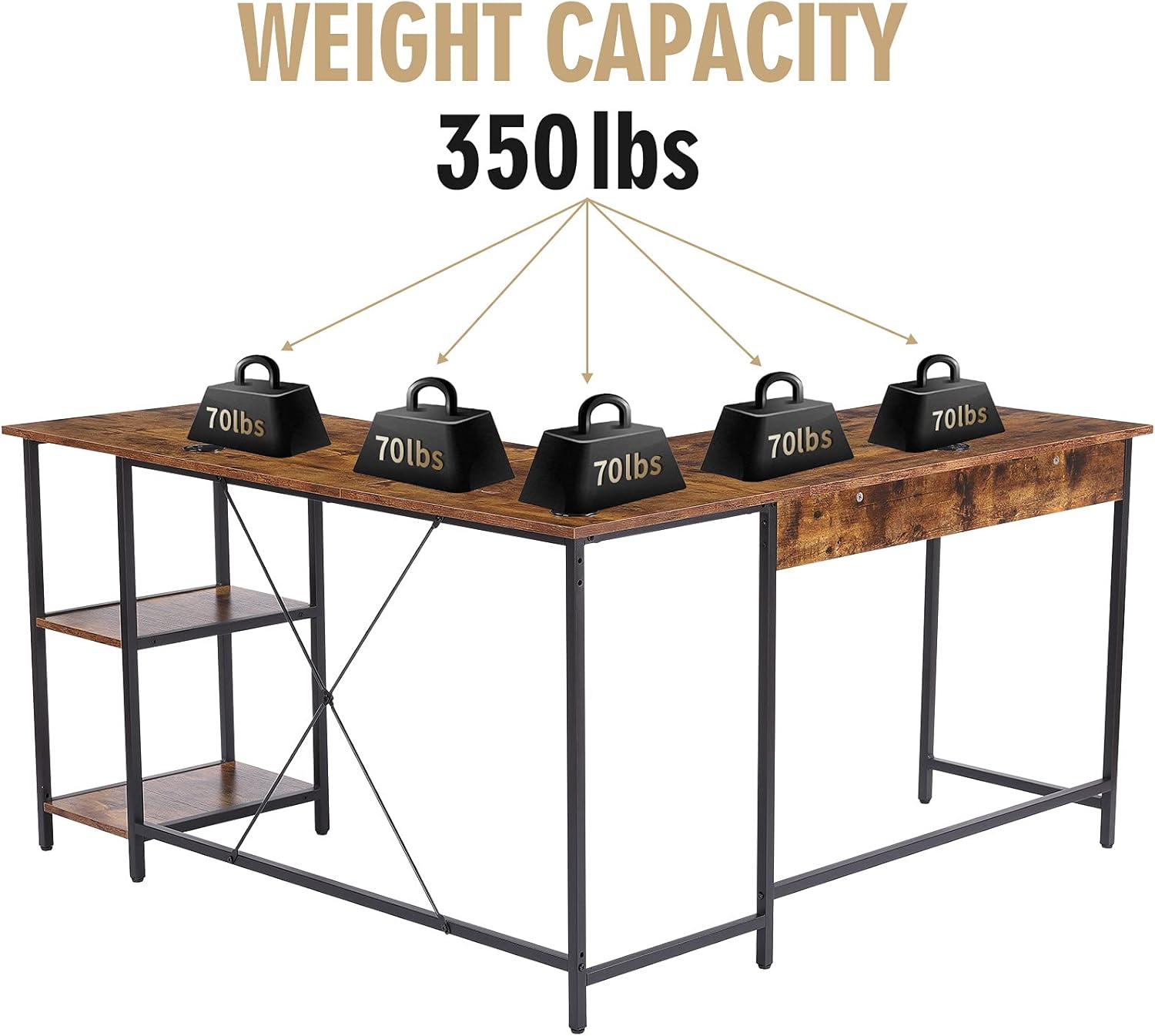
| Maksymalna nośność | 350 funtów |
| Wymagany montaż | Tak |
| Liczba półek | 2 |

Image 6: The desk has a maximum weight capacity of 350 lbs.
8. Informacje o gwarancji
The UNICOO L Shaped Desk comes with a Ograniczona gwarancja. For specific details regarding coverage, duration, and terms, please refer to the warranty documentation included with your purchase or visit the official UNICOO webZachowaj dowód zakupu na wypadek roszczeń gwarancyjnych.
9. Obsługa klienta
For any questions, assistance with assembly, troubleshooting, or warranty inquiries, please contact UNICOO customer support through the following channels:
- W sieci: Visit the official UNICOO webwitryna zawierająca zasoby pomocy i formularze kontaktowe.
- E-mail: Adres e-mail działu obsługi klienta znajdziesz w dokumentacji zakupu.
- Sklep Amazon: Możesz również odwiedzić UNICOO Store on Amazon for additional product information and support options.