
Ważne informacje dotyczące bezpieczeństwa
Przed montażem i użyciem należy uważnie przeczytać wszystkie instrukcje. Nieprzestrzeganie tych instrukcji może spowodować obrażenia ciała lub uszkodzenie produktu.
- Limit wagowy: Do not exceed the maximum weight capacity of 175 lbs (79.3 kg). Exceeding this limit may compromise stability and cause damage.
- Montaż: Follow all assembly instructions precisely. Ensure all fasteners are securely tightened before use. Two people are recommended for assembly.
- Płyny: Keep liquids away from the desk surface to prevent damage and potential slipping hazards.
- Umieszczenie: Ustaw biurko na równej i stabilnej powierzchni.
- Dzieci i zwierzęta: Aby zapobiec obrażeniom, podczas regulacji wysokości biurka należy trzymać dzieci i zwierzęta z dala od biurka.
Zawartość opakowania
Verify that all components are present before beginning assembly. Refer to the included parts list in your product packaging.
- L-shaped tabletop sections
- Desk frame components (legs, beams)
- Manual hand crank system
- Sprzęt montażowy (śruby, nakrętki itp.)
- Instrukcja montażu (osobny dokument)
Note: All necessary assembly tools are not included and may need to be acquired separately.
Instrukcja montażu
Assembly requires careful attention to detail. It is recommended that two people perform the assembly to ensure safety and ease of construction.
- Rozpakuj komponenty: Ostrożnie wyjmij wszystkie części z opakowania i połóż je na czystej, miękkiej powierzchni, aby zapobiec zarysowaniom.
- Początkowy montaż ramy: Begin by assembling the main frame components. Attach the leg columns to the crossbeams. Important: Do not fully tighten screws at this stage. Keep them loose to allow for adjustments.
- Install Crank Mechanism: Integrate the manual hand crank system into the designated frame section. Ensure the rod aligns correctly.
- Zamontuj sekcje blatu stołu: Carefully place the L-shaped tabletop sections onto the assembled frame. Align the pre-drilled holes with the frame.
- Bezpieczny blat stołu: Attach the tabletop to the frame using the provided screws.
- Ostateczne dokręcanie: Once all components are correctly aligned and in place, systematically tighten all screws and bolts. Ensure the desk is stable and level.
- Montaż nóżek regulowanych: Attach the adjustable feet to the bottom of the desk legs.
- Insert Crank Handle: Insert the foldable crank handle into its port.
Refer to the detailed pictorial instructions included with your product for specific step-by-step guidance.
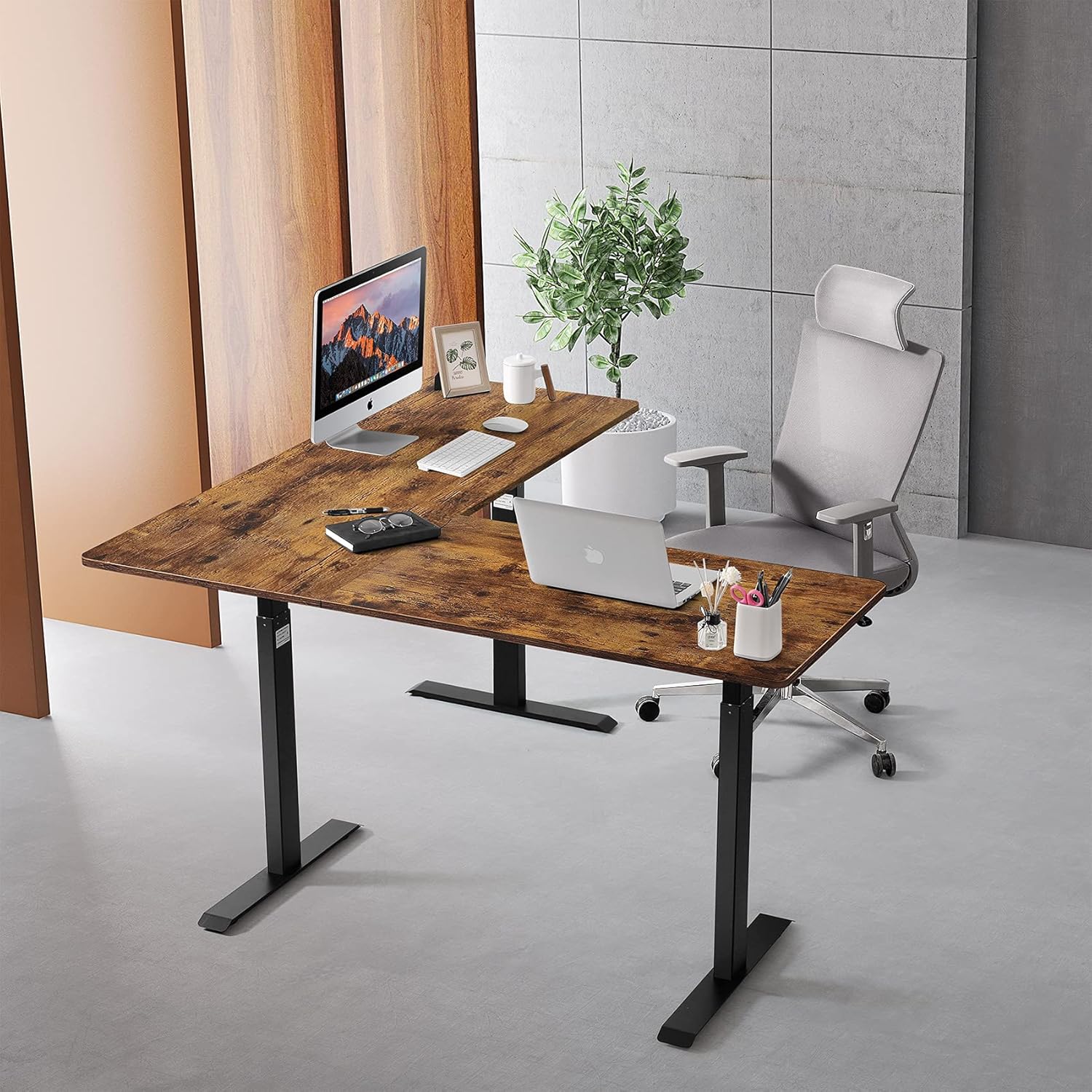
Image: The UNICOO L-Shaped Standing Desk assembled in an office environment, showcasing its spacious design and functionality with a computer and laptop setup.
Instrukcja obsługi
The UNICOO L-Shaped Standing Desk features a manual crank system for smooth height adjustments.
Regulacja wysokości biurka
- Locate the Crank Handle: The manual crank handle is located on one side of the desk frame. It is designed to fold in when not in use.
- Wysuń uchwyt: Pull the crank handle outwards to extend it into the operating position.
- Podnieś biurko: Turn the crank handle clockwise to raise the desk height.
- Opuść biurko: Turn the crank handle counter-clockwise to lower the desk height.
- Złóż uchwyt: Once the desired height is reached, push the crank handle inwards to fold it away, preventing it from being an obstruction.
The desk offers a height range from 27.5 inches (70 cm) to 45.3 inches (115 cm), including the tabletop. Each turn of the crank adjusts the height by approximately 10mm.

Obraz: Szczegółowy views of the desk's features, including the rounded corner, the foldable crank handle mechanism, and the adjustable feet for leveling.
Konserwacja
To ensure the longevity and optimal performance of your UNICOO L-Shaped Standing Desk, follow these simple maintenance guidelines:
- Czyszczenie: Przetrzyj powierzchnię biurka i ramę reklamąamp or dry cloth. Avoid abrasive cleaners or harsh chemicals that could damage the finish.
- Regularne kontrole: Okresowo sprawdzaj wszystkie śruby i nakrętki, aby upewnić się, że są dobrze dokręcone. W razie potrzeby dokręć je ponownie.
- Crank Mechanism: Keep the crank mechanism free from dust and debris. If the crank feels stiff, ensure it is fully extended before turning and check for any obstructions.
Rozwiązywanie problemów
If you encounter any issues with your UNICOO L-Shaped Standing Desk, refer to the following common solutions:
Desk is Unstable or Wobbles
- Upewnij się, że wszystkie śruby i nakrętki montażowe są całkowicie dokręcone.
- Verify that the desk is placed on a level surface. Use the adjustable feet to compensate for uneven floors.
- Check that the leg columns are properly seated and secured to the crossbeams.
Crank Handle is Difficult to Turn or Gets Stuck
- Ensure the crank handle is fully extended before attempting to turn it.
- Check for any obstructions around the crank mechanism or the telescopic legs.
- Verify that the internal rod of the crank system is correctly aligned and inserted. Refer to the assembly instructions.
- Do not force the crank. If resistance is significant, re-check the assembly of the crank mechanism and leg extensions.
Desk Does Not Adjust Height Smoothly
- Confirm that the desk is not overloaded beyond its 175 lbs weight capacity.
- Inspect the telescopic legs for any visible damage or obstructions.
- Ensure the crank mechanism is operating freely.
If these troubleshooting steps do not resolve the issue, please contact UNICOO customer support for assistance.
Specyfikacje
| Funkcja | Szczegół |
|---|---|
| Marka | UNICOO |
| Numer modelu | NTCSET-BR |
| Projekt biurka | Biurko komputerowe w kształcie litery L |
| Wymiary produktu (Gł. x Szer. x Wys.) | 63" gł. x 63" szer. x 27.5" wys. (przy minimalnej wysokości) |
| Zakres regulacji wysokości | 27.5" - 45.3" (70 cm - 115 cm) |
| Mechanizm podnoszący | Korba ręczna |
| Nośność | 175 funta (79.3 kg) |
| Najlepszy rodzaj materiału | Engineered Wood with high-pressure scratch-resistant laminate |
| Materiał bazowy | Stal stopowa (malowana proszkowo) |
| Waga przedmiotu | Około 170 funta (77.1 kg) |
| Wymagany montaż | Tak (zalecane 2 osoby) |

Image: A diagram illustrating the key dimensions of the L-shaped desk, including length, depth, and adjustable height range.
Gwarancja i wsparcie
UNICOO stands behind the quality of its products.
- Gwarancja: This UNICOO L-Shaped Crank Height Adjustable Standing Desk comes with a 1-year limited warranty for the frame.
- Obsługa klienta: For any questions, concerns, or technical assistance, please contact UNICOO customer support. Refer to the contact information provided in your product packaging or on the official UNICOO webstrona.