
Beeasy AW02
Instrukcja obsługi zegarka wodoodpornego Beeasy Digital
Model: AW02
Wstęp
This manual provides detailed instructions for the Beeasy Digital Waterproof Watch, Model AW02. Please read this manual carefully to understand the watch's functions and ensure proper use and maintenance.

Obraz: Przód view of the Beeasy Digital Waterproof Watch, displaying time, day, and date.
Główne cechy
The Beeasy Digital Waterproof Watch offers a range of features designed for daily wear and active lifestyles.
- Ultra-thin design (6.6 mm case thickness)
- Podświetlenie do warunków słabego oświetlenia
- Dual time zone display
- 12/24 hour format switch
- Automatic calendar
- Codzienny alarm i hourly gong
- Stoper 1/100 sekundy
- Countdown timer (max 23 hours, 59 minutes, 59 seconds)
- 50M (5ATM) water resistance

Image: Diagram illustrating various features of the Beeasy Digital Watch, including 12/24H, auto calendar, backlight, dual time, alarm mode, stopwatch, countdown, and split time.
Organizować coś
Pierwsze włączenie zasilania
The watch comes with a pre-installed battery. If the display is blank, press any button to activate it.
Funkcje przycisków
Zegarek ma zazwyczaj cztery przyciski:
- ŚWIATŁO: Włącza podświetlenie.
- Sposób użycia: Przełącza się między różnymi trybami (Czas, Alarm, Stoper, Odliczanie, Podwójny czas).
- ST/STOP: Starts/stops functions in Stopwatch/Countdown mode, adjusts settings.
- RESETOWANIE: Resets functions, adjusts settings.
Image: Close-up of the watch face, highlighting the "LIGHT", "MODE", "ST/STOP", and "RESET" button labels around the bezel.
Instrukcja obsługi
Ustawianie czasu i daty
- W normalnym trybie wyświetlania czasu naciśnij przycisk TRYB button repeatedly until the seconds start flashing.
- Naciskać NASTAWIĆ aby przełączać się między ustawieniami: Sekundy → Godzina → Minuta → Rok → Miesiąc → Dzień.
- Używać ST/STOP Aby dostosować wartość migania.
- Po wprowadzeniu wszystkich prawidłowych ustawień naciśnij TRYB aby powrócić do normalnego wyświetlania czasu.
Format 12/24 godzinny
In the normal time display, press ST/STOP aby przełączać się między formatem 12-godzinnym (ze wskaźnikiem AM/PM) i 24-godzinnym.
Ustawienie podwójnego czasu
Funkcja ta umożliwia śledzenie drugiej strefy czasowej.
- Naciskać TRYB until you reach the Dual Time mode (often indicated by "DT" or a second time display).
- Naciśnij i przytrzymaj NASTAWIĆ aż zacznie migać godzina.
- Używać ST/STOP aby dostosować godzinę, następnie NASTAWIĆ aby przejść do minut.
- Używać ST/STOP aby dostosować minuty.
- Naciskać TRYB aby zapisać i wyjść.
Image: Diagram illustrating the dual time feature, showing two different time zones (e.g., London and New York) on the watch display.
Funkcja alarmu
- Naciskać TRYB until you reach the Alarm mode (indicated by "AL" or an alarm icon).
- Naciskać NASTAWIĆ aby wybrać godzinę lub minutę do ustawienia.
- Używać ST/STOP Aby dostosować wartość migania.
- Naciskać TRYB aby zapisać godzinę alarmu.
- Aby włączyć/wyłączyć alarm, naciśnij ST/STOP in Alarm mode. An alarm icon will appear when active.
- Aby aktywować/dezaktywować hourly dzwonek, naciśnij NASTAWIĆ in Alarm mode (while not setting the alarm time).
Image: Diagram illustrating the alarm mode, showing an alarm clock icon and a person sleeping, indicating the watch's alarm function.
Funkcja stopera
- Naciskać TRYB until you reach the Stopwatch mode (indicated by "ST" or "CH").
- Naciskać ST/STOP aby uruchomić stoper.
- Naciskać ST/STOP ponownie, aby to zatrzymać.
- Naciskać NASTAWIĆ aby zresetować stoper do zera.
- Aby zapisać czasy międzyczasów, naciśnij NASTAWIĆ while the stopwatch is running. The display will freeze, but the stopwatch continues to run in the background. Press NASTAWIĆ ponownie, aby powrócić do czasu trwania.
Image: Diagram illustrating the stopwatch and countdown functions, showing a stopwatch icon and a person exercising, indicating the watch's timing capabilities.
Funkcja odliczania czasu
- Naciskać TRYB until you reach the Countdown Timer mode (indicated by "TR" or "CD").
- Naciskać NASTAWIĆ aby wybrać godzinę, minutę lub sekundę do ustawienia.
- Używać ST/STOP Aby dostosować wartość migania.
- Naciskać TRYB aby zaoszczędzić czas odliczania.
- Naciskać ST/STOP aby rozpocząć odliczanie.
- Naciskać ST/STOP ponownie, aby wstrzymać/wznowić.
- Naciskać NASTAWIĆ aby zresetować odliczanie do początkowo ustawionego czasu.
Podświetlenie
Naciśnij ŚWIATŁO Naciśnij przycisk, aby podświetlić wyświetlacz na kilka sekund.
Konserwacja
Czyszczenie
Regularnie przecieraj zegarek miękką, suchą ściereczką. W przypadku uporczywych zabrudzeń, delikatnie przetrzyjamp Można użyć ściereczki, a następnie wysuszyć. Unikaj silnych środków chemicznych i ściernych środków czyszczących.
Odporność na wodę
The watch is water-resistant up to 50 meters (5ATM). This means it is suitable for swimming and cold showers.
Important: Avoid contact with hot water or steam, as this can compromise the watch's water resistance seals.
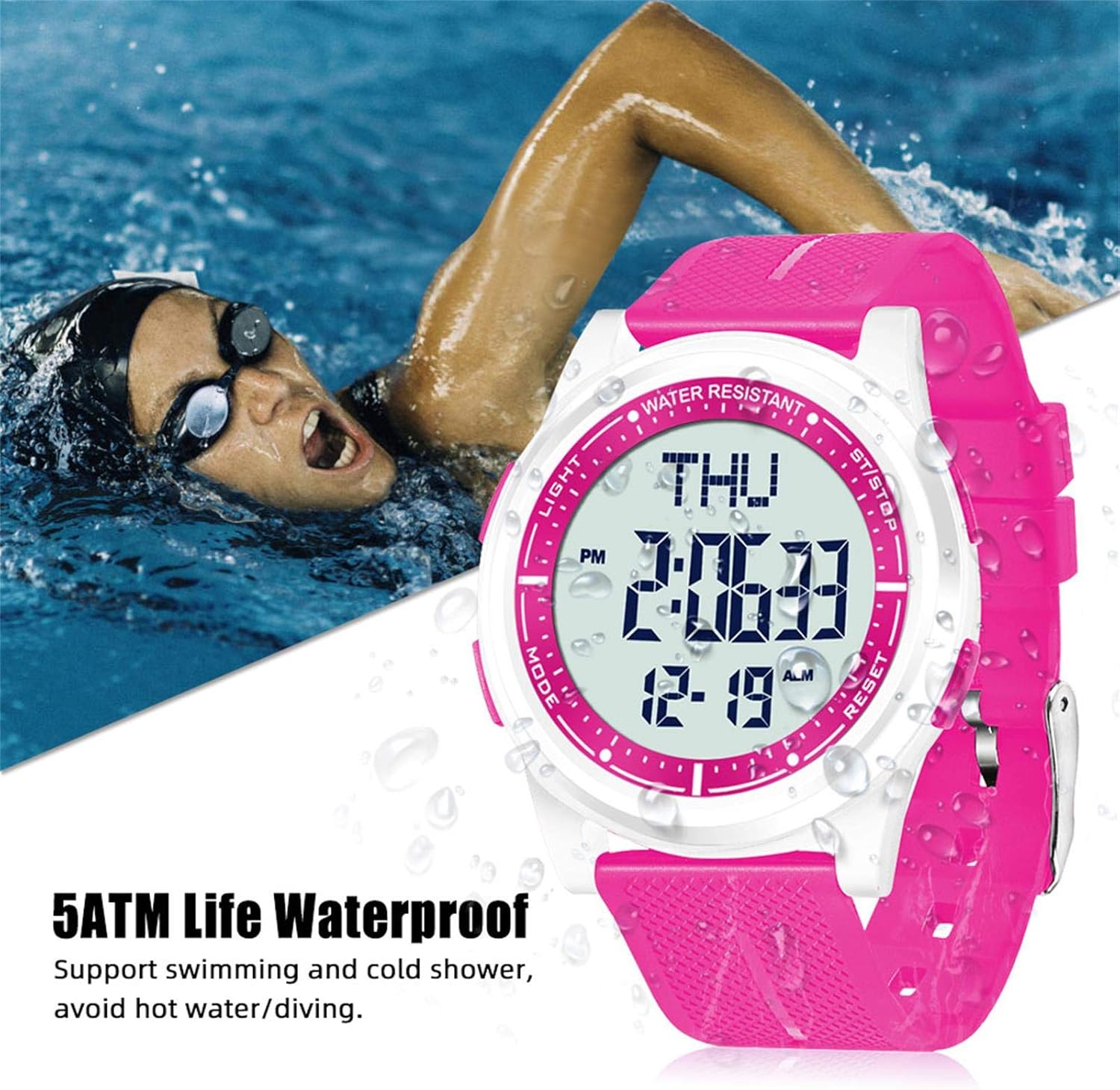
Image: The Beeasy Digital Watch worn by a person swimming, illustrating its 5ATM water resistance. Text on image states "5ATM Life Waterproof, Support swimming and cold shower, avoid hot water/diving."
Wymiana baterii
The watch uses a Lithium metal battery. When the display dims or functions become erratic, it may be time to replace the battery. It is recommended to have battery replacement performed by a qualified watch technician to ensure proper sealing and maintain water resistance.
Rozwiązywanie problemów
| Problem | Możliwa przyczyna | Rozwiązanie |
|---|---|---|
| Wyświetlacz jest pusty lub przyciemniony. | Niski poziom naładowania baterii. | Wymień baterię. |
| Przyciski nie reagują. | Zegarek może być zablokowany lub bateria może być bardzo słaba. | Try pressing all buttons to see if it responds. If not, replace battery. |
| Czas jest nieprawidłowy. | Time not set correctly or battery is low. | Refer to "Setting Time and Date" section. Replace battery if issue persists. |
| Woda wewnątrz zegarka. | Exposure to hot water/steam or damaged seal. | Stop using the watch immediately. Seek professional repair. Avoid hot water/steam. |
Specyfikacje
- Numer modelu: AW02
- Wymiary (dł. x szer. x wys.): 24.5 x 4.4 x 0.66 cm (9.65 x 1.73 x 0.26 cala)
- Waga: 36.8 gramów (1.3 uncji)
- Grubość obudowy: 6.6 mm
- Wodoodporność: 50 metrów (5 ATM)
- Typ baterii: 1 Lithium metal battery (required)
- Typ wyświetlacza: Cyfrowy
- Funkcje: Time (12/24H), Date, Day, Alarm, Hourly Chime, Stopwatch (1/100s), Countdown Timer, Dual Time, Backlight
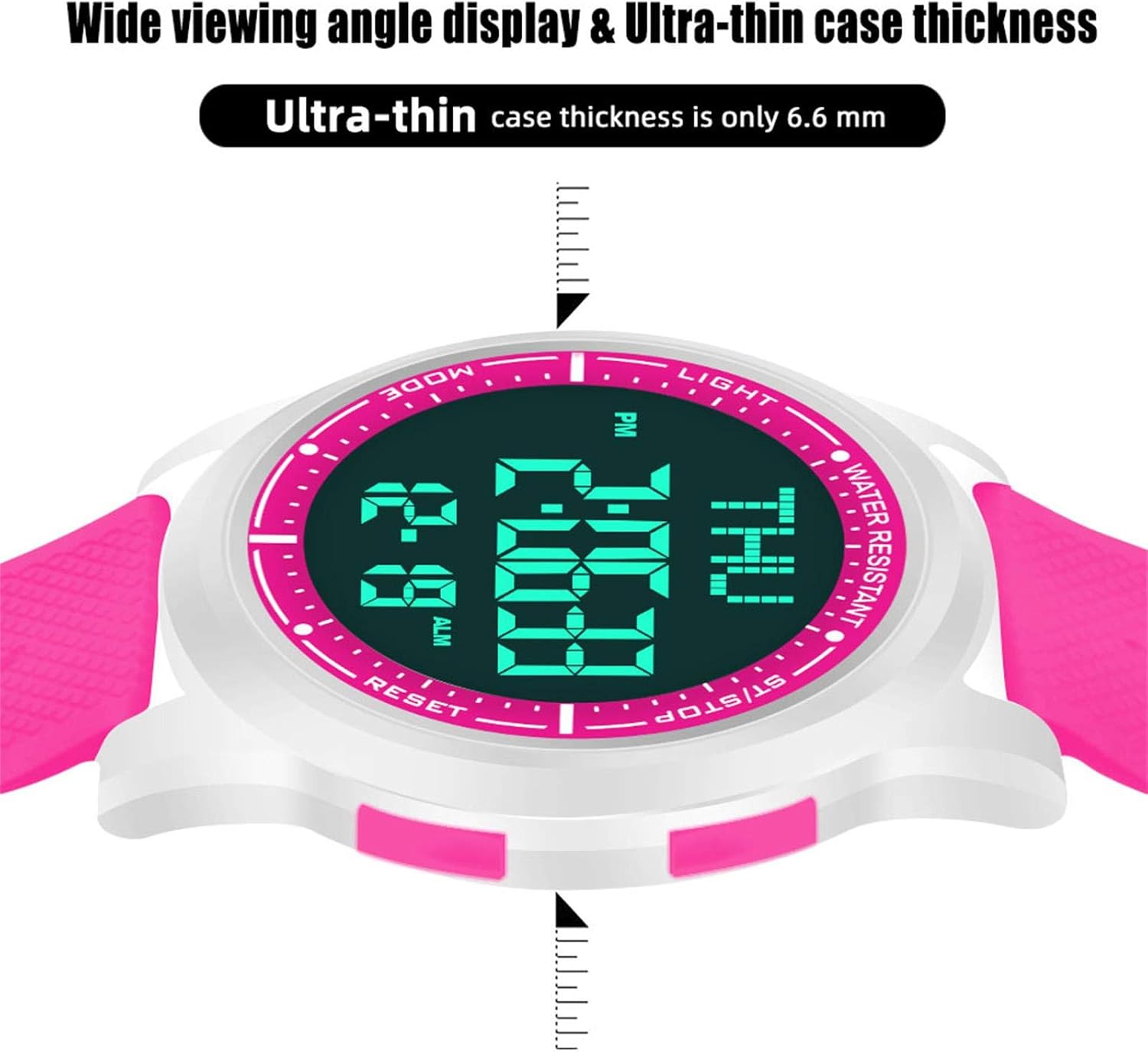
Image: Diagram showing the precise dimensions of the Beeasy Digital Watch, including strap length, case width, and ultra-thin case thickness (6.6mm).
Gwarancja i wsparcie
For warranty information or technical support, please contact Beeasy customer service. Refer to your purchase documentation for specific warranty terms.
For more information, you may visit the official Beeasy store on Amazon: Beeasy Store
Ask a question about this manual
Ask about setup, troubleshooting, compatibility, parts, safety, or missing instructions. Manuals+ will review the question and use this page’s manual context to help answer it.