
Wstęp
Dziękujemy za zakupasing the N-Gear The Flash 1510 Bluetooth Speaker Trolley. This portable party system is designed to deliver rich sound and versatile connectivity for various occasions. This manual provides detailed instructions for setup, operation, maintenance, and troubleshooting to ensure you get the most out of your device.
Przeczytaj uważnie niniejszą instrukcję przed użyciem produktu i zachowaj ją na przyszłość.
Organizować coś
Zawartość opakowania
- N-Gear The Flash 1510 Bluetooth Speaker Trolley
- Mikrofon bezprzewodowy
- Mikrofon przewodowy
- Zasilacz
- Zdalne sterowanie
- Instrukcja obsługi (ten dokument)
Ładowanie akumulatora
Before first use, fully charge the speaker's internal 2600 mAh battery. Connect the provided power adapter to the DC 15V input port on the speaker's control panel and plug it into a power outlet. The charging indicator light will show the charging status (e.g., red for charging, blue for full).

Image: Top control panel with DC 15V charging port.
A full charge provides up to 6 hours of playback time, depending on usage and volume levels.
Positioning the Speaker
Place the speaker on a stable, flat surface. The trolley design with wheels and a retractable handle allows for easy transport. Ensure adequate ventilation around the speaker.
Obraz: Przód view of the speaker trolley with handle extended.
Instrukcja obsługi
Włączanie/wyłączanie zasilania
Zlokalizuj MOC switch on the control panel. Slide it to the ON position to power on the speaker. Slide it to WYŁĄCZONY wyłączyć zasilanie.
Łączność Bluetooth
- Włącz głośnik. Na wyświetlaczu pojawi się kolor „NIEBIESKI”, co oznacza tryb Bluetooth.
- Włącz Bluetooth w swoim urządzeniu mobilnym (smartfonie, tablecie, laptopie).
- Szukaj available Bluetooth devices and select "N-GEAR TF-1510" from the list.
- Once paired, the speaker will emit a confirmation sound. You can now play audio from your device.

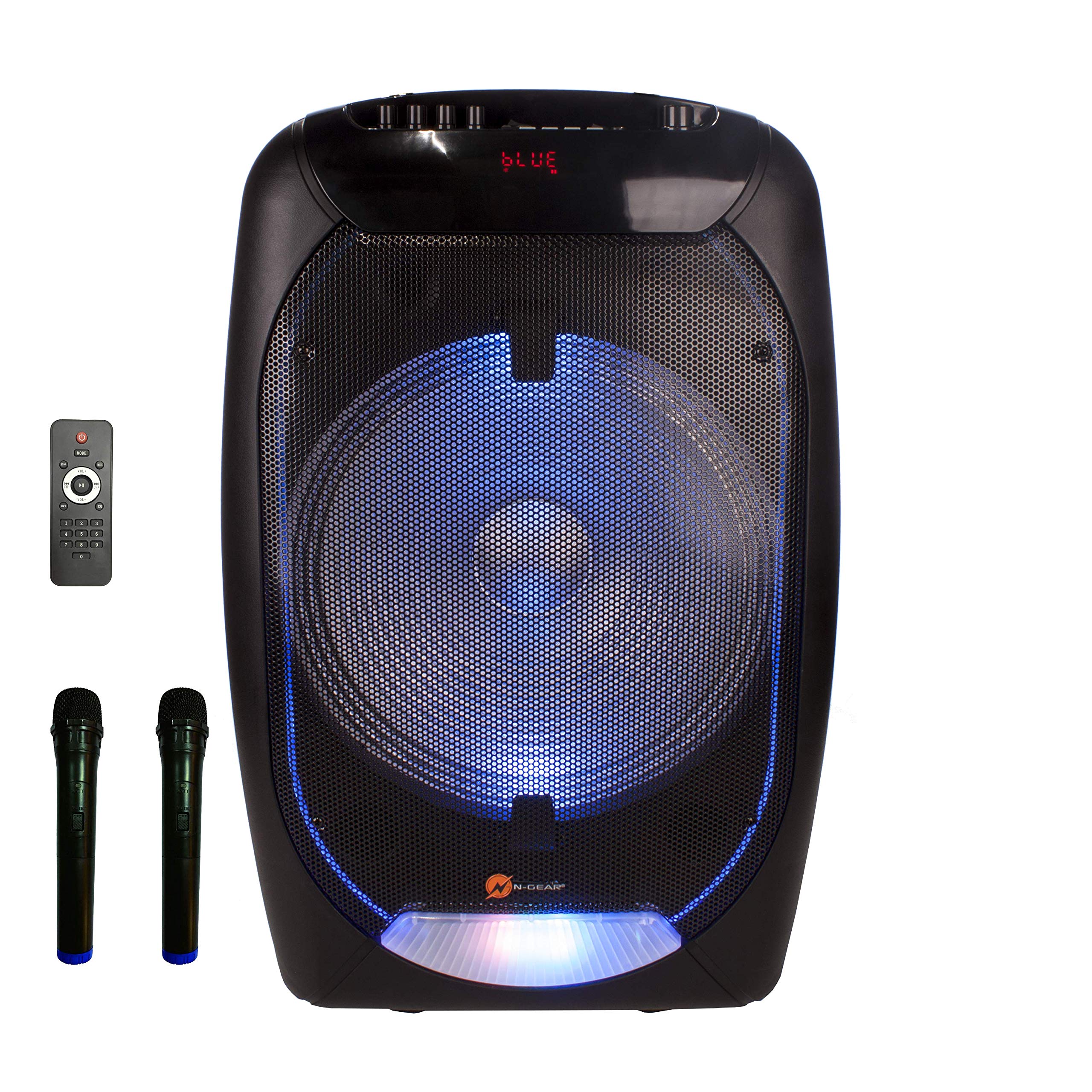
Image: Speaker front with blue LED lights, showing "BLUE" on the display.
Odtwarzanie USB/MicroSD
- Insert a USB flash drive (max. 64GB) or a microSD card (max. 32GB) containing MP3 audio files do odpowiedniego portu na panelu sterowania.
- The speaker will automatically switch to USB or TF Card mode and begin playback.
- Użyj POPRZEDNI, ODTWÓRZ/PAUZA, I NASTĘPNY przyciski do sterowania odtwarzaniem.
Wejście AUX
Podłącz zewnętrzne urządzenie audio (np. odtwarzacz MP3, laptop) do AUX IN port using a 3.5mm audio cable (not included). Press the TRYB przycisk, aby przełączyć na tryb AUX.
Użycie mikrofonu (karaoke)
- Mikrofon bezprzewodowy: Insert batteries (not included) into the wireless microphone. Power it on. The speaker will automatically detect it.
- Mikrofon przewodowy: Plug the wired microphone into the WEJŚCIE MIKROFONOWE port.
- Dostosuj głośność mikrofonu za pomocą GŁOŚNOŚĆ MIKROF pokrętło.
- Adjust echo effect using the ECHO pokrętło.

Image: Wireless microphone included with the speaker.
Efekty świetlne LED
The speaker features integrated RGB LED lights on the front grille. Use the Wyłącznik światła on the control panel to turn the lights on or off.
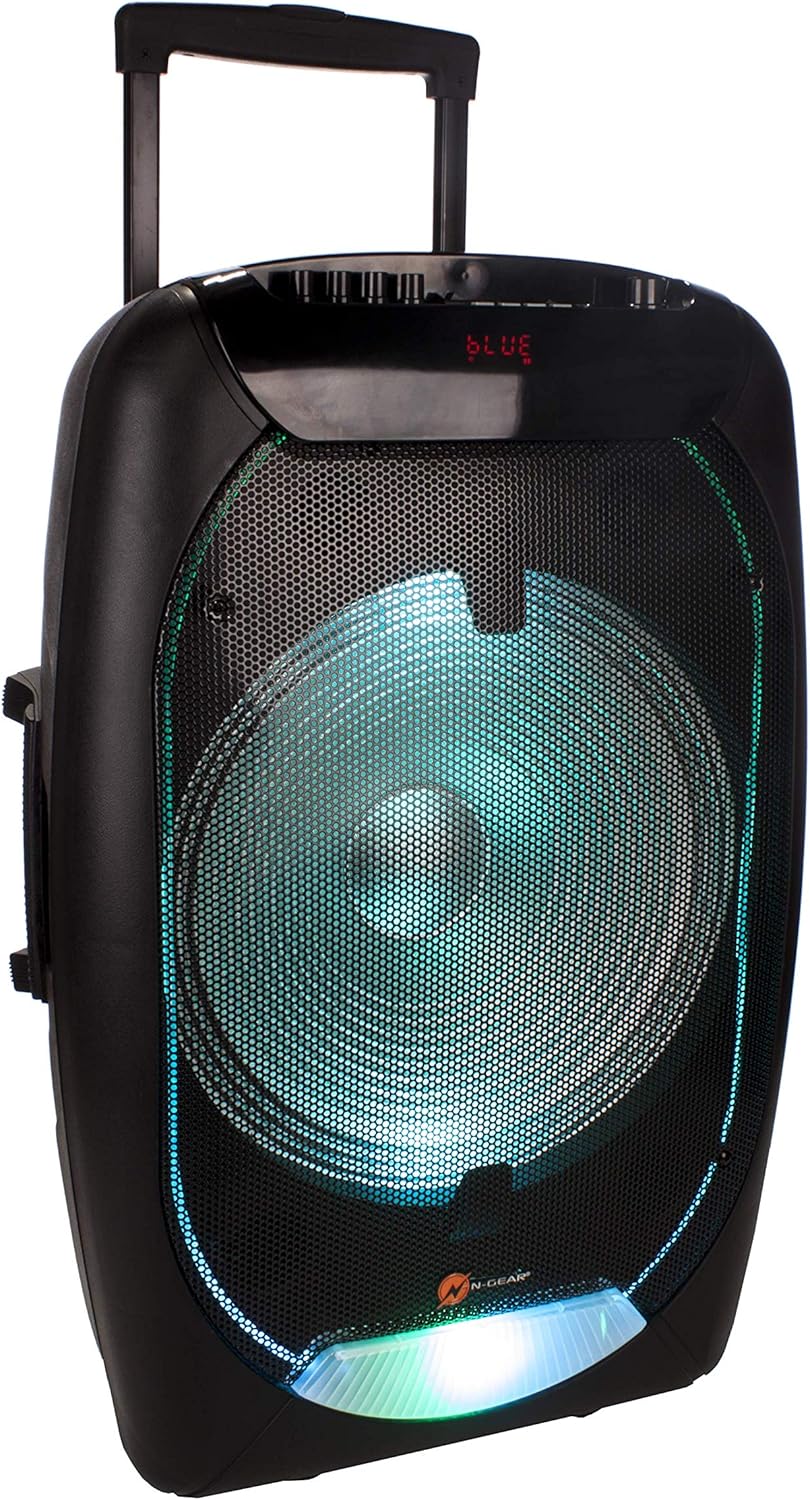
Image: Speaker front with green LED lights.
Funkcje pilota zdalnego sterowania
The included remote control allows for convenient operation from a distance. Functions include power, mode selection, volume control, track navigation, mute, and equalizer settings.

Image: Remote control for the speaker.
Konserwacja
- Czyszczenie: Do czyszczenia zewnętrznej części głośnika należy używać miękkiej, suchej ściereczki. Nie należy używać środków czyszczących o właściwościach ściernych ani rozpuszczalników.
- Pielęgnacja baterii: Aby przedłużyć żywotność baterii, unikaj częstego całkowitego rozładowywania baterii. Regularnie ładuj głośnik, nawet jeśli nie jest używany przez dłuższy czas.
- Składowanie: Przechowuj głośnik w chłodnym, suchym miejscu, z dala od bezpośredniego światła słonecznego i ekstremalnych temperatur.
- Narażenie na działanie wody: Ten głośnik nie jest wodoodporny. Unikaj narażenia na działanie wody i nadmiernej wilgoci.
Rozwiązywanie problemów
| Problem | Możliwa przyczyna | Rozwiązanie |
|---|---|---|
| Brak zasilania | Battery is discharged; Power switch is OFF. | Charge the battery; Slide the power switch to ON. |
| Brak dźwięku | Volume is too low; Incorrect input mode; Device not paired (Bluetooth). | Increase volume; Press MODE to select correct input; Re-pair Bluetooth device. |
| Bluetooth nie łączy się | Głośnik nie jest w trybie parowania; Urządzenie jest za daleko; Zakłócenia. | Upewnij się, że głośnik jest w trybie Bluetooth; Przenieś urządzenie bliżej; Wyłącz inne urządzenia Bluetooth. |
| Mikrofon nie działa | Microphone not powered on (wireless); Volume too low; Incorrect port. | Check microphone power/batteries; Increase MIC.VOL; Ensure microphone is plugged into MIC IN. |
Specyfikacje
- Model: TF-1510
- Marka: Bieg N
- Moc wyjściowatage: 500 watów
- Rozmiar głośnika: 15-inch bass speaker
- Łączność: Bluetooth, USB, MicroSD, AUX (3.5 mm)
- Zgodne urządzenia: Laptopa, smartfona
- Obsługa USB: Do 64 GB
- MicroSD Support: Do 32 GB
- Źródło zasilania: Battery Powered (2600 mAh internal battery) / DC 15V adapter
- Czas pracy baterii: Do 6 godzin (w zależności od użytkowania)
- Mikrofony: 1x Wireless, 1x Wired (included)
- Cechy szczególne: Trolley design with wheels and handle, RGB LED light effects, Power bank function (via internal battery)

Obraz: Tył view of the speaker showing the rating label.
Gwarancja i wsparcie
For warranty information and technical support, please refer to the documentation provided with your purchase or visit the official N-Gear webZachowaj dowód zakupu na wypadek roszczeń gwarancyjnych.