
Fujifilm X100V - Silver
Aparat cyfrowy Fujifilm X100V
Instrukcja obsługi
Produkt ponadview

The Fujifilm X100V Digital Camera, showcasing its classic design and integrated lens.
Główne cechy
- Newly Designed 23mm F2 Lens: Ensures high resolution and minimal distortion, with improved close focusing performance.
- 26.1MP X-Trans CMOS 4 Sensor & X-Processor 4: Delivers exceptional image quality, wide dynamic range, and fast autofocus down to -5EV.
- Zaawansowana hybryda Viewznalazca: Seamlessly switch between 0.52x optical viewfinder (OVF) and 3.69M-dot OLED electronic viewszukacz (EVF).
- Two-Way Tilting LCD Touchscreen: Provides intuitive controls and flexibility for framing shots from various angles.
- Nagrywanie wideo 4K: Capable of recording 4K video at 30 frames per second and Full HD/120p for super slow-motion.
Opis produktu
The Fujifilm X100V combines the quality and control of a professional camera with the size and simplicity of a compact one, for outstanding photography every day. A new 23mmF2 fixed lens perfectly complements the cutting-edge 26.1MP X-Trans CMOS 4 back-side illuminated sensor at its heart. The X100V also features the powerful X-Processor 4 quad-core imaging engine, which drives superfast, precision autofocus right down to -5EV, while an Advanced Hybrid Viewfinder ensures photographers are always ready for the perfect moment. With the addition of a tilting LCD touchscreen, optional weather sealing (with separately purchased lens) and a great design, you have the perfect recipe for beautiful still images and spectacular 4K video, whatever the situation.
Przewodnik po konfiguracji
Rozpakowywanie
Upon opening the package, ensure all components are present. The Fujifilm X100V typically includes the camera body and essential accessories.
Instalacja baterii
Locate the battery compartment on the bottom of the camera. Open the cover, insert the supplied Lithium-Ion battery (NP-W126S) with the correct orientation, and close the compartment securely. Ensure the battery is fully charged before first use.
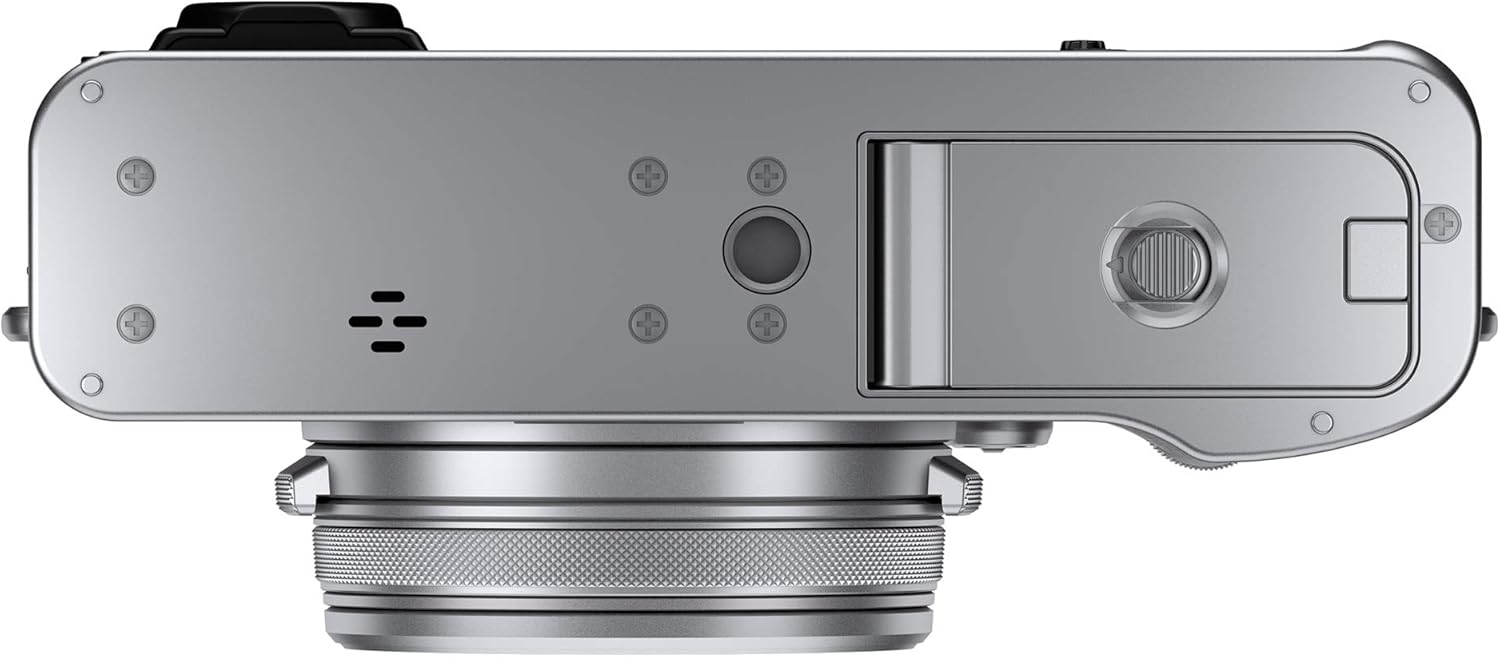
The bottom of the X100V, revealing the battery and memory card slot.
Wkładanie karty pamięci
The camera supports SD/SDHC/SDXC memory cards. Open the memory card slot cover, usually located next to the battery compartment. Insert the memory card with the label facing the correct direction until it clicks into place. Close the cover firmly.
Instrukcja obsługi
Podstawowa obsługa
- Włączanie/wyłączanie: Rotate the power switch located around the shutter button to the 'ON' or 'OFF' position.
- Robienie zdjęć: Half-press the shutter button to achieve focus, then fully press to capture the image.
- ViewZdjęcia: Press the 'PLAY' button on the rear of the camera to enter playback mode. Use the directional pad or touchscreen to navigate through images.
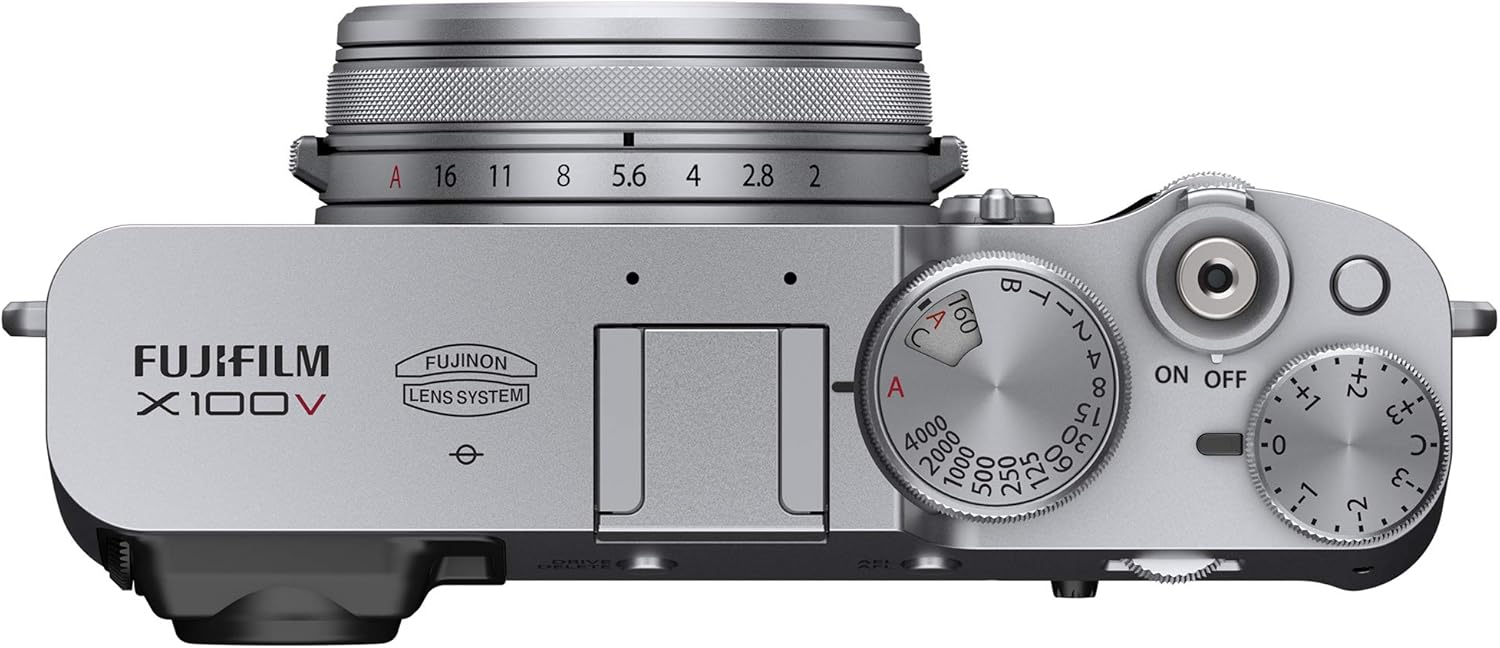
Top controls of the X100V, including the power switch and exposure dials.
Zaawansowane funkcje
- Viewfinder Usage: The X100V features an Advanced Hybrid Viewfinder. Use the lever on the front of the camera to switch between the optical viewfinder (OVF) for a clear, bright view of your subject, and the electronic viewfinder (EVF) for a real-time preview of exposure and settings.
- Tilting LCD Touchscreen: The rear LCD screen can be tilted for comfortable shooting from high or low angles. It also supports touch operations for focus, shooting, and menu navigation.
- Tryby symulacji filmu: Explore various film simulation modes such as PROVIA/Standard, Velvia/Vivid, ASTIA/Soft, Classic Chrome, ACROS, and ETERNA/Cinema to apply unique color and tonal characteristics to your images directly in-camera.
- Nagrywanie wideo: To record video, set the camera to movie mode. The X100V supports 4K DCI 2160p video at 30fps and Full HD 1080p at 120fps for slow-motion effects.

The X100V's tilting LCD screen, offering flexible viewkąty.
Łączność
Komunikacja bezprzewodowa
The Fujifilm X100V features built-in Wi-Fi and Bluetooth for wireless connectivity. To transfer images to a smartphone or tablet, enable 'Wireless Communication' in the camera's shooting menu. Then, connect your smart device to the camera's Wi-Fi network and use the Fujifilm Camera Remote app to browse and import photos. For remote control, Bluetooth can be used to establish a low-power connection.
Połączenia przewodowe
The camera is equipped with a USB Type-C port (USB 3.0) for charging and data transfer, an HDMI D (Micro) port for video output to external displays, and a 2.5mm sub-mini jack for external microphone input.

Side of the X100V, highlighting the USB-C and HDMI ports.
Konserwacja
Czyszczenie aparatu
- Obiektyw: Use a soft, lint-free cloth or a lens brush to gently remove dust. For smudges, use a lens cleaning solution applied to a cloth, not directly to the lens.
- Ciało: Przetrzyj korpus aparatu miękką, suchą ściereczką. W przypadku uporczywych zabrudzeń, delikatnie przetrzyjamp cloth can be used, ensuring no moisture enters the camera.
- Ekran LCD: Use a microfiber cloth specifically designed for screens. Avoid harsh chemicals.
Składowanie
When not in use for extended periods, store the camera in a cool, dry place away from direct sunlight and extreme temperatures. Remove the battery to prevent leakage. Use desiccant packets to absorb moisture if storing in humid environments.
Pielęgnacja baterii
To maximize battery life, avoid fully discharging the battery frequently. Charge the battery using the supplied USB cable connected to a power source. Store batteries in a cool, dry place when not in use.
Rozwiązywanie problemów
| Problem | Rozwiązanie |
|---|---|
| Kamera się nie włącza. | Upewnij się, że akumulator jest w pełni naładowany i prawidłowo włożony. Sprawdź, czy styki akumulatora są czyste. |
| Połączenie bezprzewodowe nie działa. | Verify 'Wireless Communication' is enabled in the camera's shooting menu. Ensure your smart device is connected to the camera's Wi-Fi network. Restart both devices. |
| Images appear blurry. | Check focus mode settings. Ensure sufficient lighting. Use a tripod in low light conditions. Clean the lens. |
| Bateria szybko się rozładowuje. | Reduce screen brightness. Limit continuous shooting. Turn off Wi-Fi/Bluetooth when not in use. Consider carrying a spare battery. |
| Błąd karty pamięci. | Upewnij się, że karta pamięci jest włożona prawidłowo. Spróbuj sformatować kartę (spowoduje to usunięcie wszystkich danych). Użyj innej, kompatybilnej karty pamięci. |
Dane techniczne
| Funkcja | Szczegół |
|---|---|
| Marka | Fujifilm |
| Nazwa modelu | X100V - Silver |
| Rozdzielczość czujnika fotograficznego | 26.1 MP |
| Rozmiar fotokomórki | APS-C |
| Typ soczewki | Fixed Fujinon Aspherical Lens (23mm, f/2) |
| Rozdzielczość wideo | 4K DCI 2160p, Full HD 1080p |
| Rozmiar ekranu | 3 cali |
| Typ wyświetlacza | Odchylany ekran dotykowy LCD |
| Viewznalazca | Hybrid (Electronic OLED & Optical) |
| Zakres ISO | Rozszerzone ISO minimum: 100, rozszerzone ISO maksimum: 51200 |
| Łączność | USB Type-C, HDMI D (Micro), 2.5mm Sub-Mini, Bluetooth, Wi-Fi |
| Waga | 478 gram |
| Wymiary (w przybliżeniu) | 128 x 75 x 53 mm (from video comparison) |
Gwarancja i wsparcie
Informacje o gwarancji
The Fujifilm X100V Digital Camera comes with a 1-letnia gwarancja producenta. Zachowaj dowód zakupu na wypadek roszczeń gwarancyjnych. Szczegółowe warunki gwarancji znajdziesz w karcie gwarancyjnej dołączonej do produktu lub na oficjalnej stronie Fujifilm. webstrona.
Obsługa klienta
Aby uzyskać dalszą pomoc, wsparcie techniczne lub zapytania dotyczące serwisu, odwiedź oficjalną stronę pomocy technicznej Fujifilm website or contact their customer service department. You can also refer to the comprehensive user manual PDF for more in-depth information:
Ask a question about this manual
Ask about setup, troubleshooting, compatibility, parts, safety, or missing instructions. Manuals+ will review the question and use this page’s manual context to help answer it.