
1. Wprowadzenie
The MEDION P85295 Internet Radio 2.1 offers a versatile audio experience, combining traditional radio reception with modern streaming capabilities. This device allows you to access over 25,000 internet radio stations and numerous podcasts worldwide, along with DAB+ digital radio and FM radio. It features Wi-Fi connectivity, a 3.2-inch TFT color display, and a 2.1 sound system with an integrated subwoofer for enhanced audio quality. This manual provides detailed instructions for setting up, operating, and maintaining your MEDION P85295 Internet Radio.
2. Informacje dotyczące bezpieczeństwa
Przed użyciem urządzenia należy uważnie przeczytać wszystkie instrukcje bezpieczeństwa. Zachowaj tę instrukcję do wykorzystania w przyszłości.
- Zasilanie: Używaj wyłącznie dostarczonego zasilacza. Upewnij się, że napięcietage odpowiada wymaganiom określonym na urządzeniu.
- Wentylacja: Do not block any ventilation openings. Place the device on a stable, flat surface with adequate space around it for proper airflow.
- Woda i wilgoć: Nie wystawiaj urządzenia na działanie deszczu, wilgoci ani kapiących/rozpryskujących się płynów. Nie stawiaj na urządzeniu przedmiotów wypełnionych płynami, takich jak wazony.
- Źródła ciepła: Trzymaj urządzenie z dala od źródeł ciepła, takich jak grzejniki, kratki wentylacyjne, piece i inne urządzenia wytwarzające ciepło.
- Czyszczenie: Przed czyszczeniem odłącz zasilanie. Użyj miękkiej, suchej ściereczki. Nie używaj środków czyszczących w płynie ani aerozolu.
- Serwisowanie: Nie próbuj samodzielnie naprawiać tego produktu. Wszelkie czynności serwisowe należy powierzyć wykwalifikowanemu personelowi serwisowemu.
3. Zawartość opakowania
Sprawdź, czy w opakowaniu znajdują się wszystkie elementy:
- MEDION P85295 Internet Radio (MD 88295)
- Pilot z baterią
- Zasilacz
- Instrukcja obsługi
- Karta gwarancyjna
4. Koniec produktuview
The MEDION P85295 features a user-friendly design with intuitive controls and a clear display.
4.1 Panel przedni i wyświetlacz
The front panel includes a 3.2-inch TFT color display, two rotary knobs for power/volume and navigation/selection, and several control buttons for various functions.

Obraz: Przód view of the MEDION P85295 Internet Radio, highlighting the central 3.2-inch TFT color display. The display shows icons for various streaming services like Amazon Music, Spotify, Deezer, and an 'Internet Radio' icon. Two large rotary knobs are visible on either side of the display, along with several smaller buttons below, including MUTE, MODE, FAV, USB, Headphone, INFO, MENU, and Back.
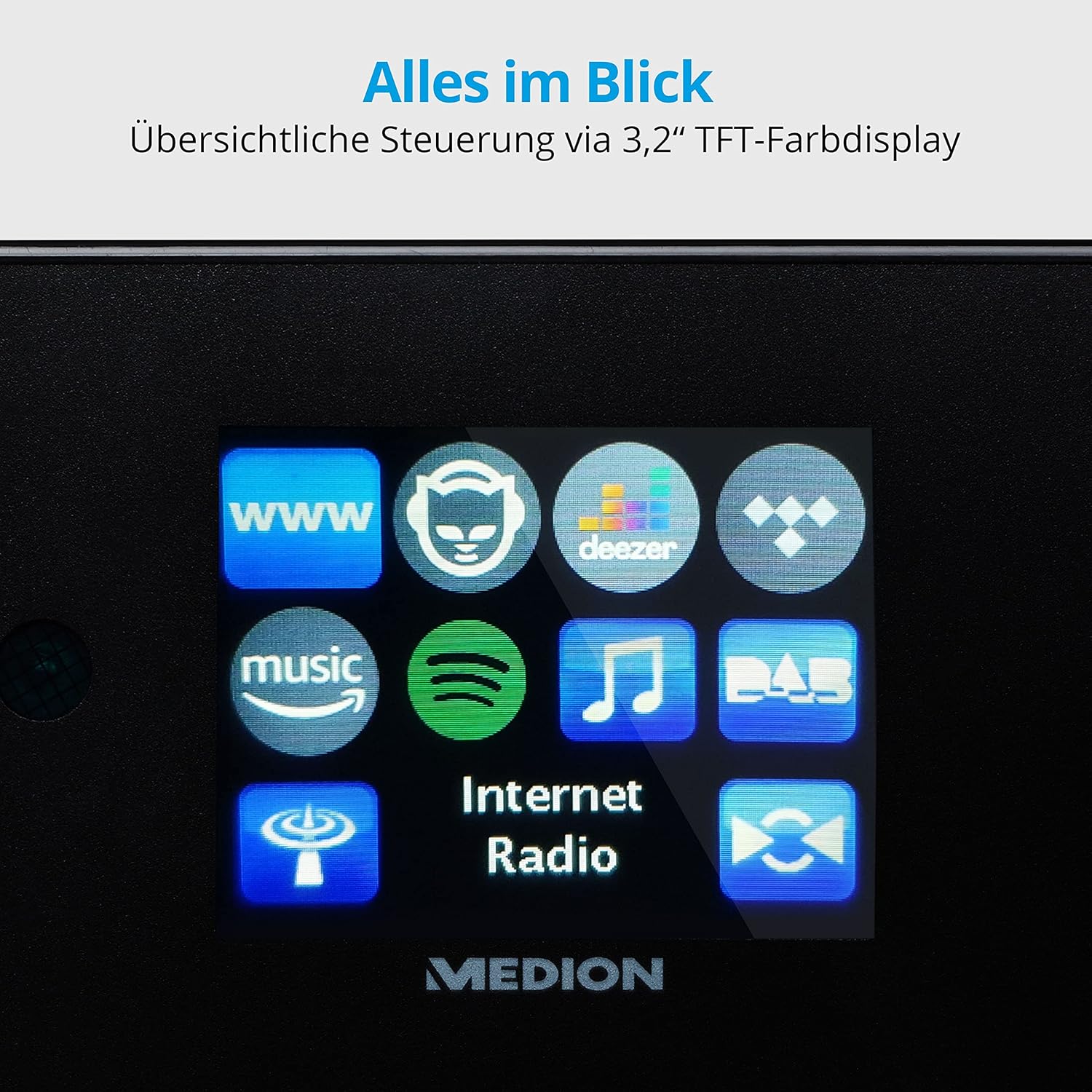
Obraz: Zbliżenie view of the 3.2-inch TFT color display of the MEDION P85295 Internet Radio. The screen clearly shows various application icons, including WWW, a cat-like icon, Deezer, a music note, Amazon Music, Spotify, DAB, and Internet Radio, indicating the device's diverse functionalities.
4.2 Panel tylny i złącza
The rear panel provides various input and output ports for external devices and network connectivity.
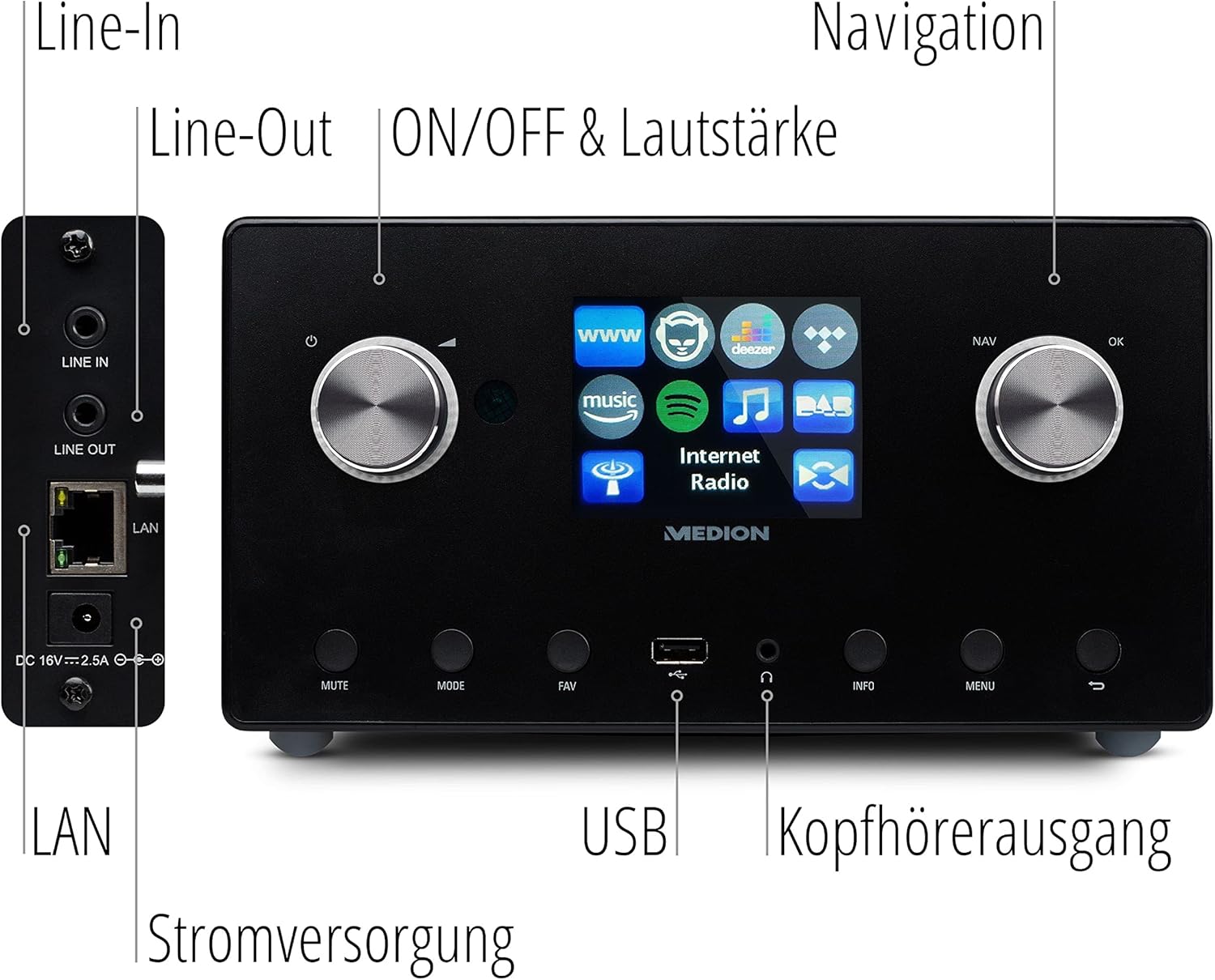
Obraz: Szczegółowy view of the rear panel of the MEDION P85295 Internet Radio, with various ports clearly labeled. From top to bottom on the left side, there are Line-In and Line-Out jacks, followed by a LAN port and the DC 18V power input. On the front panel, below the display, a USB port and a headphone output are also indicated.
- Wyrysować: Podłącz zewnętrzne źródła dźwięku.
- Zakreślać: Podłącz do urządzenia zewnętrznego ampwzmacniacz lub system stereo.
- LAN: Do przewodowego połączenia sieciowego.
- Wejście zasilania 18 V DC: Do podłączenia zasilacza.
- Port USB: Do odtwarzania multimediów z urządzeń pamięci masowej USB.
- Wyjście słuchawkowe: Do prywatnego słuchania.
5. Konfiguracja
5.1 Połączenie zasilania
- Connect the power adapter to the DC 18V input on the rear of the radio.
- Podłącz zasilacz do gniazdka ściennego.
5.2 Kreator konfiguracji początkowej
Po pierwszym włączeniu urządzenia zostaniesz poprowadzony przez kreatora konfiguracji początkowej:
- Wybór języka: Use the navigation knob to select your preferred language and press OK.
- Czas i data: Set the current time and date. The device can synchronize this via the internet.
- Konfiguracja sieci:
- Połączenie Wi-Fi: Select 'Wireless Network' and choose your Wi-Fi network from the list. Enter the password using the on-screen keyboard and confirm.
- Połączenie LAN: If using a wired connection, connect an Ethernet cable to the LAN port on the rear of the device. The radio will automatically detect the connection.
6. Obsługa
6.1 Podstawowe sterowanie
- Power/Volume Knob (Left): Turn to adjust volume. Press to power on/off or mute.
- Navigation/OK Knob (Right): Turn to navigate menus. Press to confirm selection.
- Przycisk TRYB: Switch between different operating modes (Internet Radio, DAB+, FM, USB, Line In).
- Przycisk FAV: Uzyskaj dostęp do ulubionych stacji i zapisz je.
- Przycisk MENU: Wejdź do menu głównego, aby zapoznać się z ustawieniami i opcjami.
- Przycisk INFO: Display information about the current station or track.
6.2 Tryby radiowe
The MEDION P85295 supports multiple radio reception types:
- Radio internetowe: Access over 25,000 stations and podcasts globally via Wi-Fi or LAN. Use the navigation knob to browse by genre, location, or search for specific stations.
- Radio cyfrowe DAB+: Enjoy high-quality digital radio broadcasts. The radio will automatically scan for available DAB+ stations.
- Radio FM: Tune into traditional FM broadcasts. Automatic and manual station search with automatic station storage is available.
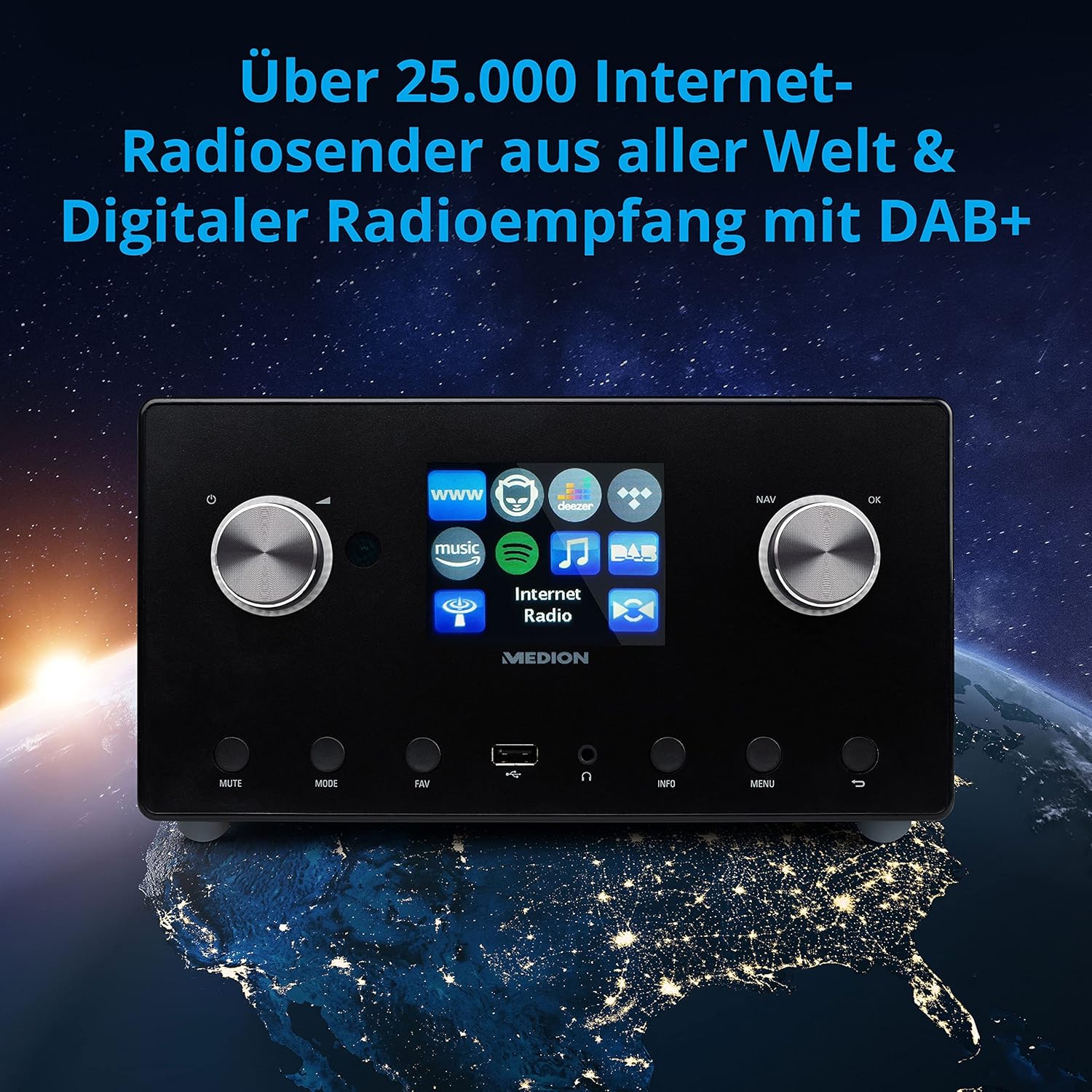
Obraz: The MEDION P85295 Internet Radio positioned on a stylized globe, emphasizing its capability to receive over 25,000 internet radio stations worldwide and digital radio reception with DAB+.
6.3 Usługi przesyłania strumieniowego
The device supports various streaming services:
- Połączenie ze Spotify: Stream music directly from your Spotify account using the Spotify app on your smartphone or tablet.
- Amazon Music, Napster, Tidal, Deezer: Access these services directly from the radio's interface. A subscription may be required for some services.
6.4 Odtwarzanie multimediów
- USB: Connect a USB storage device to the front USB port to play MP3 files.
- DLNA: Stream music from compatible devices on your home network (e.g., PC, NAS) using DLNA. Control is convenient via the MEDION LifeStream 2 App (Android or iOS).
6.5 Funkcje audio
The MEDION P85295 features a 2.1 sound system for rich audio:
- Moc wyjściowa: 2 x 7.5 W + 1 x 15 W RMS.
- Zintegrowany subwoofer: Provides powerful bass.

Obraz: A diagram showing the MEDION P85295 Internet Radio with sound waves emanating from its sides and bottom, illustrating its 2.1 sound system and the additional subwoofer for powerful sound.
7. Alarm, Snooze, and Sleep Functions
The radio includes convenient time-based functions:
- Funkcja alarmu: Set two individually adjustable alarm times.
- Funkcja drzemki: Tymczasowo wstrzymaj alarm.
- Funkcja snu: Ustaw timer, aby radio wyłączyło się automatycznie.
These functions can often be configured via the device's menu or a dedicated button on the remote control.
8. Konserwacja
Właściwa pielęgnacja gwarantuje długowieczność Twojego urządzenia:
- Czyszczenie: Wipe the exterior with a soft, dry, lint-free cloth. Do not use abrasive cleaners, waxes, or solvents.
- Pył: Regularly dust the device, especially around ventilation openings, to prevent overheating.
- Składowanie: Jeśli przechowujesz urządzenie przez dłuższy czas, odłącz je od zasilania i przechowuj w chłodnym, suchym miejscu.
9. Rozwiązywanie Problemów
Jeśli napotkasz problemy, zapoznaj się z poniższymi typowymi problemami i rozwiązaniami:
| Problem | Możliwa przyczyna | Rozwiązanie |
|---|---|---|
| Brak zasilania | Zasilacz nie jest podłączony lub gniazdko jest uszkodzone. | Sprawdź podłączenie zasilania. Spróbuj innego gniazdka. |
| Brak dźwięku | Głośność jest za niska, wyciszona lub wybrano nieprawidłowe źródło. | Increase volume, check mute status, ensure correct input mode (e.g., Internet Radio, FM). |
| Nie można połączyć się z siecią Wi-Fi | Nieprawidłowe hasło, słaby sygnał lub problem z routerem. | Zweryfikuj hasło Wi-Fi. Przenieś radio bliżej routera. Uruchom ponownie router. |
| Buforowanie/rozłączanie radia internetowego | Slow internet connection or network interference. | Check internet speed. Reduce network traffic. Try a wired LAN connection if possible. |
| DAB+/FM reception poor | Słaby sygnał lub pozycja anteny. | Adjust the antenna. Perform a new station scan. |
Jeśli problem będzie się powtarzał, skontaktuj się z obsługą klienta.
10. Specyfikacje
- Marka: MEDION
- Numer modelu: P85295
- Kolor: Antracyt
- Wyświetlacz: 3.2-calowy kolorowy wyświetlacz TFT
- Technologia łączności: Wi-Fi, USB, LAN
- Obsługiwane pasma radiowe: FM, DAB+, Radio internetowe
- Cechy szczególne: DAB+, Auxiliary Input, USB, Spotify Connect, Amazon Music, DLNA, Alarm, Snooze, Sleep Function
- System dźwiękowy: 2.1 (2 x 7.5 W + 1 x 15 W RMS with integrated subwoofer)
- Zgodne urządzenia: Słuchawki
- Źródło zasilania: Electric Cable (DC 18V)
- Wymiary produktu: 24 cm (dł.) x 13.5 cm (szer.) x 19 cm (wys.)
- Zawartość zestawu: Internet Radio P85295 (MD 88295), Remote Control with Battery, Power Adapter, User Manual, Warranty Card
- Baterie: 2 AAA batteries required (for remote control)

Obraz: The MEDION P85295 Internet Radio shown with its physical dimensions: 24 cm in length, 13.5 cm in width, and 19 cm in height, providing a clear understanding of its size.
11. Gwarancja i wsparcie
Your MEDION P85295 Internet Radio comes with a manufacturer's warranty. Please refer to the included warranty card for specific terms and conditions.
For technical support, troubleshooting assistance, or warranty claims, please contact MEDION customer service. Contact information can typically be found on the MEDION official webstronie internetowej lub na karcie gwarancyjnej dołączonej do produktu.
Zasoby internetowe: Odwiedź oficjalną stronę MEDION website for updated drivers, firmware, and additional support documentation.