
Denon PMA-600NE
Denon PMA-600NE Stereo Zintegrowany AmpInstrukcja obsługi lifier
Model: PMA-600NE | Brand: Denon
Wstęp
The Denon PMA-600NE is a stereo integrated amplifier designed to deliver high-fidelity audio performance. It features robust power output, versatile connectivity options including digital inputs and Bluetooth, and a built-in phono pre-amplifier, making it suitable for a wide range of audio sources and setups. This manual provides detailed instructions for the setup, operation, and maintenance of your PMA-600NE ampliyfikator.

Rycina 1: Przód view of the Denon PMA-600NE Integrated Ampliyfikator.
Główne cechy
- 70W x 2 Channels (4 Ohm): Zapewnia ample power to drive a wide range of speakers.
- Built-in DAC: High-resolution 192kHz/24bit Digital-to-Analog Converter for superior digital audio playback.
- PrzedwzmacniaczAmp: Integrated phono equalizer for direct connection of turntables with Moving Magnet (MM) cartridges.
- Łączność Bluetooth: Seamless wireless streaming from compatible devices.
- Tryb analogowy: Disengages digital circuits and Bluetooth for a pure analog audio experience.
- Advanced High Current (AHC) Single-Push-Pull Circuit: Delivers powerful and detailed sound.
- Wiele wejść cyfrowych: Two optical and one coaxial input for connecting various digital sources.
- Przedwzmacniacz subwoofera: Dedykowane wyjście umożliwiające podłączenie aktywnego subwoofera.
Wideo 1: Overview of the Denon PMA-600NE Stereo Integrated Amplifier's features and capabilities.
Organizować coś
1. Rozpakowanie i ustawienie
Ostrożnie usuń amplifier and all accessories from the packaging. Place the PMA-600NE on a stable, flat surface with adequate ventilation to prevent overheating. Avoid placing it near heat sources or in direct sunlight.
2. Podłączanie głośników
The PMA-600NE supports one pair of stereo speakers with an impedance of 4 to 16 ohms. Use high-quality speaker cables for optimal sound performance.
- Zapewnij amplifier jest wyłączony i odłączony od gniazdka zasilania.
- Connect the positive (+) terminal of the left speaker to the L (+) terminal on the ampliyfikator.
- Connect the negative (-) terminal of the left speaker to the L (-) terminal on the ampliyfikator.
- Repeat the process for the right speaker, connecting to the R (+) and R (-) terminals.
- Tighten all speaker terminal connections securely.
3. Podłączanie źródeł audio
The PMA-600NE offers various inputs for your audio components.
- Odtwarzacz CD: Connect your CD player to the "CD" analog input using RCA cables.
- Gramofon (Phono): Connect your turntable to the "PHONO" input. Ensure your turntable has a Moving Magnet (MM) cartridge. If your turntable has a Moving Coil (MC) cartridge or no built-in pre-amp, an external phono pre-amp może być wymagane.
- Źródła cyfrowe (telewizja, odtwarzacz Blu-ray): Use optical cables to connect to "OPTICAL 1" or "OPTICAL 2" inputs, or a coaxial cable to the "COAXIAL" input.
- Other Analog Devices (Network Player, Auxiliary): Connect to the "NETWORK" or "AUX" analog inputs using RCA cables.
- Głośnik niskotonowy: Connect an active subwoofer to the "PRE OUT SUBWOOFER" RCA output.

Rysunek 2: Kątowy view showing the front panel controls and inputs.
Działanie
1. Włączanie/wyłączanie zasilania
Naciśnij MOC przycisk na panelu przednim lub pilocie, aby włączyć amplifier włączony lub wyłączony.
2. Wybór wejścia
Obróć WYBÓR WEJŚCIA knob on the front panel or use the input selection buttons on the remote control to choose your desired audio source (CD, Phono, Optical 1/2, Coaxial, Network, Aux, Bluetooth).

Figure 3: Denon PMA-600NE with its included remote control.
3. Regulacja głośności
Dostosuj głośność słuchania za pomocą dużego pokrętła TOM pokrętło na panelu przednim lub GŁOŚNOŚĆ +/- przyciski na pilocie.
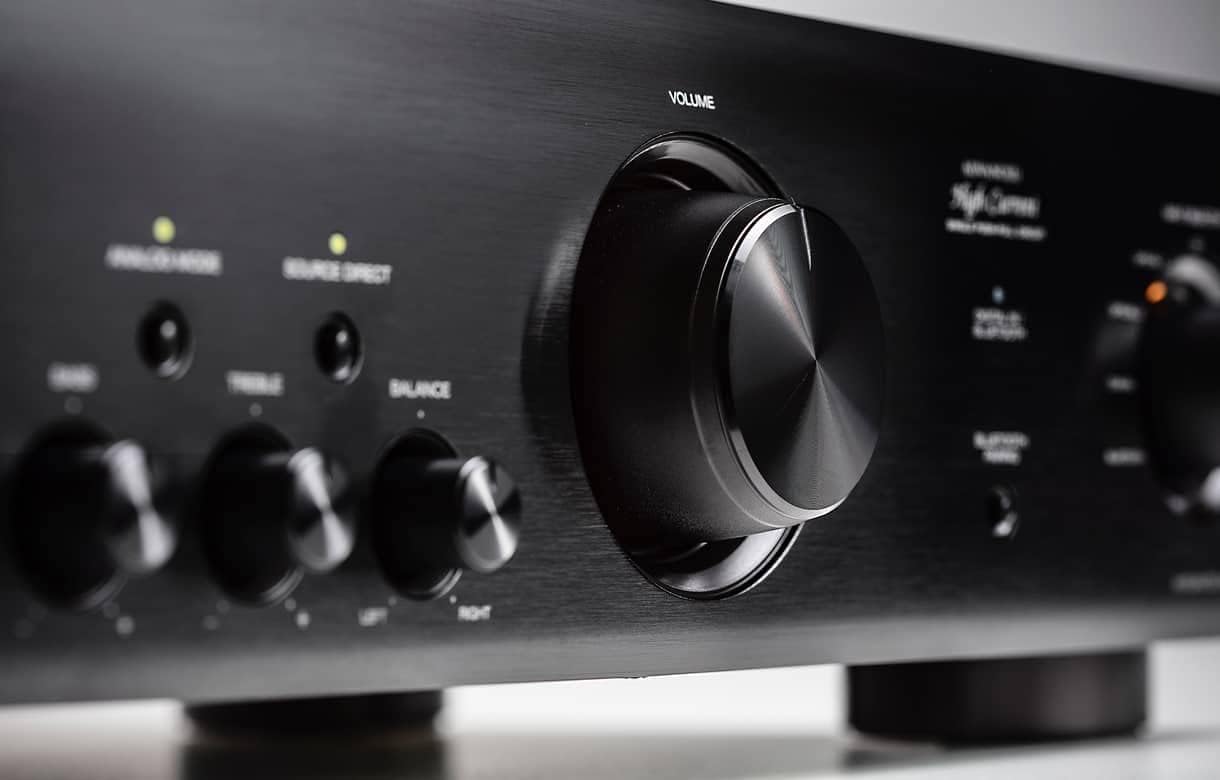
Rysunek 4: Zbliżenie view pokrętła regulacji głośności.
4. Tone Controls and Balance
Użyj BASS, POTROIĆ, I BALANSOWAĆ knobs on the front panel to fine-tune the sound to your preference. The BEZPOŚREDNIO ŹRÓDŁO button bypasses these controls for a purer audio path.
5. Analog Mode
Naciśnij TRYB ANALOGOWY button to disable all digital circuits and Bluetooth, providing an uncompromised analog audio experience. This is ideal for listening to analog sources like turntables or CD players connected via RCA.
6. Parowanie Bluetooth
Aby sparować urządzenie Bluetooth:
- Select "Bluetooth" as the input source using the INPUT SELECTOR.
- Naciśnij i przytrzymaj PAROWANIE BLUETOOTH button on the front panel until the Bluetooth indicator flashes.
- Enable Bluetooth on your mobile device and select "Denon PMA-600NE" from the list of available devices.
- Po sparowaniu wskaźnik Bluetooth będzie świecił światłem ciągłym.
7. Korzystanie ze słuchawek
Podłącz słuchawki do TELEFONY jack on the front panel. Connecting headphones will automatically mute the speaker outputs.
Konserwacja
- Czyszczenie: Przetrzyj urządzenie miękką, suchą ściereczką. Nie używaj środków czyszczących o właściwościach ściernych ani rozpuszczalników.
- Wentylacja: Ensure proper ventilation by keeping the top and sides of the amplifier clear of obstructions.
- Przewód zasilający: Regularnie sprawdzaj, czy przewód zasilający nie jest uszkodzony.
Rozwiązywanie problemów
| Problem | Możliwa przyczyna | Rozwiązanie |
|---|---|---|
| Brak zasilania | Przewód zasilający nie jest podłączony; Wyjście zasilaniatage | Sprawdź podłączenie przewodu zasilającego; Sprawdź wyłącznik automatyczny w domu |
| Brak dźwięku | Wybrano nieprawidłowe wejście; Luźne kable głośnikowe; Zbyt niski poziom głośności; Włączone wyciszenie | Wybierz właściwe wejście; Sprawdź połączenia głośników; Zwiększ głośność; Wyłącz wyciszenie |
| Parowanie Bluetooth nie powiodło się | Urządzenie jest za daleko; Amplifier nie jest w trybie parowania; Zakłócenia | Move device closer; Re-enter pairing mode; Reduce interference from other devices |
| Szum z głośników | Ground loop; Poor cable shielding; Nearby electronic interference | Ensure proper grounding; Use shielded cables; Move amplifier away from other electronics |
Specyfikacje
| Funkcja | Szczegół |
|---|---|
| Moc wyjściowa | 70W + 70W (4 ohms, 1 kHz, THD 0.7%) |
| Odpowiedź częstotliwościowa | 20 Hz – 20 kHz |
| Czułość wejściowa/Impedancja | PHONO (MM): 2.5 mV / 47 kohms CD, NETWORK, AUX, RECORDER: 100 mV / 47 kohms |
| Wejścia cyfrowe | 2 optyczne, 1 koncentryczne |
| Wejścia analogowe | PHONO (MM), CD, NETWORK, AUX, RECORDER |
| Zaciski wyjściowe | Speakers A/B, Headphone, Subwoofer Pre-Out |
| Bluetooth | Utrzymany |
| Wymiary (szer. x gł. x wys.) | 17.1 x 12.1 x 4.76 cala (434 x 307 x 121 mm) |
| Waga | 18 funtów (8.2 kg) |
| Pobór mocy | 180 W (tryb gotowości: 0.3 W) |
Co jest w pudełku
The following items are included with your Denon PMA-600NE:
- Denon PMA-600NE Stereo Zintegrowany Ampżywsze
- Jednostka zdalnego sterowania
- R03/AAA batteries (for remote control)
- Quick Start Guide CD-ROM (contains Owner's Manual)
- Instrukcje bezpieczeństwa
- Przestrogi dotyczące używania baterii
- Przewód zasilający
Gwarancja i wsparcie
Your Denon PMA-600NE amplifier is covered by a manufacturer's warranty. Please refer to the warranty information provided in the Quick Start Guide CD-ROM for details regarding coverage and duration.
For technical support, product registration, or service inquiries, please visit the official Denon website or contact Denon customer service. Contact information can typically be found in the included documentation or on the Denon webstrona.
Ask a question about this manual
Ask about setup, troubleshooting, compatibility, parts, safety, or missing instructions. Manuals+ will review the question and use this page’s manual context to help answer it.