
1. Wprowadzenie
The Dual DAB 3A Digital Radio Adapter is designed to upgrade your existing audio system with modern digital radio reception and Bluetooth streaming capabilities. This adapter allows you to enjoy DAB+ and FM radio broadcasts with clear digital quality and stream audio wirelessly from compatible devices. Its user-friendly interface and remote control ensure convenient operation.
2. Informacje dotyczące bezpieczeństwa
- Zasilanie: Use only the provided AC power adapter. Ensure the voltagSpełnia wymagania określone na adapterze.
- Woda i wilgoć: Do not expose the device to rain, moisture, or dripping/splashing liquids. Keep it away from water sources.
- Wentylacja: Ensure adequate ventilation around the unit. Do not block ventilation openings. Avoid placing the device on soft surfaces that may obstruct airflow.
- Źródła ciepła: Trzymaj urządzenie z dala od źródeł ciepła, takich jak grzejniki, kratki wentylacyjne, piece i inne urządzenia wytwarzające ciepło.
- Czyszczenie: Przed czyszczeniem odłącz zasilanie. Użyj miękkiej, suchej ściereczki. Nie używaj płynnych środków czyszczących ani aerozoli.
- Serwisowanie: Nie próbuj samodzielnie naprawiać tego produktu. Wszelkie czynności serwisowe należy powierzyć wykwalifikowanemu personelowi serwisowemu.
3. Zawartość opakowania
Sprawdź, czy w przesyłce znajdują się wszystkie wymienione poniżej elementy:
- Dual DAB 3A Digital Radio Adapter
- Zasilacz sieciowy
- Zdalne sterowanie
- Instrukcja obsługi
- Zewnętrzna antena przewodowa
4. Koniec produktuview
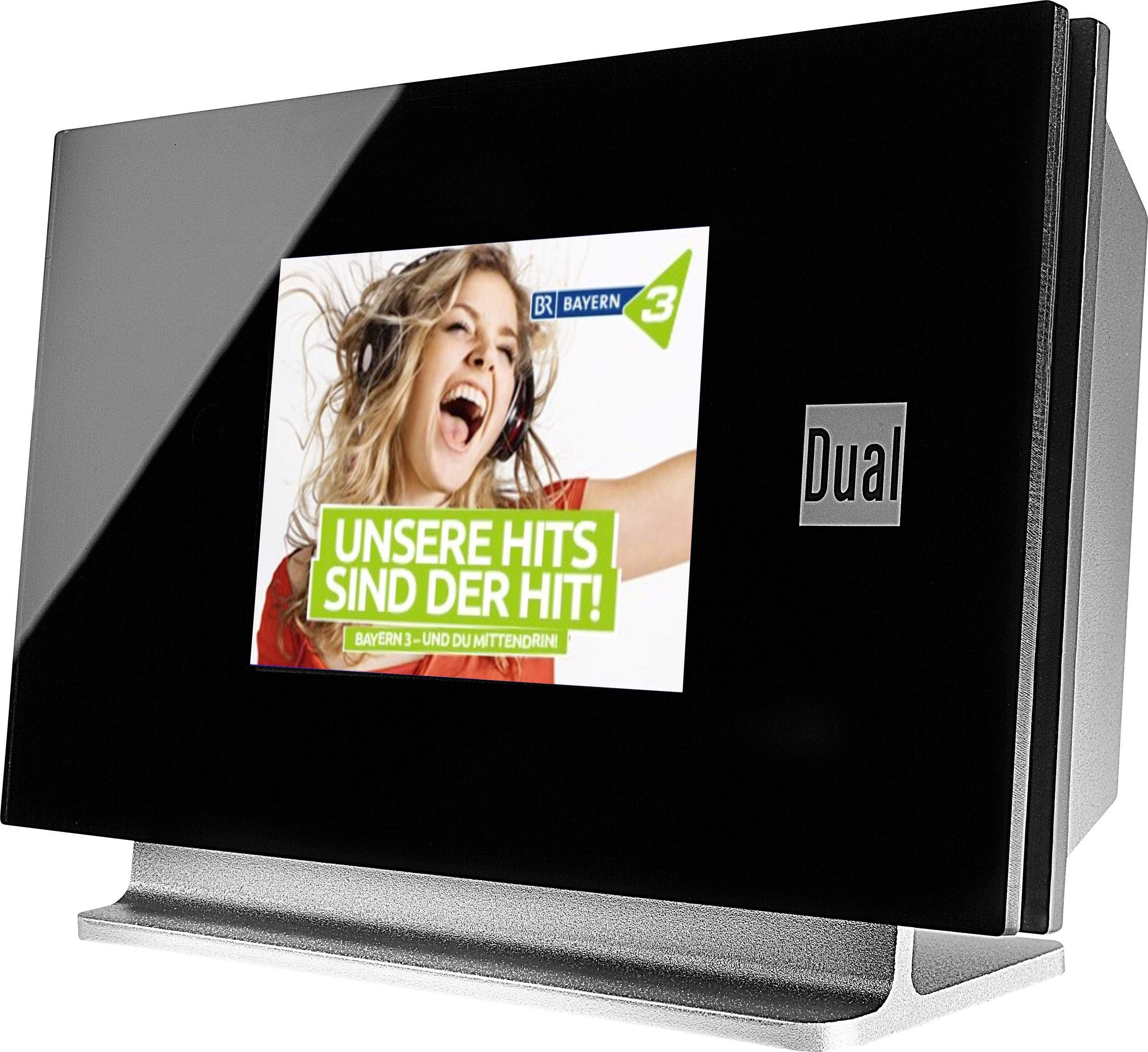
This image displays the Dual DAB 3A Digital Radio Adapter from a front-side angle. The front features a large, black TFT color display showing a radio station's album art and text. The side view indicates the product dimensions: 15 cm (width), 6 cm (depth), and 10.49 cm (height).
Panel przedni
- Kolorowy wyświetlacz TFT: Shows station information, track details, album art, and menu options.
Połączenia na tylnym panelu
- Wejście antenowe: For connecting the external wire antenna or a commercially available antenna.
- WYJŚCIE AUX: Audio output for connecting to an external amplifier lub system audio.
- Pobór mocy: Do podłączenia zasilacza sieciowego.
Zdalne sterowanie
The included remote control provides full functionality for navigating menus, changing stations, adjusting volume, and selecting input modes.
5. Konfiguracja
- Podłącz antenę: Connect the supplied external wire antenna to the antenna input on the rear panel of the DAB 3A adapter. For optimal reception, extend the antenna fully.
- Połącz się z systemem audio: Use an appropriate audio cable (not included) to connect the AUX-OUT port on the rear of the DAB 3A to an available audio input (e.g., AUX-IN, Line-IN) on your existing ampwzmacniacz lub system stereo.
- Podłącz zasilanie: Plug the AC power adapter into the power input on the rear of the DAB 3A, then plug the adapter into a wall outlet.
- Włączanie: Press the Power button on the unit or the remote control to turn on the adapter. The display will illuminate.
- Skanowanie początkowe (DAB+): Upon first power-on, the unit may automatically perform a scan for available DAB+ stations. Allow this process to complete.
6. Obsługa
Włączanie/wyłączanie zasilania
- Naciśnij Moc button on the unit or remote control to turn the device on or off.
Tryb radia DAB+
- Naciśnij Tryb button on the remote control until DAB+ mode is selected.
- If no stations are found or you wish to rescan, navigate to the 'Full Scan' option in the menu and confirm. The adapter will search for available DAB+ stations.
- Użyj W górę/w dół navigation buttons on the remote to browse through the list of available stations.
- Naciskać OK/Wprowadź aby wybrać stację.
- The TFT display will show station name, program information, and potentially album art or weather data.
Tryb radia FM
- Naciśnij Tryb button on the remote control until FM mode is selected.
- Aby automatycznie wyszukać stacje, naciśnij i przytrzymaj Skandować button (or equivalent on remote). The adapter will tune to the next strong station.
- Aby ręcznie dostroić, użyj W górę/w dół navigation buttons to adjust the frequency.
Tryb Bluetooth
- Naciśnij Tryb button on the remote control until Bluetooth mode is selected. The display will show 'Bluetooth Pairing' or similar.
- Na smartfonie lub tablecie włącz Bluetooth i wyszukaj dostępne urządzenia.
- Select 'Dual DAB 3A' from the list of devices to pair.
- Once paired, you can stream audio from your device to the DAB 3A adapter.
Tryb AUX-IN
- Connect an external audio source (e.g., MP3 player, CD player) to the AUX-IN port on the rear of the DAB 3A using a 3.5mm audio cable (not included).
- Naciśnij Tryb button on the remote control until AUX-IN mode is selected.
- Audio from the connected external device will now play through your audio system.
7. Konserwacja
- Czyszczenie urządzenia: Disconnect the power adapter before cleaning. Use a soft, dry, lint-free cloth to wipe the surface of the unit. Do not use abrasive cleaners, waxes, or solvents.
- Czyszczenie wyświetlacza: Gently wipe the TFT display with a soft, dry microfiber cloth. Avoid pressing hard on the screen.
- Składowanie: Jeśli urządzenie będzie przechowywane przez dłuższy czas, należy odłączyć je od źródła zasilania i przechowywać w chłodnym, suchym miejscu, z dala od bezpośredniego światła słonecznego i ekstremalnych temperatur.
8. Rozwiązywanie Problemów
| Problem | Możliwa przyczyna | Rozwiązanie |
|---|---|---|
| Brak zasilania | Zasilacz nie jest podłączony lub gniazdko jest uszkodzone. | Upewnij się, że zasilacz jest prawidłowo podłączony do urządzenia i do działającego gniazdka elektrycznego. |
| Słaby odbiór DAB+/FM | Antena nie jest prawidłowo podłączona lub sygnał jest słaby. | Ensure the antenna is fully extended and properly connected. Try repositioning the antenna or the unit. Consider using a stronger external antenna if available. |
| Parowanie Bluetooth nie powiodło się | Bluetooth not enabled on source device or adapter is not in pairing mode. | Ensure Bluetooth is enabled on your smartphone/tablet and the DAB 3A is in Bluetooth mode. Try restarting both devices. |
| Brak dźwięku | Głośność jest zbyt niska, wybrano nieprawidłowe wejście amplifier, or audio cable issue. | Increase the volume on both the DAB 3A and your amplifier. Upewnij się, że twój amplifier is set to the correct input (e.g., AUX-IN). Check the audio cable connections. |
9. Specyfikacje
- Model: 75862
- Technologia tunera: DAB Plus, FM
- Łączność: Bluetooth
- Obsługiwane pasma radiowe: UKF, DAB+
- Typ wyświetlacza: Wyświetlacz kolorowy
- Źródło zasilania: Zasilacz sieciowy
- Interfejs sprzętowy: Bluetooth
- Zgodne urządzenia: Smartphone, Laptop
- Cechy szczególne: Bluetooth, pilot zdalnego sterowania
- Wymiary produktu: Wymiary 15 x 6 x 10.5 cm
- Waga przedmiotu: 540 gramów
10. Gwarancja i wsparcie
This product comes with a standard manufacturer's warranty. For detailed warranty information, please refer to the warranty card included in your package or visit the official Dual website. For technical support, troubleshooting assistance, or service inquiries, please contact Dual customer support through their official channels.