
1. Wprowadzenie
Welcome to the user manual for your Genius Manticore Gaming Keyboard. This guide provides essential information for setting up, operating, maintaining, and troubleshooting your new gaming keyboard. Please read these instructions carefully to ensure optimal performance and longevity of your device.
2. Koniec produktuview
The Genius Manticore Gaming Keyboard is designed for an enhanced gaming experience, featuring a durable build and responsive keys. It connects via USB and is compatible with a wide range of devices. The keyboard includes 104 keys with a standard QWERTY layout, complemented by additional gaming-specific features.
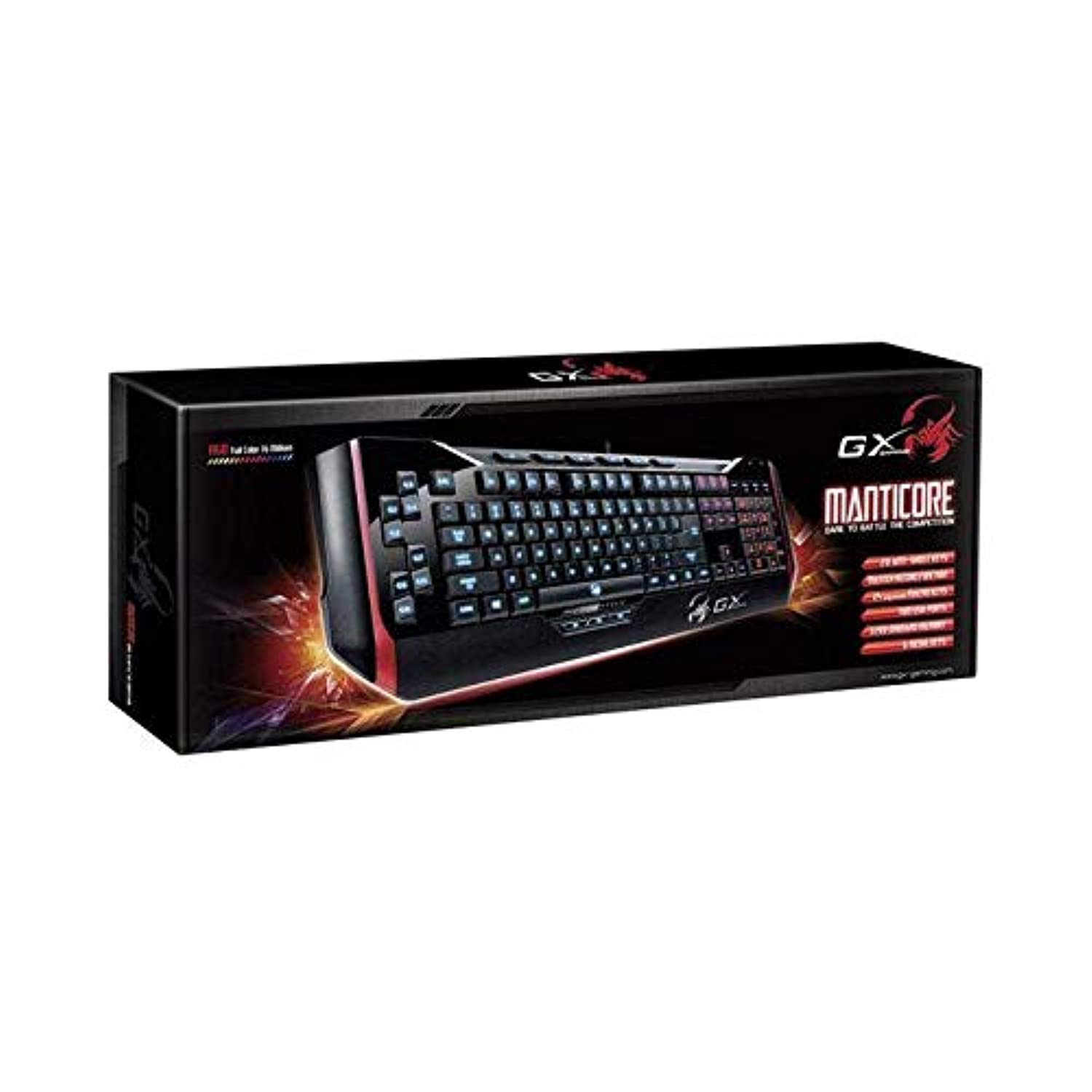
Rysunek 1: Genius Manticore Gaming Keyboard. This image displays the Genius Manticore Gaming Keyboard, featuring a black body with red accents on the sides. The keys are illuminated, indicating its gaming functionality. The keyboard has a standard QWERTY layout with additional keys on the left side, likely for macros, and a numeric keypad on the right.
3. Konfiguracja
- Rozpakuj klawiaturę: Carefully remove the Genius Manticore Gaming Keyboard from its packaging. Ensure all components are present.
- Połącz się ze swoim urządzeniem: Locate an available USB port on your computer or compatible device. Insert the USB connector of the keyboard firmly into the USB port.
- Instalacja sterownika (jeśli to konieczne): For most modern operating systems, the keyboard will be recognized automatically, and standard drivers will be installed. If prompted, follow the on-screen instructions to complete any driver installation.
- Funkcjonalność testu: Open a text editor or a web przeglądarkę i przetestuj klawisze, aby upewnić się, że reagują prawidłowo.
4. Instrukcja obsługi
The Genius Manticore Gaming Keyboard offers a standard QWERTY layout for general typing and dedicated features for gaming.
- Standardowe funkcje klawiszy: All standard alphanumeric, symbol, and function keys operate as expected on a typical QWERTY keyboard.
- Funkcje gier: The keyboard is designed for gaming. Specific gaming features, such as customizable backlighting or programmable macro keys (if available on your model), can typically be configured through dedicated software provided by Genius or through specific key combinations. Refer to the Genius website for any available software downloads or advanced feature guides.
- Źródło zasilania: The keyboard is powered directly via the USB connection to your device. No external power supply or batteries are required.
5. Konserwacja
Właściwa konserwacja zapewnia długowieczność i wydajność klawiatury.
- Czyszczenie: Do przecierania powierzchni klawiatury używaj miękkiej, suchej ściereczki. Do usuwania kurzu i zanieczyszczeń spomiędzy klawiszy użyj sprężonego powietrza. Unikaj stosowania silnych środków chemicznych i materiałów ściernych.
- Ekspozycja na płyny: This keyboard is nie jest wodoodporny. Avoid spilling liquids on the keyboard, as this can cause permanent damage. If liquid exposure occurs, immediately disconnect the keyboard from your device and allow it to dry completely before attempting to use it again.
- Składowanie: Gdy klawiaturę nie używasz, przechowuj ją w czystym i suchym miejscu, z dala od ekstremalnych temperatur i bezpośredniego światła słonecznego.
6. Rozwiązywanie Problemów
Jeśli masz problemy z klawiaturą, wypróbuj następujące rozwiązania:
- Klawiatura nie odpowiada:
- Sprawdź, czy kabel USB jest prawidłowo podłączony do klawiatury i komputera.
- Spróbuj podłączyć klawiaturę do innego portu USB w komputerze.
- Przetestuj klawiaturę na innym komputerze, aby ustalić, czy problem dotyczy klawiatury czy oryginalnego komputera.
- Uruchom ponownie komputer.
- Niektóre klawisze nie działają:
- Check for any physical obstructions under the non-functional keys.
- Wyczyść klawiaturę zgodnie z opisem w rozdziale Konserwacja.
- Ensure no software conflicts are present (e.g., macro software interfering with standard key functions).
- Problemy z podświetleniem:
- If your model features adjustable backlighting, ensure it is not turned off or set to the lowest brightness level. Consult the Genius website for specific key combinations to control backlighting.
If these steps do not resolve the issue, please contact Genius customer support for further assistance.
7. Specyfikacje
| Funkcja | Szczegół |
|---|---|
| Nazwa marki | Geniusz |
| Numer modelu | GE31310058108 |
| Kompatybilne urządzenia | Wszystko |
| Technologia łączności | USB |
| Opis klawiatury | Hazard |
| Cechy specjalne | Hazard |
| Kolor | Multi-color (Black and Red) |
| Styl | Nowoczesny |
| Tworzywo | Wiele materiałów |
| Temat | Zawody sportowe |
| Źródło zasilania | Zasilanie przez USB |
| Liczba kluczy | 104 |
| Układ klawiatury | Klawiatura QWERTY |
| Orientacja dłoni | Oburęczny |
| Ilość przycisków | 104 |
| Poziom wodoodporności | Nie jest wodoodporny |
| Producent | Geniusz |
| ASIN | B07MQMXJS9 |
8. Gwarancja i wsparcie
Your Genius Manticore Gaming Keyboard is covered by a standard manufacturer's warranty. For detailed information regarding warranty terms, registration, or to access technical support, please visit the official Genius webOdwiedź stronę internetową lub skontaktuj się z działem obsługi klienta. Zachowaj paragon jako dowód zakupu.
Aby uzyskać dalszą pomoc, możesz odwiedzić stronę Genius Official Webstrona.