
1. Wprowadzenie
This manual provides essential information for the proper setup, operation, and maintenance of your Sony SLV-FT5 VHS Video Cassette Recorder (VCR). Please read these instructions thoroughly before using the unit to ensure optimal performance and safety.
2. Informacje dotyczące bezpieczeństwa
Aby zmniejszyć ryzyko pożaru, porażenia prądem elektrycznym i obrażeń, należy zawsze przestrzegać podstawowych zasad bezpieczeństwa podczas korzystania z tego produktu.
- Nie wystawiać urządzenia na działanie deszczu i wilgoci.
- Nie otwieraj szafki. Zleć naprawę wyłącznie wykwalifikowanemu personelowi.
- Zapewnij odpowiednią wentylację, nie blokuj otworów wentylacyjnych.
- Należy używać wyłącznie zasilacza przeznaczonego do tego urządzenia.
- Trzymaj urządzenie z dala od źródeł ciepła i bezpośredniego światła słonecznego.
3. Konfiguracja
3.1 Rozpakowanie
Carefully remove the VCR and all accessories from the packaging. Verify that all components are present: the SLV-FT5 VCR unit, remote control, and necessary connection cables (e.g., RCA audio/video cables).
3.2 Podłączanie do telewizora
To connect the VCR to your television, use the provided RCA audio/video cables. Match the colored plugs to the corresponding colored jacks on both the VCR and your TV (Yellow for Video, White for Left Audio, Red for Right Audio).

Rysunek 1: Rear panel of the Sony SLV-FT5 VCR. This image displays the various input and output ports, including RCA jacks for audio and video, and the power input. The product label with model number SLV-FT5 and power specifications (100V 18W 50/60Hz) is also visible.
3.3 Połączenie zasilania
Plug the VCR's power cord into a standard electrical outlet (AC 100V, 50/60Hz). Ensure the power outlet is easily accessible.
3.4 Konfiguracja zdalnego sterowania
Open the battery compartment on the back of the remote control and insert two AA batteries, observing the correct polarity (+/-). Close the compartment securely.

Rysunek 2: The Sony RMT-V219 remote control, designed for the SLV-FT5 VCR. This image also shows the included RCA audio/video cables, which are typically used for connecting the VCR to a television.
4. Obsługa magnetowidu
4.1 Włączanie/wyłączanie
Naciśnij MOC button on the VCR's front panel or the remote control to turn the unit on or off.
4.2 Loading and Unloading a VHS Tape
- Załadunek: Insert a VHS cassette into the tape slot on the front of the VCR with the tape window facing forward. The VCR will automatically pull the tape in.
- Rozładunek: Naciśnij WYRZUCAĆ button on the VCR or remote control. The tape will be ejected.
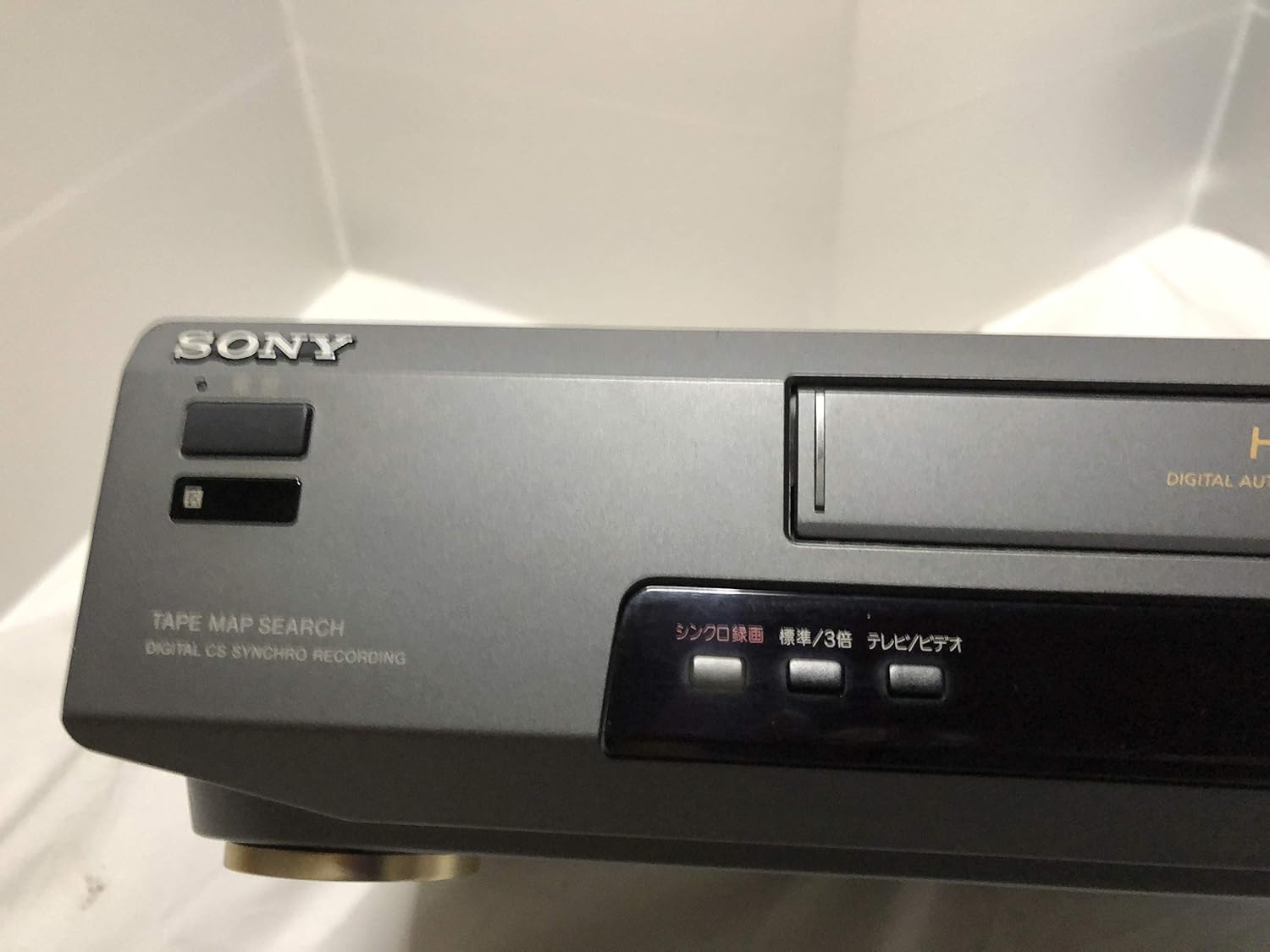
Rysunek 3: Front left section of the Sony SLV-FT5 VCR. This view highlights the tape loading slot and the 'TAPE MAP SEARCH' feature, which assists in navigating recorded content on a tape.
4.3 Odtwarzanie
After loading a tape, press the GRAĆ button (►) on the VCR or remote control to begin playback. Use the PAUZA (∥), ZATRZYMYWAĆ SIĘ (■), PRZEWIJAĆ (◀◀), and SZYBKO PRZEWIJAJ (►►) buttons to control playback.

Rysunek 4: Front right section of the Sony SLV-FT5 VCR. This image displays the main playback controls (Play, Stop, Rewind, Fast Forward, Pause) and additional buttons for 'Quick Timer' and 'Tracking' adjustments.
4.4 Nagrywanie
To record, ensure a blank or recordable tape is inserted. Select the desired input source (e.g., TV channel). Press the REK (●) button on the VCR or remote control. Press ZATRZYMYWAĆ SIĘ (■) aby zakończyć nagrywanie.
4.5 Tracking Adjustment
If the picture quality during playback is poor (e.g., horizontal lines or noise), use the ŚLEDZENIE buttons on the front panel or remote control to fine-tune the tape's alignment with the VCR's heads.
5. Konserwacja
5.1 Czyszczenie urządzenia
Wipe the exterior of the VCR with a soft, dry cloth. For stubborn stains, use a cloth lightly dampUmyć łagodnym detergentem, a następnie wytrzeć do sucha. Nie używać środków czyszczących o właściwościach ściernych ani rozpuszczalników.
5.2 Czyszczenie głowy
Over time, VCR heads can accumulate dirt, leading to poor picture and sound quality. Use a commercially available dry-type VHS head cleaning cassette according to its instructions. Avoid wet-type cleaners as they can damage the heads.
5.3 Przechowywanie
When not in use for extended periods, disconnect the VCR from the power outlet. Store the unit in a cool, dry place, away from dust and direct sunlight.
6. Rozwiązywanie Problemów
If you encounter issues with your VCR, refer to the following common problems and solutions before seeking professional service.
| Problem | Możliwa przyczyna | Rozwiązanie |
|---|---|---|
| Brak zasilania | Odłączony przewód zasilający; problem z gniazdkiem elektrycznym | Sprawdź podłączenie przewodu zasilającego; spróbuj użyć innego gniazdka. |
| Brak obrazu/dźwięku | Incorrect TV input; loose A/V cables | Select correct TV input (e.g., Video 1, AV); ensure A/V cables are securely connected. |
| Słaba jakość obrazu (śnieżenie, linie) | Dirty VCR heads; tracking issue; old/damaged tape | Clean VCR heads; adjust tracking; try a different tape. |
| Taśma nie wysuwa się | Power issue; mechanical malfunction | Ensure power is on; try pressing EJECT multiple times. If issue persists, seek service. |
| Pilot nie działa | Dead batteries; obstructed sensor | Replace batteries; ensure no obstacles between remote and VCR sensor. |
7. Specyfikacje
| Funkcja | Specyfikacja |
|---|---|
| Marka | Sony |
| Numer modelu | SLV-FT5 |
| Typ nośnika | Kaseta magnetofonowa |
| Rezolucja | 720 x 480 pikseli |
| Waga produktu | 4160 gramów |
| Tryb wyjścia audio | Stereofoniczny |
| Obsługiwane formaty audio | Monaural, Stereo |
| Kodowanie wideo | Analog |
| Kompatybilne urządzenia | Telewizja |
| Zgodność z wejściem wideo | NTSC |
| Wymagania dotyczące zasilania | 100V, 18W, 50/60Hz |
8. Gwarancja i wsparcie
Aby uzyskać informacje dotyczące gwarancji i obsługi klienta, zapoznaj się z dokumentacją dołączoną do zakupionego produktu lub odwiedź oficjalną stronę internetową firmy Sony webZachowaj dowód zakupu na wypadek roszczeń gwarancyjnych.