
Wstęp
The Corsair CX Series CX600 is a 600 Watt, 80+ Bronze Certified, Non-Modular Power Supply designed for maximum compatibility and reliability. It provides continuous power output and is an efficient solution for various PC builds, offering a balance of performance and value.
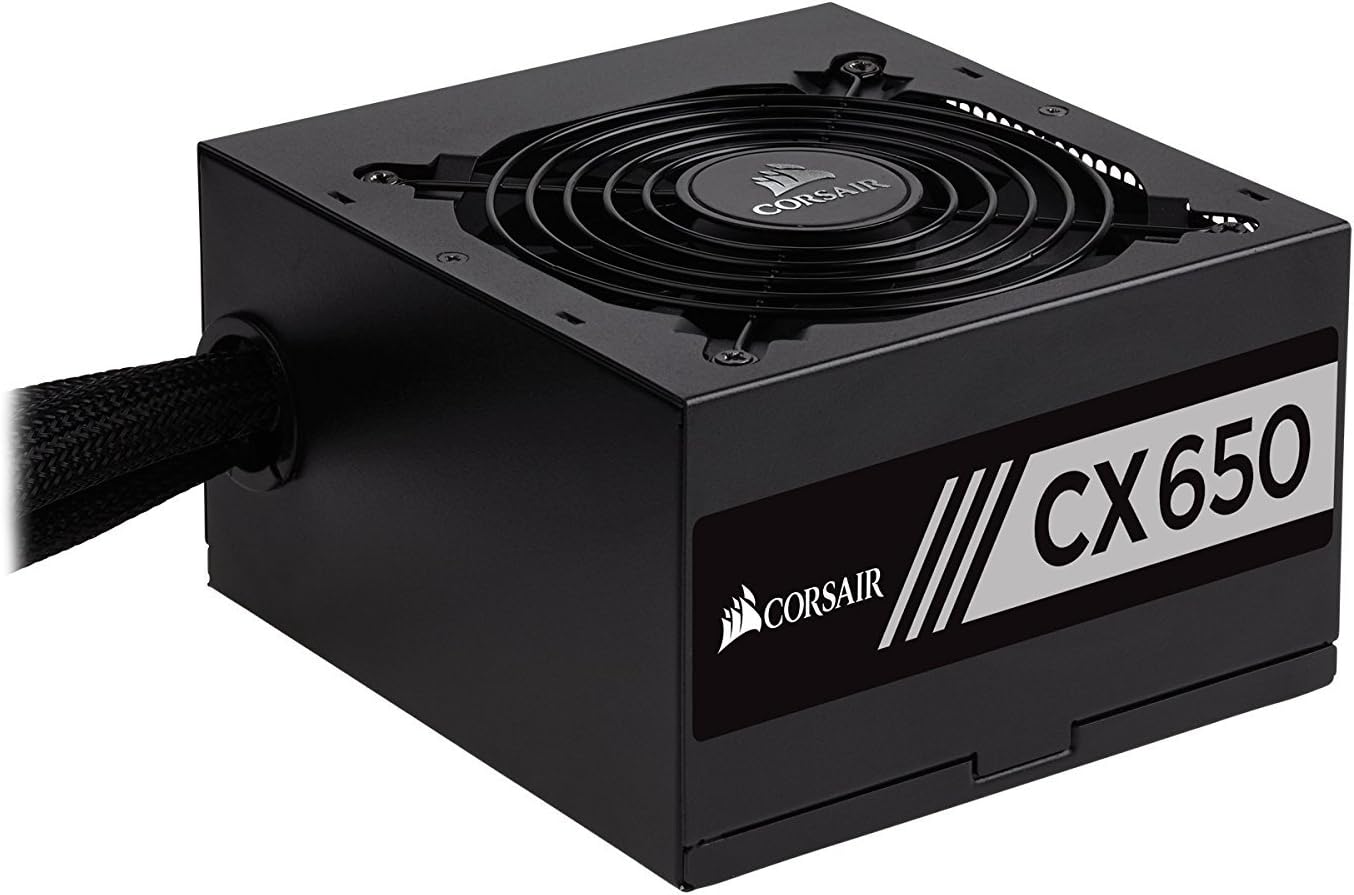
Rycina 1: Przód view of the Corsair CX600 Power Supply, showcasindzięki kompaktowej konstrukcji i kratce wentylatora.
Informacje dotyczące bezpieczeństwa
Please read and understand all safety precautions before installing or operating your power supply. Failure to do so may result in personal injury or damage to your equipment.
- Do not open the power supply unit (PSU) casing. Wysoka objętośćtagy są obecne w środku, nawet po odłączeniu od zasilania.
- Przed instalacją, demontażem lub jakąkolwiek konserwacją należy upewnić się, że zasilanie jest odłączone od gniazdka prądu zmiennego.
- Zasilacz należy zainstalować w dobrze wentylowanym pomieszczeniu, z dala od źródeł ciepła i bezpośredniego światła słonecznego.
- Należy używać wyłącznie kabli dostarczonych wraz z zasilaczem.
- Zadbaj o prawidłowe uziemienie swojego systemu komputerowego.
- Unikaj rozlewania płynów na zasilacz.
- This product is designed for use in personal computer systems only.
Zawartość opakowania
Sprawdź, czy w przesyłce znajdują się wszystkie elementy:
- Corsair CX600 Power Supply Unit
- Przewód zasilający AC
- Śruby montażowe
- Opaski kablowe
Instalacja i konfiguracja
Zanim zaczniesz
- Turn off and unplug your computer from the wall outlet.
- Otwórz obudowę komputera.
- Jeśli wymieniasz istniejący zasilacz, odłącz wszystkie kable od starego zasilacza i wyjmij go z obudowy.
Instalacja fizyczna
- Carefully place the CX600 power supply into the designated PSU bay in your computer case. Ensure the fan is facing the correct direction for optimal airflow (typically facing down if your case has a bottom vent, or up if it's a top-mounted PSU).
- Przymocuj zasilacz do obudowy za pomocą dołączonych śrub montażowych.
- Connect the 24-pin ATX motherboard power cable to the corresponding port on your motherboard. Ensure it clicks into place.
- Connect the 4+4 pin EPS/ATX 12V CPU power cable to the CPU power connector on your motherboard.
- Connect the 6+2 pin PCIe power cables to your graphics card(s) if applicable. The CX600 provides two such connectors.
- Podłącz kable zasilające SATA do dysków pamięci masowej (dysków SSD, dysków twardych) i napędów optycznych.
- Connect Molex power cables to any peripherals that require them (e.g., case fans, older drives).
- Use the included cable ties to manage and organize the cables for better airflow and aesthetics.
- Zamknij obudowę komputera.
- Podłącz przewód zasilający do zasilacza, a następnie do gniazdka ściennego.

Figure 2: The Corsair CX600 Power Supply displaying its full array of non-modular cables, including ATX, CPU, PCIe, SATA, and Molex connectors.

Rysunek 3: Tył view of the Corsair CX600 Power Supply, showing the AC power input and the main power switch.
Działanie
After successful installation, ensure the power switch on the back of the power supply is in the 'ON' (I) position. You can then power on your computer using the case's power button. The CX600 features an ultra-quiet 120mm fan that adjusts its speed based on temperature, providing efficient cooling with minimal noise. Its 80 Plus Bronze certification ensures high power efficiency, reducing heat generation and operating costs.
Konserwacja
The Corsair CX600 is designed for reliable, long-term operation with minimal maintenance. However, periodic cleaning can help maintain optimal performance and longevity.
- Usuwanie kurzu: Periodically clean dust from the power supply's fan grille and vents using compressed air. Ensure the computer is powered off and unplugged before cleaning.
- Zarządzanie kablami: Ensure cables are not obstructing airflow within the case. Re-organize if necessary.
- Warunki środowiskowe: Operate the power supply within recommended temperature and humidity ranges to prevent damage.

Rysunek 4: Widok z góry na dół view of the Corsair CX600 Power Supply's 120mm cooling fan, which helps maintain optimal operating temperatures.
Rozwiązywanie problemów
If you encounter issues with your Corsair CX600 power supply, refer to the table below for common problems and solutions.
| Problem | Możliwa przyczyna | Rozwiązanie |
|---|---|---|
| Komputer się nie włącza. | Power cable not connected, PSU switch off, faulty component, or insufficient power. | Ensure AC power cord is securely connected. Check PSU power switch is ON (I). Verify all internal power cables (24-pin, CPU, PCIe) are properly seated. Test with minimal components. |
| System shuts down unexpectedly. | Overload, overheating, or power fluctuations. | Ensure adequate ventilation. Check for dust buildup. The CX600 has over-voltage, nadmierna moc, niedostateczna głośnośćtage, and short circuit protection; if these trigger, the PSU will shut down to protect components. Reduce system load if consistently tripping. |
| Wentylator pracuje głośno lub nie obraca się. | Dust buildup, fan obstruction, or fan malfunction. | Clean the fan grille and blades with compressed air. Ensure no cables are obstructing the fan. If the fan is not spinning at low loads, this is normal as it adjusts speed based on temperature. If it's consistently noisy or not spinning at high loads, contact support. |
| Peripherals not receiving power. | Loose cable connection or faulty peripheral. | Check the connections of the SATA or Molex cables to the peripheral and the PSU. Test the peripheral with another power source if possible. |
Dane techniczne
Detailed specifications for the Corsair CX600 Power Supply:
| Funkcja | Szczegół |
|---|---|
| Nazwa modelu | CX Series (CX600) |
| Numer modelu | CP-9020048-US |
| Marka | Korsarz |
| Moc wyjściowatage | 600 watów |
| Certyfikacja efektywności | Brąz 80 PLUS |
| Współczynnik kształtu | ATX12V/EPS12V |
| Metoda chłodzenia | Powietrze (wentylator 120 mm) |
| Wymiary (dł. x szer. x wys.) | 5.5 x 5.9 x 3.4 cala (140 x 150 x 86 mm) |
| Waga przedmiotu | 4.5 funtów (2.04 kg) |
| PFC | Active Power Factor Correction (0.99) |
| Wejście Voltage | 90~264 V (uniwersalne wejście prądu przemiennego) |
| Funkcje ochronne | Nadmierna ilośćtage, Nadmierna moc, niedostateczna głośnośćtage, Short circuit protection |

Rysunek 5: Strona view of the Corsair CX600 Power Supply, showing the product label with model information and electrical ratings.
Informacje o gwarancji
The Corsair CX Series CX600 Power Supply comes with a three-year warranty from the date of purchase. This warranty covers defects in materials and workmanship under normal use. For warranty claims, please retain your proof of purchase.
Obsługa klienta
For technical assistance, troubleshooting beyond this manual, or warranty inquiries, please visit the official Corsair support website or contact their customer service. Lifetime access to Corsair's technical support and customer service is included with your purchase.
An official User Manual (PDF) is also available for download from the Corsair webstronę lub poprzez ten link: Corsair CX Series User Manual PDF