
1. Mawu Oyamba
This manual provides essential information for setting up, operating, and maintaining your Samsung Galaxy S26 Ultra 5G smartphone. Please read this manual carefully to ensure proper use and to maximize the device's capabilities.
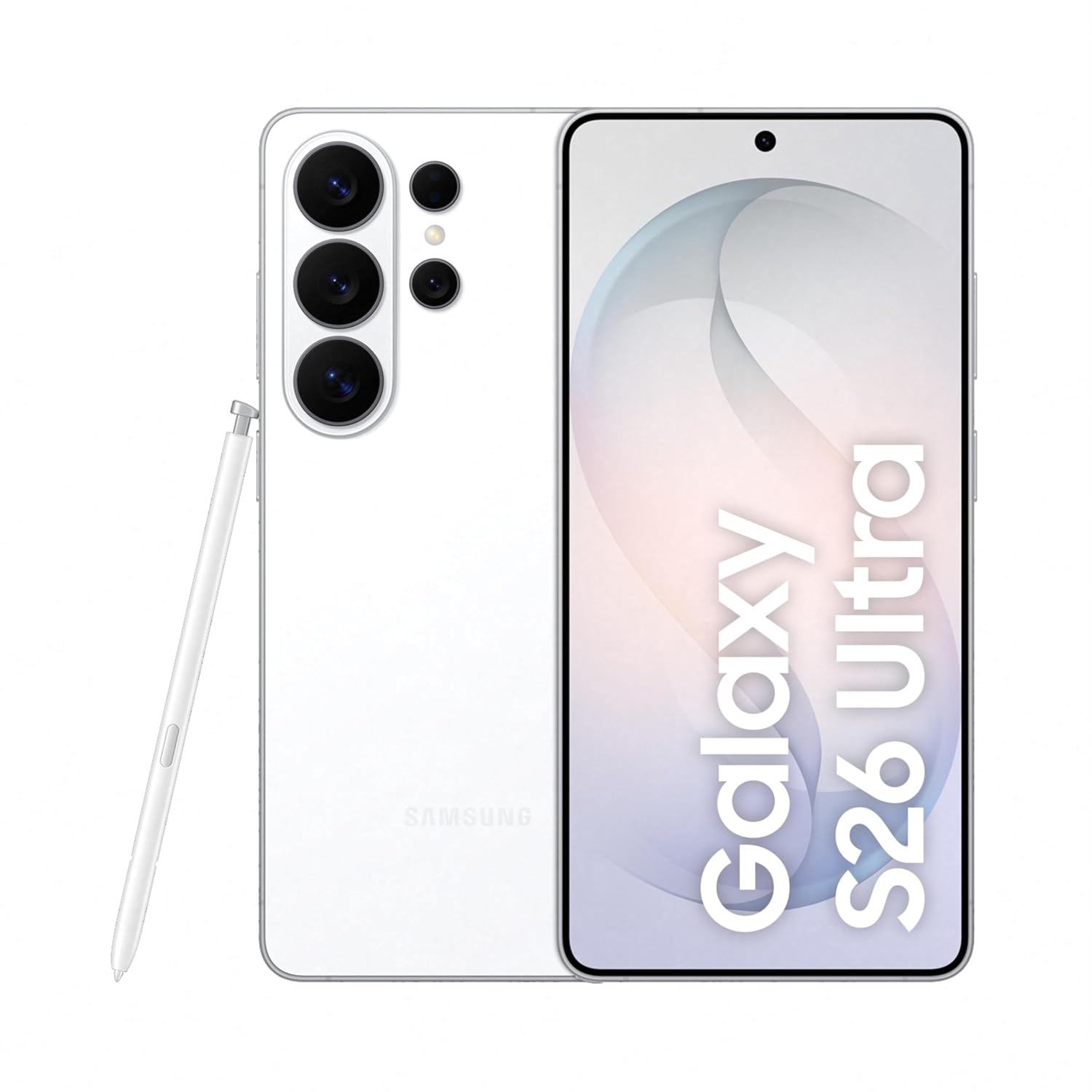
Figure 1: Samsung Galaxy S26 Ultra 5G in White with S Pen.
2. Kukhazikitsa
2.1 Zomwe zili m'bokosi
Onetsetsani kuti phukusi lanu la malonda lili ndi zinthu zotsatirazi:
- Foni ya Samsung Galaxy S26 Ultra 5G
- Data Cable (Type C to C)
- SIM Ejection Pin
- Quick Start Guide
- S Pen

Chithunzi 2: Zinthu zomwe zili mu phukusi lazinthu.
2.2 Kuyika SIM khadi
- Pezani thireyi ya SIM khadi pambali pa chipangizo chanu.
- Lowetsani pini yotulutsa SIM mubowo laling'ono pafupi ndi thireyi kuti mutsegule.
- Place your Nano-SIM card(s) into the tray with the gold contacts facing down. This device supports Dual SIM.
- Kanikizani thireyi pang'onopang'ono mu kagawo mpaka itadina pamalo ake.
2.3 Kuyatsa Koyamba ndi Kukhazikitsa
Press and hold the Power button until the Samsung logo appears. Follow the on-screen instructions to complete the initial setup, including language selection, Wi-Fi connection, Google account login, and security settings.
3. Kugwiritsa Ntchito Chipangizo Chanu
3.1 Privacy Display
The Galaxy S26 Ultra features a built-in Privacy Display, designed to protect your screen content from prying eyes in public places. When activated, the screen's pixels dynamically adjust to limit the viewing angle, making the display visible only when viewed straight on, while appearing dimmed from the sides.
- Kutsegula: Customize settings to activate Privacy Display for specific apps or notifications.
- Kusintha mwamakonda: Adjust the level of privacy and viewing angles in the display settings.

Figure 3: Privacy Display in action, showing restricted viewing from the side.
3.2 Mawonekedwe a AI
Experience enhanced functionality with the integrated Galaxy AI features:
- Thandizo la Zithunzi: Utilize AI to easily edit your photos with simple prompts, enhancing clarity and details.
- Creative Studio: Generate personalized stickers from your photos with a simple tap.
- Now Nudge: Receive intelligent, real-time suggestions based on your screen content, simplifying tasks.
- Wopeza: Quickly search for information on your device, including flight details or notes, directly from the home screen.

Figure 4: Photo Assist feature for image editing.

Figure 5: Generating stickers using Creative Studio.
Makamera a 3.3
The Galaxy S26 Ultra features an advanced camera system for high-quality photography and videography:
- 200MP High Resolution Camera: Capture bright and detailed photos and videos, even in challenging lighting conditions, with enhanced noise reduction.
- Nightography: Optimized for low-light environments, ensuring clear and vibrant night shots.
- Space Zoom: Utilize 100x AI-powered Space Zoom for capturing distant subjects with clarity.
- ProVisual Engine: Enhances image processing for improved color depth and clarity.

Chithunzi 6: Kuthaview of the Galaxy S26 Ultra camera system.
3.4 Kugawana Mwachangu
Quick Share allows for easy and fast sharing of files with other Galaxy devices and compatible Android and Apple devices. Access Quick Share from the share panel to send photos, videos, and documents wirelessly.
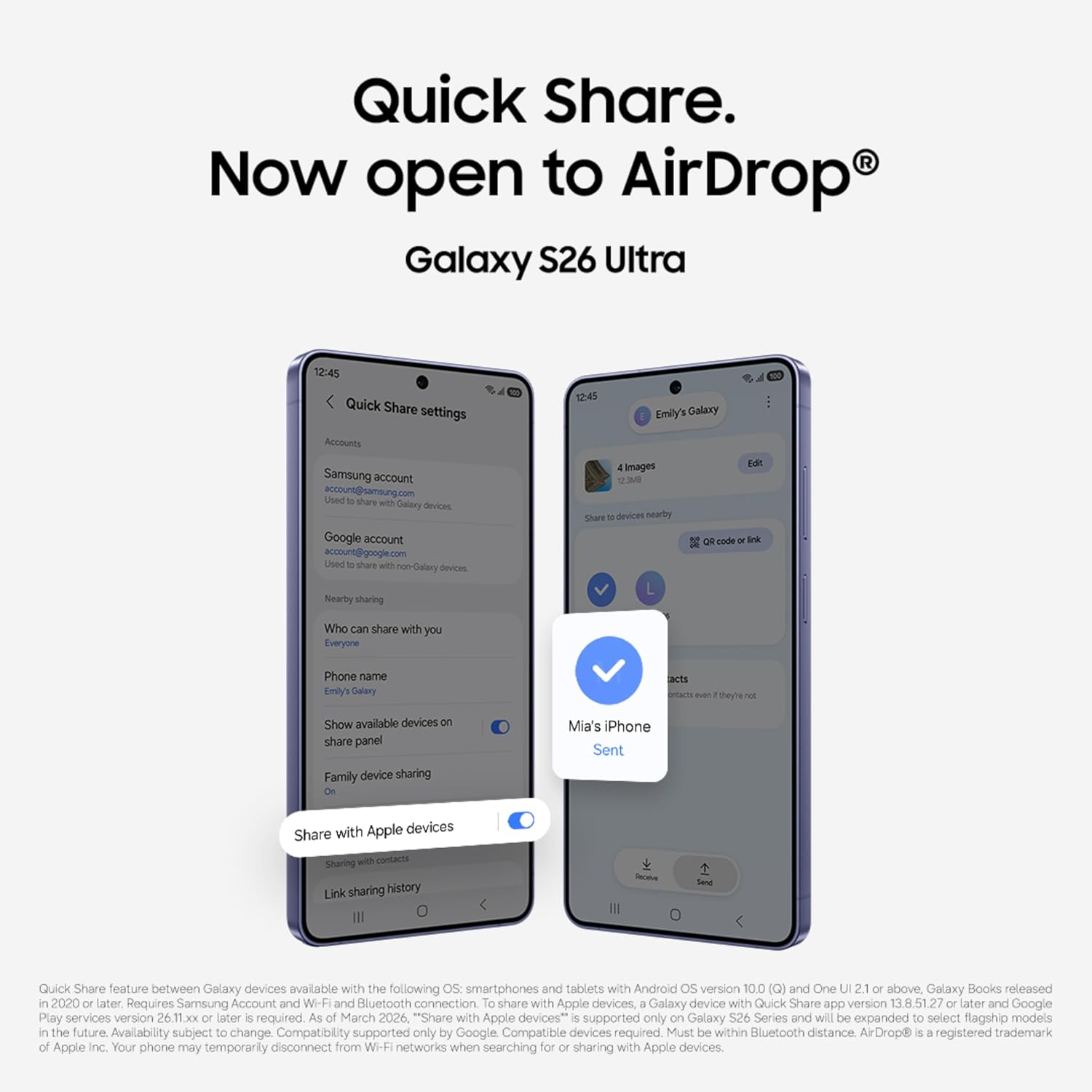
Figure 7: Quick Share interface for sharing files.
3.5 Kuchita
The Galaxy S26 Ultra is powered by the Snapdragon 8 Elite Gen 5 processor, customized for Galaxy devices, ensuring smooth performance for demanding applications and games. A newly designed Vapor Chamber efficiently dissipates heat, maintaining optimal performance during extended use.

Figure 8: Customized processor architecture for enhanced performance.
4. Kusamalira
4.1 Kulipira
The Galaxy S26 Ultra supports Super Fast Charging 3.0 (up to 60W) and Super Fast Wireless Charging (up to 25W). Use only Samsung-approved chargers and cables to prevent damage to your device.
- A typical charge can reach up to 75% in approximately 30 minutes with a compatible 60W charger.
- The 5000mAh battery provides up to 31 hours of video playback on a full charge.

Figure 9: Super Fast Charging capability.
4.2 Kukaniza Madzi
Your Galaxy S26 Ultra is water resistant. However, avoid exposing the device to high-pressure water, water at high temperatures, or submersion beyond recommended depths and durations. Always ensure the SIM tray is properly closed to maintain water resistance.
4.3 Kuyeretsa Chipangizo Chanu
Kuti muyeretse chipangizo chanu, chipukuteni pang'onopang'ono ndi nsalu yofewa, yopanda ulusi. Pewani kugwiritsa ntchito mankhwala amphamvu kapena zinthu zokwawa zomwe zingawononge chophimba kapena kumaliza kwake.
5. Mavuto
Ngati mukukumana ndi mavuto ndi chipangizo chanu, yesani njira zotsatirazi zothetsera mavuto:
- Yambitsaninso chipangizo: Kuyambiranso kosavuta kumatha kuthetsa zolakwika zambiri zazing'ono zamapulogalamu.
- Yang'anani zosintha za mapulogalamu: Onetsetsani kuti chipangizo chanu chikugwiritsa ntchito pulogalamu yaposachedwa. Pitani ku Zokonda> Kusintha kwa mapulogalamu.
- Chotsani posungira pulogalamu: If a specific app is causing issues, try clearing its cache in Zokonda> Mapulogalamu> [Dzina la Pulogalamu]> Kusungirako> Chotsani posungira.
- Kukhazikitsanso kwafakitale: As a last resort, you may perform a factory data reset. Chenjezo: Izi zichotsa deta yonse pa chipangizo chanu. Konzani zosunga zobwezeretsera deta yofunika musanapitirize.
Kuti mumve zambiri zovuta, onani chithandizo chovomerezeka cha Samsung webtsamba kapena kulumikizana ndi kasitomala.
6. Zofotokozera
| Mbali | Kufotokozera |
|---|---|
| Mtundu | Samsung |
| Chitsanzo | Galaxy S26 Ultra |
| Opareting'i sisitimu | Android 16 |
| Ram | 12 GB |
| Zosungira Zamkati | 256 GB |
| CPU Model | Snapdragon 8 Elite Gen 5 |
| Kuthamanga kwa CPU | 4.74 GHz |
| Mtundu | Choyera |
| Chiwerengero cha Malo a SIM Card | Ma SIM awiri |
| Mtundu Wolumikizira | Mtundu wa USB C |
| Chitetezo cha Biometric | Kuzindikiridwa ndi Zala |
| Human Interface Types | Chojambula chojambula ndi Stylus Support |
| Madzi Resistance Level | Chosalowa madzi |
| Zogulitsa Zamankhwala | Always On Display, Built-In GPS, Fast Charging Support, Stereo Speakers, Water Resistant |
| Kukhazikika kwa Kamera Yakutsogolo | 12 MP |
| Kusintha kwa Kamera Yam'mbuyo | 10 MP, 200 MP, 50 MP, 50 MP (Quad Camera) |
| Mphamvu ya Battery | 5000 miliyoniamp Maola |
| Kulemera kwa chinthu | 214 gm |
| Zinthu Miyeso | 8 x 78 x 164 mamilimita |
| Kukula kwa Screen | 6.9 inchi |
| Kusamvana | 3120 x1440 pa |
| Mtengo Wotsitsimutsa | 120hz pa |
| Mtundu Wowonetsera | AMOLED |
| Cellular Technology | 5G |
| Kanema Capture Resolution | 4k, 8k |
7. Chitsimikizo ndi Thandizo
7.1 Chidziwitso cha Chitsimikizo
Your Samsung Galaxy S26 Ultra 5G comes with a 1 Chaka Wopanga chitsimikizo for the device and 6 miyezi chitsimikizo pazowonjezera m'bokosi kuyambira tsiku lomwe mwagula.
7.2 Security and Software
The device is protected by Samsung Knox security, offering defense-grade multi-layered protection for your data. The user interface is powered by UI imodzi 8.5, providing a personalized and intuitive experience.

Figure 10: Samsung Knox security logo, representing device protection.
7.3 Thandizo la Makasitomala
For further assistance, technical support, or warranty claims, please contact Samsung customer service:
- Wopanga: Samsung India Electronics Pvt ltd
- Adilesi: 6th Floor, DLF Center, Sansad Marg, New Delhi - 110001, India
- Imelo: support.india@samsung.com